AI POV Video Generator — Go Viral with First-Person AI Shorts
Make scroll-stopping POV videos with AI. No camera, no actors — just describe the scene and get cinematic first-person clips for TikTok, Reels, and Shorts.
Stop Scrolling. Start Creating POV.
POV (point-of-view) video is the format that breaks the scroll. The viewer is not watching someone else — they are the character. Walking Hogwarts corridors at midnight. Opening a mysterious letter. Hearing footsteps behind them. Every second feels personal, urgent, real.
This is why POV dominates TikTok, Instagram Reels, and YouTube Shorts. And now anyone can create these clips without a camera, without actors, and without a film crew.
Why POV Videos Explode on Social Media
The Engagement Gap Is Massive
| Metric | Traditional Video | AI POV Video | |---|---|---| | Average watch time | 12 seconds | 2–5 minutes | | Return visit rate | 8% | 34% | | Social shares | 1× | 4× | | FYP / For You reach | Low | High |
POV content triggers the brain's mirror neuron system — the same circuitry that fires when you experience something yourself. Viewers do not just watch. They live it.
The limited field of view creates a curiosity gap. What is just outside the frame? The brain cannot resist finding out — and that is why POV videos hold attention 2–3× longer than standard clips.
How Neta Studio Makes It Effortless
One Click, Proven Template
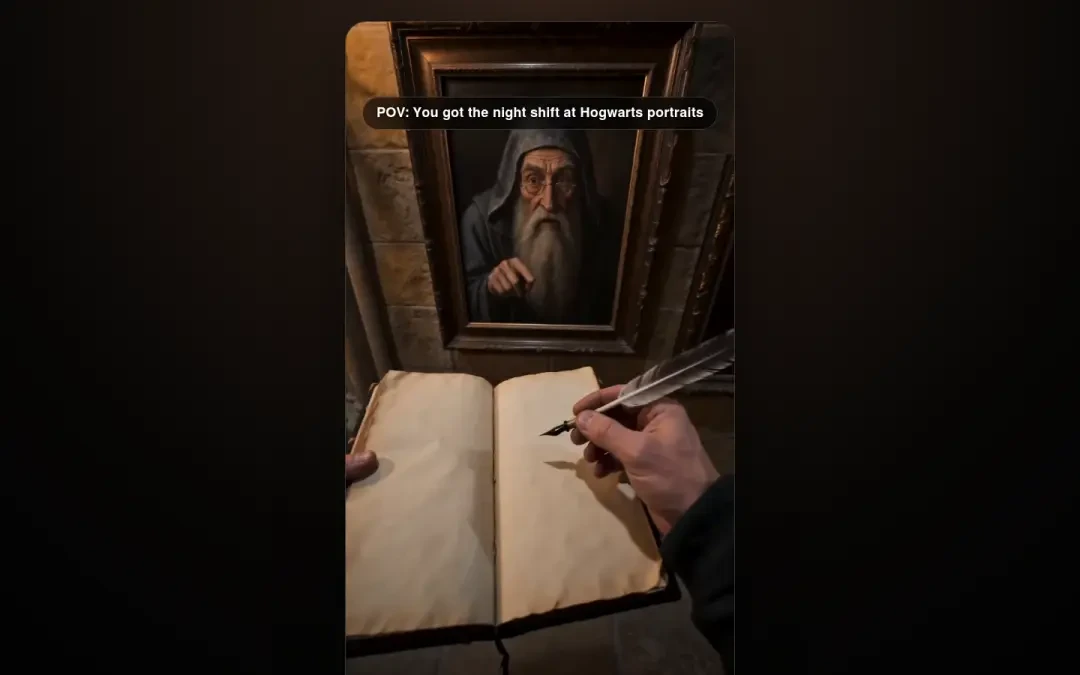
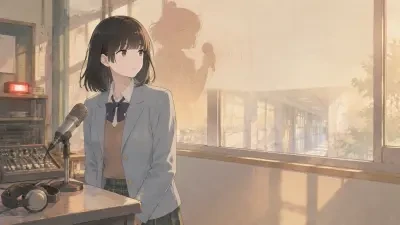
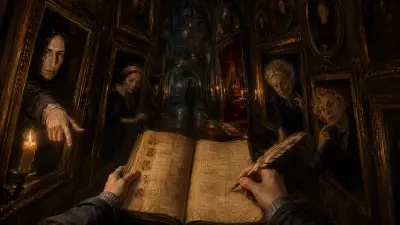
Every featured POV template on this page has been tested in the wild. Hogwarts Portrait Night Shift has driven real views on social platforms. Xiapu Broadcast Mic POV has proven engagement metrics. When you pick a template, you are not starting from zero — you are starting from a formula that already works.
Here is how simple it is: click a template → tweak the prompt → publish a new video. No timeline. No rendering queue. No exporting. The AI generates your clip and it is ready to post. Someone else already proved it works. You just pick it up and make it yours.
Pick a template and start creating →
See It, Fork It, Get It
On Neta Studio, every work is forkable. See a POV video someone else made? Fork it. Change the character, change the scene, change the era — the AI preserves the proven format while generating new content that belongs to you. You see what worked for someone else. You fork it. You get your own version. This is how a single template spawns hundreds of successful clips.
Free Creation, No Guardrails
Describe any scene. Any character. Any universe. Neta Studio does not limit what you can create. Hogwarts night patrol? Make it. A Sith apprentice's first day? Make it. A cyberpunk barista dealing with a Karen robot? Make it. The prompt is the only limit.
What Kind of POV Videos Can You Make?
Fantasy & Fandom POV
Step into your favorite universe. Be a Hogwarts student on night patrol. A Jedi exploring an ancient temple. A hobbit tending the garden at dawn. AI generates consistent characters and environments that match the world.
Featured: Hogwarts Portrait Night Shift — A 15-second vertical POV clip of a midnight corridor patrol. Floating candles, sleeping portraits, whispered apologies. Generated entirely from a text prompt. Fork this template and swap the location — Hogsmeade village, the Forbidden Forest, the Astronomy Tower.
Character Vlogs
First-person daily vlogs from original characters. A Slytherin senior's morning routine. A vampire's first sunrise in 300 years. A cyberpunk courier's last delivery. Every vlog is a mini-story.
Historical Reenactment
What did a Roman legionary see standing on Hadrian's Wall? What did a Tang Dynasty scholar experience walking through Chang'an at dawn? AI POV reconstructs history from a personal lens.
Romantic & Slice-of-Life
First dates in magical libraries. Coffee shop meet-cutes. Rainy evening walks through neon streets. POV romance is one of the fastest-growing subgenres on TikTok.
Game-Inspired POV
Walk through Whiterun at sunrise. Explore Rapture before the fall. Survive your first night in Minecraft — all in first person, all generated by AI.
How It Works: From Prompt to Viral Clip
Neta Studio uses Seedance AI to turn text descriptions into cinematic POV video.
- Pick a proven template — The ones featured below have real engagement data behind them
- Describe the scene — Write what the camera sees and hears, shot by shot
- AI generates — Each 15-second segment renders with consistent lighting, character appearance, and camera movement
- Publish & share — Segments stitch into a 30–90 second final video, ready to post
Generate your first POV video now →
Real Prompt Example
9:16 vertical 15-second realistic handheld selfie. Dim Hogwarts corridor at midnight. Floating candles cast flickering shadows. The camera pans past sleeping portraits — one grumbles and shifts in its frame. The operator pauses, whispers "Sorry, Professor," and continues down the hall.
This single prompt produced the featured clip on this page. Fork it, change "Hogwarts corridor" to "Sith temple hallway" and "Professor" to "Master" — and you have a Star Wars POV in seconds.
POV Prompt Cheatsheet
Do
- Describe camera position — "handheld at eye level," "phone selfie," "helmet-mounted"
- Include sensory detail — lighting, sound, texture, time of day
- Specify transitions — "hard cut," "slow pan left," "camera tilts up"
- Lock character appearance — use reference images for consistent faces
- Keep segments to 15s — then concatenate for longer videos
Don't
- Add subtitles or watermarks in the prompt — they break immersion
- Use modern UI in fantasy or historical scenes
- Change lighting mid-segment — it kills continuity
- Over-direct camera movement — natural motion works best
Start Making POV Videos Now
No camera. No actors. No editing software. Pick a template below that someone else already proved works. Fork it. Make it yours.
Featured Works
Start Creating
Enter one sentence, AI generates a complete world and playable game. No coding required.