
How to Use GPT Image 2 for Crime-Drama Key Visuals — A Step-by-Step Guide with a Real Albuquerque World
Seven steps to grounded crime-drama key visuals with GPT Image 2 — place-first prompts, costume casting, foreground evidence, temperature contrast and the GPT Image 2 vs Krea 2 comparison, proven on four real works from the Breaking Bad world.
How to Use GPT Image 2 for Crime-Drama Key Visuals
This guide is a working method, not a list of magic words. It assumes you already have a world with rules, or that you are willing to borrow one. Every step is demonstrated on the Breaking Bad world in Neta Studio, using the same four published frames that appear on the world page. By the end you should be able to produce a key visual that belongs to a specific place, not a generic crime poster with a desert filter.
What "Crime Drama" Means to an Image Model
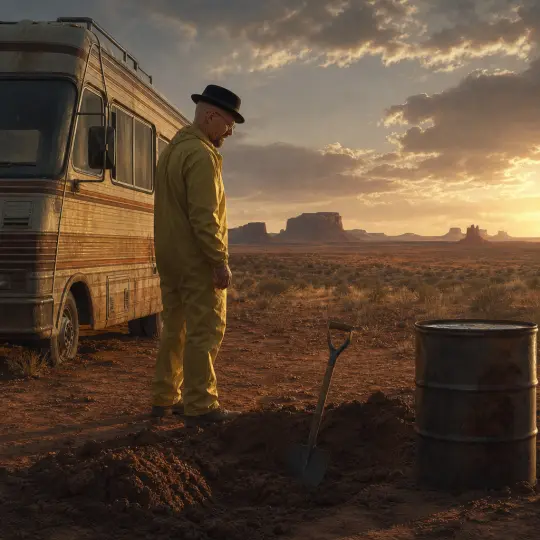
Crime drama is a genre of ordinary surfaces under pressure. Unlike fantasy, it cannot hide a mistake behind ornament. The car must look like a car, the fryer must look like it has been used, the desert must recede at the correct rate, and the light must come from a sun that behaves like a sun. GPT Image 2 is a good fit because it prefers material facts to mood adjectives. The method below is designed to feed it the facts in the order it uses them.
Before You Prompt: Read the World
Open the world and read the location entry you intend to visualise. The Breaking Bad world has six locations, each with its own palette and social rule. To'hajiilee is horizontal and empty. The Superlab is vertical and sealed. The White residence is flat, symmetrical and domestic. The car wash is bright, wet and public. Reading first prevents the most common failure: generating a beautiful image that could belong to any crime story rather than this one.
Step 1 — Choose the Scene by Its Social Rule
Pick a location because of what people are allowed to do there, not because it looks good. The desert permits a burial. The lab permits a production run. The car wash permits a money handover behind a closed bay door. The family kitchen permits a confrontation that cannot be had anywhere else. When the rule is clear, the prompt almost writes itself: the location tells you what the evidence should be.
Step 2 — Establish Place and Scale First
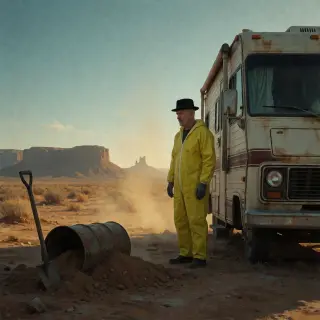
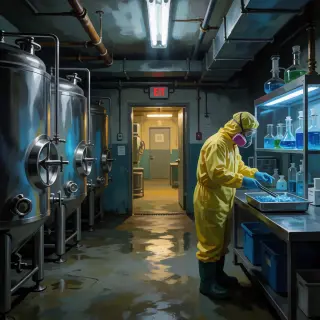
The first clause after the medium should fix the place. "Mesa country west of Albuquerque at golden hour" gives the model a horizon, a sky ratio and a light direction. "An underground pharmaceutical-grade laboratory beneath an industrial laundry" gives it a ceiling, a corridor and a source of artificial light. Without that clause the model defaults to a generic cinematic backdrop, and every later clause has to fight it.
Step 3 — Cast by Costume, Not by Face
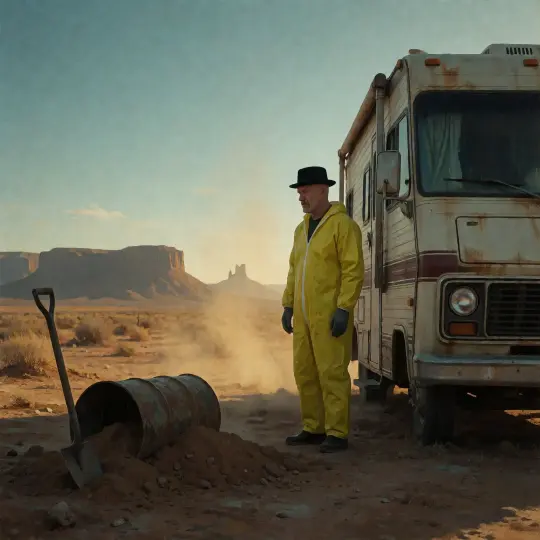
Do not describe a likeness. Describe a garment and a posture. "A bald middle-aged man in a black black fedora and a yellow work coverall, standing with his hands at his sides, face turned three-quarters away" gives the model everything it needs and nothing it can get wrong. Costume also does narrative work: civilian hat above industrial coverall is the entire premise of a man who has not decided which world he belongs to.
Step 4 — Put Evidence in the Foreground
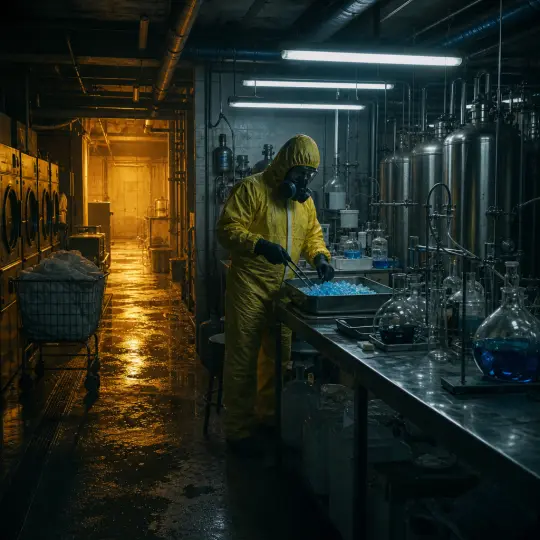
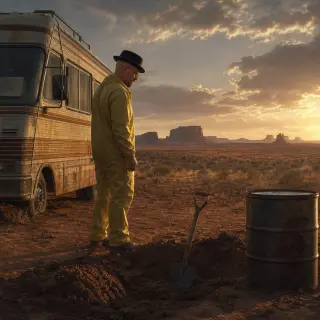
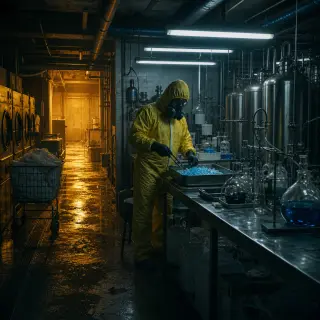
Every crime frame needs one object that implies an action already underway. A shovel resting in fresh earth. A steel drum with the lid off. A tray of blue crystal and a pair of tongs. Place the object close to the camera, give it contact shadow, and let it sit slightly off-centre so it creates a triangle with the person and the horizon. This is the single highest-leverage clause in the whole prompt.
Evidence bank for this world: shovel, steel drum, zip ties, a burner phone face-down, a cold cup of coffee, a ledger with a column of clean numbers, a tray of blue crystal, tongs, a respirator on a hook, a car-wash token, a fryer basket, a pool skimmer, a book with an inscription on the flyleaf.
Step 5 — Light With Two Temperatures
GPT Image 2 lights evenly unless you stop it. Name one key and one fill with different colour temperatures. Desert: low golden sun as key, cool sky bounce as fill. Lab: cold overhead fluorescent as key, warm sodium spill from the corridor as fill. Domestic: one overhead bulb as key, blue television glow as fill. The warm source is almost always the ordinary world, and placing it at the edge of the frame is what makes the crime feel like a choice.
Step 6 — Lock the Palette
Write the palette as three named colours, not as a mood. "Ochre dust, cyan glassware, beige stucco" is usable; "gritty and cinematic" is not. For this world the palette is deliberately narrow: the desert is ochre and bone, the lab is cyan and steel, the suburb is warm beige that slowly reads as camouflage. If you change the palette, you change which part of the story the audience is watching, so change it on purpose.
Desert palette: ochre, bone, faded sky blue, one black shape. Lab palette: cyan, stainless grey, wet black, one warm amber leak. Domestic palette: beige, cream, pool turquoise, one cold screen glow. Front-of-house palette: red and yellow signage, white tile, polished chrome.
Step 7 — Ban Text, Then Compose
Add "no text, no logos, no watermark, restrained film grain" to every prompt. Signage is the fastest way to break the documentary illusion, because a misspelled word is instantly visible even at thumbnail size. Compose for the crop you actually need: 3:2 for a page hero, 2:1 for a share card, 1:1 for a social tile. Generate the widest version first and crop inward; never generate tight and hope to expand.
The Full Prompt Template
Semi-realistic painterly crime-drama key visual, cinematic wide shot. PLACE: [mesa country west of Albuquerque at golden hour / underground pharmaceutical-grade laboratory beneath an industrial laundry]. SCALE: [a rusted 1980s recreational vehicle and a fresh hole / stainless-steel tanks receding down a corridor]. SUBJECT: [a bald middle-aged man in a black black fedora and a yellow work coverall, face turned away / a figure in a yellow cleanroom coverall and respirator]. EVIDENCE: [an empty steel drum and a shovel on turned earth / a steel tray of blue crystal and a pair of tongs]. LIGHT: [low golden sun, heat haze, ochre dust, cold teal shadow / cold fluorescent key, warm sodium spill from a corridor]. NEGATIVE: no text, no logos, no watermark, restrained film grain.
Keep the order. GPT Image 2 weights early clauses more heavily than late ones, so a place clause that arrives after the costume clause will lose to the costume. The template is also a checklist: if you cannot fill a bracket with a concrete noun, the scene is not ready to generate.
Troubleshooting: Six Failures and Their Fixes
| Symptom | Cause | Fix |
|---|---|---|
| Car-advert gloss | No weather or imperfection | Add heat haze, dust on paint, a scuffed bumper, flat high cloud. |
| Video-game look | No material constraints | Add fabric weight, wet concrete, chipped paint, visible weld seams. |
| Stock-photo emptiness | No evidence object | Add one foreground object with contact shadow and a human silhouette at the edge. |
| Character-poster drift | Face is too central | Turn the face away, widen the frame, describe posture and hat instead of features. |
| Lab reads as a spa | Too few industrial nouns | Add tanks, pipe runs, drain grate, condensation, warning stripe, pallet. |
| Desert reads as Mars | Wrong references | Add "New Mexico mesa country, dry scrub, red dirt, ordinary daylight". |
GPT Image 2 Against Krea 2 on the Same Brief
The same two briefs were run through Krea 2. The difference is consistent and useful. GPT Image 2 gives you a document: the RV has real trim, the mesa layers step back correctly, the lab floor carries amber light, and the laundry machines are visible behind the wall. Krea 2 gives you a poster: compressed values, a bleached vehicle, a magenta respirator, a sky that does the emotional work. Use GPT Image 2 when the frame must survive a crop; use Krea 2 when the frame must stop a scroll.
Publishing the Result
Publish each frame as a work of the world, with its prompt and model attached. A published work is a permanent share link that inherits the world's atoms, appears in the world gallery and can be remixed. The four frames in this guide are published works from the Breaking Bad world, which means you can open them, read the briefs and compare them without trusting a screenshot.
Generate
Run the six-clause template at the ratio you need.
Select
Keep the frame that answers a question before the caption does.
Attach
Publish it as a work of the world, with prompt and model recorded.
Compare
Run the same brief on the other model and publish both.
Fork
Let someone else change an atom and generate the next frame.
A Worked Example: Two Frames, One World
The To'hajiilee frame was built from five nouns: RV, hole, shovel, drum, mesa. The Superlab frame was built from five different nouns: tank, glassware, tray, tongs, corridor. Both prompts use the same six-clause order and the same negative clause. That is the whole method. The world supplies the nouns; the template supplies the order; the model supplies the material. Everything else is iteration.
Explore the World
The world is public and the four key visuals are live. Fork it, change one atom, and generate the frame you actually want to see: the inside of the drum, the moment before the door opens, the look on the face that the hat is hiding. Then publish it next to the originals and let the comparison do the arguing.
Put This Guide to Work
Four published frames, two models, one world — the next frame is yours to make.