How to Use GPT Image 2 for Fantasy MOBA Key Visuals — A Step-by-Step Guide with a Real League of Legends World
Six steps to banner-ready fantasy MOBA key visuals with GPT Image 2 — prompts, model comparisons, and troubleshooting, proven on four real works from the League of Legends: World of Runeterra world.
How to Use GPT Image 2 for Fantasy MOBA Key Visuals
A practical, step-by-step guide to generating banner-ready MOBA key visuals with GPT Image 2 — using four real works published from the League of Legends: World of Runeterra world on Neta Studio. You will learn the prompt anatomy, the two-model comparison workflow, and how to keep every poster on-canon.
What You Need
- A world seed — fork League of Legends: World of Runeterra or write a one-sentence world brief.
- A scene — a city, a champion, a faction, and a moment worth a poster.
- A model pair — GPT Image 2 for detail, Krea 2 for atmosphere.
- Ten minutes — four posters in one session, published as works.
Step 1 — Choose the Scene
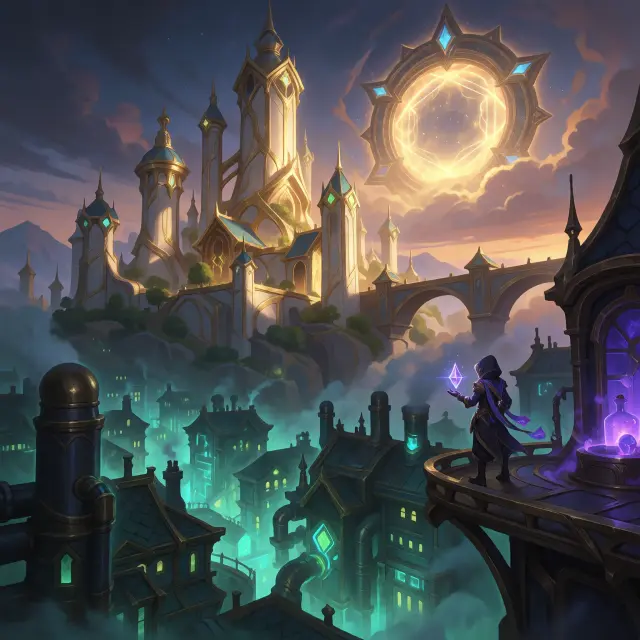
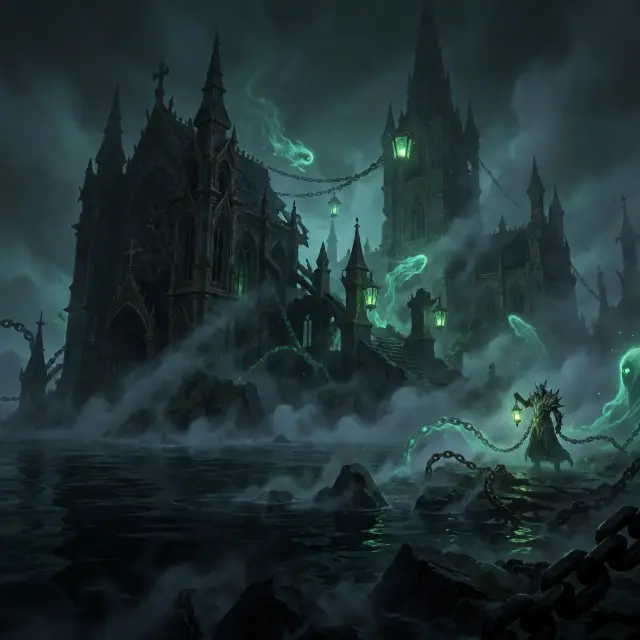
Start with a scene that has visual conflict: two cities stacked on one skyline, a cursed island swallowing a cathedral, a walled kingdom hiding a mage. The League of Legends world ships with six locations — Piltover & Zaun, Demacia, Noxus, Ionia, and the Shadow Isles — each a ready-made stage.
Step 2 — Cast the Subject
Name the hero and their moment. A hooded inventor holding a hextech crystal between two worlds. A light mage under petricite walls. A chain warden on a ruined shore. The world’s eight champions give you canon-ready subjects with epithets and factions.
Prompt template: “[a subject] in [a place], [a moment], [an elemental accent], cinematic splash art, high detail”.
Step 3 — Set the Mood with Light
Light is the fastest way to make a key visual read as key art. Golden dusk for Piltover’s progress. Teal-and-violet neon for Zaun’s nights. Green mist and black water for the Shadow Isles. State the light explicitly — it is the difference between a wallpaper and a poster.
Step 4 — Run Both Models
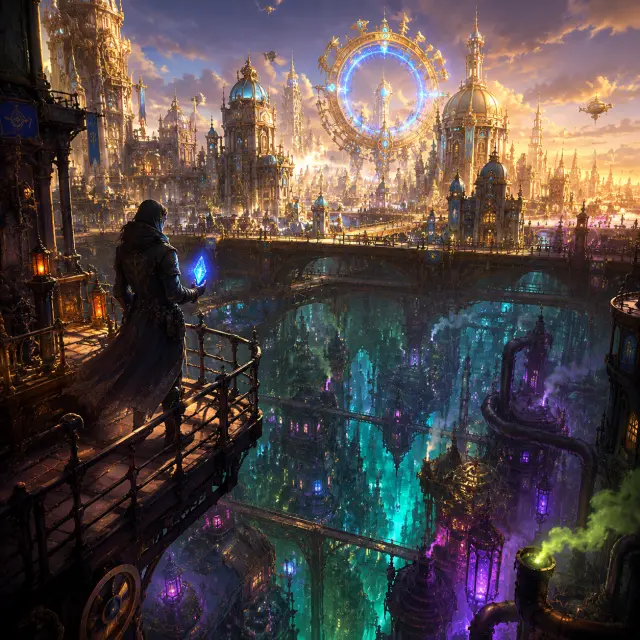
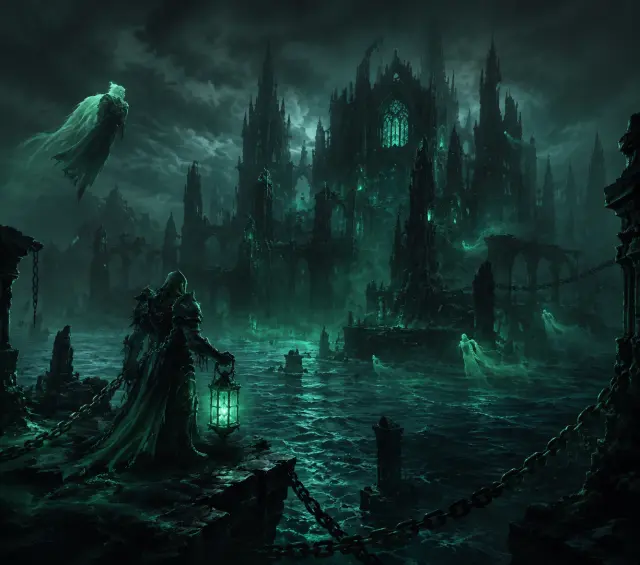
Run the exact same prompt through GPT Image 2 and Krea 2. On Neta Studio both outputs publish as works of the same world, so the comparison becomes part of your asset library. GPT Image 2 resolves density and composition; Krea 2 resolves glow and atmosphere.
Step 5 — Compare and Choose
Compare the pair against your art direction. Detail-first suits banners, title screens, and covers where readability matters. Glow-first suits mood pieces, intros, and atmospheric campaigns. There is no wrong answer — publishing both keeps the choice reversible.
Step 6 — Publish and Iterate
Every render publishes as a shareable work of the world. Iterate by re-prompting, forking the world for a new art direction, or extending the scene into a game, a video, or a lore page. The poster is the door; the world is the house.
Write
Prompt the scene, subject, and light in one sentence.
Render
Run GPT Image 2 and Krea 2 on the same brief.
Compare
Publish both as works; compare against your direction.
Iterate
Re-prompt, fork, or build the next work from the same world.
Prompt Recipes That Work
- Twin cities — “a lone hooded inventor on a catwalk between golden Piltover and neon Zaun, holding a glowing hextech crystal, dusk, cinematic wide composition, gacha splash art.”
- Cursed isle — “a chain-wielding warden on a ruined shore, green soul lanterns drifting in black mist, ruined cathedral behind, moody teal palette, high detail.”
- Walled kingdom — “a light mage of Demacia under petricite walls, golden light gathering in her hands, justice and fear in one frame.”
Troubleshooting
- Texture artifacts — add clearer style cues: “clean line work, painterly, no noise.”
- Champion drift — always reference the same world seed and the champion’s epithet.
- Too flat — add a light cue: “golden-hour rim light, dramatic contrast.”
- Krea 2 text issues — keep titles out of the frame; add typography later.
What’s Next After the Poster
The four key visuals in this guide are public works of League of Legends: World of Runeterra. Fork the world, change the palette, extend the canon, or generate the game that starts on that catwalk. On Neta Studio, the world is the source — works are its branches.
Start Your Key Visual
Follow the six steps with GPT Image 2 — your fantasy key visual is one prompt away.