How to Use GPT Image 2 for Pokémon Key Visuals — A Step-by-Step Guide with a Real Pokémon World
Learn the full workflow — from a one-sentence scene brief to published Pokémon-style key art — using the Pokémon: Aurelia Region world as the worked example.
Six Steps from Brief to Pokémon Key Visual
This guide walks the full workflow — from a one-sentence scene brief to published, shareable Pokémon-style key art — using the Pokémon: Aurelia Region world as the worked example. Every image below is a real output of the steps described, generated with GPT Image 2 (and compared with Krea 2) on Neta Studio.
Step 1 — Write the One-Sentence World Brief
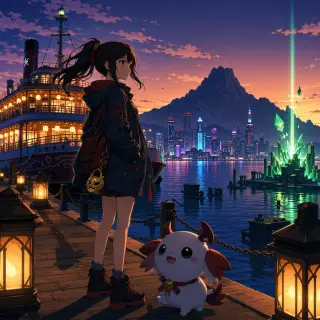
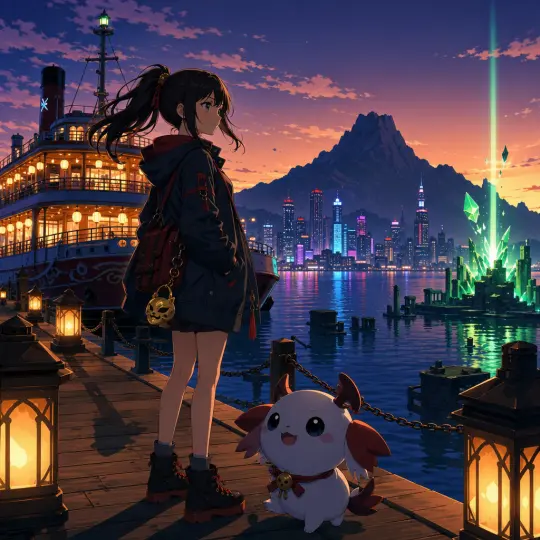
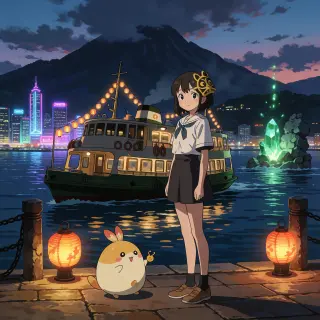
Start with a single sentence that carries the scene, the subject, and the mood. The Aurelia world cover came from: “A teenage girl with a small gold mask charm stands on a lantern-lit harbor boardwalk at dusk, a cute round little companion creature beside her, a ferry with glowing lanterns behind, neon city skyline across the bay, a brooding mountain silhouette, green crystal light rising from sea ruins.”
One sentence is enough. The platform expands it into a full key-visual brief with composition, lighting and atmosphere.
Step 2 — Lock the Visual Style: Cel Shading
A creature-collector region reads best in clean hard-shadow cel illustration: readable simplified volumes, controlled outlines, broad flat local colors, one or two hard-edged cel-shadow shapes, and compact graphic highlights. Pinning this style once keeps every cover, landmark and poster in the same family.
Step 3 — Generate the World Key Visual with GPT Image 2
Send the one-sentence brief plus the style note to GPT Image 2. The model composes the full key visual in a single pass — Wren Vale and her starter on the boardwalk, the ferry, the neon skyline, the green crystal beam — with fine detail across the frame.
Step 4 — Render the Landmark: The Sunken Spires
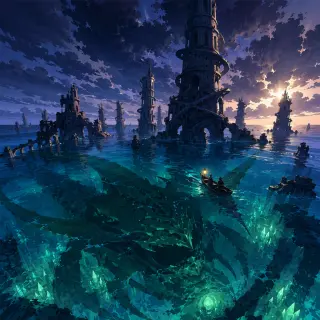
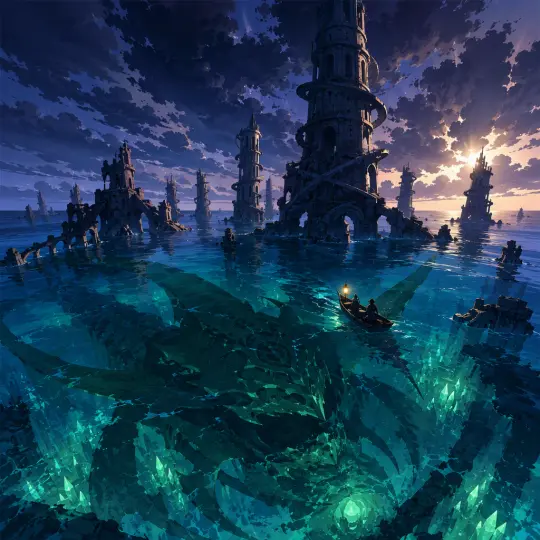
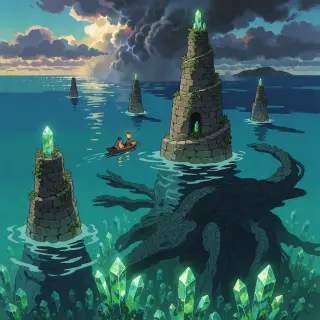
Point GPT Image 2 at the story’s center: drowned spiral towers, green Aether Crystals in the deep, an ancient shadow stirring beneath the waves. The same style note keeps the landmark continuous with the cover.
Step 5 — Compare with Krea 2 and Choose Your Favorite
Run the exact same briefs on Krea 2 for a second interpretation. GPT Image 2 gives crisp, detailed cel shading; Krea 2 gives a warmer, painterly pass. Both are real works of the same world — publish the one that fits your region, or keep both for different pages.
Step 6 — Publish, Share, and Fork the World
Every generated work publishes instantly to a shareable link inside the world studio, linked to the Pokémon: Aurelia Region world. Anyone can fork the world, regenerate its atoms, or remix the posters into a new style.
Prompt Templates You Can Copy
World cover template: “A [character] [stands at] [location] at [time], [companion] beside [them], [landmark] behind, [skyline/mountain] across the bay, [signature light effect] rising from [story place].” + your cel-shading style note.
Landmark template: “Drowned/ruined [structures] rising from [water] at [time], glowing [crystals] deep in the [water], a vast ancient shadow stirring beneath, a small [boat] approaching, [storm light] breaking through clouds.”
Style note (copy-paste): “Clean hard-shadow cel illustration, anime style, readable simplified volumes, clean controlled outlines, broad flat local colors, hard-edged cel shadows, smooth fills, compact graphic highlights, no text.”
Common Mistakes to Avoid
Too many subjects — one sentence, one focal character, one landmark. The Aurelia cover works because the girl and her starter stay the clear center.
Style drift — always append the same cel-shading style note, or covers and landmarks will quietly diverge.
Skipping the comparison — one extra prompt on Krea 2 often produces the version you actually want.
Forgetting to publish — generated works only become shareable when you publish them from the studio.
From Guide to World: The Full Aurelia Pipeline
The four works in this guide are the visible tip of the world: 27 atoms — 8 characters, 6 locations, 6 events, 4 factions and 3 rules — each forkable, each regenerable. The same six steps apply to any premise you bring.
Frequently Asked Questions
Do I need GPT Image 2 experience? No — the generator does the composing; you only write the sentence. Can I use these prompts commercially? Yes — every work you generate is yours to publish and remix. What if I do not like the result? Regenerate, or switch to the Krea 2 pass of the same brief.
Start Your Own Region Today
Write one sentence, pin the cel-shading style, generate the cover, render the landmark, compare models, publish. Six steps — and your region is live.
Follow the six steps with GPT Image 2 — <span class="ml-highlight">your Pokémon key visual</span> is one prompt away
Write the brief, pick the model, publish the poster — and keep the world that made it.