
How to Use GPT Image 2 for Snake Game Key Visuals — A Step-by-Step Guide
A practical guide to generating arcade key visuals with GPT Image 2 — from reading a world's atoms to publishing a frame that survives the crop. Worked end-to-end on The Serpent Circuit, with four published examples.
Make a Snake-Game Key Visual
GPT Image 2 is a text-to-image model that rewards a specific, ordered brief. A snake-game key visual is a hard test of that skill because the genre is almost all geometry: a lattice, a wall, a body made of segments, a single piece of fruit. Get the geometry wrong and the frame reads as a screensaver. Get it right and a forty-year-old arcade loop looks like a civilization.
This guide is the method behind the four published works from The Serpent Circuit, an arcade-cosmology world built in Neta Studio. It covers how to read the world first, how to cast a subject against scale, how to choose a location grammar, how to light the arcade, how to render and crop, and how to compare GPT Image 2 with Krea 2 without wasting generations. Every step has a worked example you can copy.
Quick Answer: The Six-Clause Frame
Write every snake-game prompt as six ordered clauses: medium and genre, scale object, location grammar, subject, light logic, exclusions. The order is the method. Early clauses set the rendering system and the size of the world; later clauses refine the subject and remove failure modes. A prompt that skips the scale object produces a character portrait with a grid behind it. A prompt that skips the negative clause produces pseudo-text on the scoreboard.
Keep the whole brief under 120 words. Long prompts do not fail because the model cannot read them; they fail because the writer adds contradictory instructions. One medium, one scale object, one place, one subject, two light sources, four exclusions. If you need a second subject, render a second frame.
| Clause | What it controls | Failure if missing |
|---|---|---|
| Medium and genre | Rendering system, pixel scale, outline logic | Smooth digital painting instead of arcade sprite |
| Scale object | The enormous thing that sizes the world | A portrait with a decorative background |
| Location grammar | Composition: arena, well, edge, gate | Generic neon void |
| Subject | Who we measure the world against | Screensaver with no witness |
| Light logic | Two named sources, palette, falloff | Flat, evenly lit spectacle |
| Exclusions | Text, watermark, logo, UI | Pseudo-lettering on the scoreboard |
Step 1 — Read the World Before You Prompt
Do not start from a blank prompt box. Start from the world's atoms. The Serpent Circuit has 26 of them: seven characters, six locations, five events, four factions and four laws. Each atom is a compact brief already written in the world's voice. Your job is to choose one, copy its nouns, and let the model render what the text already implies.
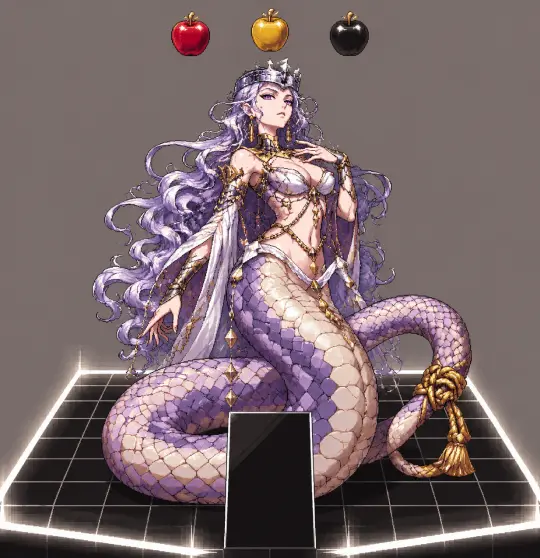
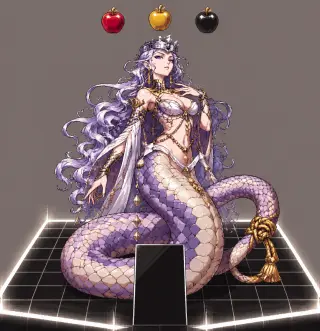
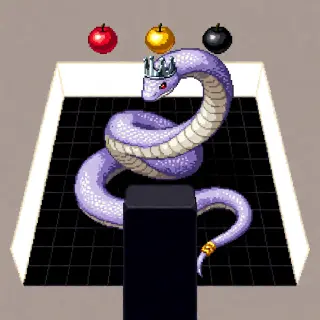
- Character atom — Vess of the Long Line: forty-seven segments, knotted tail, chrome crown-plate, champion.
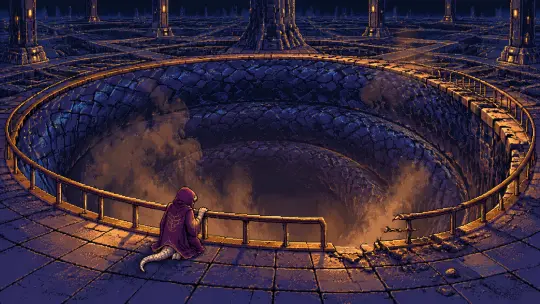
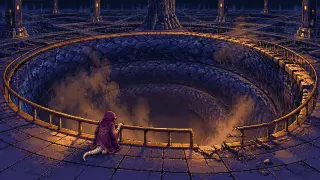
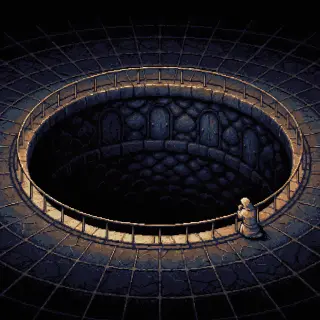
- Location atom — The Coil Well: spiral pit, Sable's banded body, brass railing, warm dust.
- Event atom — The Black Apple: a fruit the colour of a switched-off screen, eleven days early.
- Rule atom — The Law of the Tail: cross your own body and the run ends.
This is also where consistency comes from. The palette, the outline logic and the social hierarchy are already decided by the world. You are not inventing a style per image; you are rendering an existing canon. That is why four works by two different models still look like they belong to the same place.
Step 2 — Cast One Serpent Against Scale
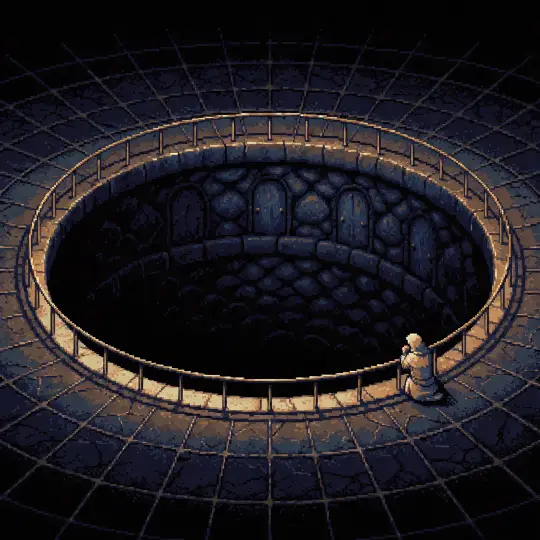
The subject is the measuring instrument. A champion coiled on a forty-by-forty Grid tells the viewer the board is a stage. A tiny hooded pilgrim at the rim of the Coil Well tells the viewer the pit is a cathedral. Cast by silhouette and role, not by face: a crown-plate, a knotted tail, a hooded robe, a ledger. The moment you describe a beautiful face, the model starts making a portrait and the scale collapses.
For snake-game work, the body is the costume. A forty-seven-segment serpent is not "a snake"; it is a specific length with specific scars, jewellery and posture. Name the segment count, the scale colours (pale violet and bone-white), the ornament (braided gold cord), and the pose (slow deliberate diagonal). Those four facts do more for the frame than any adjective about mood.
Step 3 — Choose the Location Grammar
Four location types cover the genre, and each demands a different composition. Choose the grammar before you write adjectives, because the grammar decides the camera, the light and the social rule of the frame.
The Grid — flat, legible, bounded
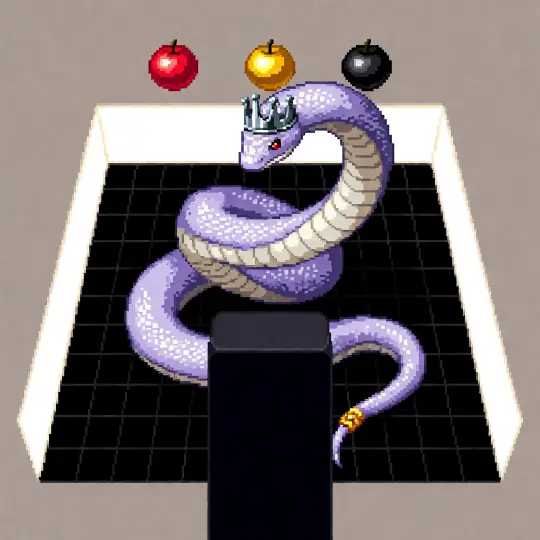
The Grid is the default arena: a black field of faint lattice, forty cells by forty, four glowing walls, a monolith at the south end. Compose it flat and symmetrical, with the subject in the lower third and the walls acting as a frame. The lattice must be visible but faint; if it is too bright it competes with the scales, and if it disappears the image stops reading as a game.
The Coil Well — deep, circular, sacred
The Well is the opposite composition: a spiral throat descending further than the architecture allows, walled by an enormous banded body, with a thin railing at the rim. Compose it wide and slightly top-down so the spiral reads, then put one small figure at the railing for scale. Warm dust rising from the black throat is the light source; the railing catches a hard rim. This is the frame that explains why the Well is the Circuit's most contested holy site.
The other two grammars are the Edge (wide, empty, white planes and black beyond) and the Insertion Gate (vertical, ceremonial, a chrome coin slot two serpents tall). Use them when the story needs a beginning or an ending rather than a match.
Step 4 — Light It Like an Arcade Afterlife
Arcade lighting is economic, not decorative. Every light source should imply who is paying for it. The Grid glows cold from below because the lattice is powered by the Cabinet. The white walls rim the subject because the Edge deletes anything that touches it. The Coil Well is lit from inside by warm dust, because something at the bottom is still running. Name two sources at most and let the rest fall to black.
- Grid scenes — cold lattice glow from below, white wall rim, one warm key on the serpent.
- Well scenes — amber dust as the key, deep blue-black falloff, hard rim on the railing.
- Edge scenes — white planes, no bounce, subjects reduced to silhouettes.
- Scoreboard scenes — black glass, one column of pale light, names as thin bright marks.
Step 5 — Render Wide, Crop Late
The published crop is rarely the rendered crop. Render wider than you need, then crop to the platforms you actually use. For this world, the working set is 16:9 for the hero, 2:3 for a character poster, and 1:1 for thumbnails and social cards. High quality for anything that will be inspected; medium only for thumbnails.
| Setting | Use | Why |
|---|---|---|
| 1536×864 | 16:9 hero, location frame | Keeps the spiral and the railing in one readable composition |
| 1024×1536 | 2:3 character poster | Gives a forty-seven-segment tail room to curl |
| 1024×1024 | 1:1 social and thumbnail | The safe crop for every platform |
| High quality | Anything inspected or printed | Scale rows and jewellery survive full bleed |
Step 6 — Compare Models, Publish Both
Run the identical brief through GPT Image 2 and Krea 2. GPT Image 2 gives you the structural frame: detail, ornament, architecture, a crowd that reads as a crowd. Krea 2 gives you the emotional frame: silhouette, value, a clean graphic read at thumbnail size. Do not choose between them in the prompt. Choose after you have both, based on where the frame will live.
Common Mistakes and Fixes
- Starting with a face — describe role, crown and posture instead. Faces collapse scale.
- Bright lattice — dim it until it is felt rather than seen, or it competes with the scales.
- Too many subjects — one serpent or one pilgrim per frame; a crowd needs its own composition.
- Lettering on the scoreboard — forbid text explicitly and make the monolith blank.
- Rendering the final crop — render wide, crop in post; you will need the margin.
- Choosing a model too early — run both, then pick by where the frame will live.
Most "bad" snake-game generations are not model failures. They are brief failures: a missing scale object, an unnamed light source, a subject described by beauty instead of function. Fix the clause, re-render, and the frame usually lands on the next attempt.
A Worked End-to-End Example
Here is the full loop on one frame, from atom to published work. The atom is Vess of the Long Line. The beat is the champion at the top of the Scoreboard, three trophy fruits hanging above her, the monolith blank behind. The brief is the six clauses in order. The render is 2:3 at high quality, then cropped to 16:9 for the hero and 1:1 for the card. Both models are run on the identical text; both frames are published back to the world with the prompt attached.
01 — Read the atom
Vess: forty-seven segments, knotted tail, chrome crown-plate, reigning champion.
02 — Choose the beat
The champion alone on the Grid, trophy fruit above her, the Scoreboard blank behind.
03 — Write the six clauses
Medium, scale, place, subject, light, exclusions — under 120 words.
04 — Render wide
2:3 at high quality on GPT Image 2; identical text on Krea 2.
05 — Crop and publish
16:9 hero, 1:1 card, both attached to the world with prompt and model.
Where to Go Next
Once the six-clause brief is automatic, the interesting work begins: choosing atoms that contradict each other. Put the Black Apple in the Orchard Vault and watch the priesthood panic. Let Vess reach fifty segments and discover what the Edge does to a champion who cannot turn around. Give Warden Cass a name she refuses to cross out. The method is repeatable; the canon is yours to break.
Start Creating
Six clauses, two models, four published works — now render the frame only you would choose.