
How to Use GPT Image 2 for Wuthering Waves Key Visuals — A Step-by-Step Guide
A practical guide to generating Wuthering Waves key visuals with GPT Image 2 — from reading a world’s atoms to publishing a frame that survives the crop. Worked end-to-end on Solaris-3, with four published examples.
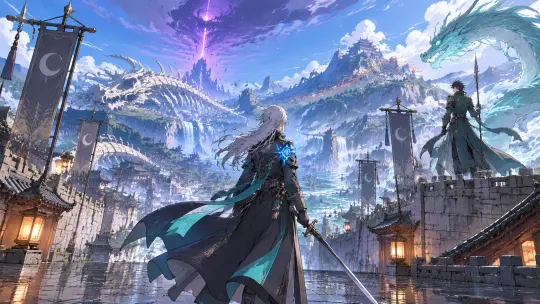
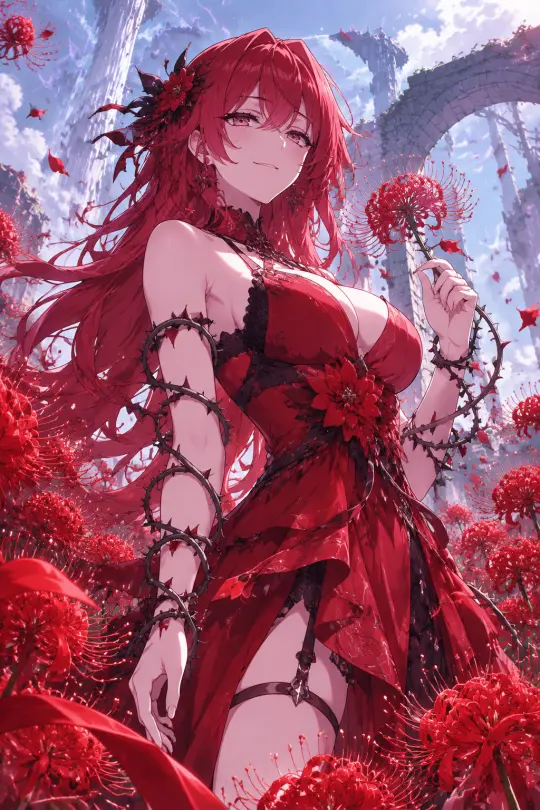
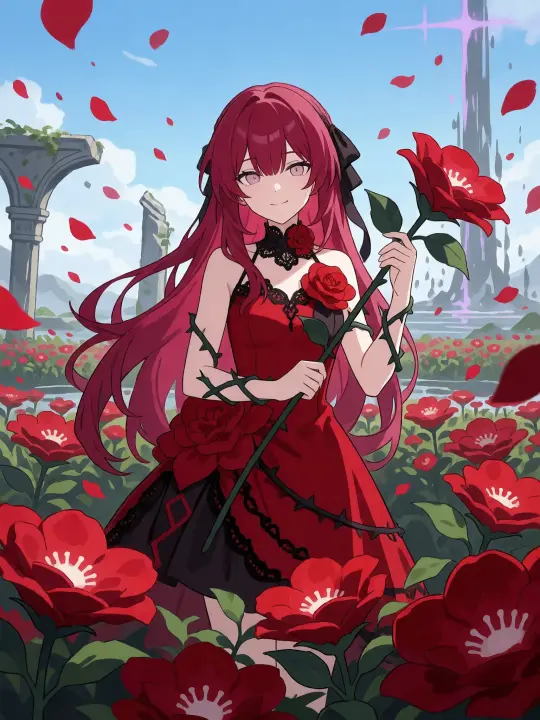
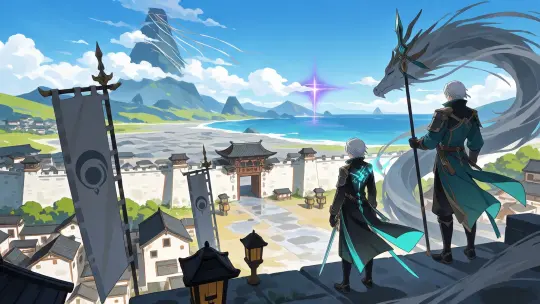
Make a Wuthering Waves Key Visual
GPT Image 2 is a text-to-image model that rewards a specific, ordered brief. A Wuthering Waves key visual is a hard subject because it is architectural, social and rule-bound at the same time: a wall has to recede, a city has to have a population, and the resonance has to be visible without becoming a magic effect.
This guide is the method behind the four published works from Solaris-3, the Wuthering Waves world on Neta Studio. It runs from reading the world’s atoms to publishing a frame that survives the crop, with the full prompt for every example.
Quick Answer: The Six-Clause Frame
Write every Wuthering Waves prompt as six ordered clauses: rendering system, job and format, subject, physics and props, light and palette, negative clause. Keep the whole thing to one paragraph. The order matters because each clause removes a failure mode from the next.
| # | Clause | Example |
|---|---|---|
| 1 | Rendering system | 2D anime game key art, crisp selective line art, hard cel shadows |
| 2 | Job and format | World key visual / character key visual, vertical hero |
| 3 | Subject and place | A walled frontier city around an ancient loong |
| 4 | Physics and props | Grey water falling upward, a wind dragon, thorned vines |
| 5 | Light and palette | Bright rim light, saturated reds and greens, cold violet wound |
| 6 | Negative clause | No text, no watermark, no logo |
Step 1 — Read the World Before You Prompt
Do not start from a blank prompt box. Start from the world’s atoms. Wuthering Waves has 24 of them: eight characters, six locations, six events and four factions. Each one is a constraint you can borrow instead of inventing.
- Character — Rover, a traveler with an Echo no archive can name. Silver-white hair, a dark coat edged in teal light.
- Location — Jinzhou, a frontier city grown around the bones of an old loong, its wall holding back a Tacet Field.
- Event — the Battle of Jinzhou, the night the eastern gate nearly fell.
- Faction — the Midnight Rangers, who hold the wall with Resonators, Echoes and discipline.
This is also where consistency comes from. The palette, the outline logic and the social hierarchy are already decided by the world, so you only have to decide the scene.
Step 2 — Cast One Resonator Against Scale
The subject is the measuring instrument. A traveler standing at a gate the size of a city tells you how big the wall is. A bloom-keeper surrounded by flowers taller than she is tells you the garden has stopped obeying physics. Scale is not background — it is the argument.
For Wuthering Waves work, the costume is the cost. A Resonator who has absorbed too many Echoes should look slightly over-lit, slightly bloomed, slightly wrong in the seams. A character with no contamination is a tourist. Put one legible piece of debt in every frame.
Step 3 — Choose the Location Grammar
Four location types cover the world, and each demands a different composition. Choose the location before you write the prompt, because the location decides the camera.
The Wall — frontier, vertical, lit
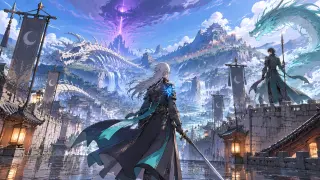
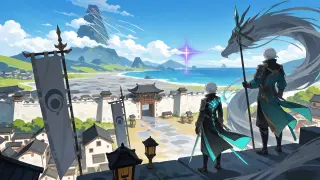
Jinzhou’s wall is the default arena: stone ramparts, crescent banners, lanterns at the gate, a city behind you and a Tacet Field in front. Shoot level and wide. Put the Resonator at one edge of the frame and let the wall carry the other two thirds.
The Tacet Field — wrong physics, right dread
A Tacet Field is the opposite composition: no horizon you can trust, grey water falling upward, ruins frozen mid-collapse, a violet wound in the sky. Put the subject small and let the wrongness dominate. The dread is architectural.
The other two grammars are the Canal City (dense, vertical, warm — bridges, festival banners, masks on green water) and the Observatory (black basalt, white domes, a glowing shore, instruments listening in the dark).
Step 4 — Light It Like a Frequency
Wuthering Waves lighting is economic, not decorative. Every light source should imply who is paying for the space. Lanterns mean the city is holding. Violet means the Lament is close. Teal rim light means borrowed power. Crimson means the bloom.
- Lantern warm — a city still holding the frontier. The default for Jinzhou streets.
- Teal rim — an Echo is active. Put it on the shoulder, the blade or the coat edge, never the whole figure.
- Violet wound — the Lament is present. Keep it in the sky, not on the skin.
- Crimson bloom — a sealed garden or a Fractsidus site. Saturated reds and deep greens, bright rim light.
Step 5 — Render Wide, Crop Late
The published crop is rarely the rendered crop. Render at 1536×864 or wider, keep the horizon in the middle third, and crop to the card afterwards. A square render loses the gate and the dragon; a tall render loses the city. For character posters, 1024×1536 gives you room to crop without cutting the Echo off at the shoulder.
| Output | Size | Why |
|---|---|---|
| World card | 1536×864 | 16:9, room for the gate and the dragon |
| Character hero | 1024×1536 | 2:3, Echo stays in the top third |
| Phone wallpaper | 1088×1920 | 9:16, render taller than you need |
Step 6 — Compare Models, Publish Both
Run the identical brief through GPT Image 2 and Krea 2. GPT Image 2 gives you the structured, populated version; Krea 2 gives you the graphic, thumbnail-proof version. Publish both, and let the crop decide which one goes to the store page.
Common Mistakes and Fixes
- Saying “game” or “poster”. Both pull in UI furniture. Say “key art” and “key visual”.
- No negative clause. Anime key art attracts accidental typography. Always close with “no text, no watermark, no logo.”
- Violet on the skin. Keep the Lament in the sky. On a face it reads as a filter, not a wound.
- Crowding the crowd. Cap extras at “distant merchants.” Otherwise the frame becomes a festival.
- Costume vines. Add “curling around her forearms, not as a weapon” so the contamination stays legible.
Most “bad” Wuthering Waves generations are not model failures. They are brief failures: a missing clause, a product word, or a subject that cannot measure the architecture. Fix the brief before you re-roll the model.
A Worked End-to-End Example
Here is the full loop on one frame, from atom to published work. The atom pair is the Battle of Jinzhou plus the eastern gate; the subject is Rover and a Midnight Rangers general; the model is GPT Image 2.
Atom pair
Event: the Battle of Jinzhou. Location: Jinzhou’s eastern gate. Faction: the Midnight Rangers.
Six clauses
Rendering system, world key visual, gate and city, upward water and wind dragon, lantern and violet, negative clause.
Render wide
1536×864, quality high, PNG, opaque.
Second model
The identical brief through Krea 2 at 1024×576. Publish both.
Publish
Attach both frames to Wuthering Waves as works, with the prompt and atoms. Forkable.
Where to Go Next
Once the six-clause brief is automatic, the interesting work begins: choosing atom pairs that contradict each other. Put the tide-formed guardian in the Crimson Bloom. Put a Fractsidus heretic on the Black Shores. Put the Lament inside a canal festival. The world is at its best when two of its own rules disagree.
Start Creating
Six clauses, two models, four published works — now render the frame only you would choose.