AI Voxel Game Maker — Build a Blocky World in Your Browser

Make your own ai voxel game maker
Describe a voxel world and play it instantly in your browser — build and break blocks, walk the terrain. No install, no export, no code. Free.
An AI voxel game maker turns a written description into a block world you can walk through in a browser tab. You type the place — a basalt plateau at dusk, a two-block path down to black sand, a shallow reef — and the composer resolves it into terrain height, a per-layer block palette, a spawn point, and a sun angle. The same page renders it, plays it, and lets you edit it. No install, no export step, no code.
This page walks through what the voxel path actually does: how the composer turns a sentence into a block grid, which editing operations exist, why face culling is the difference between a playable world and a slideshow, why a smooth-shaded character next to hard-edged blocks looks wrong, and how far the format stretches from a first-person sandbox to a small isometric diorama. It also covers the playable worlds already published on Neta Studio and the failure modes you will hit first.
Build a voxel world in one sentence
The composer is the first screen, and it takes one sentence. You describe the place and it returns terrain height, a material set per depth, a water level, a spawn point, and a light direction. The result is a voxel grid you can stand on in the same page you typed into. There is no queue, no generation job to poll, and no file to download.
The sentence drives four decisions: terrain shape (flat, rolling, cliffs, carved caves), the block assigned to each depth and slope, how high water sits, and the time of day. Everything else is editable by hand afterwards. Re-running the description re-rolls the generated terrain; blocks you placed by hand stay where they are unless you clear them first.
The composer writes into the same voxel grid the brush tools write into. There is no generated layer sitting on top of an edited layer, so there is no merge step, no diff view, and no import. That is the mechanism the whole product rests on: generation and editing are two writers on one structure — a three-dimensional array of block ids addressed by integer coordinates and split into chunks.
What the sentence actually sets
Terrain is sampled from a height function with a few named parameters: base elevation, amplitude, ridge sharpness, and a cave threshold. Materials are assigned by depth and slope, so the top block is grass on flat ground and stone on anything steeper than roughly 45 degrees. That slope rule is why cliffs stop looking like green hills. Water fills every cell below the level you set, and the spawn point lands on the first solid surface near the centre of the world with two blocks of headroom.
If you want a specific structure rather than a specific landscape, name its footprint and its material. A sandstone keep, 16 blocks on a side, 6 blocks tall, one doorway on the south wall produces something you can walk into. A castle produces a box with a few towers, because the model has no reason to prefer one arrangement over another.
Where the first draft goes wrong
Two failure modes show up constantly. The first is scale drift: a description that puts a continent and a courtyard in the same sentence gives you terrain at continent scale and a courtyard you cannot see. Describe one place at one scale. The second is a spawn point inside geometry. If the surface above is a cave roof, the spawn lands on top of it and you drop into the interior. Move the spawn by clicking a block, or raise the cave threshold so the surface is solid.
Build and break terrain in the browser
The editor exposes four operations on the same grid: place a block, remove a block, replace a block while keeping its neighbours, and stack — drag along a face to extrude a run of blocks in one stroke. The brush is a ray cast into the grid, not into the render mesh. It steps cells with a DDA loop up to the reach limit, so hit detection is exact no matter how the surface was generated and never depends on triangle count.
Placement writes to the cell adjacent to the hit face. Removal writes air into the hit cell. Both go through an undo stack that stores coordinate-and-previous-id diffs, which means a 200-block stroke is one undo entry rather than 200. Redo replays the same diffs. There is no mesh-level undo and no scene graph to keep in sync with the grid.
Face culling is what keeps this running. A solid 16×16×16 chunk holds 4096 blocks. Drawn naively that is 4096 cubes, or 24,576 quads. Drawn with per-face culling, only faces adjacent to air are emitted: the shell of that chunk is 1536 quads, a 16-fold reduction before any merging. Greedy meshing merges coplanar faces of the same block type into larger quads, which cuts the count again on flat ground and does almost nothing on noisy terrain. That is why the rebuild budget matters more than the mesher.
How the AI voxel game maker keeps frame rate
An edit marks its chunk dirty, and the mesher rebuilds that chunk plus any neighbour whose boundary faces changed. Rebuilds run against a per-frame budget rather than all at once. If you box-fill a 32×32×32 region, you get a few frames of stale geometry instead of a stall. The visible artefact is brief — a hole where a wall is about to appear — and it is the right trade at 60 frames per second.
- Reach-limited brushPlace and remove work within a short reach from the camera, measured in blocks. Short reach stops you editing terrain you cannot see, and it keeps the ray cast cheap.
- Line and box fillDrag a line to extrude a run of blocks, or drag a box to fill a volume. Both collapse into a single undo entry.
- Chunked storageThe world is stored as 16×16×16 chunks of block ids. Empty chunks cost nothing, and only non-empty chunks get a mesh.
- Collision from the gridPlayer collision reads the voxel grid directly, not the render mesh, so you cannot fall through a block that is still waiting for its rebuild.
Voxel characters and props that match the blocks
A smooth-shaded model beside hard-edged blocks reads as pasted in, and the cause is the normals. A voxel face has one flat normal per side. A rounded character interpolates normals across every triangle, so the two surfaces catch the same sun differently even when the colours match. The silhouette disagrees too: block geometry quantises to straight edges and a curved model refuses to.
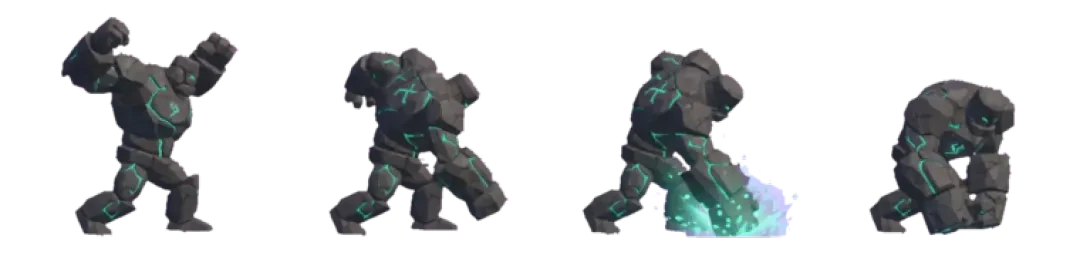
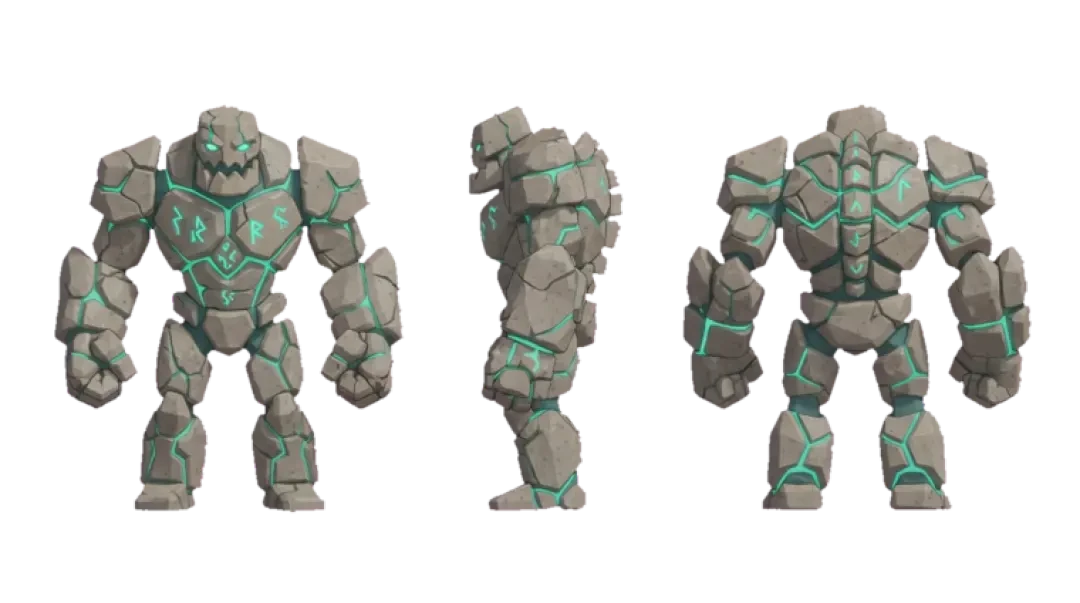
The fix is to author props at voxel scale. Build the character, the tree, the crate, and the ladder out of the same unit blocks the terrain uses, with the same palette. Agent Sprite Forge produces grid-aligned characters that share the world block scale, so a character standing at a block edge stands on it rather than hovering half a unit above it.
Three things have to stay consistent for a voxel scene to hold together. Block scale: one block is one world unit, so a chair is 1×1×2, a tree is 5 to 7 blocks tall, a doorway is 2 wide and 3 tall. Palette: 12 to 16 colours shared across terrain and props, not 16 each. Texture filtering: nearest, so edges stay hard when the camera is close. If a prop has to be round — a barrel, a wheel — fake it with a stepped silhouette rather than a cylinder.
- Grid-aligned charactersCharacters generated by Agent Sprite Forge land on block boundaries, so foot placement and doorways line up without manual offsetting.
- Shared paletteProps draw from the same block palette as terrain. A prop that introduces five new colours is the fastest way to make a scene look assembled from parts.
- Flat normalsKeep per-face shading flat on both terrain and props. Mixing flat terrain with smooth props under one light source is the most common reason a voxel scene looks off.
From Minecraft-like to isometric diorama
Voxel is a data format, not a genre. The same grid supports a first-person sandbox, a third-person adventure, a top-down city, and a diorama small enough to sit on a pedestal. What changes between them is camera, scale, and how much of the world the player is allowed to touch.
The trade is legibility against immersion. First person at ground level hides the grid — you see a wall, not cubes. An isometric view at distance exposes it, and the whole world reads as one object with every edge visible. Choose the camera first, then choose block size relative to the subject. A diorama usually wants larger blocks relative to the terrain, so a 20-block-wide island reads as a model rather than a shrunken level.
Camera choice also decides which bugs you will spend time on. Ground-level cameras fight terrain geometry and step-up rules. Raised cameras fight z-fighting on flat ground and lose all height cues, so stacking blocks becomes guesswork.
| Voxel mode | Camera and scale | Where it breaks |
|---|---|---|
| First-person sandbox | Eye height about 1.6 blocks, mouse look, short reach | Vertical terrain: without step-up you stick on a single-block lip |
| Third-person adventure | Follow camera 6 to 10 blocks back, pitch clamped | The camera clips into terrain unless a ray test pushes it out |
| Isometric diorama | Fixed 45-degree yaw, orthographic or long lens | Coplanar faces z-fight on flat ground unless blocks are lit per face |
| Top-down builder | Straight down, no pitch | You cannot judge height, so stacking becomes guesswork |
Play it now — no export, no install
This is the section the page exists for. The world you described is already playable, because the editor and the runtime are the same page. There is no export button, no download, no build step, and no second application to open. You switch from editing to playing and the camera drops to eye height.
Controls are the ones you expect: WASD or arrow keys to move, mouse look under pointer lock, space to jump, and the same place-and-remove brush bound to the mouse buttons so you can keep building without leaving play mode. On touch devices there is no pointer lock, so dragging looks and tapping places.
Three published worlds show the range. Mini World is a small sandbox with a fixed palette, useful for checking how much a scene can do with very few block types. The Cyclops' Island is a larger terrain piece with landmarks placed by hand after generation, which is the normal workflow. The 3D game builder is the general case: describe, edit, add props from Agent Sprite Forge, and play.
What the AI voxel game maker hands you at play time
A world arrives playable in the same tab. Terrain meshes stream in as you walk, empty chunks cost nothing, and the frame budget is a 60 Hz tick of about 16.6 ms split between mesh rebuilds and rendering. A large freshly generated world is heaviest in the first frames, because you spawn where the meshes are densest.
- Mini WorldA small sandbox with a tight block palette. Useful as a reference for how readable a scene stays when you restrict the materials.
- The Cyclops' IslandA larger generated terrain with hand-placed landmarks. Shows the normal workflow: generate the land, then edit the parts a player will actually walk to.
- The 3D game builderThe general path: describe a world, edit blocks, add voxel props, and play without leaving the browser.
- Agent Sprite ForgeProduces characters that match the block scale of the world, so they can be dropped into a scene without rescaling.
Voxel sandbox ideas
These four starting points each stress a different part of the tool: water and terrain, flat-plane building, vertical silhouette, and lighting in enclosed space. Each one is reachable from a single description plus a handful of edits.
The pattern that matters in all four is the same. Generate, then check the spawn, then edit the two or three places the player sees first. Most generated worlds are usable, and almost all of them need the spawn point and one landmark fixed by hand.
01
Survival island — describe a 64-block-wide landmass with a beach ring, a central hill, and water on every side. Check that the spawn is on sand and not halfway up the hill. Place a 5×5 shelter with a 2×3 doorway and a flat roof you can stand on. Dig a 3-block-deep pit near the shore and fill the bottom layer with stone to test remove-and-stack in one stroke.
02
Creative plot — start flat: constant base elevation, amplitude near zero. Paint a 32×32 ground plate in a single material so the plot reads as a plot. Build one landmark instead of filling the plate: a tower, a gate, or a bridge. Play it and look at the landmark from the spawn point; if the silhouette does not read at that distance, the landmark is too small.
03
City block — describe a flat grid with two street lines crossing. Place four buildings at 4, 6, 8, and 12 blocks tall so the skyline has a step instead of a flat top. Hollow the ground floor of each building and open it toward the street; a solid box reads as a wall, not a building. At the crossing, remove the corner block where the two streets meet, or you get a one-block lip the player has to jump.
04
Underground mine — set the cave threshold high enough that a cave system exists under the surface. Dig a shaft straight down 12 blocks and leave a stepped wall of blocks to climb back out. Branch two tunnels at the bottom, 3 blocks tall and 2 wide. Keep the headroom at 3; at 2 blocks the camera clips the ceiling and the tunnels become unreadable in first person.
Walk into the world it belongs to
A sprite is a character with nowhere to stand. The last step is the one nobody else offers: take the sheet you just built and put it in a world someone can walk around in — a small island, a planet, a rainy street corner. Every world on this site was made from one written description and published as a page you can play.
FAQ
Is the AI voxel game maker free? +
Yes. Describing a world, editing its blocks, and playing it in the browser are free. There is no export gate and no paid step between generating a world and walking through it.
Do I need to write code? +
No. Terrain comes from a sentence, and everything after that is direct manipulation with the place-and-remove brush. If you later want rules — a win condition, an inventory, a timer — those are set through the builder rather than written by hand.
Can I build and break blocks by hand? +
Yes. Place, remove, replace, line fill, and box fill all run against the voxel grid. Every stroke is a single undo entry, so a mis-aimed box fill is one undo away rather than fifty.
Is there multiplayer? +
Worlds run as a single-player session in the browser tab. There is no shared session server in the current build, so nothing is synchronised between two players, and no account is required to play.
Can I export a world to Unity? +
There is no one-click Unity export. A world is a grid of block ids and integer coordinates, which is portable data, but turning that into Unity prefabs and meshes is a conversion step you would own.
How big is a block? +
One block is one world unit. Player eye height sits at roughly 1.6 units, collision uses a capsule about 1.8 units tall, and step-up clears about 0.6 units, which is why a single raised block is walkable and two are not.
Does it work on mobile? +
The builder runs in mobile browsers. Pointer lock is unavailable on touch, so camera control becomes drag-to-look and tap-to-place. Generation and editing are identical, but long sessions with large worlds hit thermal throttling on phones well before they do on a laptop.
Back to the 3D Game Builder
All 31 finished 3D worlds, games and scenes live on one page — every one of them playable.