
GIF to Flipbook Texture — Free Tool for Unity & VRChat
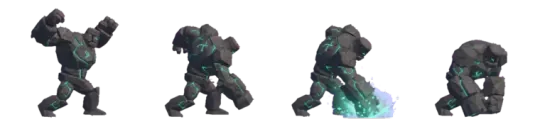
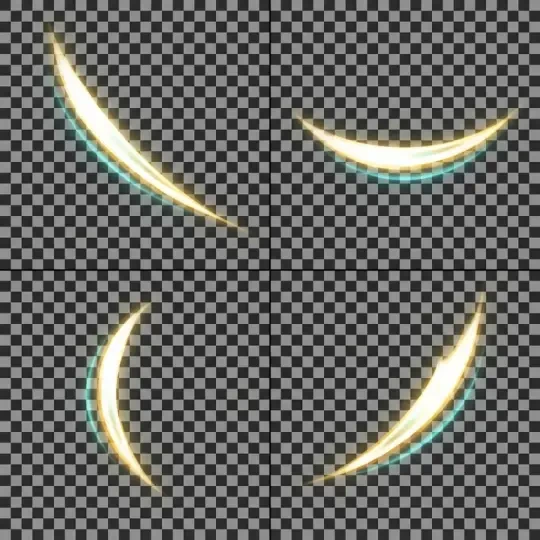
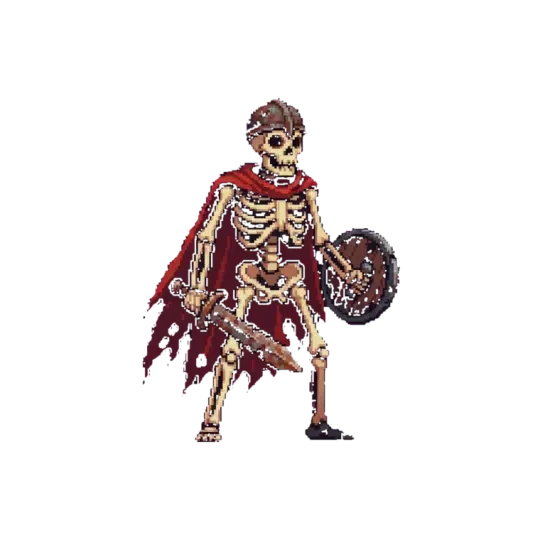

Make your own gif to flipbook
Pack a GIF into a single-row flipbook texture for Unity, Godot or VRChat. Auto grid, ready-to-use rows/columns metadata, transparent background.
A GIF is a timeline. A flipbook texture is that same timeline packed into one image so a shader can walk it by index instead of a player seeking frames. You drop a GIF into the tool, it detects frame count, dimensions and delay, then writes a single-row or gridded strip with rows and columns metadata you paste into your material.
This page covers what a gif to flipbook conversion actually produces for Unity, Godot and VRChat — the four numbers a flipbook shader needs, what to set on a Poiyomi material, and when a frame strip beats a grid. The output is a PNG with a transparent background and the row/column counts in plain text next to it.
Drop a GIF
The tool body is the first screen. The drop zone sits at the top; everything below it is output. Drag a GIF onto it and the tool reads the frame count, the per-frame delay, the canvas size and the disposal method. It reports what it found before it writes anything, because GIFs in the wild disagree about all four.
Two things usually need a decision. First, uneven frame delays: most flipbook shaders step at a constant FPS, so a GIF with mixed delays has to be resampled to a fixed rate or exported at its slowest common frame time. Second, disposal: a GIF that only redraws changed regions between frames will show ghosting if you stack frames naively. The tool composites each frame onto a full canvas before packing, so partial redraws become full frames.
When compositing is done, the packer writes one image. A 24-frame 128x128 GIF becomes a 3072x128 strip. The same frames as a 6x4 grid become 768x512. Both are the same pixels; the difference is what the shader does with the UVs.
01
Drop the GIF onto the drop zone. Read the reported frame count, delay and canvas size.
02
Choose pack layout: single row for UV-scrolling shaders, grid for atlases and engine import. Grid columns are auto-chosen to keep the image near square.
03
Choose the resample rate if the GIF has uneven frame delays. The default is the median delay; pick a fixed FPS if your shader steps at a constant rate.
04
Export. You get one PNG with a transparent background, plus the rows, columns, frame count and FPS as text you can paste into a material or a script.
What a flipbook texture is
A flipbook shader reads four numbers: rows, columns, the current index, and FPS. It takes a UV coordinate in the range 0 to 1, divides it into a row/column cell, and shifts that cell by the current index. The texture itself is static. Nothing animates until the index moves.
The index is usually derived from time. With a row strip, index equals floor(time multiplied by FPS), and the U coordinate is offset by index divided by columns. With a grid, index also gives a row: row equals floor(index divided by columns), column equals index modulo columns. That is why the row strip is the easier case — there is only one dimension to walk.
Rows and columns must match the image exactly. A 3072x128 strip with a declared 24 columns and 1 row samples correctly. Declare 23 columns and every frame lands a fraction of a cell off, which reads as a diagonal smear. Declare 1 column and you get a static image. These two mistakes account for most broken flipbooks.
FPS is separate from frame count. A 24-frame strip at 12 FPS loops twice a second. A 24-frame strip at 24 FPS loops once a second. The texture data is identical; only the clock changes. Keep the FPS in the same place as the row and column counts so they never drift apart.
The four numbers
Rows, columns, index, FPS. Rows and columns describe the texture. Index and FPS describe time. Rows and columns are fixed at export. Index is dynamic and belongs to the shader or script. FPS is fixed for most shaders but can be driven by a parameter when you want speed control.
If your shader has a speed or playback rate parameter, it multiplies the time term, not the FPS constant. Keep the exported FPS as the base rate so the metadata stays meaningful when speed is 1.
Flipbook texture for Unity
In Unity, the flipbook is usually a material on a quad or a particle. Import the PNG with sRGB enabled, no mipmaps if the frames are small, and alpha is transparency. Wrap mode should be Clamp, not Repeat — a repeating flipbook wraps the last frame into the first at the UV edge and shows a one-pixel seam.
There are two ways to drive the index. On an Unlit or Particles shader with a built-in flipbook node, you set the tiling to rows and columns and feed it a blend value from 0 to 1. On a custom shader, you write the UV math yourself and expose rows, columns and FPS as material properties so they can be edited without recompiling.
The metadata you paste in: rows, columns, frame count, exported FPS. If your shader uses a normalized blend rather than an integer index, the blend range is 0 to frame count divided by total grid cells — for a 24-frame single row that is 0 to 1, for a 6x4 grid with 24 frames out of 24 cells it is also 0 to 1. Partial grids are the case where this trips people up: a 6x4 grid with 20 frames ends at 20 divided by 24, or about 0.833. Walk past that and you sample empty cells.
- Transparent backgroundThe exported PNG keeps alpha, so a flipbook on a quad does not need a multiply blend or a chroma key. Source GIFs that had a matte color get one written into alpha instead.
- No mipmaps at small sizesFrames under 256 pixels per side are better with mipmaps off. Mip chain generation blends adjacent frames in the strip, and at distance the flipbook turns into an average of every frame.
- Clamp wrapRepeat wrapping a strip samples across the seam. Set wrap U and V to Clamp to keep the last frame from bleeding into the first.
Poiyomi flipbook for VRChat
Poiyomi ships a flipbook node, and it is the usual path for a talking mouth, a scrolling screen or a two-frame toggle on an avatar. The node takes a texture, a rows and columns pair, and a blend value. VRChat does not run custom shader code from a script at runtime, so the index has to come from an animated material property or an animator-driven parameter.
The mesh matters as much as the material. A flipbook on a flat quad reads correctly; the same texture on a curved surface will show stretched cells where UVs are unevenly distributed. Keep flipbook materials on planar or near-planar meshes.
Work in the strip layout for Poiyomi when the animation is a loop, because the UV math is one multiply and one add. Use the grid layout when the animation is a set of discrete states you want to jump between — a mouth with four shapes is easier to reason about as a 4x1 grid with an integer index than as a scroll.
01
Export at strip layout unless you need discrete states. Confirm rows equals 1 and columns equals frame count.
02
Import the PNG into Unity. Set wrap mode to Clamp, sRGB on, alpha is transparency on, streaming off for small textures.
03
In Poiyomi, create a Flipbook node. Assign the texture. Set rows and columns to the exported values.
04
Drive the blend input. For a loop, feed it a time-based value from an animated float parameter. For discrete states, feed an integer index converted to a blend.
05
Set the alpha and the render queue. A flipbook that needs to fade uses the same transparency settings as the rest of the material — do not enable a separate cutout.
06
Test in Play mode, then in an avatar upload. Confirm the loop point: the last frame should be followed by the first with no pause.
Frame strip vs grid: which to export
The pixel data is identical. The choice is about what consumes it. Shaders want a strip. Engines and sprite systems want a grid. Pick based on the consumer, not on file size — a strip is wider and a grid is squarer, and both compress similarly at the same total pixel count.
A strip has one row, so the V coordinate is unused and the shader only shifts U. That is fewer instructions and fewer ways to get the math wrong. A grid uses both axes, which is what atlas-based systems expect. If you are unsure, export the strip and re-export as a grid only when an engine importer asks for one.
One more case is the sprite animator that expects individual frames. Some engines want a folder of PNGs, not an atlas. The tool can write the frames out separately, but the image on disk is then the sum of all frames rather than one file, and the import settings are per-frame.
| Consumer | Layout | What it reads | Note |
|---|---|---|---|
| Shader flipbook | Single row | Rows 1, columns N, U offset | Fewest UV instructions, easy loop |
| Sprite atlas | Grid | Rows M, columns N, cell size | Cell size equals canvas size |
| Sprite animator | Grid or separate PNGs | Frame order and FPS | Separate PNGs lose the single-file pack |
| Engine import | Grid | Rows, columns, frame count | Keep the image near square to respect texture limits |
Play it in 3D
A flipbook texture on a static plane proves nothing. The claims you have to check are the ones that only show up in motion: whether the seam wraps, whether the alpha holds at distance, whether the FPS feels right when the camera moves. The Cyclops' Island is a playable scene built in the 3D game builder where surfaces animate in real time, so you can watch a flipbook loop next to geometry rather than in an inspector.
Open it, walk the surface, and watch the loop point. If a flipbook is one frame short or one column wide, you see it there — a visible hitch or a diagonal smear — before you ever upload an asset. That is the whole argument for the playable scene: the failure is a visual one, and visual failures need a viewport.
The same scene is a reference for how flipping frames reads at different distances and camera angles. Frames that look fine at 128 pixels up close will alias at range without mip control; frames that look fine far away can be too soft at close range. Both are easier to judge while moving.
Walk into the world it belongs to
A sprite is a character with nowhere to stand. The last step is the one nobody else offers: take the sheet you just built and put it in a world someone can walk around in — a small island, a planet, a rainy street corner. Every world on this site was made from one written description and published as a page you can play.
FAQ
What is a Poiyomi flipbook? +
Poiyomi is a shader package for Unity and VRChat, and its Flipbook node samples a packed frame strip so a material cycles frames without an animator. You give it the texture, the rows and columns, and a blend value. The blend value is what moves the index, and it is usually driven by an animated float parameter.
Why does my flipbook show a diagonal smear? +
The declared column count does not match the image. A 24-frame strip sampled as 23 columns shifts every frame by a fraction of a cell, which accumulates into a diagonal smear across the strip. Re-check the exported columns value against the actual frame count.
Should I export a strip or a grid? +
Export a single row for shader flipbooks, because the UV math is one dimension and the loop is trivial. Export a grid for sprite atlases and engine importers that expect rows and columns. The pixels are the same; only the consumer differs.
How do I keep the transparent background? +
The export writes alpha into the PNG rather than flattening onto a color. On import, set alpha is transparency and keep sRGB on. If a source GIF used a matte color instead of real transparency, the tool composites full frames onto a transparent canvas so the matte does not remain.
My GIF has uneven frame delays. What FPS do I use? +
Pick a fixed rate. The default is the median delay, which is usually close to what the GIF looks like in a browser. A flipbook shader steps on a constant clock, so mixed delays cannot be represented without resampling to one frame time.
Why does my flipbook hitch at the loop point? +
Either the frame count includes a duplicate last frame, or the FPS is slightly off from the source. Check the exported frame count and the FPS value together. A loop that pauses is almost always one extra frame rather than a shader problem.
Back to the 3D Game Builder
All 31 finished 3D worlds, games and scenes live on one page — every one of them playable.
See flipbook-ready strips
Every asset in this library is a transparent, game-ready PNG with a recorded prompt — Sprite sheet resources and Free sprite sheets, tagged by action, style and subject. Free to browse and download.