
GPT Image 2 Anime Space Western Key Visual Generator — Jazz-Noir Cel-Shaded Posters
The GPT Image 2 anime space western key visual generator renders banner-ready cel-shaded posters — ships, ports and hunters — proven on a real Cowboy Bebop world with four published key visuals on Neta Studio.
Generate a Space Western Key Visual
From one paragraph to a banner-ready anime space western key visual — a patched trawler, a neon port, a broken Moon — rendered by GPT Image 2
What Is the GPT Image 2 Space Western Key Visual Generator?
The GPT Image 2 space western key visual generator is the detail-first image model on Neta Studio applied to jazz-noir science fiction: give it one paragraph about a ship, a port and a figure, and it renders a cel-shaded poster with legible architecture, readable props and cinematic light. It is the model you choose when the frame has to work as a title card, a store banner and a thumbnail without falling apart at any size.
What GPT Image 2 Does Well in This Genre
- Hardware — hull plating, antenna arrays, docking clamps and engine bells survive a crop.
- Signage and layout — neon boards, port numbers and street furniture stay coherent instead of melting.
- Depth — foreground figure, mid-ground ship and background planet read as three distinct planes.
- Light discipline — a stated key and accent stay separate; amber does not bleed into blue.
- Cel shading — hard shadow edges are respected when the style lock is stated up front.
The Test World: Cowboy Bebop
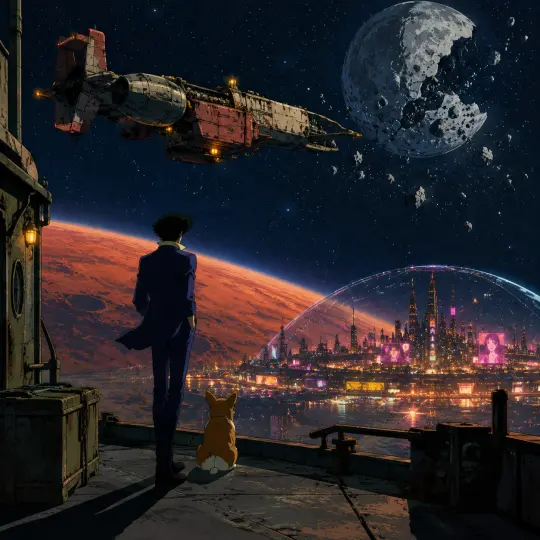
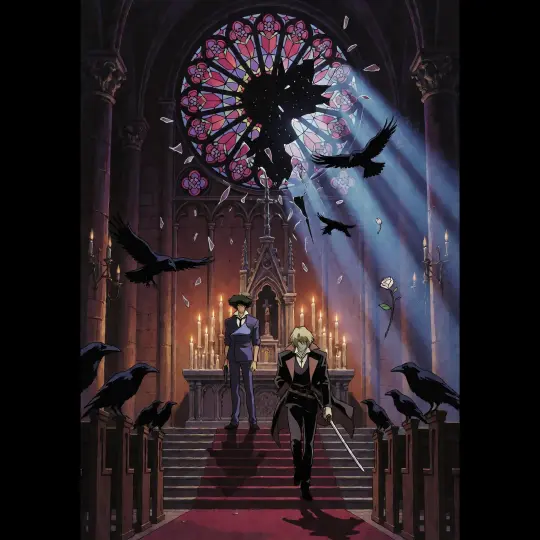
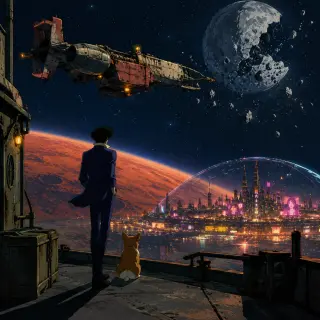
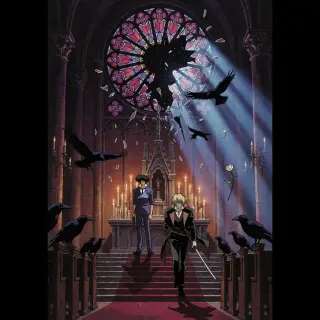
Everything here was rendered against a real canon: Cowboy Bebop, rebuilt on Neta Studio as 22 atoms. Two prompts were written from those atoms and each was run through GPT Image 2 — a wide world cover above New Tijuana, and a vertical event poster inside a Mars cathedral. Both are published as works of the world, with share links.
Prompt Anatomy for GPT Image 2
GPT Image 2 rewards ordered, concrete prompts. Put the style first, the place second, the subject third, the moment fourth and the light last. Adjective stacks do nothing; nouns and spatial relations do everything.
Style lock
1998 anime cel-shaded style, clean hard-edged contours, broad flat local colour, two-step shadows.
Place
Name the canon location and one landmark — New Tijuana’s neon dome, a cathedral altar, a Ganymede dock.
Subject
One figure, one prop, one posture — a lanky hunter in a blue suit, back to camera, coat pulling.
Moment
What is happening in this second: the ship drifting, the rose window breaking inward.
Light
Warm amber running lights against cold blue shadow; moonlight against candle-amber.
Step 1 — Lock the Style
The single most important clause. GPT Image 2 will happily render photoreal sci-fi if you let it, so state the medium and the mechanics: cel shading, hard edges, flat local colour, two shadow steps, low texture. Repeat the clause at the end of long prompts; the model weights the last line heavily.
Step 2 — Cast the Subject
Give the model a silhouette it can draw: height, posture, garment, one prop. “A lanky bounty hunter in a blue suit with his back to camera, a Corgi at his heel” is a drawable instruction. “A cool space cowboy” is not. Keep the cast to one figure or two facing figures — crowds cost detail and produce malformed hands.
Step 3 — Choose the Location Type
Three location types carry the genre, and each has its own composition rule. The port is vertical and crowded, with signage overhead. The moon exterior is horizontal and empty, with work lights. The interior is symmetrical and dark, with one bright aperture. Naming the type prevents the model from splitting the difference into a generic city.
Step 4 — Set Two Lights, Not Five
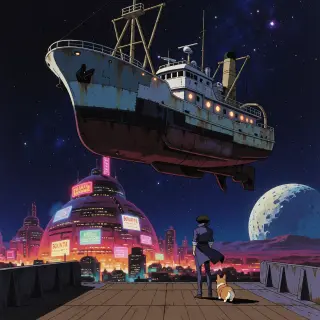
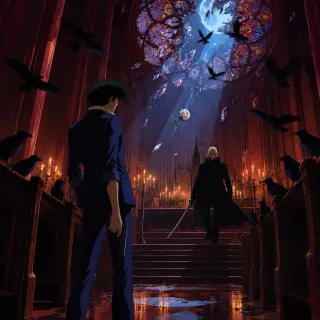
GPT Image 2 will honour as many lights as you name, which is the problem. Name exactly two: a key that establishes the scene and an accent that identifies the subject. In the world cover the key is the neon city from below and the accent is the ship’s amber running lights. In the cathedral the key is moonlight through the rose window and the accent is candle-amber.
Anything else — muzzle flash, holograms, lightning — should be explicitly excluded unless it is the point of the frame.
Step 5 — Add the Genre Prop
A space western frame needs one object that is neither purely futuristic nor purely western: a bounty board, a licence card, a bottle of bad whiskey, a bonsai tree, a corgi. These props are what stop the image from reading as generic sci-fi. GPT Image 2 renders small objects with unusual fidelity, so use them.
Where GPT Image 2 Needs Help
- Atmosphere over structure — if you ask for fog, it may give you fog instead of a city. Ask for both, in that order of importance.
- Text — it can render signage, but do not rely on specific words; describe the shape of the sign instead.
- Extreme stylisation — very loose brushwork can come back as texture noise; keep the style lock mechanical.
- Crowds — three or more figures in the foreground produce anatomy errors; move them to mid-ground.
Fix Table
| Symptom | Fix |
|---|---|
| Photoreal drift | Restate cel shading at the end of the prompt |
| Neon everywhere | Name one key and one accent only |
| Figure lost | Specify foreground placement and relative scale |
| Off-canon costume | Name the garment and the prop explicitly |
GPT Image 2 Against Krea 2
The same two prompts were also run through Krea 2. GPT Image 2 answered with structure: readable hull, readable city, readable glass. Krea 2 answered with atmosphere: silhouette, bloom, one warm note. Running both is the fastest way to find out whether your prompt is genuinely specified or merely leaning on one model’s habits.
Render and Publish Workflow
Open the world studio, copy the atom you want to visualise, write the five-clause brief, and render. Keep the prompt with the output — GPT Image 2 rewrites prompts internally, and the revised version is useful when you need to reproduce a frame six weeks later. Publish the result as a work of the world so it carries the same canon as everything else.
Why Publish to the World
A key visual that lives only in a downloads folder is a dead end. Publishing attaches the frame to the world, gives it a share link, and lets the next generation start from a reference instead of a sentence. It also builds a visual library: ship plates, port plates, interior plates, all in one palette.
Generate Your First Frame
Start with the wide shot. It defines the palette, the scale and the ship, and every later frame can be checked against it. Then render the same prompt in Krea 2 to see which decisions were yours and which belonged to the model.
Generate your first <span class="ml-highlight">space western key visual</span> with GPT Image 2
Four published frames, two models, one world — the next one is yours.