
Krea 2 Interstellar Key Visual Generator — Painterly Space Opera Posters
The Krea 2 interstellar key visual generator renders painterly space-opera posters — caged stars, ring habitats, wet arcades and very small humans — proven on a real world with four published key visuals on Neta Studio.
Generate an Interstellar Key Visual
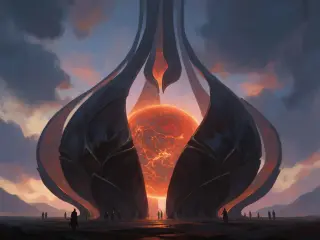
From one world brief to a painterly interstellar key visual — a captive star, a black petal cage, a crowd of pilgrims reduced to marks — rendered by Krea 2
What Is the Krea 2 Interstellar Key Visual Generator?
The Krea 2 interstellar key visual generator is the atmosphere-first route to science-fiction poster art. Krea 2 does not try to win a detail contest; it builds a frame out of light, silhouette and colour temperature. Give it a caged star, a black lattice, a rose-gold dusk and a line of tiny human figures, and it returns an image that feels like a memory of a place rather than a technical diagram of one. For interstellar-style worlds, that is often the difference between a poster and a screenshot.
What Krea 2 Does Well in This Genre
- Awe without noise. Large dark fields, a single hot core, and a sky that does the emotional work.
- Painterly edges. Structures dissolve into atmosphere instead of turning into hard-surface clutter.
- Human scale. Small figures read as people because the brushwork treats them as marks, not mannequins.
- Coherent palettes. Rose-gold, rust, slate and cold starlight stay in family across a set.
- Fast mood exploration. Ten variations in the time a detail-first model spends on one.
The Test World: The Meridian Debt
Everything here was rendered against a real canon: The Meridian Debt, an original interstellar-style space opera in Neta Studio. Nine stars are caged; nine corridors are bored through them; every crossing is charged to the star’s remaining life. The Sable Sun, the outermost lamp, has lost forty years overnight. That gives Krea 2 exactly what it wants: one enormous glowing object, one black structure around it, one small human witness, and a palette that already means something.
Prompt Anatomy for Krea 2
Krea 2 rewards ordered, sensory prompts. Put the medium and the mood first, then the scale object, then the human witness, then the light. It is more tolerant of poetic language than GPT Image 2 and less tolerant of lists of hard-surface details. If you give it twelve adjectives about hull plating, it paints fog. If you give it one sentence about a black flower holding a red sun, it paints the whole religion.
Medium and mood
“Semi-realistic painterly space opera key visual, elegiac and awe-struck.” Sets the brush before the subject.
Scale object
One enormous thing: caged star, ring habitat, lamp gate, corridor through a sun.
Human witness
A line of pilgrims, one auditor, a pilot on a gantry. Small, dark, readable as silhouette.
Light and palette
Rose-gold core, rust shadow, cold starlight, one warm accent. Two sources maximum.
Atmosphere
Dust, steam, ash, wet stone, volumetric haze. These are Krea 2’s native materials.
Step 1 — Name the Scale
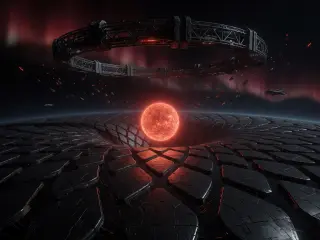
Start with the object that makes the world feel large. Do not describe a planet; describe the thing humans built around it. “A red dwarf caged inside a black petal lattice” gives Krea 2 a shape with a silhouette, a glow and a social meaning. “A planet in space” gives it nothing. The scale object should be visible as a black shape against a bright field, or a bright shape against a black field.
Step 2 — Place One Human
Krea 2 needs a witness, but not a protagonist. Ask for a line of pilgrims, a clerk with a lantern, a pilot on a catwalk. Keep them small and mostly dark. The moment you ask for a detailed face, the model shifts into portrait mode and the scale object becomes a backdrop. If you need a character sheet, generate it separately; the key visual is about the world, not the casting photo.
Step 3 — Choose a Location Type
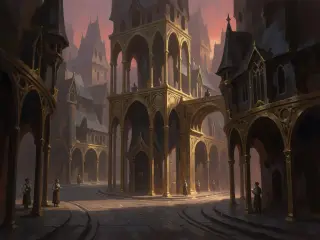
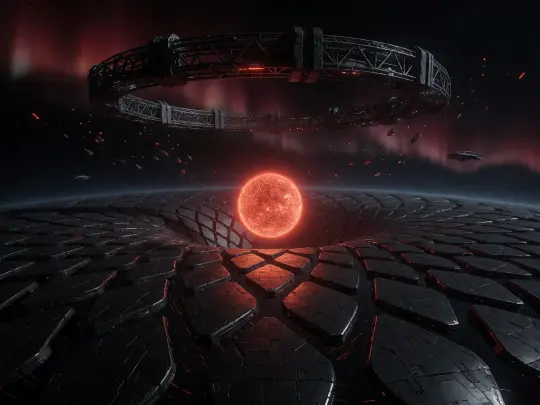
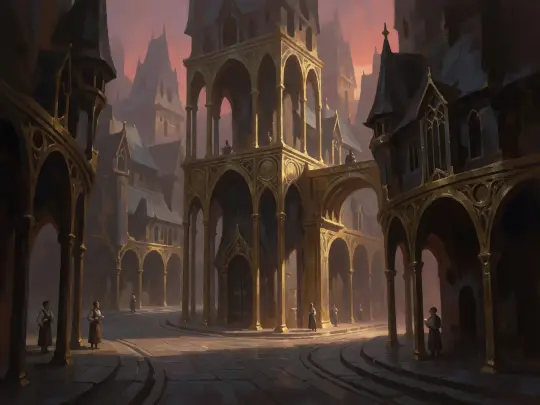
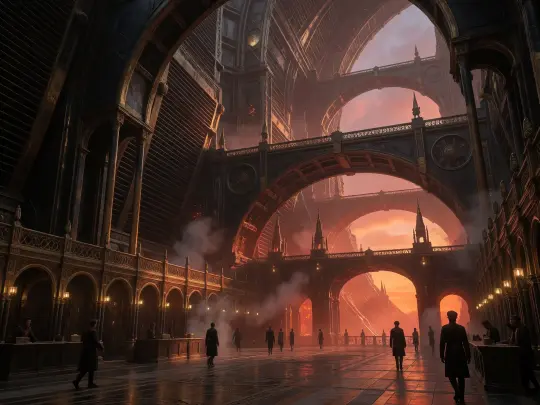
Three location types carry this genre for Krea 2, and each has its own composition. The court is vertical: arches stacked into a warm haze, a crowd at the bottom. The station is horizontal: welded hulls, cables, cold work lamps, one figure in the middle distance. The lamp approach is wide: a black horizon, an enormous glowing core, humans as a thin line. Pick one and do not mix grammars in a single frame.
Step 4 — Light the Star, Not the Scene
Krea 2 will happily light everything, which is the fastest way to lose the politics of the world. Name one key source and one fill. For the Core, the key is rose-gold light falling from the radiator ring and the fill is cool shadow in the arcades. For the Rim, the key is a sodium work lamp and the fill is blue-black ambient. For the lamp itself, the star is the key and the cage is a silhouette. If the frame has three equal light sources, delete one in the prompt before you regenerate.
Step 5 — Add One Analog Object
A space-opera frame needs one object that is neither purely futuristic nor purely historical. A paper ledger in a plastic case. A brass pressure gauge on a welded hull. A pilgrim’s oil lamp next to a fusion torch. Krea 2 paints these objects with weight and wear, and they do more world-building than a paragraph of lore. The object also gives the viewer a familiar unit of scale.
Where Krea 2 Needs Help
- Readable architecture. Arches and hull plating can melt into atmosphere. Add “clear structural silhouette” if the frame must survive a crop.
- Crowd consistency. Faces and hands disappear at small scale; keep crowds as silhouettes.
- Straight lines. Ring habitats and corridors can bow. Specify “perfect circular ring” or “straight corridor”.
- Text and signage. Krea 2 invents glyphs. Exclude text explicitly and add signage in post if needed.
- Exact character likeness. Use a reference image or a detail-first model for recurring faces.
Fix Table
| Problem | Fix in the prompt |
|---|---|
| Frame feels empty | Add a human line in the lower third and one foreground object. |
| Star looks like a planet | Say “molten core, black lattice cage, no planetary surface”. |
| Too much detail, no mood | Remove hull adjectives; add dust, haze and a single key light. |
| Colours feel generic | Name the economic palette: rose-gold Core, sodium Rim, un-light edge. |
Krea 2 Against GPT Image 2
The same world brief was also run through GPT Image 2. GPT Image 2 answered with structure: the radiator ring, the stacked arches, the wet floor, a crowd that reads as a crowd. Krea 2 answered with atmosphere: the petal cage, the molten core, the ash sky, the pilgrims as marks. Use GPT Image 2 when the frame has to survive a thumbnail and a crop. Use Krea 2 when the frame has to make someone feel the price of light before they know the plot.
Render and Publish Workflow
Open the world studio, copy the atom you want to visualise, write the five-clause brief, and generate. Publish each frame as a work of the world with its prompt and model recorded. That last step is what turns a folder of experiments into a canon: the work carries its own provenance, and the next person can see exactly which sentence produced which image.
Open the world
Start from The Meridian Debt and read the location entry you want to visualise.
Write the brief
Medium, scale object, human witness, light, atmosphere. Five clauses, under 100 words.
Generate with Krea 2
Render a wide frame first; it sets the palette and the scale for the set.
Check the structure
If the frame must survive a crop, run the same brief through GPT Image 2 as well.
Publish both
Attach the frames to the world as works, with prompts and model names recorded.
Why Publish to the World
A key visual that lives only in a downloads folder is a dead end. Published as a work, it inherits the world’s atoms, appears in the world’s gallery, and becomes available for remix and comparison. It also forces a useful discipline: if you cannot explain which atom the frame illustrates, the frame probably does not belong to the world yet. Publishing is the difference between generating images and building a visual canon.
Start with the wide shot. It defines the palette, the scale and the social logic that every later frame will inherit. For this world, the easiest first frame is the Sable Sun approach: a black horizon, a petal cage, a molten core, a thin line of pilgrims. Once that frame exists, the capital, the station and the archive all have something to be measured against.
Generate your first <span class="ml-highlight">interstellar key visual</span> with Krea 2
Four published frames, two models, one world — the next one is yours.