
Sprite Animator: Preview Sprite Sheets Free in Browser
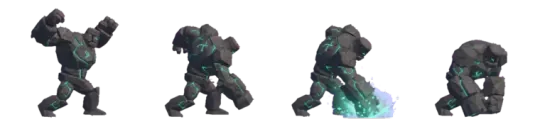
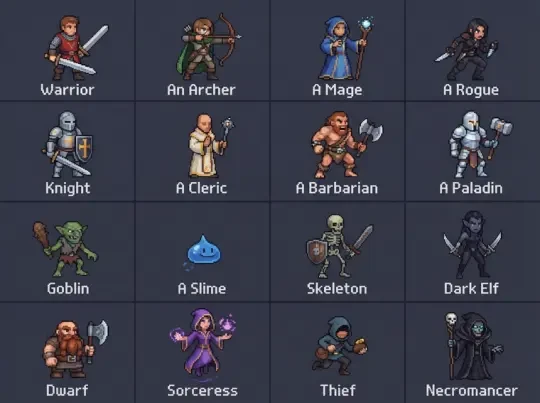
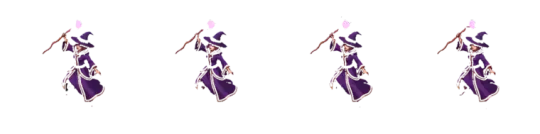
Make your own sprite animator
Describe a character and the sprite animator gets a finished sheet to preview: idle, walk, run, attack and cast, eight directions, transparent frames on a clean grid.
A sprite animator is a tool that takes a sprite sheet — a grid of animation frames packed into one image — and plays it back so you can judge timing, spacing and silhouette before the art goes anywhere near a game. Neta Studio's sprite animator reads the sheet, guesses the frame size, column count and playback order from the image dimensions, and starts playing on a canvas in the browser. Nothing is uploaded.
A still frame tells you nothing about a walk cycle. You need to see frame 3 against frame 4, the contact pose against the passing pose, and whether the whole thing drifts because one cell is a pixel off. The animator does that on load, then lets you fix the frame size, the order and the FPS by hand when the guess is wrong.
Preview a sprite sheet animation
Drop a PNG or WebP onto the canvas. The animator reads the intrinsic width and height, then infers a plausible grid: it factors the dimensions and looks for a small integer column count (2 through 16) that yields square-ish cells in common sprite sizes. A 512×512 sheet with 4 columns of 128px frames, a 384×256 sheet with 6 columns of 64px frames — both land on the right guess most of the time. A 300×300 sheet does not, because 300 doesn't divide cleanly into 16/32/64, so you'll set the frame size manually.
Playback runs on an HTML canvas with `imageSmoothingEnabled = false`, so pixels stay hard at integer scale. Scaling to 4× or 8× is nearest-neighbour, which is what you want for pixel art: a 32px frame shown at 8× is a 256px sprite on screen with every source pixel expanded into an 8×8 block. Bilinear smoothing would turn those into grey mush.
Because everything happens on the canvas, the file never leaves the machine. There is no upload, no queue, no account. You can drop a client's unreleased sheet in and it stays in the tab. The tradeoff is that very large sheets are bounded by browser memory — a 4096×4096 PNG is roughly 67MB decoded into RGBA, which is fine on desktop and tight on a low-end tablet.
01
Drop a PNG or WebP sprite sheet onto the canvas.
02
Let the animator infer frame size, columns and row order from the image dimensions.
03
Play it. Check the first loop before changing anything — often the guess is already correct.
04
If the grid is wrong, override frame size and columns, then re-check.
05
Scrub frame by frame to inspect contact poses, then raise FPS to feel the loop at game speed.
Set frame size, order and FPS
Three settings decide what you actually see: frame size, playback order, and speed. Get any of them wrong and the animation looks like garbage for reasons that have nothing to do with the art.
Frame size is the width and height of one cell in pixels. The animator offers 16, 32, 64 and 128 as standard choices, plus a custom value. This must divide the sheet dimensions exactly. A 128px frame on a sheet that is 400px wide gives you 3.125 columns, which the renderer floors to 3 and leaves a 16px strip of unused pixels on the right — those pixels then show up as a sliver of the neighbouring frame in the last column. If your frames look sheared on the right edge, your frame size doesn't divide your sheet width.
Order is row-major or column-major. Row-major (the common default, and what most exporters produce) reads left to right, then wraps to the next row. Column-major reads top to bottom, then moves right. A walk sheet exported in columns but read as rows plays frame 1, then frame 5, then frame 9 — a stride that jumps a quarter of the animation each tick. The fix is one toggle, but you have to recognise the symptom: motion that skips.
FPS and `image_speed` are different knobs that people conflate. FPS is how many frames the player advances per second. `image_speed` (GameMaker's term, and the one people arrive searching for) is a multiplier on the sprite's animation rate relative to the room speed; 1.0 means the sheet plays at one frame per game step, 0.5 means every other step. In the browser animator, set FPS directly. If you are porting a GameMaker sprite and your character animates at double speed, check `image_speed` before you re-cut the sheet.
| Setting | Values | Symptom when wrong |
|---|---|---|
| Frame size | 16 / 32 / 64 / 128 / custom | Sheared edge on the last column, frames bleed into each other |
| Order | row-major / column-major | Motion skips a quarter of the cycle each tick |
| FPS | 1–60 in the player; typical game values 8–24 | Cycle feels either floaty or twitchy against movement speed |
| image_speed | multiplier, 0.25–4.0 | Sprite animates at 2× when ported from a GameMaker sheet |
Walk cycles, idles and attacks
Three animations carry most of a character's readability, and each has a distinct way of failing. None of them fail in the same way, so a preview tool that only loops one generic clip misses the point. Below, the failure modes are separated by animation type.
The rule across all three: preview at final game scale, not zoomed in. A walk that reads at 8× often collapses at 1× because the leg lift is 2 pixels and the contrast between the lifted foot and the ground is too low. Shrink the preview to the size the player will actually see before you sign anything off.
Walk cycle: down, left, right, up, and the 8-way case
A four-direction walk sheet is usually ordered down, left, right, up — down facing the camera, up facing away, left and right as the horizontal pair. Some exporters use down, up, left, right. If your character moonwalks when you press up, the rows are swapped and you are playing the down row for an up input. That is a 2-line fix in the player, not a re-export.
For 8-way movement you need diagonals: down-left, down-right, up-left, up-right. With four horizontal-mirrored directions you get 4 rows cheaply (left and right are the same art flipped, which is why many sheets are 4 rows and not 8). Diagonal movement with only 4 directions forces the engine to pick the nearest facing, which snaps visibly on a diagonal input. If your game supports diagonal movement, budget for 8 distinct rows or accept the snap.
Frame count: 6 or 8 frames per direction is common at 16–32px. At 4 frames a walk looks poppy but reads at small sizes; at 10 frames the spacing between contact and passing poses gets tight enough that you need per-frame timing, which a uniform-FPS player cannot express. The browser animator plays uniformly, so build your sheet with even spacing if you intend to preview it here.
Idle: squash and stretch
The idle is the animation the player stares at while nothing happens, so it carries the most weight per frame. The standard structure is a breathing loop: chest rises, shoulders lift a pixel, weight shifts, and back. Squash and stretch is what stops it looking like a static sprite being nudged. On the down beat, compress the character one or two pixels vertically and widen it one; on the up beat, do the reverse.
The common failure is overcooking the squash. A 32px character squashed 4px is 12.5% of its height and reads as a jelly. One pixel of vertical stretch on a 32px sprite is 3% and reads as breathing. If your idle looks like the character is bouncing on a trampoline, you have probably scaled the whole cell rather than the character inside it — the frame changed size relative to the grid.
Preview the idle at the same FPS you will ship. An idle at 6 FPS drifts; at 12 FPS it breathes. Because a slow idle is mostly the same image with small offsets, the loop point is what you are actually checking: the last frame must transition cleanly into the first with no jump in the shoulder position.
Attack and cast: anticipation, impact, recovery
An attack is three phases with uneven timing, not a uniform flurry. Anticipation pulls back — the arm cocks, the body coils, often 2–3 frames held or slowing. Impact is one or two frames, the fastest part, where the weapon reaches full extension and the pose is at its most extreme. Recovery is the return, and it is where amateurs cut too early. A 6-frame attack with 2 anticipation, 1 impact, 3 recovery reads; a 6-frame attack split evenly 2-2-2 reads as a shove.
Because the animator plays uniformly, the trick is to hold the anticipation pose by duplicating frames rather than changing per-frame timing. Two identical anticipation frames give you the hold. One impact frame gives you the snap. This is the same technique used in hand-authored sheets and it survives a port to any engine.
Cast animations add a second problem: the effect has to appear and disappear on a specific frame. If your sheet includes the projectile or the magic circle baked into the frame, the player has to know when to spawn the real object — usually the first impact frame. If the effect is a separate object, keep the sheet clean and time the spawn to the impact frame index, not to a wall-clock second.
- Frame scrubberStep one frame at a time to inspect contact poses and impact frames without changing FPS.
- Nearest-neighbour scalingInteger scaling from 2× to 8× with smoothing disabled, so pixel art stays crisp.
- Grid overlayToggle the inferred cell boundaries to confirm the frame size actually divides the sheet.
- Row toggleSwitch between row-major and column-major read order to fix skipping motion.
Generate a walk cycle from one prompt
Hand-authoring eight rows of a walk cycle is hours of work and the payoff is a sheet that still needs checking in a player. Agent Sprite Forge inverts that: you write a description of the character, and it produces the sheet. One description, eight directions, the sheet arrives already cut to a grid with transparent frames and anchor guides at the feet so the character doesn't bob when you place it.
The anchor guides matter more than the art at first pass. A walk cycle where the feet don't share a ground line looks like the character is on a trampoline regardless of how good the drawing is. Because the generated frames carry the anchor, you can drop the sheet into the animator, play it, and see the ground line hold — that is the check that a static image cannot give you.
The generated output is a normal sprite sheet: rows and columns, transparent background, standard frame sizes. Nothing about it is locked to Neta Studio. Export it, drop it into the animator for a preview pass, re-cut it if your engine wants a single row, and move on. If the generator gives you a direction you don't need — say, back-left, because your game only supports 4-way — ignore that row in the re-cut step.
01
Describe the character in Agent Sprite Forge: silhouette, palette, facing, animation set.
02
Generate the walk cycle across eight directions.
03
The sheet is delivered on a grid with transparent frames and foot anchors.
04
Drop it into the sprite animator and play the loop at your target FPS.
05
Check the ground line through a full cycle. Re-generate or re-cut if it drifts.
Sprite animation software: what to compare
The right tool depends on what you already have in hand. A finished sheet and a question about timing is a different problem from a blank canvas and no character. The table below maps the starting point to the tool that fits, and includes the cases where the engine's own animator is the correct answer and a third-party player is redundant.
One rule of thumb: if you are previewing, use a player. If you are authoring, use an editor. If you are generating, use a generator. Most confusion comes from using a player to author — you cannot fix a bad contact pose in a playback tool, and you cannot fix a timing feel in a paint tool that has no playback.
| What you start with | What fits |
|---|---|
| A finished sprite sheet, need to check timing | This browser player — drop, play, set frame size and FPS |
| A blank canvas, need to author pixel art | Aseprite — layer stack, frame timeline, onion skin |
| No character at all, need a full set | Agent Sprite Forge — one prompt, eight directions, gridded output |
| A sheet already inside a game project | The engine's own animator — Unity's Animator, Godot's AnimatedSprite2D, GameMaker's sprite editor |
| A one-off preview to share with someone | A GIF — no runtime, plays anywhere, loops without a player |
Export a GIF or a re-cut sheet
Two exports cover most cases. The first is an animated GIF: the current loop, at the current FPS, at the current scale, as a single file. A GIF has no runtime and plays in any chat window, review tool or issue tracker. That is what you send to a collaborator who is not going to install anything. The cost is a 256-colour palette, which is fine for most pixel art and visible banding on soft gradients — if your sprite has a smooth glow, expect it to posterise.
The second is a re-cut sheet. The animator takes the loaded sheet and its frame settings and writes out a new image with a different packing: a single row for a flipbook, or four rows for a directional set, or the same grid at a different cell size. Re-cutting is lossless when the cell size stays the same and you are only reordering. When you change cell size, the tool resamples, and any resample of pixel art that is not an integer multiple will soften edges.
A common re-cut is the flipbook: every frame of one animation laid out left to right in a single row, no wrapping. Some engines and CSS sprite techniques want that shape. Take a 6-frame walk, re-cut to one row of 6, and the strip is 6× the frame width by 1× the frame height. If you need that strip as a GIF instead, the sprite sheet to GIF converter does the same loop export from a packed sheet.
Set frame size and column count before you export. The exporter writes using the grid you have configured in the player, not the grid it guessed on load. If you overrode the guess to fix a shear and did not re-check the frame count, the exported sheet inherits the wrong count.
01
Set frame size, column count and FPS so the preview is correct.
02
Choose GIF for a shareable loop, or re-cut for a re-packed sheet.
03
For a flipbook, re-cut to a single row.
04
Download. Nothing was uploaded at any point, so the export is a local file.

Walk into the world it belongs to
A sprite is a character with nowhere to stand. The last step is the one nobody else offers: take the sheet you just built and put it in a world someone can walk around in — a small island, a planet, a rainy street corner. Every world on this site was made from one written description and published as a page you can play.
FAQ
Is my sprite sheet uploaded when I preview it? +
No. The sheet is decoded and played on an HTML canvas in your browser. There is no upload step and no server copy. That also means very large sheets are bounded by browser memory rather than a size limit.
Why does my sheet look sheared on the right edge? +
Your frame size does not divide the sheet width. A 400px sheet with 128px frames is 3.125 columns; the renderer floors to 3 and the leftover pixels show up in the last column. Pick a frame size that divides cleanly, or crop the sheet to a multiple.
Why does the animation skip a quarter of the cycle each tick? +
The sheet is column-major and the player is reading it row-major. Toggle the order setting. The symptom is specific: motion that advances in jumps rather than smooth steps.
What is image_speed and how does it differ from FPS? +
image_speed is a multiplier on the animation rate relative to the game step, mostly encountered in GameMaker exports. FPS is the number of frames advanced per second. A sprite that animates at double speed after a port usually has image_speed at 2.0, not a wrong FPS.
Can I preview an single-row strip with diagonals? +
Yes, if the sheet has the rows. Eight directions means eight rows, or four rows with left and right mirrored. Without diagonal rows, a game with diagonal movement will snap to the nearest of the four facings, which is visible on screen.
Does the exported GIF lose quality? +
GIF is capped at a 256-colour palette, so flat pixel art survives and soft gradients band. If you need the exact pixels, export a re-cut sheet instead of a GIF and keep the original frame data.
Back to the 3D Game Builder
All 31 finished 3D worlds, games and scenes live on one page — every one of them playable.
Preview sheets from the asset library
Every asset in this library is a transparent, game-ready PNG with a recorded prompt — Sprite sheet resources and Free sprite sheets, tagged by action, style and subject. Free to browse and download.