
Desktop Mascot: Zero — Neon Abyss Desk Pet Generated in Image Templates
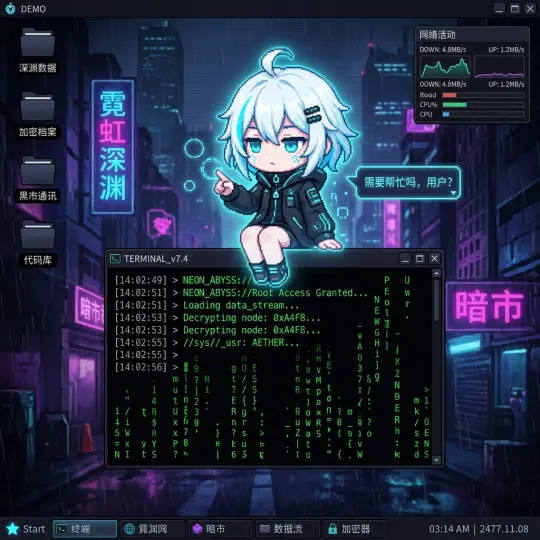
Zero (零) from Neon Abyss becomes a desktop mascot inside a fictional cyberpunk OS. See the finished artwork, the 16:9 cover, a transparent cutout, and the exact desktop-mascot-character prompt you can reuse in Neta Studio.
Final Image
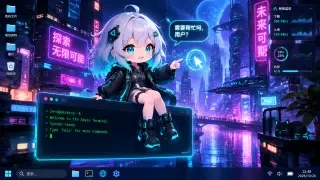
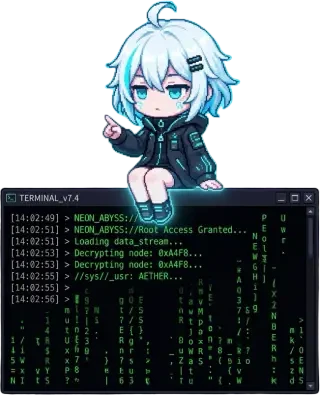
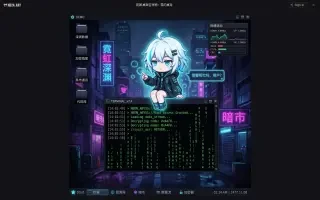
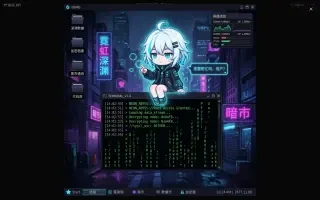
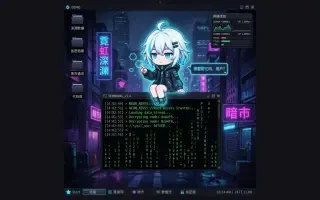
Desktop Mascot: Zero is a finished image-template artwork from the Image Templates world: 零 — Zero — the white-haired heroine of the neon abyss, reimagined as a desk pet living inside a fictional operating system.
She sits on the lip of a TERMINAL_v7.4 window, legs dangling over scrolling green code, one hand pointing at a holographic cursor. Behind her, a rain-soaked street glows with pink and cyan signage (霓虹深渊, 暗市); around her, unbranded folders, a network monitor and a taskbar clock build a believable — and completely fictional — desktop. Her speech bubble asks the only question a good desk pet ever needs: 需要帮忙吗,用户? — “Need help, user?”
The result is not a character illustration placed in front of a window. It is a mascot composited into a working screen, with real layer separation, shadows and UI occlusion — the exact brief of the desktop-mascot-character template.
View the artwork: Desktop Mascot: Zero — 霓渊·桌面吉祥物:零的桌宠 →
How It Was Made
Production Process Breakdown
Zero (零) comes from Neon Abyss, a rain-soaked cyberpunk world of neon signage, black-market terminals and holographic light. Her identity anchors — silver-white hair with cyan tips, teal eyes, black techwear jacket with circuit piping — are locked before anything else, so every generation still reads as the same character.
The desktop-mascot-character template supplies the entire scene grammar: a fictional logo-free OS, generic folders and windows, and a mascot that physically interacts with the interface. The fill-in block set the OS to a cyberpunk terminal, the action to “perched on the terminal window, pointing at the cursor”, the speech bubble to 需要帮忙吗,用户?, and the environment to a pure screenshot.
The composed prompt was rendered with GPT Image 2 at 16:9 (2048×1152, high quality). The prompt insists on semi-3D chibi shading, accurate layer separation, a crisp frontal screen angle and a fully unbranded UI — the difference between a desktop mascot and a character wallpaper.
BiRefNet removes the desktop around Zero and her terminal, producing a clean transparent PNG with sharp edges. The finished artwork is published as an instant share page on neta.art, viewable in any browser and ready to remix.
Generation Prompt
The artwork was generated from the Image Templates desktop-mascot-character prompt template, filled in for Zero and the neon-abyss desktop. This is the complete prompt:
Prompt template and fill-in
[@Zero], Character identity comes from the independent @Zero token and the atom description. Preserve these identity anchors in a small semi-3D desktop mascot form. Create a realistic computer desktop scene where Zero (零) has become an interactive desktop mascot.
OPERATING SYSTEM ENVIRONMENT: - Use a realistic screenshot-like fully fictional logo-free operating system inspired by a cyberpunk Windows-like desktop, but do not show any real Apple logo, Windows logo, Microsoft logo, Edge/Chrome/Safari/Firefox logo, Google logo, Linux logo, browser logo, app store logo, Office/Word icon, or any trademarked UI mark. - Include believable generic desktop UI elements: taskbar/dock-like bar, application windows, folders, generic file icons, notification bubble, cursor, system tray-like indicators, file browser-like window, and layered panels. - The UI elements should look like real screen assets, not decorative fantasy panels, but every icon/logo must be fictional and unbranded.
MASCOT INTEGRATION: - Zero appears in a semi-3D anime/chibi/mascot rendering with clear shadows and highlights. - The mascot physically interacts with the UI: sitting on a window frame, leaning over a folder, peeking from behind an app, touching an icon, reacting to the cursor, or standing on the taskbar. - Use accurate layer separation: mascot casts a shadow on the window, partly occludes icons, and feels anchored to the screen plane. - Action: Zero sits on the front lip of the TERMINAL_v7.4 window, legs dangling over the code, one hand pointing at a floating holographic cursor ring.
COMPOSITION AND CAMERA: - 16:9 realistic desktop screenshot. - Frontal or slightly top-down screen angle. - Neutral screen light, crisp UI, clear shadows under the mascot.
TEXT: Optional speech bubble text exactly: "需要帮忙吗,用户?". Keep it short and readable.
STYLE: Realistic OS screenshot with semi-3D mascot compositing. Variant: cyber AI assistant.
CONSTRAINTS: The image must not be a normal illustration of a character in front of windows. It must look like a desktop mascot inside a functioning operating system screen. No real platform logos, OS marks, browser logos, app icons, office document icons, or trademarks. Replace them with fictional generic symbols. UI must not cover the mascot's face. No excessive unreadable text.
Minimal Fill-In Data Block Character: 零 (Zero) — white-haired chibi, cyan-tipped hair, teal eyes, black techwear jacket with circuit trim Mascot form: chibi / semi-3D OS inspiration: fictional cyberpunk terminal OS (Windows-like) Action: perched on the terminal window, pointing at the cursor Speech bubble text: "需要帮忙吗,用户?" Environment: screenshot only
Asset Prompts
Supporting Prompts
"Premium 16:9 game-style cover artwork for the Image Templates world — "Desktop Mascot: Zero / 霓渊·桌面吉祥物:零的桌宠". Cyberpunk neon-abyss desktop scene: a small semi-3D chibi anime mascot girl named Zero with fluffy silver-white hair with cyan tips, glowing teal eyes, oversized black techwear jacket with cyan circuitry trim, sitting on the edge of a floating dark terminal window and pointing at a glowing holographic cursor ring. Behind her, a rain-soaked neon city street with hot-pink and electric-cyan signage in Chinese, dense skyscrapers, purple haze. Generic fictional OS desktop UI: taskbar, folders, network monitor panel, terminal readout with green code, all logo-free and unbranded. A speech bubble beside her reads "需要帮忙吗,用户?". Strong cinematic composition, clear focal point on Zero, rich neon rim light, volumetric glow, high production value, social-media-ready, no watermark, no real brand logos."
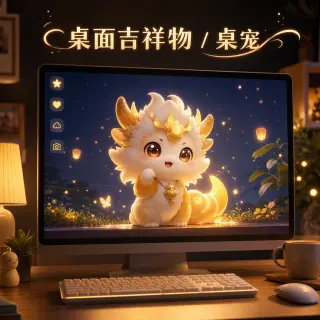
"Create a polished shareable showcase image for an image-generation template. Template subject: 桌面吉祥物 / 桌宠 (desktop-mascot-character). Visual scene: a cute desktop mascot character inside a glowing computer screen interface, cozy desk setup. Make it look like a finished portfolio sample that demonstrates what this template can create, not a documentation screenshot. High production value, strong composition, clear focal point, visually distinct from other templates. If using text, only use a short readable Chinese title: "桌面吉祥物 / 桌宠"; otherwise no text. Avoid watermarks, brand logos, malformed UI, random gibberish, and dense unreadable microtext."
"Zero (零) from Neon Abyss as a small semi-3D chibi anime desktop mascot: fluffy silver-white hair with electric-cyan tips, a long ahoge, large luminous teal eyes, a black oversized techwear jacket with cyan circuit piping and buckles, black shorts, chunky neon-trimmed sneakers, and a tiny holographic hairclip. Clean silhouette, crisp rim light, soft cel-shaded shadows, transparent-background friendly, full body visible, no text, no watermark."
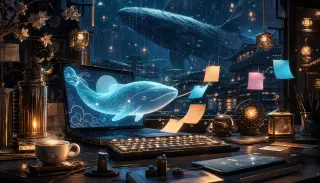
"A luminous translucent sky-whale desktop mascot drifting across a Whale-Lantern City workspace: rain-soaked harbor architecture, brass lanterns, floating sticky notes and glowing paper talismans, a laptop on a wooden desk with a teacup and calligraphy tools. Semi-3D anime compositing, cozy cinematic light, fictional logo-free OS. 16:9."
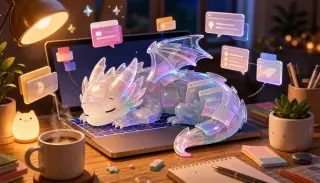
"A translucent iridescent crystal dragon asleep on a laptop keyboard, its body made of glass-like UI cards and prismatic panels, floating chat bubbles and windows around it, warm desk lamp, coffee mug, plants, cozy evening office. Semi-3D anime compositing, fictional logo-free OS, soft rim light, 16:9."
Automatic BiRefNet background removal on the finished artwork: the desktop is removed and Zero plus her terminal window are isolated on a fully transparent PNG with clean mask edges, ready for overlays, thumbnails, stickers and composites.
Why Choose Neta Studio
Neta Studio turns a character, a mood board or a single sentence into a complete, shareable world — then generates every asset inside it. No coding. No art pipeline. No waiting on a studio.
This artwork exists because one template met one character. The Image Templates world supplied the scene grammar; the neon-abyss world supplied Zero; GPT Image 2 supplied the render. The same world holds dozens of templates — posters, cards, comics, UI screens, stickers — and can produce a new artwork on demand, in the same visual language or a completely different one.
Step inside the studio to browse the template gallery, open the desktop-mascot-character card and start from the exact prompt used here.
Studio Interior
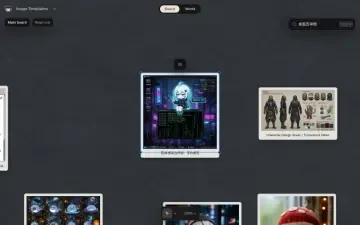
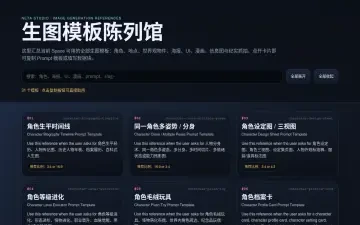
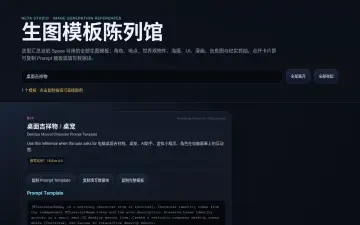
View & Explore
This artwork was generated by Neta Studio AI from one character and one template. The world took minutes. The artwork took minutes. You can do it too — open the template, swap in your own character, and publish your own desktop mascot.