Raiju Card — Storm Background Loop | One Piece — The Grand Line Atlas AI Video
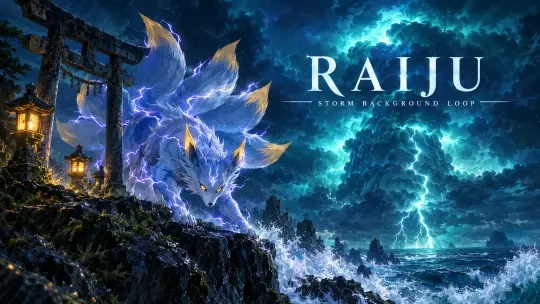
Final Video: Raiju Card — Storm Background Loop
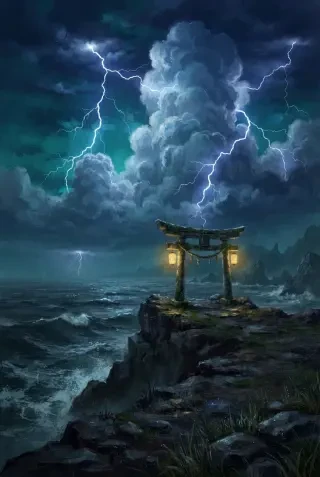
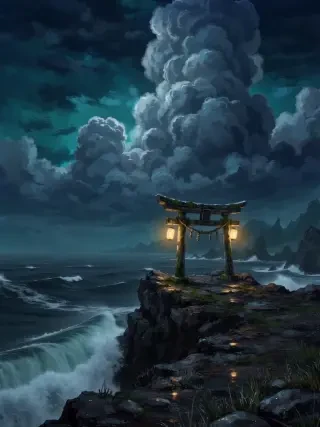
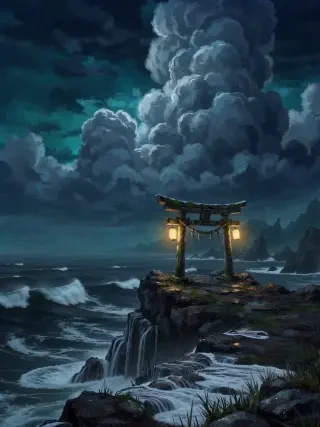
Raiju Card — Storm Background Loop is a six-second seamless environment plate for a layered collectible card. Nothing in the frame is allowed to drift: the camera is locked, the shrine stays put, and only the weather moves — the cloud tower churns, forked lightning pulses across the sky, rain slides diagonally, the sea breaks white against the cliff and the two stone lanterns flicker warm gold. The camera never moves, so the shot can sit behind UI, text and a foreground character without fighting them.
The card is built as two plates. This page covers the background pass; the six-tailed thunder beast is generated separately, cut out with BiRefNet and animated in its own companion loop. Keeping the layers apart means the card can parallax, swap subjects or reuse the storm behind a different beast without re-rendering the weather.
▶ Play the storm loop — 6 seconds, 834 × 1112 portrait card, 24 fps, with its own storm audio bed.
The Video
6 seconds · 834 × 1112 portrait · 24 fps · fixed camera · one image-to-video pass — rendered with Seedance 2.0 Fast from the background plate alone. The motion brief is written as a loop rather than a shot: cloud boil, lightning pulses, diagonal rain, sea surge and lantern flicker, with no camera move and no cut. The clip ships with its own storm audio bed.
Open the MP4 · Watch the companion subject loop · Explore the world in Neta Studio
How It Was Made
Production Process Breakdown
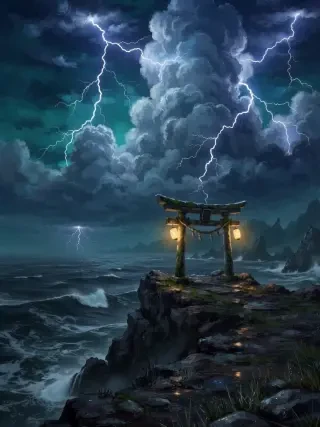
The build starts with the weather, not the creature. A portrait card plate is generated with a full storm system already in place: a towering cumulonimbus stack, forked lightning on both sides of the frame, a weathered stone torii gate on a black sea cliff, two warm gold lanterns and white foam breaking below. The composition deliberately leaves the centre open for a foreground subject, so the plate can carry a character later without a re-layout.
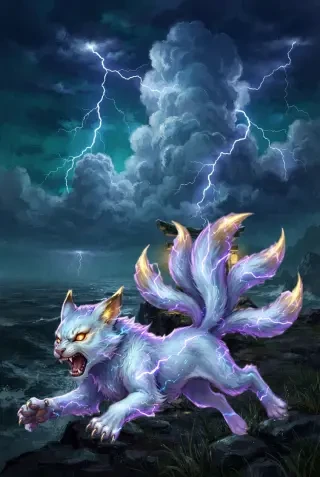
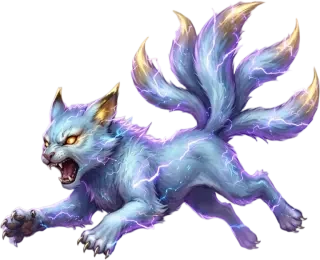
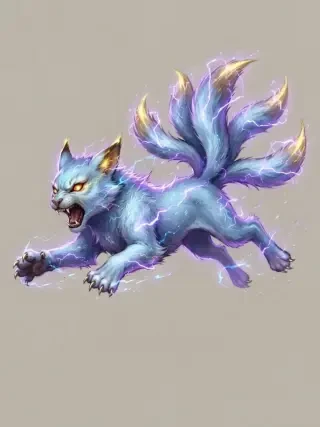
The six-tailed thunder beast is generated on a separate flat warm-grey plate: pale-blue and white fur, violet lightning arcs, gold-tipped ears and tails, glowing amber eyes, caught mid-pounce. The flat background is part of the prompt, not an afterthought — it gives the cutout a clean edge and keeps the violet rim light on the fur instead of clipping it against white.
The subject plate goes through BiRefNet General to produce a transparent PNG. The cutout keeps the thin lightning arcs around the paws, tails and shoulders instead of trimming them as noise, which is what lets the beast sit over a dark storm without a grey halo. The background stays a full rectangular plate; only the character is keyed.
The background plate is animated on its own with a fixed camera and a loop-first brief: the cloud tower boils and slowly churns, lightning flashes ripple in quick pulses, rain drifts diagonally, the sea surges and breaks foam, and the lanterns flicker. No camera movement, no zoom and no crop change — a deliberate constraint so the loop can repeat behind live UI without a visible reset.
The beast gets its own six-second loop in the same session: chest breathing, back fur rippling, violet arcs crawling, six tails swaying, ears twitching and a small head shift on a low growl. The pose, position and scale stay locked, and the flat grey background is preserved, so the cutout still registers cleanly against the storm after animation. Two passes, one composite.
The cutout is composited over the background plate to check scale and contrast, then a separate 16:9 key art is generated for the page: the same beast, shrine and storm rebuilt as a cinematic cover with the RAIJU title in the sky. The result is a reusable card system — one storm plate, one subject plate, one cover — rather than a single flattened render.
Generation Prompt
The full prompt behind the six-second background render. One 848 × 1264 still is passed in as the source image; the loop behaviour, weather timing and the hard no-camera-move rule are all authored here.
Video prompt (verbatim):
Fixed camera, no camera movement. The towering storm cloud boils and slowly churns, forked lightning flashes ripple across the sky in quick pulses, rain drifts diagonally, the dark sea surges and breaks white foam against the black cliff, the two stone lanterns flicker warm gold. Cinematic painterly storm, high detail, no text, no watermark
There is no character instruction in this prompt on purpose. The plate has to work as weather first — if the beast were described here, the model would try to animate it and the layer separation would be lost. The subject is handled in a separate image and a separate motion pass.
Asset Prompts
A storm-wracked night sky above a floating stone shrine gate on a sea cliff, forked lightning across towering cumulonimbus clouds, drifting rain mist, dark indigo and deep teal palette with warm gold lantern accents, wide open space in the center for a foreground subject, painterly digital illustration, dramatic atmospheric light, visible brushwork, no characters, no people, no text, no watermark
A legendary six-tailed thunder-beast cub caught mid-pounce: sleek pale-blue and white fur crackling with arcs of violet lightning, gold-tipped ears and tails, glowing amber eyes, snarling open expression, full body in a dynamic pose, isolated on a plain flat warm light-grey background, painterly digital illustration, dramatic violet rim light, visible brushwork, no text, no watermark, no border
Fixed camera, absolutely no camera movement, no zoom, no crop change. The thunder beast keeps exactly the same pose, position and scale. It breathes: the chest rises and falls, the pale fur along its back ripples in the wind, violet lightning arcs crawl and flicker across its body, its six tails sway slowly, the ears twitch, the head shifts a few degrees with a low growl. Same plain flat light-grey background, same framing, same lighting, same composition. Cinematic painterly, no text, no watermark
One Piece — The Grand Line Atlas game cover key art, 16:9 widescreen. OP-01 Modern Grand Adventure Painterly: modern prestige adventure painterly, bold silhouettes, dynamic sea-light, clean anime heritage, rich material rendering, graphic readability and epic scale. A storm-wracked sea cliff at night with a weathered stone torii gate, two warm gold lanterns glowing, enormous boiling cumulonimbus tower and forked lightning, dark teal and indigo palette with turquoise cloud glow. On the cliff edge, a legendary six-tailed thunder-beast cub — sleek pale-blue and white fur, violet lightning arcs, gold-tipped ears and tails, glowing amber eyes — crouches in a dynamic pounce, painted at hero scale. Rain drifts diagonally, white foam explodes against black rocks. Cinematic wide composition with open sky for the title. Large elegant title text 'RAIJU' and smaller subtitle 'STORM BACKGROUND LOOP' integrated into the upper sky, clean readable typography, no other text, no watermark, no logos.
Reference Frames
Why Choose Neta Studio
Layered card production, not one flat render — background plate, subject plate, cutout, background loop, subject loop and cover are produced as separate assets. Swap the beast, restyle the weather or reuse the storm behind a different card without starting over. GPT Image 2 Seedance 2.0 Fast BiRefNet General.
Loop-first motion direction — the prompt locks the camera and lists only the moving parts: cloud boil, lightning pulses, rain, surf and lantern flicker. That is why the clip can repeat behind UI without a visible jump.
Clean transparent assets — BiRefNet General keeps the thin lightning arcs around the beast and returns a PNG that drops straight into a card frame, a store page or a video composite.
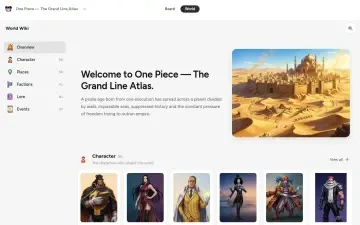
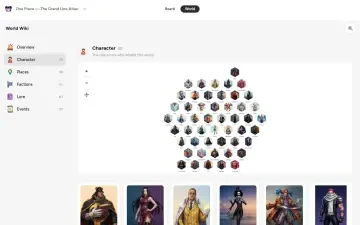
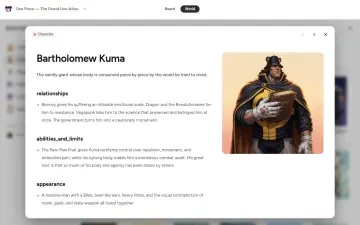
World to publish in one place — build the world, generate the plates, cut out the sprite, animate the loop and publish a shareable page. No local render farm, no coding, free to start.
Studio Interior
Start Creating
This six-second storm loop was generated in Neta Studio from one painterly plate, then paired with a separate subject loop and a transparent cutout. You can do it too — build a layered card, animate each plate, and publish the page. No coding required, free to start.