The Best AI Hollow Knight Key Visual Generator — Painterly Dark Fantasy Covers from One Prompt
Generate painterly Hollow Knight-style dark fantasy key visuals from one prompt with GPT Image 2 and Krea 2, using a real Neta Studio world and four published works as the example.
Create Painterly Hollow Knight Key Visuals in Minutes
Turn one sentence about a kingdom sealed under a well, a capital that rains indoors, or a small knight at the edge of the dark into a painterly dark-fantasy key visual — no concept team, no asset hunt.
What Is an AI Hollow Knight Key Visual Generator?
An AI Hollow Knight key visual generator is a text-to-image pipeline that renders painterly dark-fantasy covers for a buried-kingdom metroidvania: the kind of frame that sells a whole world in one image — a lit town holding the surface, a rain-drowned capital below it, a small knight at the edge of a seal. It is not a filter and not a single lucky render. It is a world with atoms, a fixed palette, and two models pointed at the same brief, so the cover you get on Monday still belongs to the world you publish on Friday.
Why Dark Fantasy Metroidvania Key Visuals Matter
- Cover power — a metroidvania sells descent and solitude in one second; a key visual does both with a well, a lantern, and a very small figure.
- On-canon consistency — the same palette (cold grey, indigo, bone white, one amber) makes a storefront, a thumbnail, and a location card read as one world.
- Iteration speed — a two-model comparison gives you a detail-first and an atmosphere-first answer before lunch.
- Forkability — every image stays attached to the world it came from, so a cover can become a game, a video, or a background without starting over.
A key visual is rarely the end — it is the cover. The same Hollow Knight-style posters that sell the world on a banner can be forked into a game cover, a video thumbnail, a location card, or a Steam capsule, because every render stays attached to the world it came from. That is the difference between generating an image and building a visual system.
How It Works on Neta Studio
Fork the world, open the studio board, and generate from the world seed. The world supplies the cast, the places, and the palette; the prompt supplies the moment. Two models run the same prompt, and both results publish as works of the world — not as orphan files. From there you can compare, re-prompt, or fork again.
- Fork the Hollow Knight world and inherit 21 atoms.
- Pick a subject and a beat from the atom cards.
- Prompt one scene in plain language, with light and palette.
- Render the same prompt through GPT Image 2 and Krea 2.
- Publish both as works; compare and keep the one your cover needs.
The World Seed: Hollow Knight
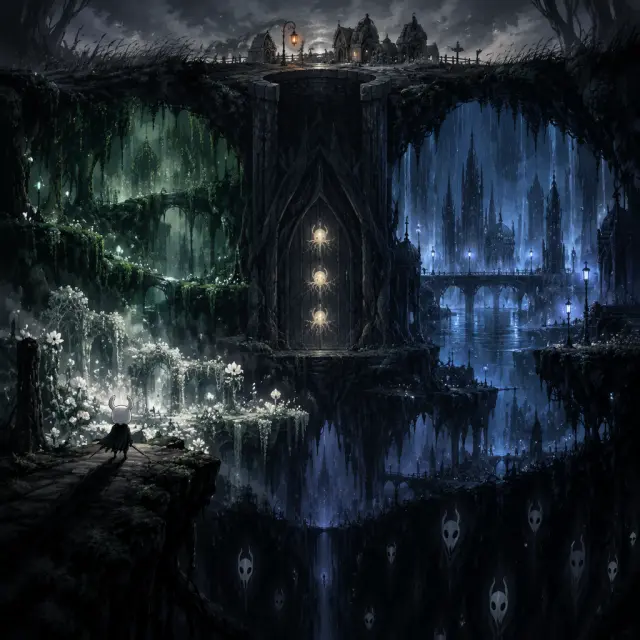
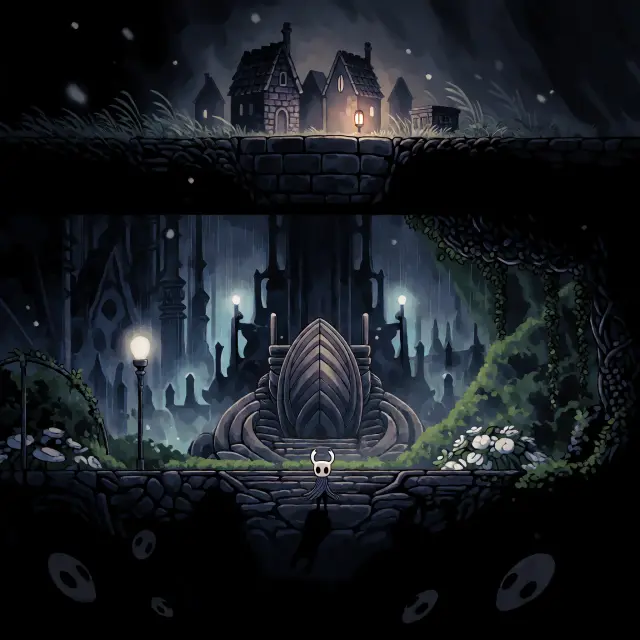
Hollow Knight is a world of insects living under a mountain, in a kingdom called Hallownest that was sealed three hundred years ago to contain a plague called the Infection. The surface is Dirtmouth: a handful of grey stone houses, a bench, and one lantern at the lip of a well. Below it are the rain-drowned City of Tears, the green roads of Greenpath, the Queen’s Gardens, the black Abyss, and the Temple of the Black Egg, where a vessel named the Hollow Knight is still holding a door closed from the inside. That gives a prompt a fixed visual vocabulary: cold greys and indigo, bone white masks, one warm amber, and a kingdom that is always slightly wet.
From Brief to Key Visual in Five Steps
Choose the scene
Dirtmouth at dusk, the rain in the City of Tears, the green roads of Greenpath, the black egg at the centre of the seal, or the Pale King at the door.
Cast the subject
Name the character and the beat — the Knight on a ledge, Hornet with her needle, the Hollow Knight bound in the seal, the Pale King watching.
Set the mood
State the light and palette — one warm lantern against cold grey, pale blue rain-light in the capital, infection orange only at the crack.
Render both models
Run the same prompt through GPT Image 2 and Krea 2; the studio publishes both as works.
Iterate
Compare, re-prompt, or fork the world and start again — every cover is a fork point.
Real Outputs from a Real World
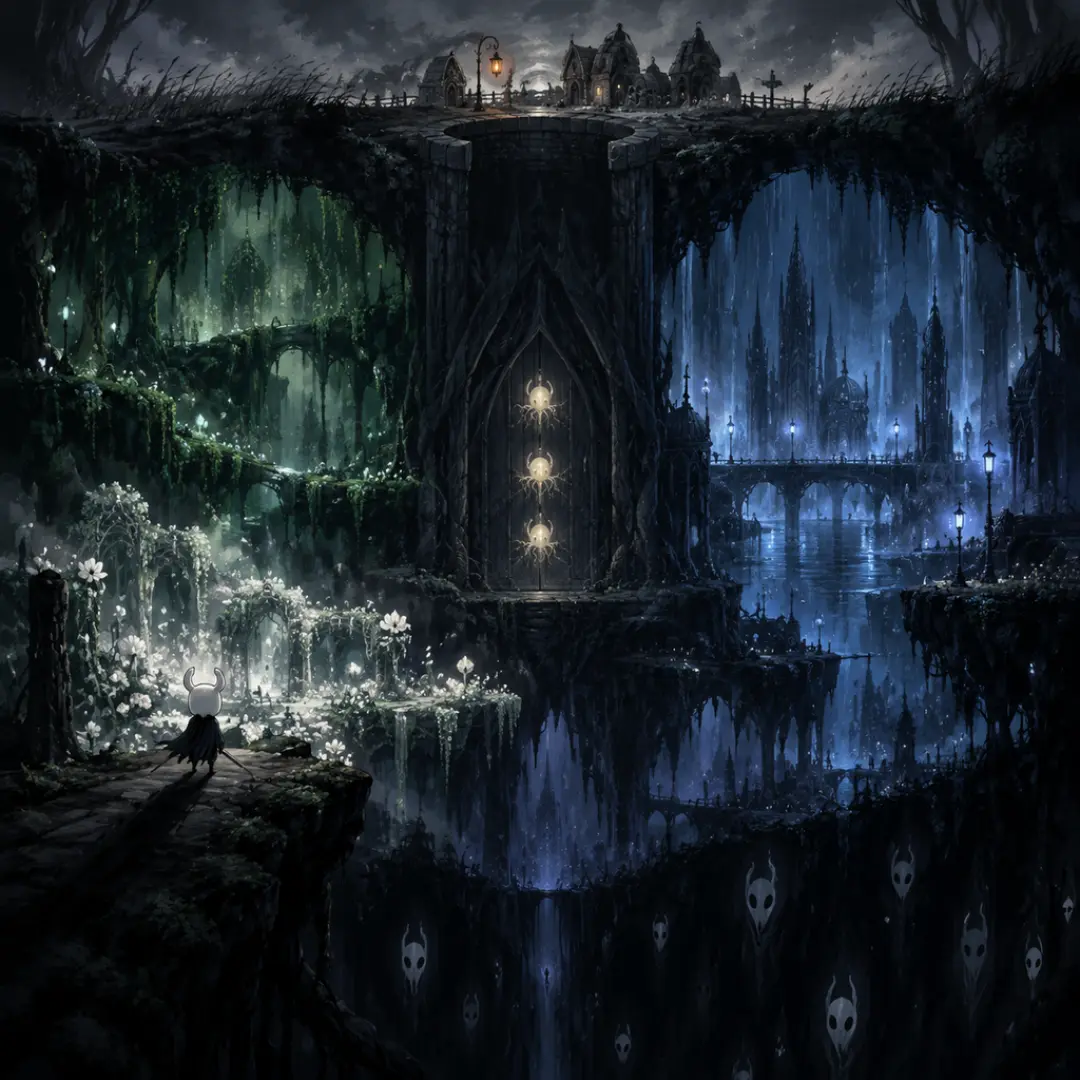
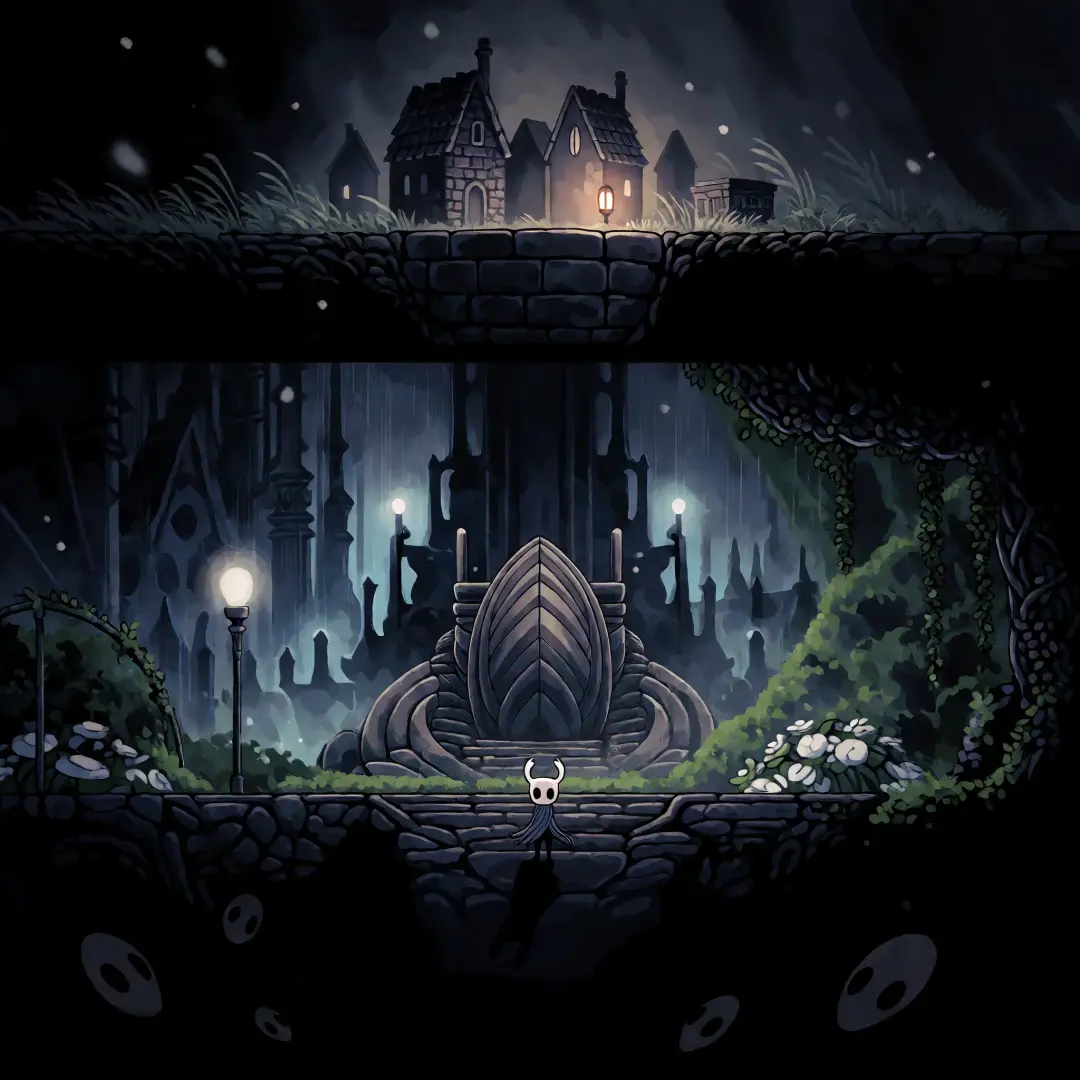
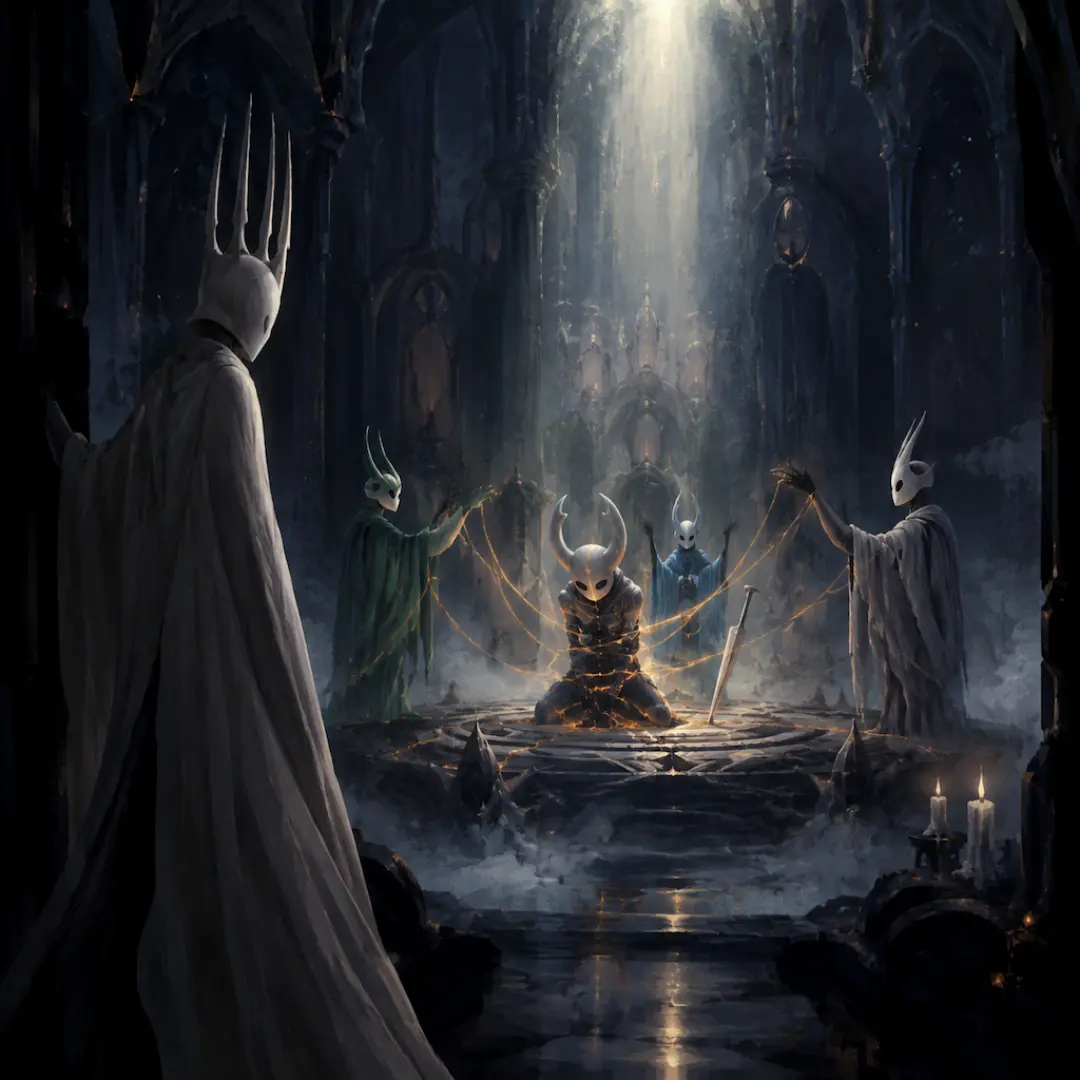
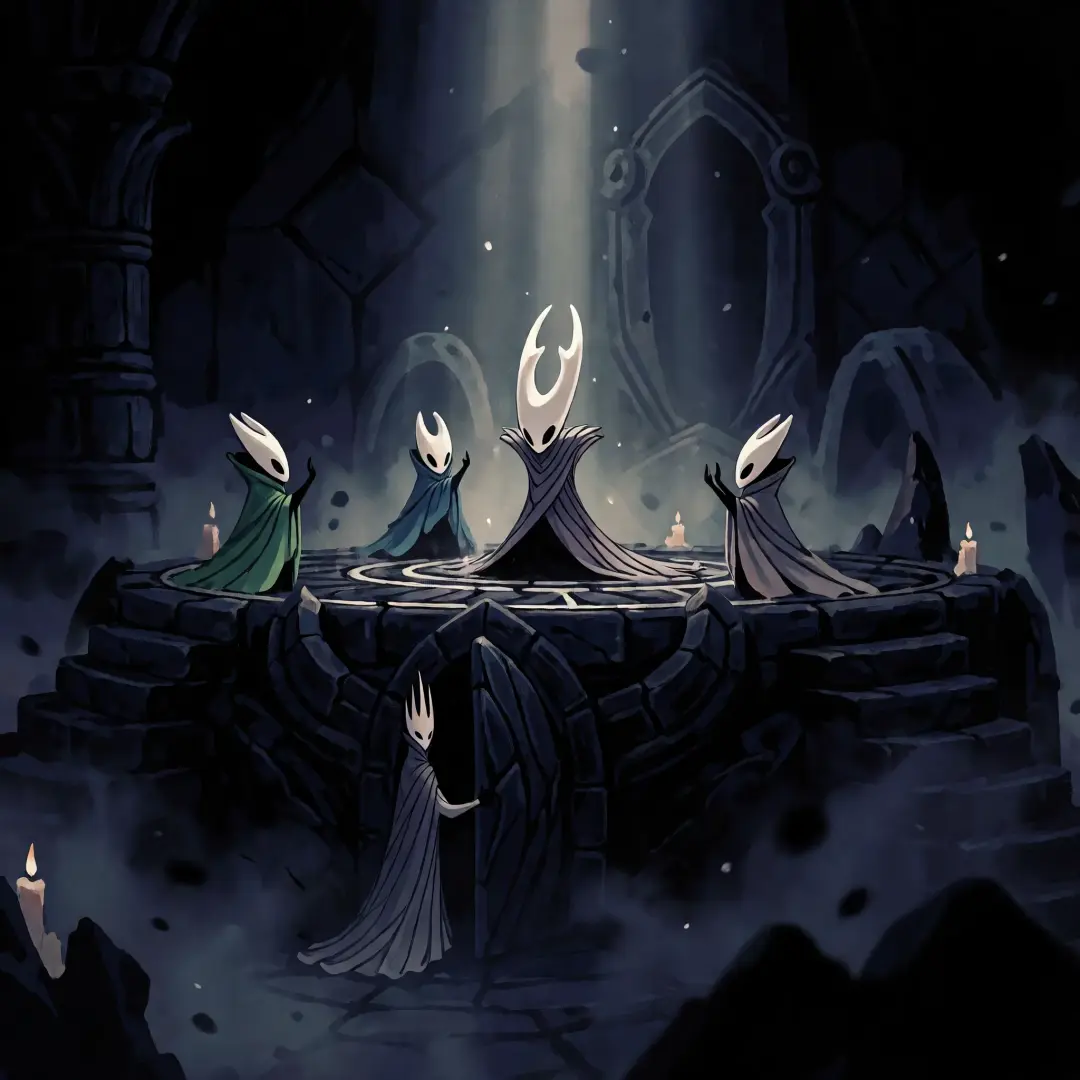
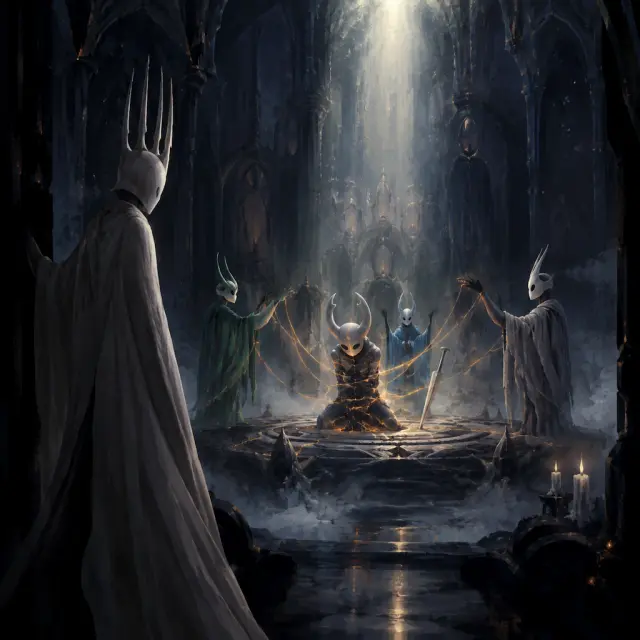
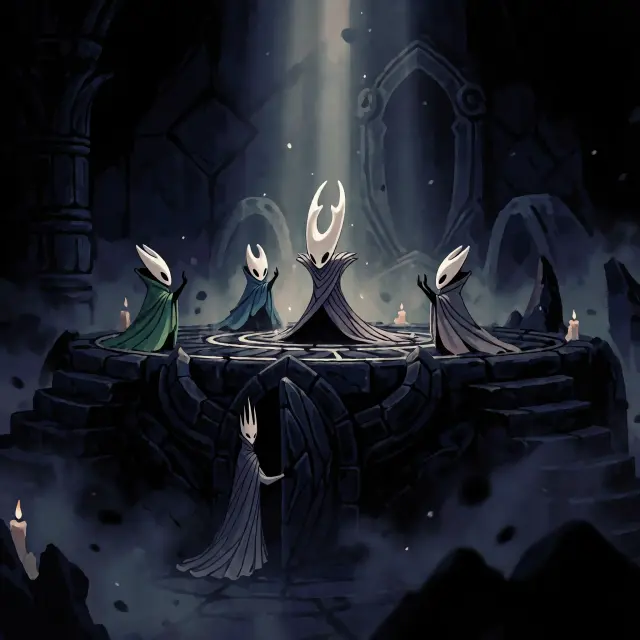
Four key visuals were generated from the Hollow Knight world — two briefs, two models, published as four works. The world key visual asks for the whole kingdom in one frame; the event key visual asks for the Sealing of Hallownest, with the bound Vessel, the three Dreamers, and the Pale King at the door. Both briefs were run through GPT Image 2 and Krea 2 with no changes to the prompt between models, which is what makes the comparison honest.
A Closer Look: The Sealing Pair
The sealing pair is the harder brief and the better test. GPT Image 2 builds the scene: the Vessel bound at the centre, infection light bleeding through its shell, the Dreamers at the edge of the seal, the Pale King half in shadow at the threshold. Krea 2 turns the same brief into an icon: a symmetrical ring, three coloured cloaks, one tall horned silhouette, candles in the dark. The first is a moment you walk into; the second is a memory you carry out.
GPT Image 2 vs Krea 2 — Which Should You Use?
GPT Image 2 for cover-ready detail: separated value planes, legible landmarks, rain and lamplight that survive a long look, and enough texture to read as a painting. Krea 2 for a poster that has to work at thumbnail size: cleaner silhouettes, flatter values, and a composition that reads in one second. A practical rule: use GPT Image 2 for the key visual that lives on a storefront, and Krea 2 for the version that lives in a social feed.
Prompts That Work
- Name the frame — “a vertical cross-section of a buried kingdom”, “a single dark temple interior”, “a wide establishing shot from a ledge”.
- Give one light source — “one lit lantern against cold grey”, “a narrow shaft of pale light from above”, “pale blue rain-light behind a spire”.
- Anchor the palette — “deep indigo, charcoal, bone white, one restrained amber”, and keep infection orange for a single crack.
- Stage a small figure — a tiny knight on a ledge gives scale and loneliness; a tall bound vessel gives the frame its subject.
- Close the door on text — end with “no text, no watermark, no logo”.
Beyond the Poster
The key visuals published from this world are works — but the world behind them is the actual asset. The same Dirtmouth lantern can light a game cover, a video thumbnail, a location card, or a scene background. Because the world holds the atoms, a new render does not have to rediscover the palette or the cast; it inherits them.
Who Is It For?
Indie metroidvania teams that need a cover before the art pipeline exists. World-builders who want a canon-consistent look for a campaign. Writers who need a visual pitch for a quiet, damp, tragic kingdom. Solo creators who want a detail-first and an atmosphere-first option from the same prompt. And anyone who has ever wanted to see the inside of the well.
Limitations to Know
GPT Image 2 is slower than lightweight models and favors detail over speed. Krea 2 is faster and cleaner but will simplify faces, hands, and small props, which can cost you a character beat. Neither model knows the source game’s canon, so the world seed has to carry the names, palette, and rules. And a key visual is still a cover: it sells the world, it does not replace the world-building behind it.
Frequently Asked Questions
- Do I need to know Hollow Knight to use this? No. The world seed explains the kingdom, the palette, and the cast; the prompt only needs a scene.
- Can I use the outputs commercially? The works here are published public works of a public world; fork the world and generate your own version for production.
- Why run two models? Because a cover and a feed image are different jobs, and the comparison shows both answers from one prompt.
- How many sections of lore do I need? None to start — one sentence about a sealed kingdom and one lamp is enough for a first render.
Start Creating
Fork Hollow Knight or start from your own one-sentence dark-fantasy brief. The world ships with its 21 atoms, its tenebrist palette, and four published key visuals — your cover is one prompt away.
Start Creating
Two models, one world, a painterly dark-fantasy cover in minutes — rendered, published, and remixable.