
Character Sprite Maker: Full Sprite Sheets from a Prompt
Type a character description, get a full sprite sheet: idle, walk, run, attack, cast in eight directions on transparent frames. Free, runs in browser.
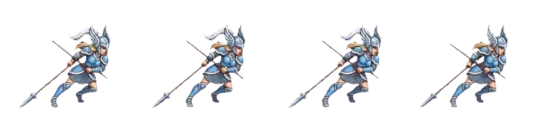
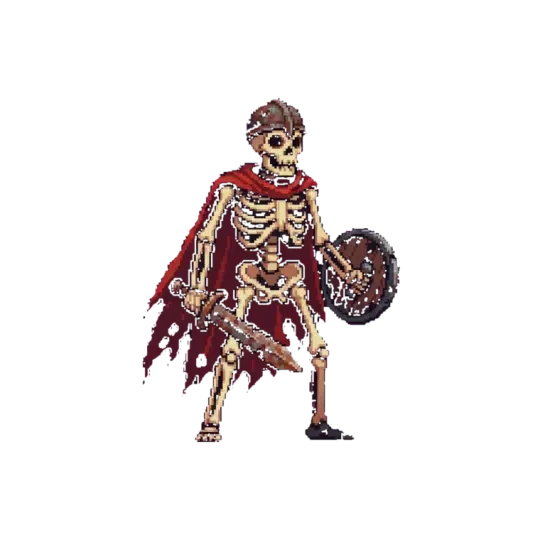
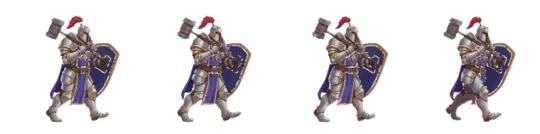
Make your own character sprite maker
Make character sprites — idle, walk, attack, eight directions — from one description. Transparent frames, clean grid, engine-ready. Then drop the character into a 3D world you can walk through.
A character sprite maker takes a written description and returns a complete sprite sheet: idle, walk, run, attack, cast, in eight directions, on transparent frames, on a fixed grid, with the origin at the feet. You type the character — body type, silhouette, palette, held weapon, clothing layers — and the tool renders every pose in that description rather than one hero frame you have to redraw by hand.
The difference between a sprite and a sprite sheet is the difference between an image and an animation system. One good idle frame is a picture. A sheet is a state machine: frame counts the engine can loop, directions it can index, and a consistent character across every cell so the walk cycle does not change shape halfway through the loop. Neta Studio builds the whole sheet from the prompt, then lets you drop that character into a 3D world you can walk through.
One prompt to a full character sheet
You describe the character in plain language: species or body plan, height relative to the grid, build, hair or helm, clothing layers, what it holds, palette range, and the art direction (pixel, painted, flat vector). The maker parses that into a character spec and renders the full matrix — every animation, every direction — from the same spec. The output is a sheet, not a pose picker.
A single frame tells you almost nothing about whether a character works in a game. The moment it moves, three things have to hold: the silhouette must stay readable at the size you actually draw it, the palette must not shift between frames, and the pivot must not wander. A sheet makes those constraints visible immediately. You see the walk next to the idle, you see frame 3 against frame 1, and you catch drift before it reaches the engine.
Working from one description also keeps the character reproducible. Change the prompt — swap the cloak for plate, shift the palette two steps cooler — and you regenerate the whole sheet with the change applied everywhere. You are not hand-editing forty frames to match a new color decision.
01
Write the character description: body type, height in grid units, build, clothing and held items, palette, art direction.
02
Set the frame grid: square cells, power-of-two friendly, animation row order in the doc.
03
Generate the sheet and check the first frame of each animation against the last — they should be adjacent, not identical.
04
Inspect silhouette at final display scale, not zoomed in.
05
Export transparent PNG frames with the documented grid and the origin at the feet.
Idle, walk, run, attack, cast
Five animations cover most 2D characters: idle, walk, run, attack, cast. Idle is the breathing loop the character spends most of its life in. Walk is the traversal loop, usually the one with the most visible foot contacts. Run is the same motion faster and with more torso lean. Attack is a one-shot with a wind-up, a contact frame, and a recovery. Cast is a one-shot with a hold — a pose the character sits in while a projectile or AOE resolves.
Frame counts matter more than people expect. At gameplay scale — a character roughly 32 to 64 pixels tall on a 320×180 or 640×360 view — four frames of walk read as a walk; six read as a smoother one; eight starts to cost more than it returns. Run cycles often work at four. Idle is two to four; two is the classic breath, four gives you a secondary action like a sway or a weapon bob. Attack is typically three to five frames: wind-up, contact, follow-through, recovery. Cast is four to six with a held frame.
The failure mode here is timing, not frame count. A four-frame walk exported with no inter-frame delay plays at engine framerate and looks like a jitter, not a step. The sheet ships with a suggested per-animation fps so the engine importer has a sane default to override.
| Animation | Frames | Loop | Notes |
|---|---|---|---|
| Idle | 2–4 | yes | breath or sway; first and last frame adjacent |
| Walk | 4–8 | yes | foot contacts on even frames reads cleanest |
| Run | 4 | yes | more lean, longer stride than walk |
| Attack | 3–5 | no | wind-up, contact, follow-through |
| Cast | 4–6 | no | includes a held frame for the resolve |
One strip, one description
Eight directions means the sheet covers N, NE, E, SE, S, SW, W, NW — the full circle in 45-degree steps. Top-down and isometric games need this because the player sees the character from a fixed camera and can move in any direction. Four directions (N, E, S, W) leaves the diagonals as a visual lie: the sprite faces east while the character walks northeast. Eight directions makes the facing match the movement vector.
The sheet is laid out as a matrix: one row per direction, one column per frame within the animation, or one block per direction containing all animations in the same order. Either works as long as the order is documented. Unity's Sprite Editor slices by grid; Godot's AnimatedSprite2D wants individual region rects or a sliced texture; GameMaker's sprite editor takes a grid plus per-frame origin. The order you index in the engine has to match the order the sheet was rendered, or you get a character that moonwalks.
The subtle part is the transition frames. If you only render the eight canonical facings, the sprite pops between them as the movement vector crosses a 22.5-degree boundary. Two mitigations: render the eight facings and let a short turn animation cover the boundary, or accept the pop and keep the character's rotation snapping to the nearest of eight. Both are legitimate; the sheet supports either because nothing about it assumes a turn frame exists.
Consistent characters across a whole set
The real failure in sprite work is drift. Character one is generated at a certain head-to-body ratio, a certain palette, a certain line weight. Character two is generated later, from a differently-worded prompt, and comes back half a head taller with cooler skin tones and a thicker outline. Side by side in a party screen, they do not look like they belong in the same game.
Drift comes from underspecified prompts. If the first prompt said 'short and stocky, muted earth palette, 32-pixel cells, one-pixel outline' and the second said 'a knight in armor', you did not describe a set — you described two unrelated things. Keep the style clause identical across the cast and vary only the identity clause: species, build, gear, color within the stated palette.
Agent Sprite Forge is built to hold that style clause steady. You generate the cast from a shared style spec, so head ratio, outline weight, and palette range stay constant while the individual characters differ. The test is simple: line up the idle frames of the whole cast at final display size. If one reads as a different game, the style spec drifted.
Keeping one style across a cast
Freeze the style dimensions before you write any identity prompt: cell size, head-to-body ratio, outline weight in pixels, palette range and shading direction, and art direction. Treat those as constants. Every character prompt inherits them and adds only identity. When a character comes back off-style, the fix is almost always in the style clause, not the identity clause.
Engine-ready export
Every frame exports as a transparent PNG. The sheet ships with a documented grid — cell width and height, rows per direction, columns per frame, animation order — so the importer knows where each cell is. The origin sits at the feet, horizontally centered on the character's center of mass, so placing the sprite at a ground position puts the feet on the ground rather than the center of the image.
That origin choice matters in every engine. Unity's Sprite Editor lets you set a custom pivot; set it to bottom-center to match the documented origin. Godot's AnimatedSprite2D uses per-frame region rects from the sliced texture; keep the slices aligned to the documented grid or your loops will be off by one frame. GameMaker's sprite properties take a grid plus an origin point per sprite; the same bottom-center value applies.
Export presets can be overridden. If your game runs a different cell size, the sheet scales cleanly at integer multiples; non-integer scale is what introduces blur. Point filtering for pixel art, bilinear for painted. The transparent alpha is preserved, so no matte cleanup is needed before import.
| Engine | Import path | What to set |
|---|---|---|
| Unity | Sprite Editor | custom pivot at bottom-center; slice by grid |
| Godot | AnimatedSprite2D + SpriteFrames | slice texture to documented grid; region rects per frame |
| GameMaker | sprite properties | grid size from doc; origin bottom-center |
The character's next life: a 3D world
A sprite sheet is a character. A world is where it lives. The same description that produced the sheet feeds the 3D game builder, which turns it into a walkable Three.js world: ground, collision, camera, and a place for the character to stand. You are not porting files between tools — the description is the asset.
You can walk that world in the browser. Drop the character in, control the camera, and check whether the sprite reads at the scale the world actually presents. A character that looked right in a flat sprite viewer can look wrong against a lit 3D floor once perspective and shadows are involved. Seeing both at once catches the mismatch early.
This is the same path The Cyclops' Island takes — one description, a playable world — and Mini World is the small-scale version of it. The sprite maker is the 2D end of the same pipeline: describe a thing, get a usable asset, then put it somewhere you can move around in.
- Agent Sprite ForgeGenerates full sprite sheets — idle, walk, run, attack, cast across eight directions — from one character description, with transparent PNG frames and a documented grid.
- The Cyclops' IslandA generated 3D world you can walk through, built from a description rather than placed by hand, used as a target for characters made in the sprite maker.
- Mini WorldThe small-scale 3D world preset for quickly checking a character in a walkable space without authoring a full scene.
- 3D game builderThe browser-based builder that turns a written description into a real, playable Three.js world, with the character dropped in as a controllable actor.
Walk into the world it belongs to
A sprite is a character with nowhere to stand. The last step is the one nobody else offers: take the sheet you just built and put it in a world someone can walk around in — a small island, a planet, a rainy street corner. Every world on this site was made from one written description and published as a page you can play.
FAQ
What is a character sprite maker? +
A character sprite maker turns a written description into a complete sprite sheet — idle, walk, run, attack, cast, across eight directions — on transparent frames with a documented grid and an origin at the feet. It replaces hand-drawing every pose with a generation step from one description.
How many frames do I need for a walk cycle? +
Four to eight. At gameplay scale — roughly 32 to 64 pixels tall — four frames read as a walk and eight read as a smoother one. Beyond eight, the extra frames cost more in sheet size and import time than they return in readability.
Why eight directions instead of four? +
Top-down and isometric games use a fixed camera and allow movement in any direction, so four facings leave the diagonals as a visual lie. Eight directions in 45-degree steps makes the sprite facing match the movement vector.
What format do the sprites export in? +
Transparent PNG frames, laid out on a documented grid with the origin at the feet, horizontally centered on the character. The same sheet imports into Unity, Godot, and GameMaker after setting the pivot or origin to bottom-center.
How do I stop characters in a set from looking inconsistent? +
Freeze the style dimensions — cell size, head-to-body ratio, outline weight, palette range, shading direction — and vary only identity per character. Drift almost always comes from an underspecified style clause, not from the identity description.
Can I use the same character in a 3D world? +
Yes. The same description that generated the sprite sheet feeds the 3D game builder, which turns it into a walkable Three.js world. You can move through it in the browser and check how the character reads at the scale the world presents.
Back to the 3D Game Builder
All 31 finished 3D worlds, games and scenes live on one page — every one of them playable.
See real character sheets
Every asset in this library is a transparent, game-ready PNG with a recorded prompt — Character sprite sheets and Sprite resource library, tagged by action, style and subject. Free to browse and download.