Free RPG Maker — The Free Tools That Actually Stay Free
Make your own free rpg maker
A free RPG builder that runs in the browser: describe a world, get a walkable 3D scene with characters, a quest and a turn-based battle. No install, no engine, no code — and no feature gate hiding the part you actually need.
A free RPG maker is a tool that lets you assemble a role-playing game without paying for a licence or an engine seat. That definition carries more weight than it looks. The three tools most people land on — RPG Maker's trial, Godot, and a browser-based builder — all qualify, and each one takes payment in a different currency: a one-off purchase, weeks of learning, or a capacity ceiling. Only some of them get you walking around a scene you made without asking for anything first.
The builds that genuinely stay free share one property: the path from zero to one playable scene has no gate on it. This page compares the options on that path, with the settings and failure modes named. It also states where our own tool stops, because a comparison written by a vendor is only worth reading if it includes the parts that do not flatter the vendor.
What “Free RPG Maker” Actually Means
Free to try, free tier, and free source are three different deals, and the phrase “free rpg maker” is used for all of them. Free to try means a countdown: you get the full editor for a fixed period, and the project you built either exports nothing at the end or keeps working only inside the editor. Free tier means a permanent ceiling: the tool stays available, but a named limit — scenes, storage, characters, exports — sits in the middle of the workflow. Free source means you pay in setup: the licence costs nothing and the first two weeks cost everything else.
The searches people type divide along the same lines. “Free rpg maker no download” usually means free to try in a browser, because the person is on a machine they cannot install to. “Free rpg maker for chromebook” means the same thing with a hardware constraint attached. “Rpg maker free download full version” is a search for free source, and it usually ends at a cracked installer that is not free at all — it is unlicensed, it breaks on the first engine update, and the project format can shift under it. “Free rpg maker online” is the browser case again, and “free rpg maker with no coding” is a statement about the person's tolerance for GDScript, not about price.
Which of the three you are actually looking at changes the entire comparison. A tool that is free for thirty days is not a free tool; it is a paid tool with a sample. A tool with a free tier is free for the scope that fits under the ceiling, which for a first game is usually enough and for a second one usually is not. Keep the distinction in hand before you compare feature lists, because feature lists are where trials look identical to products.
- Free to tryA time-limited licence to a commercial editor. Every feature works until the clock stops; the export step is the part that needs a purchase. Evaluate here, do not plan a project here.
- Free tierA permanent, usable version with a stated ceiling on capacity or advanced features. The editor does not expire. The limit is somewhere in the middle of a real workflow, not at the door.
- Free sourceAn MIT or Apache-licensed engine. It cannot be revoked and it cannot be upsold. The cost is that nothing is included: the battle system, the dialog, the save file and the menu are your code.
The Free Tools, and Where Each One Stops
Read this as four trades, not four rankings. RPG Maker sells a mature 2D RPG toolchain and charges once; the trial lets you evaluate the editor but not ship from it. Godot gives you everything at the source level for nothing, which means the RPG — inventory, dialog state, turn order, damage curves — is a programming project before it is a game. A browser builder trades depth for a zero-install start. A hand-rolled web build trades nothing except your calendar, and it takes the calendar in the first week.
Two notes on accuracy. Godot's licence is MIT: no royalties, no seat count, no revenue threshold, and the export is yours. RPG Maker's trial is time-limited and projects made inside it need a licence before distribution; check the vendor's current terms rather than a forum post, because the trial length and the export rules have moved between releases. Our own free tier exists and is not a trial — we are not quoting a capacity number here, because those terms move and a number on a landing page is the first thing to go stale.
| Tool | Cost | Install | 2D or 3D | What you get out | Where it stops |
|---|---|---|---|---|---|
| RPG Maker's trial | Free for a limited trial period, then a one-time purchase | Desktop installer | 2D | A project in the maker's own format, playable in the editor | The clock. Export and distribution sit behind the licence. |
| Godot | Free, MIT licence, no royalties | Editor download | 2D and 3D | An exported build you own outright | At zero features — every RPG system is code you write |
| A browser builder (Neta Studio) | Free tier exists; paid plans add capacity | None — a browser tab | 3D, rendered with Three.js | A shareable web page of a walkable world | Scripting depth: no plugin marketplace, no cutscene language, no offline export |
| Hand-rolled web build | Free in money, expensive in hours | Node, a bundler, a three.js dependency | Either, your choice | Whatever you ship | At everything you did not implement yourself |
Is There a Free RPG Maker That Stays Free?
Open-source engines stay free permanently, and that is a licence fact rather than a marketing promise. Godot, Bevy, Phaser and three.js ship under MIT or Apache-2.0, which means no company can revoke your right to use them, add a seat count later, or read your revenue and send an invoice. The cost shows up in a different column: a turn-based battle with initiative order, status effects, an inventory that persists, and a save file that survives a version change is somewhere between a week and a month of work if you are learning the engine at the same time. The licence is free. The feature set is not included.
Commercial makers follow a cleaner pattern: a trial, then a one-time price. You can evaluate the event editor for the length of the trial, and at the end you either pay once and own the export or you stop. That is an honest trade and it is worth naming as one. The purchase price is not the expensive part; the expensive part is discovering after the trial that the plugin you need for your battle system is paid, or abandoned, or both.
Browser builders keep the tool free and charge for capacity: stored worlds, exports, seats, or rendering headroom. The editor does not expire and there is nothing to install, so the marginal cost of trying the thing is a tab. The failure mode is a ceiling arriving mid-project — you build three scenes, the fourth one needs headroom, and now you are deciding whether to pay to finish. That is a real cost and it should be in the comparison.
So the question worth asking is not “is it free”. It is “what does it cost me to get one playable scene, and what does the second scene cost after that”. For a trial, the answer is hours until the deadline. For an engine, days before the first walk cycle works. For a browser builder, minutes before the first scene exists — and then a capacity decision later.
RPG Maker Free Trial vs a Browser Builder
The workflow difference is concrete, and it starts before you have made anything. A desktop maker asks for an install, an administrator password on school hardware, and a project folder that will hold your maps, your tilesets and your audio in separate trees. Get a tileset off-grid by four pixels and the whole map shifts. None of this is hard, but all of it is before the first playable second.
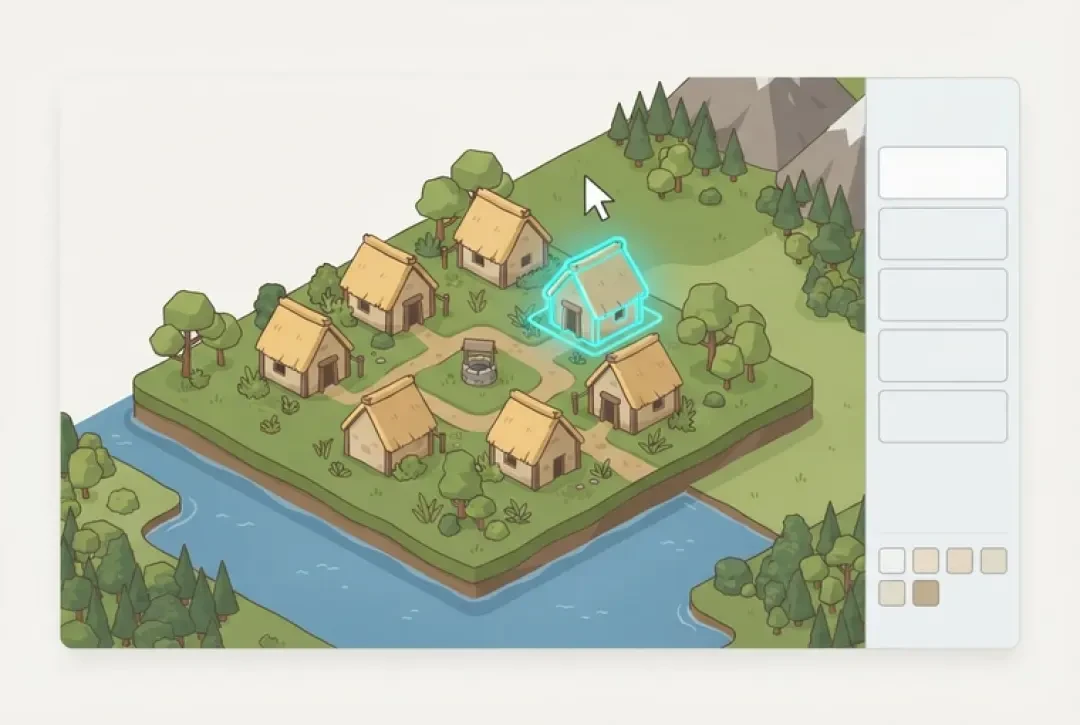
A browser builder inverts the order. You open a tab, write a sentence describing the world, and get a walkable 3D scene back — terrain, a camera, a character you can move with W, A, S, D. Placement comes after the scene exists, not before. There is no build step between the idea and the thing you can walk through, and no export to reach a page you can send someone.
Be honest about what the trial does better. A mature event system beats a generated one for anything with branching state: pages with conditions, switches, variables, common events, and a plugin ecosystem that has solved most of the problems you are about to have. There are thousands of tutorials for it and almost none for the tool you are evaluating. A browser builder loses on scripting depth, plainly — if you need a custom damage formula driving off a hidden variable, the desktop maker with the plugin library is the better tool and pretending otherwise wastes your afternoon.
01
Install the maker and create a new project. That writes a project folder containing a data directory of map and event files, an img tree for tilesets and character sheets, and an audio tree for music and effects.
02
Import tilesets at the exact grid the engine expects — off-grid images clip at the edges and leave seams you will chase for an hour.
03
Paint the map in the tile editor, then place events. Events are the game logic: a door, a chest, a person who says three lines.
04
Build event pages with conditions — a switch toggled by a quest, a variable counting an item — and a trigger that fires on action or on touch.
05
Use test play inside the editor for iteration, then run the deploy step. Distribution is the step the trial gates.
What You Can Build Without Paying Anything
Scope it exactly, because vague scope is why first projects die. Free, in one sitting: a small village of four to six buildings, or a single dungeon floor with three rooms. Two or three characters with distinct sprites. One quest with a real objective — find the well key, carry it to the neighbour, the door opens. One turn-based encounter that lasts three or four rounds and involves an actual decision, not just attacking. One page you can send to someone who will open it.
That is a complete loop: a space, a reason to move through it, a fight, and a door that opens because you did the thing. It is small and it is finished, which is the only combination that teaches you anything about pacing. The contrast is the 60-hour JRPG. Nobody builds one of those free in a weekend, because forty hours of content needs a content pipeline, a save system, a balance pass and a script, and those four things are each larger than the village above.
The one-scene rule is the honest unit of progress. One scene means one thing the player can walk into, do, and leave changed. Count scenes, not maps or lines of dialog. If scene two does not start because scene one is not finished, that is information: your scene one is too large. A browser builder makes the rule cheap to apply, because a scene is a sentence and a rebuild, and deleting a bad one costs nothing.
Free also means free to throw away. The first village is a test of the tool as much as the design, and you should expect to discard it. What you keep is the knowledge of how long a building takes to place, where the camera clips, and which of your ideas needed a script rather than a scene.
- One locationA village of four to six buildings or a three-room dungeon floor. Walkable, bounded, with edges the player cannot fall off.
- Two or three charactersA player avatar and one or two people with something to say. Distinct silhouettes matter more than detail at browser resolution.
- One quest with an objectiveA condition the player can satisfy and a state change they can see: a door that opens, a bridge that appears, a character who moves.
- One turn-based encounterThree to four rounds with a decision in each. Attack, defend, use the item you found. A fight with one button is a cutscene.
- One shareable pageA page someone else can open and walk around in without installing anything, downloading anything, or being told what to do first.
The Hidden Costs of “Free”
The licence is the cheapest part of any of these tools, and it is the part everyone compares. The four costs below are the ones that decide whether a project gets finished. Add them up before you commit a weekend.
Our own limits belong in this list rather than a footnote. There is no scripted cutscene language, so a cinematic sequence of camera moves and timed dialog is not something you can author here — you get scene description and placement. There is no plugin marketplace, so the ecosystem that solves your battle math in a mature maker does not exist. And there is no offline export of the full world: what you produce is a shareable web page, not a desktop build you can put on a storefront. If those three are requirements, use an engine that has them and come back for prototyping.
Learning time, which is per tool and does not transfer
The hours you spend learning one editor do not carry to another. Event page logic, tile layers and common events are RPG Maker concepts. Node trees, signals and resource files are Godot concepts. A scene graph, a camera and a collider are three.js concepts. Budget the learning time honestly — it is usually two to five times the build time for the first project, and it is the cost that makes a “free” engine expensive for a one-off.
Asset licences — a free engine does not ship free art
This is the trap that catches people after the game works. A free engine includes no art. Free asset packs frequently exclude commercial use, require attribution you will forget to add, or bundle music under a different licence than the sprites in the same download. Keep a plain text file next to your project listing every asset, its source and its licence, and update it the day you import the file rather than the day before you publish.
Hosting a shareable build
A desktop export goes in a zip. A web build needs somewhere to live, a domain or a subdomain, and a page that loads in a browser without a plugin. Three.js bundles are not small, and the first load on a phone on a slow connection is where you find out how much geometry you actually placed. Test the shareable page on a device you do not own before you send it to anyone.
Maintenance of an exported project
Exported projects rot. Engine versions move, browser APIs deprecate, and a build that worked in the spring can throw a shader error in the autumn. Desktop exports are more stable than web ones because you control the runtime; web builds depend on whatever the visitor's browser shipped this month. Plan for one pass per year minimum, and keep the source project so the pass is a rebuild rather than an archaeology project.
Try a Free RPG Build Right Now
Mini World is the smallest useful test of the whole loop: a walkable space, a character, an object you can move, and a neighbour with something to say. Open it, walk with W, A, S, D, place an object where you want it, then talk to the neighbour and watch the state change. That is the interaction grammar the larger tools charge for, running on a page with nothing between you and it.
Little Ritual is the second test, and it exercises the part that is harder to fake: a sequence with a condition on it. Read what it asks, do the thing it asks, and notice that the world responded rather than the tool congratulating you. Both of these are the trial. There is no signup wall, no email gate and no countdown — the page is the product sample, and you are already inside it.
Then do the real check. Describe a village in one sentence and see what comes back. If the returned scene is close enough to walk around and adjust, the tool fits how you think. If it is not, you have lost ninety seconds rather than an install.
01
Open Mini World and walk: W, A, S, D to move, mouse to look. Confirm the camera follows without clipping through the ground.
02
Place an object. Pick a spot, drop it, then move it — the second placement tells you whether the controls are precise enough for level work.
03
Talk to the neighbour. Watch for the state change: a line of dialog, a door, a flag. That is a quest objective with the serial numbers filed off.
04
Open Little Ritual and complete its sequence. This is the conditioned-state test: the world should react to what you did, not to how long you stayed.
05
Describe one village in the 3D game builder and compare the generated scene to what you had in mind. Judge the gap, not the render.
Free on a Chromebook, a Phone, or a Classroom Machine
The practical case for a browser tool is not convenience, it is permission. School Chromebooks are managed: the install button is greyed out, the download folder may be redirected, and an administrator has to approve anything that runs outside the browser. A lab machine with a locked-down image is the same problem with a bigger monitor. A desktop maker or an engine editor needs an install, and in a classroom the install is the project.
A tab needs nothing. That is the whole argument, and it holds on the three devices people actually have: a managed Chromebook, a lab desktop running whatever image the department froze two years ago, and a phone. The same page opens on all three, and progress lives with the world rather than with the machine, so a student who starts on a lab machine can keep working at home.
Be accurate about the phone. Describing a world works — the sentence box is a sentence box, and the generated scene renders. Walking works. What does not work well is fine placement: nudging an object two units to the left with a thumb is a fight, and camera control fights the same thumb. If the task is level layout, use a mouse or a trackpad. Reach for the phone for review, for describing, and for showing someone, not for the last ten percent of a scene.
- Managed ChromebookNo install, no administrator ticket. Runs in the browser at whatever the device's WebGL support allows; older models render smaller scenes before frame rate drops.
- Locked-down lab machineBrowsers are usually permitted even when installers are not. Check that WebGL is not disabled by policy before the lesson, not during it.
- PhoneGood for describing a world, reviewing a scene and showing it to someone. Poor for precise placement — a trackpad or mouse is the right tool for the final layout pass.
Walk into the world it belongs to
Every world in the builder above started as one written sentence and ended as a page with a link. That is the whole loop a free RPG maker has to give you: a scene you can walk, before you have paid for anything or installed anything.
FAQ
Is there a completely free RPG maker? +
Yes, in two forms. Open-source engines such as Godot are free permanently under a licence nobody can revoke, and browser builders keep the editor free while charging for capacity. A commercial maker's trial is not the same thing, because it expires.
Do I need to install anything? +
Not for a browser builder — it runs in a tab on WebGL. A desktop maker or an engine needs an installer, which on school or work hardware usually means an administrator.
Can I sell what I make? +
With Godot, yes: MIT licence, no royalties, the export is yours. With a commercial maker, distribution requires the licence the trial is standing in for. For a world built in a browser builder, commercial use depends on your plan terms and on the licences of any art you imported — the imported art is the part people get wrong.
Can I use my own art? +
Yes. Agent Sprite Forge exists for producing character sprites in the same pipeline, and imported sprites work best on a consistent grid with consistent pivot points. Check the licence of anything you did not draw: free packs often exclude commercial use or require attribution.
Does it export to a desktop game? +
Not currently — a browser builder produces a shareable web page, and there is no offline export of the full world. RPG Maker and Godot both export desktop builds, and that remains a real advantage they hold.
Can I make a 2D RPG? +
Yes, in RPG Maker or Godot, both of which are 2D-first. A browser 3D builder renders in three dimensions; sprites can be billboarded, but the camera, collision and placement are all three-dimensional.
How long until something is playable? +
In a browser builder, a described world becomes a walkable scene in about a minute, and a village with one quest and one battle is an evening. In an engine, the same scope is days, most of them spent on systems that are not the game.
What happens when the free tier runs out? +
You meet a capacity limit — worlds, storage or export — and the editor stays usable rather than locking. Your scenes remain; you either buy headroom or keep working inside the limit. A trial is the harder version of that, because the deadline removes the ability to ship at all.
Back to the 3D Game Builder
All 31 finished 3D worlds, games and scenes live on one page — every one of them playable.