
pxbee Alternative: Free Browser Pixel & Sprite Tools
Looking for a pxbee alternative? Compare free browser-based pixel and sprite tools that run with no download, plus what to check before you switch.

"pxbee alternative" is a search with almost nothing behind it. pxbee is a small pixel-art tool brand, and the third-party coverage around it is thin: directory entries, a few forum mentions, no maintained documentation written by anyone who has shipped a project with it. That does not mean the tool is bad. It means you cannot evaluate it from the results page, so evaluating the brand is a dead end.
The question underneath is stable and answerable: what do you use to make pixel art for free, in a browser, without installing anything? This page covers how to tell a maintained pixel tool from an abandoned one, the three different intents behind the phrase "I need pixel art" — drawing by hand, generating from a description, converting an existing image — and how sprites from Agent Sprite Forge go straight into an isometric world in the Neta Studio 3D game builder.
Quick Answer
Honest answer first. pxbee is a low-coverage pixel-tool brand, and there is not enough public material to write a fair feature-by-feature comparison against it. Any page that claims one is probably reconstructing the tool from a screenshot and a product blurb. So this page does not pretend to compare against pxbee. It answers the question that produced the search: what should you use instead, today, for free, in a browser.
Three things decide whether a pixel tool is worth your time. First, whether the export is pixel-exact — a 1x PNG that has been quietly resampled is worse than useless, because you find out after an hour of drawing. Second, whether animation is part of the tool or bolted on through a separate GIF site. Third, whether the assets survive into something larger than a single sprite. A tool that outputs one flat PNG is fine for a weekend jam and painful at forty characters.
What a pxbee alternative has to do
The minimum viable set: an indexed palette with a hard colour ceiling, a one-pixel pencil that never anti-aliases, integer-only zoom, nearest-neighbour export, a frame timeline with per-frame duration in milliseconds, and a PNG sprite sheet with the frame grid documented. If the timeline is missing, or the grid is undocumented, you will end up writing a packing script by hand before your art reaches an engine.
If the sprite is generated rather than drawn, add two more requirements: a seed you can re-enter, and a fixed grid size that never varies between generations. Without a seed, re-rolling to fix an arm also changes the palette and the silhouette, and you lose the version you liked. Without a fixed grid, frame two of a walk cycle will not line up with frame one.
Why Some Brand Searches Have Thin Results
Pixel-art tooling has a low barrier to entry. A canvas, a palette array and a keyboard shortcut map is a weekend project. That produces a long tail of small tools with a name, a domain and a year of activity, and then nothing. When a brand has no coverage, the results for it fill with generic top-ten pixel-art lists, which are usually maintained on a schedule rather than tested. The list is not evidence that the brand is alive; it is evidence that the list exists.
Abandonment rarely looks like a dead domain. More often the page still loads, the canvas still draws, and one specific part is broken: GIF export emits a single frame, or the sheet export resamples at non-integer scale, or the tool leans on a deprecated browser API that one engine has already dropped. You discover it after an hour of work, not on the landing page, which is why the check below is worth running before you commit to a tool.
01
Draw a 16x16 shape that is asymmetric — one arm longer than the other. Symmetric test sprites hide mirror and offset bugs.
02
Export at 1x and at 8x. Open the 1x file in a pixel viewer. If the 8x file is not exactly eight hard pixels per source pixel, the export path resamples, and every sprite you make in that tool will have soft edges.
03
Add three frames to the timeline, set the preview to 8 fps, and export. Confirm the GIF or sheet has three distinct frames and that frame durations are stored in milliseconds rather than defaulted to 100 ms across the board.
04
Reload the page without saving. If the work is gone and there is no account, local save or file-system access, treat persistence as absent and export more often than feels necessary.
05
Look for a dated release note or changelog. No dated change across the last couple of browser generations is a risk signal rather than proof of anything, but it changes how much work you put in before your first export.
The Pixel Tool Question
A brand query hides the real requirement. Almost nobody needs a brand; they need one of three outcomes, and each outcome puts different demands on the tool. Getting the intent wrong wastes the most time. People who want to convert a photograph open a hand-drawing editor, discover that hand-drawing a readable 32x32 face takes an hour, and quit. People who want a consistent character set open a generator, receive twenty variations with twenty palettes, and cannot pick one because none of them look like a set.
Decide the intent before you open anything. If the answer is "both", the working order is usually generate first, then hand-fix. Generating the base sprite and cleaning it up in an editor takes a fraction of the time of drawing it from an empty canvas, and the palette is already constrained when you start.
Intent 1: draw by hand
You need a one-pixel pencil with anti-aliasing disabled, an indexed palette with a lock so you cannot drift off-palette, mirror mode for symmetric characters, onion skin at roughly 20 to 40 percent opacity for animation, integer zoom from 1x to 32x, and a frame timeline. Judgement is the bottleneck here, not the tool. If you are hand-drawing, pick the editor with the export grid you can actually document, and stop comparing editors.
Intent 2: generate from a description
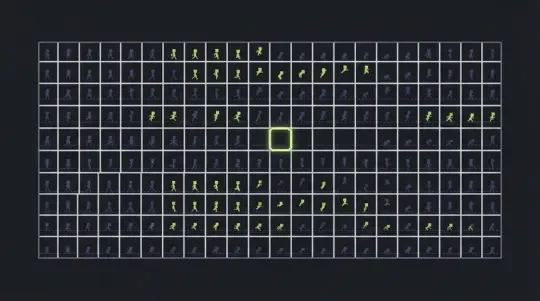
You need a text field, a fixed grid size, a re-enterable seed, a palette ceiling, and a per-direction frame count. You trade control for coverage: thirty sprites in ten minutes, of which you keep six and hand-fix three. That is a good trade for props, enemies and background tiles, and a bad trade for your one hero character unless you plan to redraw the face anyway.
Intent 3: convert an existing image
You need nearest-neighbour or box downscale, quantisation to N colours with dithering off by default, an alpha threshold, and chroma-key background removal with a tolerance control. Watch the source format. A JPEG loses colour information before the converter ever sees it, and every compression artefact becomes a stray colour after quantisation to sixteen colours. Start from PNG, and if the only source is a JPEG, expect to clean the edges by hand.
Free Browser Options Compared
This comparison does not depend on which brand you searched for. It holds whether you arrived looking for pxbee or for anything else, because the categories are defined by what the tool outputs, not by who made it. That is also why the table is short: there are only a handful of genuinely different things a pixel tool can do.
The cost column is the least useful one on the page. Platform and output format decide whether a tool fits your pipeline. A free browser editor that only exports flat PNGs is cheaper than a licensed desktop editor and more expensive in time once you need a JSON atlas wired to an engine, because someone has to build that atlas. Read the generation and 3D output columns first, then check cost.
Two rows deserve a caveat. Converters are the tools people trust most and verify least: always open the output at 1x before importing it, because a converter that quietly smooths edges produces a sprite that looks fine at 4x and muddy at 1x. Packer tools are only as good as your frame naming — if your frames are called final_v2_sheet, no packer will sort them into a walk cycle for you.
How to read this pxbee alternative comparison
Scan the Platform column for anything that needs an install, the Animation column for whether frames exist as first-class objects or as separate files, and the 3D output column for whether the tool has any path past a flat image. Most pixel tools stop at the PNG. That is the normal stopping point, and it is also the reason so many finished sprite sheets never become a playable scene.
| Tool category | Platform | Text-to-sprite generation | Animation frames | 3D output | Cost |
|---|---|---|---|---|---|
| Browser hand-drawing editor | Browser canvas, no install | No | Timeline with per-frame duration, GIF and PNG sheet export | None | Free |
| Desktop pixel editor | Desktop application | No | Onion skin, frame tags, JSON atlas export | None on its own | Licensed; vendor sets terms |
| Text-to-sprite generator (Agent Sprite Forge) | Browser | Yes, from one sentence plus a seed | Generated per direction, typically 4 to 8 frames | Yes, via the Neta Studio 3D game builder | Free |
| Image-to-sprite converter | Browser or desktop utility | No | No; single frame only | No | Free to licensed |
| Sprite sheet packer / atlas tool | Desktop or command line | No | Packs frames you already have | No | Free to licensed |
| 3D world builder (Neta Studio) | Browser | Yes, through Agent Sprite Forge | Plays generated sheets as billboarded animation | Yes, isometric Three.js world | Free |
Generate a Sprite Here
Agent Sprite Forge takes one sentence and returns a sprite grid with animation frames, at a grid size and palette ceiling you set. It runs in the browser. There is no install step, and no part of the export requires a desktop application or a plugin.
Be clear about what it is not. It does not paint a large illustration and shrink it down; it builds the pixel grid directly, which is why the outline width stays consistent across frames and the palette stays inside the ceiling you chose. Ask it for photorealism, gradients or soft shading and you will get a poor result, because those are not pixel-art problems.
The failure modes are predictable, and knowing them saves re-rolls. Long prompts drift: the generator keeps the first noun and drops the rest, so put the subject first and the constraints after. Requests for legible text inside a 32x32 sprite will not survive the grid. Detail smaller than two pixels disappears at 1x. And if you generate a cast of characters one at a time with different palettes, they will not read as a set — generate the set in one pass, with one palette.
01
Write one sentence with the subject, the grid and the palette: "a one-eyed crab knight, 32x32, twelve colours plus a one-pixel black outline".
02
Set the grid. 16x16 for items, pickups and tiles. 32x32 for characters. 48x48 and above only when equipment has to read at a glance. Larger is not better: a 64x64 character standing next to 32x32 tiles looks like it came from a different game.
03
Set the palette ceiling. 8 to 16 indexed colours covers most characters. Past roughly 32 colours the silhouette stops reading at 1x on a phone screen, which is where a lot of playtime happens.
04
Set frames per direction and direction count. 4 frames for idle, 6 for a walk cycle, 8 for an attack. Use 4 directions with horizontal mirroring, or 8 if the character is asymmetric — a shield on one arm breaks the mirror.
05
Generate and inspect at 1x first, then at 8x. If the silhouette does not read at 1x, extra detail at 8x will not save it. Redraw or re-roll, do not add pixels.
06
Keep the seed. Re-enter the same seed to change the palette without changing the shape, or re-roll with a new seed and keep the pose you already approved.
07
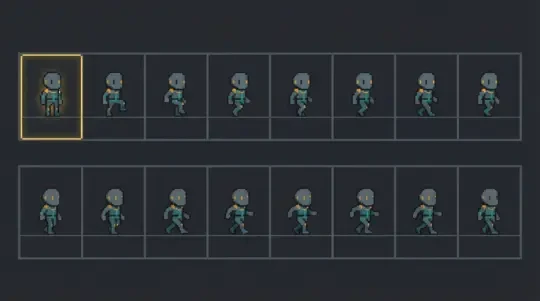
Export the sheet. For 32x32, 6 frames and 4 directions that is a 192x128 PNG: 6 frames across, 4 direction rows down. Write those numbers down, because the importer will ask for them.
Sprites, Then a World
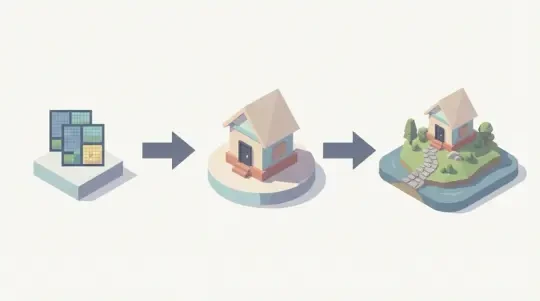
Most pixel tools end at the PNG. The sheet then becomes an asset in an engine you have to choose, configure and set up before anything moves. The Neta Studio 3D game builder takes the same sheet and places it in an isometric Three.js world in the browser, so the character you generated is standing on a tile before you have written any code.
The mechanics matter, because they are where pixel art usually breaks in 3D. A 32x32 sprite on a billboard quad wants an orthographic camera and nearest-neighbour filtering: NearestFilter on the material, mipmaps off, texture wrapping clamped. Turn mipmaps on and the sprite blurs a metre from the camera. Scale the quad by 1.7 and the pixels shimmer as the camera moves, because the texel grid no longer lands on the screen grid. Keep the scale integer and the camera zoom integer and the shimmer disappears.
Depth is the other thing that breaks. Isometric tiles at a 2:1 ratio — 32x16 tiles under 32x32 characters — sort by x plus y, and anything overlapping two tiles needs its anchor at the feet, not the sprite centre. Get the anchor wrong and the character floats or sinks by half a tile, which is exactly the kind of bug that looks like a physics problem and is not. The Cyclops' Island and Mini World both use this arrangement, and both were assembled from sprite sheets rather than modelled geometry.
What carries over from the sheet
The import is small and strict. You supply the sheet, the pixel size of one frame, how many frames sit across, and how many direction rows sit down. Everything else — filtering, scale, anchor, depth sort — is a setting on the object rather than a property of the art, which is why the same sheet can look sharp in one scene and soft in another.
- Sheet gridThe importer needs frames across, direction rows down, and the pixel size of one frame. 32x32 at 6 frames and 4 directions is a 192x128 sheet. Mismatch the grid and you get a sprite sliced mid-torso.
- Anchor pointFeet at bottom centre. Anchor at the sprite centre and the character intersects the floor by half a tile every time it faces the camera.
- FilteringNearestFilter, mipmaps off, clamped wrapping, integer object scale and integer camera zoom. Anything else reintroduces the blur the palette was designed to avoid.
- Depth sortSort by x plus y on the tile grid. A sprite whose anchor sits exactly on a tile edge can flicker between two depths as it walks.
Walk into the world it belongs to
Brand questions age; the tool question does not. Whatever brought you here, the useful step is the same — generate one sprite, then open the world it can live in, both in this browser tab and both free.
FAQ
What is pxbee? +
It is a small pixel-art tool brand with very little third-party coverage: no maintained documentation and no independent write-ups that can be verified. There is not enough public material to state its feature set or its current status accurately, which is why this page answers the underlying question instead of inventing a comparison.
Is pxbee free? +
That cannot be confirmed from public sources. The durable version of the question is what free should mean for a pixel tool: full-resolution export with no watermark, no frame limit on animation, and no paywall on the sprite sheet.
What is the best free pixel art tool? +
It depends on your intent. Hand-drawing wants a browser editor with an indexed palette, onion skin and PNG sheet export. Generating from a description wants a tool like Agent Sprite Forge. Converting an existing image wants a converter with nearest-neighbour downscale, quantisation and an alpha threshold. No single tool covers all three well.
Can I generate sprites free? +
Yes. Agent Sprite Forge generates sprite grids and animation frames in the browser from a one-sentence description. You set the grid size, palette ceiling, frame count and direction count, then export a PNG sheet.
Can pixel art go into 3D? +
Yes, as billboarded quads with nearest-neighbour filtering or as tile textures on an isometric grid. The Neta Studio 3D game builder imports the same sheet you generated and places it in an isometric world, with the sheet grid, anchor and depth sort configured on the object.
Do I need a paid desktop editor? +
For single characters and small sets, no. Desktop editors earn their keep on large tilesets, indexed palette management across many files, and JSON atlas export wired directly to an engine.
Back to the 3D Game Builder
All 31 finished 3D worlds, games and scenes live on one page — every one of them playable.