
Rosebud App vs Rosebud AI: Journal or Game Maker?
Rosebud App vs Rosebud AI are two unrelated products: a journaling app and an AI game maker. See which one you need and why the names overlap.

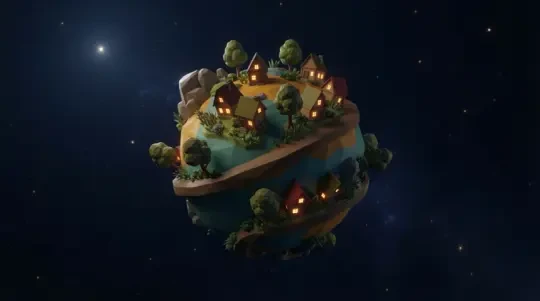
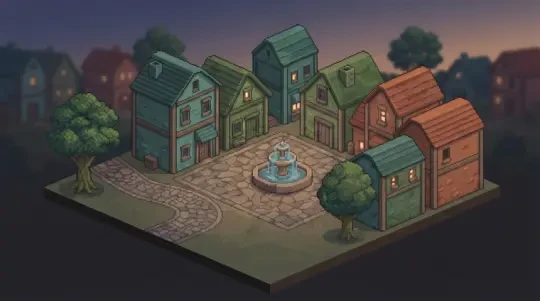
If you search for "rosebud app," you are probably looking for one of two unrelated products. One is a journaling and habit-tracking app. The other is an AI game maker. The name overlap is the only thing they share. The result is that half the people who land on a "Rosebud" page wanted the other half's product.
This page separates them. The first section tells you which is which in a table. The second and third sections send you to the correct branch. If you wanted a real 3D world rather than a 2D game, the rest of the page covers where the game maker stops and what a browser-based 3D builder does differently.
Two Products, One Name
The search term "rosebud app" is ambiguous because two active products use the same word. Neither is a parent company of the other. They do not share accounts, data, or a login system. If you signed up for one, the other has never heard of you.
The table below is the fastest way to route yourself. Read the middle column. If the sentence describes what you remember installing, you are on the wrong page. Use the section headings after this one to leave cleanly.
How the names collided
"Rosebud" is a strong word for branding because it is short, memorable, and carries a cultural reference. That is exactly why two teams picked it. Search engines do not disambiguate intent; they rank pages that contain the token.
So you get journaling results next to game-making results, and both sets look plausible until you open one. The disambiguation is not something a search engine will do for you. You do it by reading what the product actually does.
| Product | What it is | What you do in it |
|---|---|---|
| Rosebud journaling app | A private journaling and reflection tool, usually with prompts and mood tracking. | Write entries, review past weeks, track habits and patterns over time. |
| Rosebud AI game maker | An AI-assisted tool for building small 2D games from text prompts and templates. | Pick a template, describe a change, generate sprites and characters, play the result in a browser. |
| Neta Studio 3D game builder | A browser-based 3D world builder that converts a written description into a walkable Three.js scene. | Describe a world, walk through it in first person, refine it, publish a link. |
If You Wanted the Journal App
The journaling Rosebud app is a writing and reflection tool. You open it, you get a prompt or a blank entry, you write. It stores entries locally or in an account, shows you patterns over time, and sometimes nudges you with a question. That is the whole product. It is not a game engine, it does not generate sprites, and it does not run a 3D scene.
If that description matches what you were looking for, you are on the wrong page. The correct move is to go back to your search results and open the journaling product directly. Do not sign up here, do not create an account here, and do not expect your journal entries to appear here. There is no shared backend.
The practical test: did you want to write text about your day, or did you want to build something you can play? If the answer is writing, this page cannot help you and you should leave now. If the answer is building, continue to the next section.
One more check before you leave
Some journaling apps also include lightweight gamification: streaks, badges, progress bars. That is not the same as a game maker. A streak counter is a UI pattern, not a playable scene. If you found this page because a journaling app mentioned "games," it meant habit games, not buildable worlds.
If you are still unsure, the next section covers the game-making side. Read it. If it sounds wrong, you wanted the journaling app.
If You Wanted the Game Maker
The game-making Rosebud AI is a tool for building small games from text prompts and a template library. You start from a template, describe what you want to change, and the system generates assets — often sprites and characters — that you drop into a scene. It has a free tier, a large set of starting templates, and a short path from prompt to something you can play.
Its strengths are real. Templates reduce the blank-page problem. AI character and sprite generation is fast for 2D art, which is the most tedious part of small game projects. The free tier lets you test the workflow before paying. For a 2D platformer, a top-down shooter, or a simple arcade loop, it is a reasonable starting point.
Where it stops is 3D. That is not a knock on the product; it is a statement about its current scope. The next sections cover the boundary and what a real 3D world requires.
What the workflow feels like
You pick a template, describe a change in plain language, and the tool proposes assets or code changes. You accept, reject, or adjust. The loop is fast for 2D because the output is flat images and simple collision boxes. The failure mode is scope creep: templates make it easy to start, and each new mechanic adds state you have to manage.
If you want a 3D world rather than a 2D game, that loop does not extend. The asset type is different, the camera model is different, and the scene graph is different. That is the boundary the next section describes.
- Template libraryA large set of pre-built 2D game starting points. You pick one and modify it rather than starting from an empty scene.
- AI character and sprite generationDescribe a character; get a 2D sprite or character asset. This is the part that saves the most time for small projects.
- Free tierYou can build and test without paying. Useful for evaluating whether the workflow fits how you think.
Where the Game Maker Stops
The specific limitation from the product data: its 3D templates have been flagged as not yet available. That means the template library you would use to start a 3D project does not currently include 3D starting points. Its strength is 2D. This is a scoping statement, not a criticism — most small games are 2D, and 2D is cheaper to build and cheaper to run.
The consequence for you: if your goal is a first-person walk through a space, a template-driven 2D workflow cannot get you there by adding more sprites. You need a different tool. A 2D engine can render flat images at different depths and call it 3D, but the player still cannot turn around and see a room behind them.
If 2D is your goal, stay where you are — the game maker is a better fit than a 3D builder for a platformer or an arcade loop. If 3D is your goal, the rest of this page is for you.
| You want | Use | Why |
|---|---|---|
| A 2D platformer or arcade loop | Rosebud AI game maker | Templates, sprite generation, and a free tier are built for this. |
| A 3D space you can walk through | Neta Studio 3D game builder | The 2D workflow has no 3D templates; the camera and scene model are different. |
| A journaling habit | Rosebud journaling app | Neither game tool does this. |
What 3D Should Mean
A 2D game with a parallax background is not 3D. It is flat art layered at depth. The player moves left and right; the camera does not rotate around a volume. You can call it 2.5D, but it is a 2D game with a depth effect.
Real 3D means three things. Depth: objects have position in a three-axis coordinate space, so moving forward changes your distance to a wall. Scale: a door is roughly human-height, and that ratio holds as you approach it. The ability to turn around: you can rotate the camera 180 degrees and see what was behind you, and it is still there.
Neta Studio builds in Three.js, which is a real-time 3D renderer in the browser. When you describe a world, the output is a scene graph with geometry, materials, and a first-person camera. You walk it with WASD or arrow keys. If you turn around, the space behind you has geometry, not a painted backdrop.
The test you can run yourself
Open a build. Walk forward ten steps. Turn 180 degrees. If the view behind you is a flat image, you are in a 2D game with a depth trick. If it is geometry you can walk back through, you are in a 3D scene. This test takes five seconds and does not require reading any documentation.
The second test: walk toward a wall and stop close to it. In a 3D scene, the texture scales and the perspective lines converge. In a flat image, the wall is the same pixels at every distance, just bigger.
Play a Real 3D World
The Cyclops' Island is a walkable 3D world built in Neta Studio. It came from a written description, not a mesh file. The sentence was roughly: a rocky island with a single cyclops, a path up the hill, and a cave at the top. That is the entire input.
You can walk it in the embed on this page. Use WASD or arrow keys, move the mouse to look, and turn around at the start to see the shoreline behind you. The point is not that the world is large. The point is that it is a space, not a picture. You can walk from the beach to the cave and the camera follows a real path.
Mini World is the smaller demo: a compact scene you can cross in a few seconds. It exists to show the minimum viable 3D world — ground, some structures, a sky, and a camera that moves. If you have never walked a browser 3D scene, start there.
Agent Sprite Forge is the asset tool. It generates characters and objects that you place into a 3D scene. It is the 3D counterpart to the sprite generation in a 2D game maker.
What to look at while you walk
Walk to a wall and get close. Watch the texture scale. Turn 90 degrees and watch the perspective skew. Walk to the far edge and look back at where you started. These are the three checks that separate a 3D scene from a flat render.
If any of those checks fail, the scene is not 3D and you should say so. That is the standard this page is using.
Make One in Four Steps
The loop is short. It is four steps, and none of them require installing anything.
Step one: open the 3D game builder. It runs in the browser. Step two: describe the world in plain language — ground, structures, sky, lighting, and what the player should see first. Step three: walk it. Use WASD, turn around, check the depth test from the previous section. Step four: publish it and get a link you can send to someone.
If the first pass is wrong, you do not start over. You edit the description and rebuild. That is the realistic failure mode: the first description is too vague, the ground is flat, and the lighting is uniform. Add one sentence about elevation or mood and rebuild. Two or three passes is normal.
What a usable first description contains
Name the ground surface and whether it is flat or sloped. Name one or two structures and roughly where they are. Name the sky and the light direction. Name what the player sees at spawn. That is enough for a first build. Everything else is a second pass.
Vague descriptions produce vague worlds. "A nice island" gives you a flat plane and a skybox. "A rocky island with a path up the hill and a cave at the top" gives you a path and a cave. The difference is specificity, not the tool.
01
Open the 3D game builder in Neta Studio. No install, no account required to start.
02
Describe the world: terrain, structures, sky, lighting, and the player's starting view.
03
Walk it in first person. Turn around. Check depth, scale, and whether the space behind you exists.
04
Publish it. You get a link to the playable world.
Walk into the world it belongs to
If the name you searched turned out to be two products, the useful next step is to try the one that matches your intent. Open a world that was built from a sentence and walk it — that answers the 3D question faster than any comparison.
FAQ
Are Rosebud AI and the Rosebud journaling app the same company? +
No. They are separate products from separate teams that share a name. They do not share accounts, data, or infrastructure.
Which one do I actually want? +
Journaling app for writing and habit tracking. Rosebud AI for small 2D games from templates. Neta Studio for a 3D space you can walk through.
Can Rosebud AI make 3D games? +
Its 3D templates have been flagged as not yet available, so its strength is 2D. It can render flat art at depth, but the camera does not rotate around a volume.
Do I need to know how to code to build a 3D world? +
No. You describe the world in plain language and the builder produces the Three.js scene. The first build requires no code.
Can I play a world without creating an account? +
Yes. You can open and walk a published world without signing up. An account is only needed to save your own builds.
What is the difference between a 3D-rendered 2D game and a real 3D world? +
A real 3D world has three-axis geometry, consistent scale, and a camera you can turn 180 degrees to see the space behind you. A 3D-rendered 2D game draws flat images at depths.
Back to the 3D Game Builder
All 31 finished 3D worlds, games and scenes live on one page — every one of them playable.