
Free sprite sheet resources: no signup, no watermark
Curated free sprite sheet resources with clear licenses. Every download is free, no signup, no watermark, no credit line, and includes cell sizes.
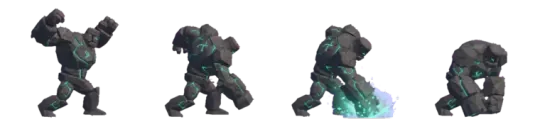
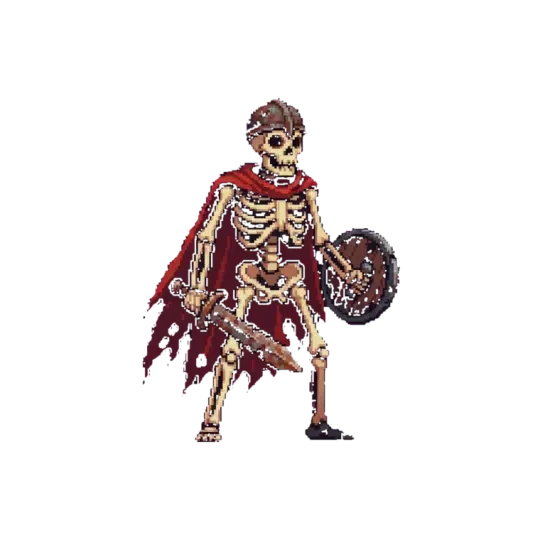
Make your own free sprite sheet resources
Where to get free sprite sheet resources — what is actually free, what the licence covers, and how to get a custom sheet for your game from one prompt.
A sprite sheet is a grid: frames of equal cell size, laid out in rows, with a documented reading order. Free sprite sheet resources give you that grid at no cost — but 'free' is a word doing five jobs at once. The same download can cost nothing and still carry a watermark, hide behind an account, require a credit line, and forbid commercial release.
This page takes those conditions apart, because they are independent. It covers what the common licences actually permit, a checklist for vetting a pack before you build an animation controller around it, and what to do when no free sheet matches the character you need — the point where generating one from a written description is faster than repainting someone else's knight frame by frame.
What counts as free
Five separate questions hide inside the word, and the answer to one tells you nothing about the others. A pack can be no-cost and no-signup and still be non-commercial. It can allow commercial use and still stamp a logo into the corner of every frame. Score a pack on all five axes before you download it, not after you have built three animations on top of it.
The most common failure is a sheet that is free, unwatermarked, and CC-BY: you ship the game, the credit line never gets written, and the build is out of compliance on a technicality a single line of text would have fixed. The second most common is resolution. Free tiers are often downscaled relative to a paid tier — 32-pixel cells instead of 64. A 32-pixel cell stretched to fill a 96-pixel tile shows soft edges and uneven pixel widths, and no amount of nearest-neighbour filtering fixes a source that was already too small.
| Axis | What it means in practice |
|---|---|
| No cost | You pay nothing. Says nothing about the other four. |
| No account | Direct download. No email capture, no login wall between you and the file. |
| No watermark | Clean pixels. Nothing burned into the PNG that you have to paint over or crop out. |
| No attribution | No credit line required in your credits screen, store page, or licence file. |
| Commercial use | You can ship it in something you sell, not only in a jam build or a mockup. |
The licence question
A licence is a piece of text, not a button that says Download. Four labels cover most of what you will find, and only one of them is unconditional.
The clause people miss is redistribution. Almost every free licence lets you use the assets inside a game. Almost none let you repackage the raw files as your own pack, drop them into a template or starter kit you hand to other people, or ship them as an extras folder next to your own art. Some terms allow redistribution only when the assets are embedded in a build and not extractable as clean files. If your plan involves shipping the PNGs themselves, you need explicit permission, and it needs to be written down.
CC0
Public domain dedication. Ship it, modify it, sell it, no credit required. Keep a note of where you got it anyway: aggregator sites tag files as CC0 that the original author never released under CC0, and the tag is not the licence.
CC-BY
Attribution is a condition of the licence, not a courtesy. The credit needs the author's name, the licence name, and the source page address, placed where a user can actually see it — a credits screen or a licence file shipped inside the build. A line in a blog post about the game is not the same thing.
Royalty-free
An umbrella term, not a licence. It usually means you do not pay per copy sold. It is silent on attribution, modification, and redistribution, because it does not define any of them. Read the EULA attached to the pack.
Free for personal use
The trap axis. Personal use excludes shipping to a store, and depending on the wording it also excludes ad-supported builds, donation links, and jam entries that later get published. If the project might ever generate money, treat these packs as paid-only.
Free packs worth downloading
What separates a usable pack from a folder of regret is documentation, not art quality. Four things matter: a consistent cell size, a documented grid, genuinely transparent frames, and an origin you can trace back to the person who made it.
A documented grid is one line of text — 48×48 cells, 8 columns, row one idle, row two walk, row three attack. Without it you measure pixel runs by hand, and you redo that measurement every time you add a state. Transparent means the alpha channel is doing the work, not a checkerboard painted into the image at export time.
A vetting checklist for free sprite sheet resources
Run these eight checks in order on any pack before it enters your project. The whole pass takes a few minutes and saves the afternoon you would otherwise spend debugging drift.
01
Open the sheet in an image editor and check the raw pixel dimensions. Divide the width by the column count. If the result is not a whole number, the grid is not what the preview suggested.
02
Measure two cells in different rows. A single off-by-one column shifts every frame after it, and the drift stays invisible until the sprite animates.
03
Zoom to 800% and look at a corner pixel. Confirm the background is transparent, not a grey checkerboard baked into the file.
04
Write down the frame count per row: idle 4, walk 8, attack 6. Rows assembled from different sources rarely match, and your state machine has to know the real numbers.
05
Find the origin page — where the author published it. That is where the licence text lives, and it is the only place that will tell you if the terms changed after your download.
06
Save the licence text next to the file with the download date. Your copy stays fixed; the page behind it does not.
07
Render one frame at 1:1 in your engine before writing the animation controller. Sheet ordering conventions differ, and top-left first versus bottom-left first is the classic bug — a flipped Y axis on a four-row sheet reads as a broken animation.
08
Check the palette against the rest of your scene. Two free packs in one level usually disagree about saturation and light direction, and the seam is obvious at play speed.
When free is not enough — generate your own
Free packs give you a role: knight, slime, crate. They do not give you your character. If your protagonist has a specific silhouette, a specific palette, and specific proportions, matching a free sheet means either changing the character to fit the art or editing every frame by hand — and hand-editing breaks grid alignment, which is the one thing the pack got right.
The alternative is to describe the character once and generate the set. In Agent Sprite Forge you write the description: body plan, palette with hex values, camera angle, and the states you need. It returns frames on a consistent grid with transparency, at the cell size you pick. Top-down and side-view are not interchangeable, so state the angle explicitly or you will get a set you cannot use.
The workflow is the same whether the character is the player, an NPC, or a boss in a world like The Cyclops' Island. Regenerating a state later costs one prompt as long as you kept the description. That description is your source of truth, and unlike a licence file it never changes under you.
01
Write the character in one paragraph: body plan, silhouette, palette as hex values, and camera angle. Vague adjectives produce vague frames.
02
Fix the cell size before the first generation — 32, 48, or 64 pixels. Regenerating later at a different size means re-anchoring every animation you already placed.
03
List only the states you will ship, with frame counts: idle 4, walk 8, attack 6. Extra frames get deleted, and you still pay for them in atlas size.
04
Generate, then check the anchor. Feet should sit on the same baseline pixel across all walk frames, or the character bobs against the ground.
05
Export as a sheet with the grid documented, then import it into the 3D game builder and place it on a billboard or a flat plane to check scale against your level geometry.
06
Keep the description and the seed. When you need a jump or hit state three weeks later, you extend the same character instead of starting over.
Walk into the world it belongs to
A sprite is a character with nowhere to stand. The last step is the one nobody else offers: take the sheet you just built and put it in a world someone can walk around in — a small island, a planet, a rainy street corner. Every world on this site was made from one written description and published as a page you can play.
FAQ
Are free sprite sheet resources really free? +
It depends which of five conditions you mean. Many cost nothing and still require an account, a credit line, or a non-commercial licence. Read the licence text rather than the download button.
Can I use them commercially? +
Only if the licence grants commercial use. CC0 and most royalty-free EULAs allow it; 'free for personal use' and non-commercial variants do not. If the page is silent, treat it as not permitted.
Will I need to credit anyone? +
CC0 requires no credit. CC-BY does — author name, licence name, and source, placed where a player can see it, such as a credits screen or a licence file shipped inside the build. Royalty-free terms vary.
What format do sprite sheets come in? +
Normally PNG with an alpha channel, which is what you want because it preserves transparency. GIF shows up in older packs but degrades edges. Slice frames at load time instead of re-exporting resized copies that soften the pixels.
How do I know what licence a sheet is under? +
Go to the page where the author originally published it — the licence text lives there, not on the mirror site you downloaded from. Save the text and the download date alongside the file, because terms can change after you grab it.
Can I get a custom sheet for my own character? +
Yes. Write one description covering body plan, palette, camera angle, and the states you need, and Agent Sprite Forge returns idle, walk, and attack frames on a consistent grid with transparency. The result imports into the 3D game builder like any other sheet.
Back to the 3D Game Builder
All 31 finished 3D worlds, games and scenes live on one page — every one of them playable.
Open the full free sprite library
Every asset in this library is a transparent, game-ready PNG with a recorded prompt — Free sprite resources and Sprite sheet resources, tagged by action, style and subject. Free to browse and download.