The Best AI Anime GIF Creator (Free)
Generate anime expression packs, reaction sticker sets, and short animated clips with AI. Not single images — complete expression sheets you can fork and customize.

Create anime reaction packs that say exactly what you mean
Expression sheets, sticker sets, animated POV clips — one sentence in, a complete 16-expression anime pack out, ready to fork and customize. Start free on Neta Studio.
What It Does
The best AI anime GIF creator does not hand you a single image and call it a day. Neta Studio generates complete animated expression systems — 16-panel sticker packs, reaction sticker sets, and short animated POV clips — where the same character stays the same person in every frame. Not single images: complete expression sheets you can fork, customize, and reuse across chat apps, fan projects, and content. One sentence in, a full anime reaction set out.

Single Images Are Not Enough for Anime Reactions
You want 16 expressions? Most AI tools make you write 16 prompts, generate 16 times, and pray the character looks consistent across all of them. It will not. The eyes drift, the hairline changes, the glasses vanish — and the pack is useless, because a reaction set only works when every panel is unmistakably the same person. That is the problem Neta Studio was built to solve.
- Sixteen prompts, sixteen strangers — every generation drifts from the last; the character stops being recognizable.
- Single-image tools have no layout — you get 16 loose images, not a pack, a sheet, or a reaction set.
- Micro-expressions are lost — a generator that cannot draw a smug grin precisely will not nail the delayed-reaction face either.
- Nothing is reusable — a lone image cannot be forked, remixed, or turned into stickers.
Neta Studio generates the whole set at once — 6 to 16 expressions on the same character, in a single layout, from one prompt. Fork any pack, swap in your character, get a full reaction set.
What You Can Generate
| Output type | What you get | Why it matters |
|---|---|---|
| Expression sticker pack | 6-16 expressions of the same character in one layout | Chat stickers, reaction GIFs, emotes |
| Animated POV clip | Short vertical video from a text prompt | TikTok, Reels, animated scene starters |
| Custom reaction set | Exactly the expressions you name, in one style | Fan projects, streams, meme pipelines |
| Character-consistent sheet | Every panel is unmistakably the same person | The difference between a pack and a pile of images |
Each of these is a forkable template. You see one that works, you fork it, you swap in your own character. The AI preserves the layout and structure while generating new content.
Expression Sticker Packs
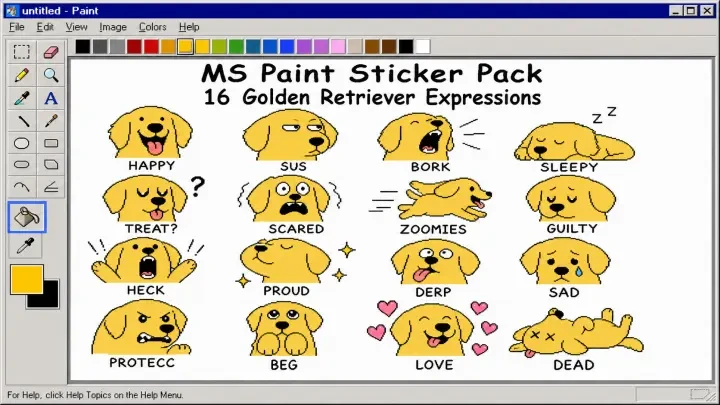
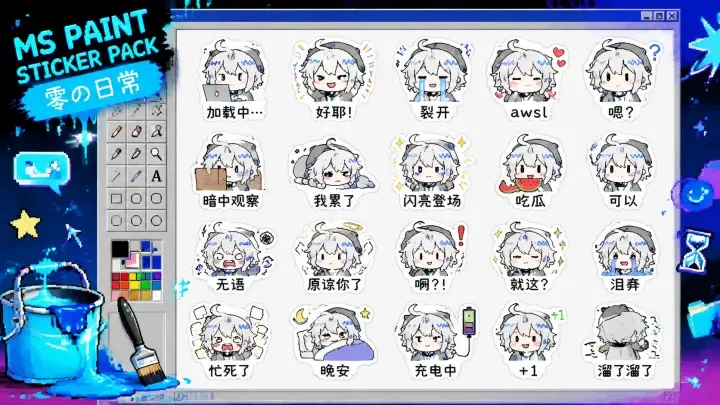
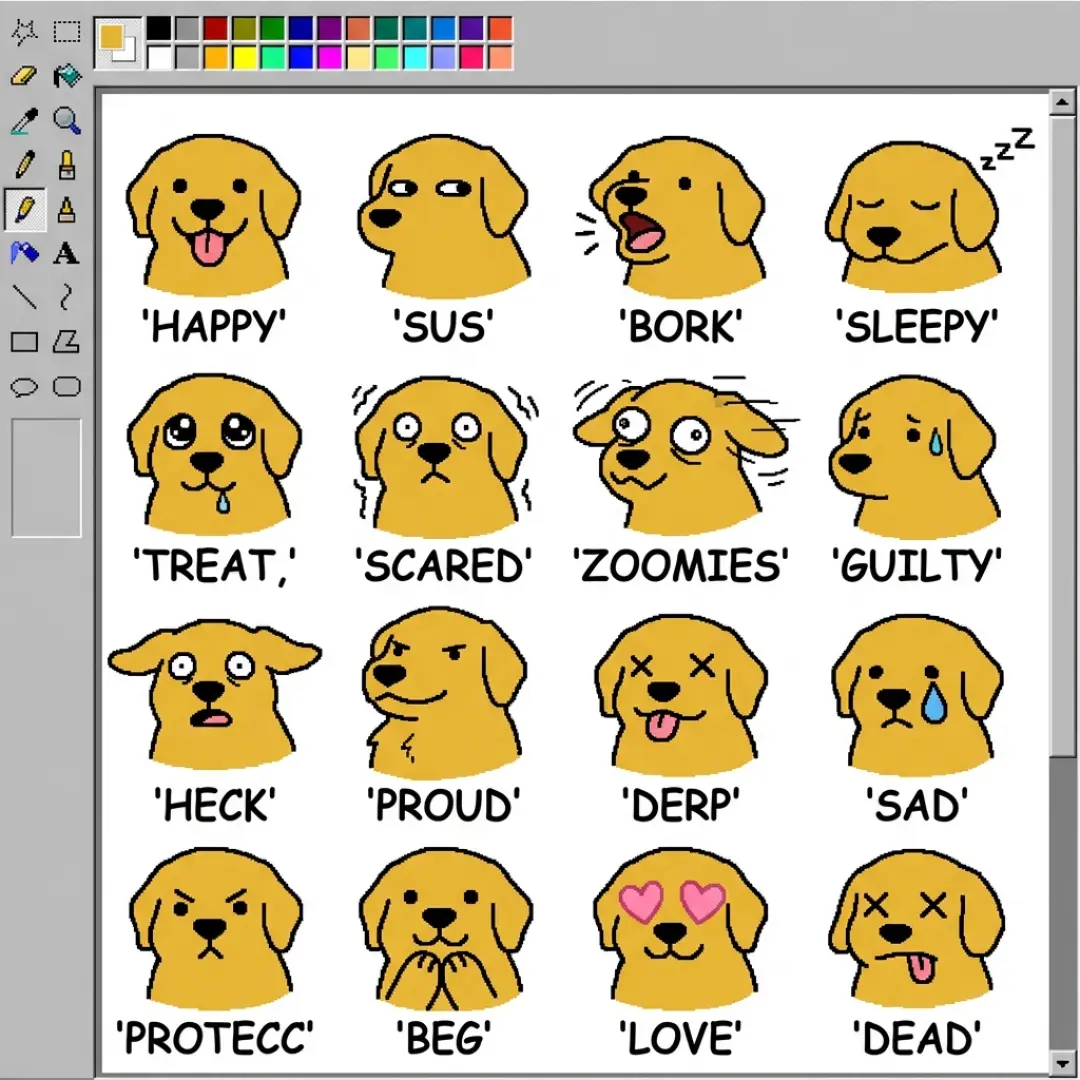
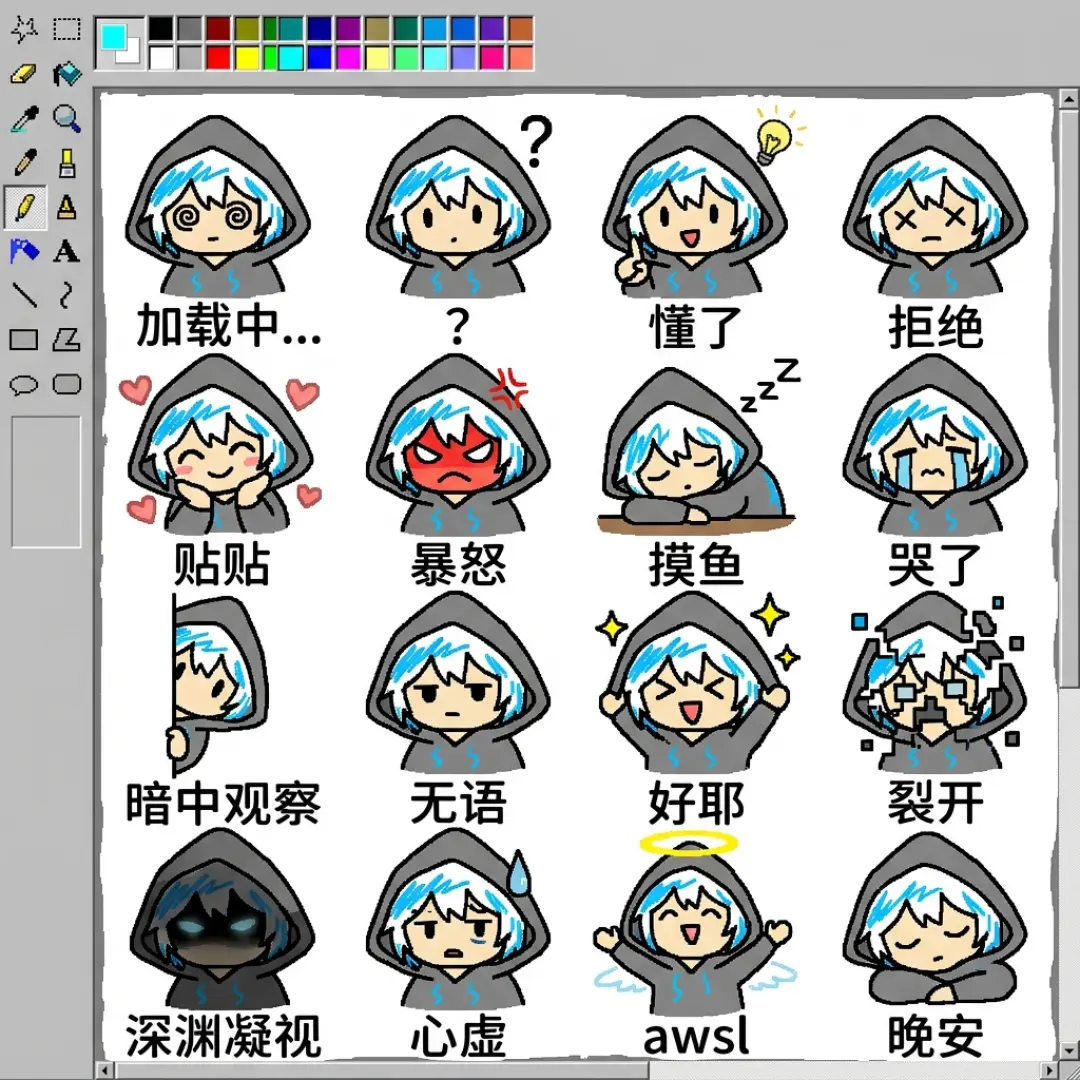
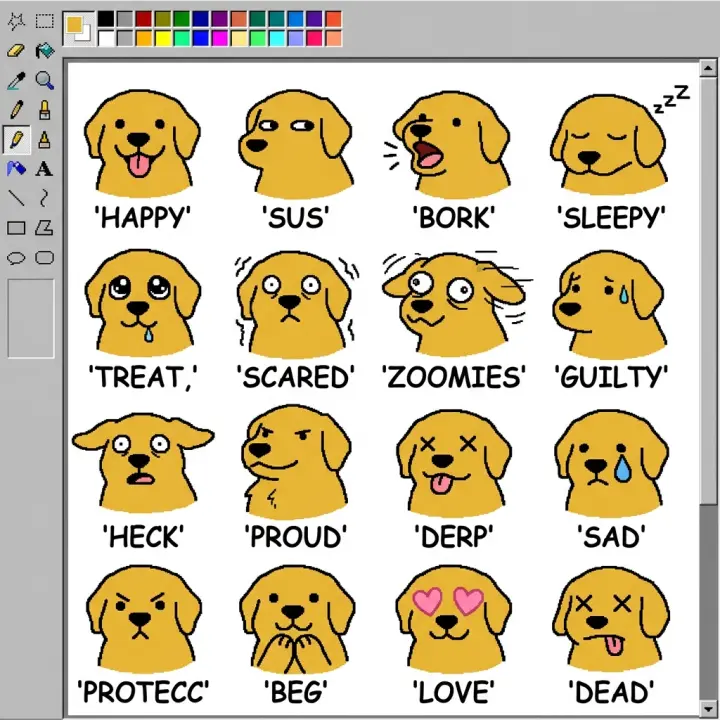
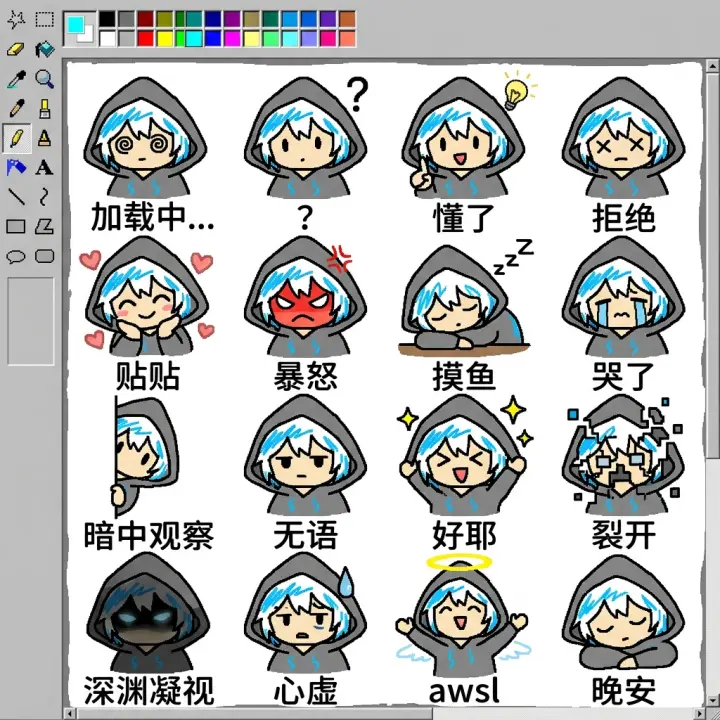
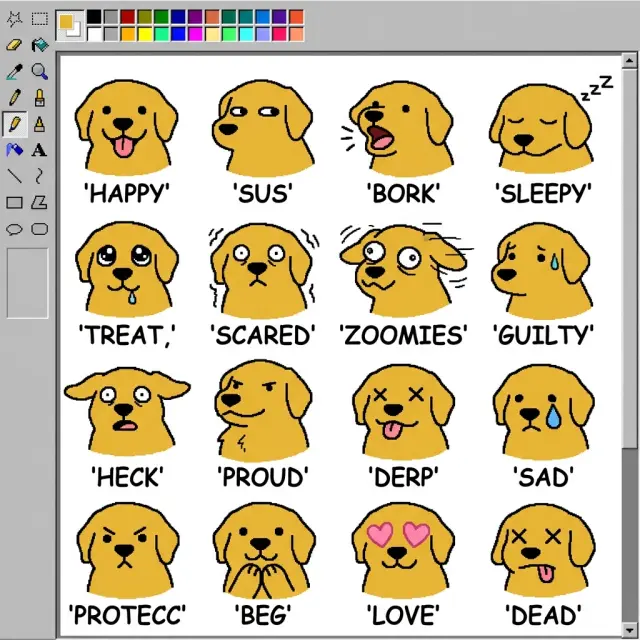
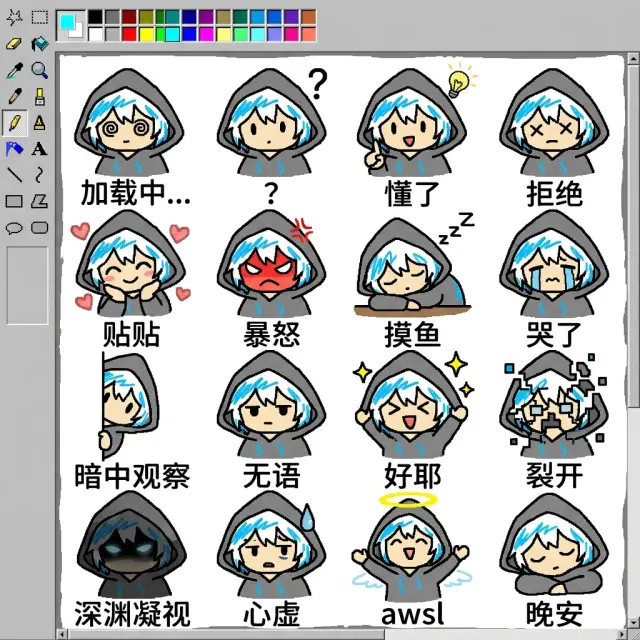
Featured: MS Paint Sticker Pack: 16 Expressions — a 16-panel grid showing a character's full emotional range: happy, angry, surprised, smug, crying, confused, disgusted, sleepy, determined, embarrassed, shocked, laughing, thinking, pouting, scared, and neutral. Fork this template, describe your character, and the AI generates all 16 expressions consistently. Featured: Neon Abyss Sticker Pack: Zero's Daily Life — another expression set showing a different character's daily reactions. Same format, different character, different personality. Fork it to see how the same template adapts to different characters.
Animated POV Clips
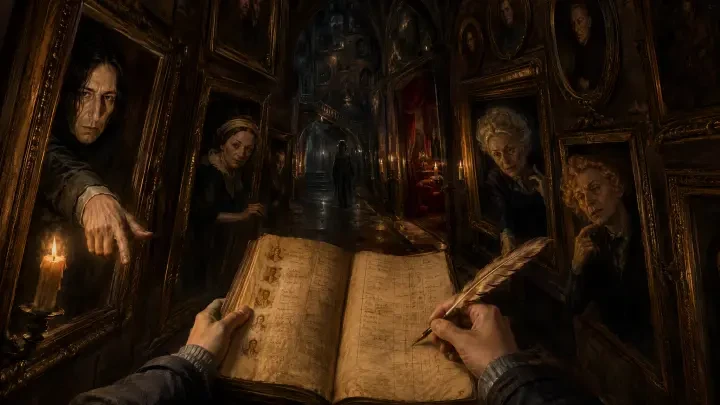
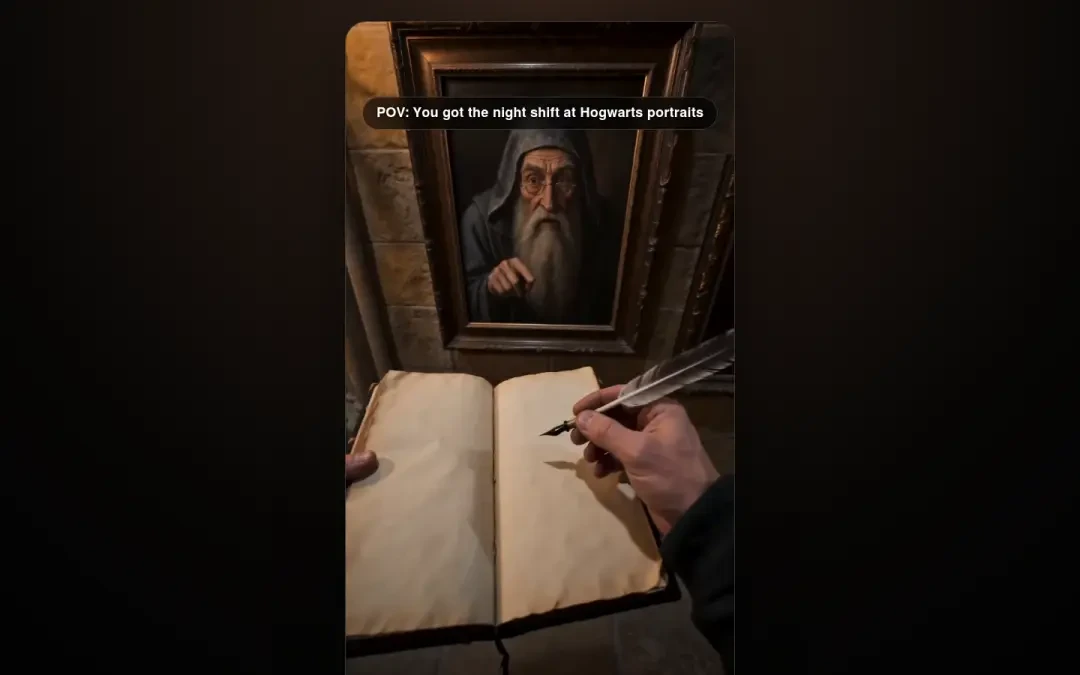
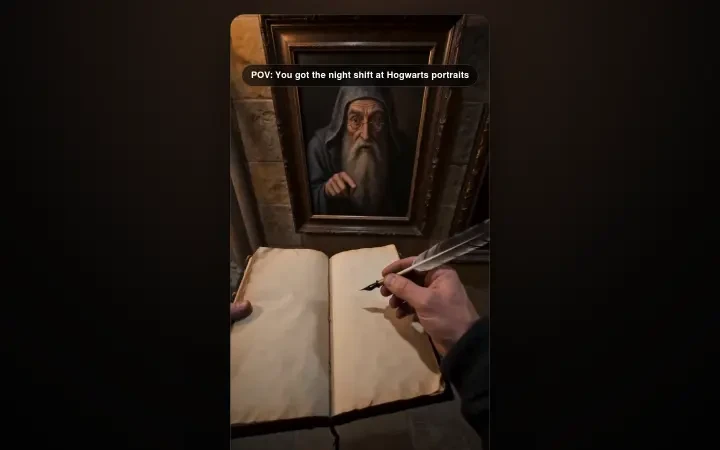
Featured: Hogwarts Portrait Night Shift — a 15-second vertical POV video clip generated entirely from a text prompt. The AI handles visual consistency, lighting, and camera motion, so the scene reads as one continuous shot instead of a slideshow. Fork the template to create your own animated scenes — a character walking into frame, a portrait coming alive, a hallway that changes mood as the camera moves.
Custom Reaction Sets
Describe the specific expressions you need: "A tsundere character showing: denial (looking away, blushing), reluctant admission (fists clenched, eyes closed), full tsundere explosion (shouting, pointing finger)." The AI generates all three in a consistent style — the same character, the same art direction, three beats of one reaction. Try it for a character of your own and the pack comes out ready to use.
How to Prompt Expression Packs
The key is specifying micro-expressions, not just emotions. "Happy" is a word; "genuine smile, eyes slightly closed, glasses pushed up" is a drawing instruction. The glasses detail matters — a recurring visual element makes the character instantly recognizable across all 16 expressions. Name the panels, number them, and give each one a concrete physical detail.
16-panel expression sheet. Character: a 16-year-old girl with short black hair and round glasses. Expressions: (1) neutral, resting face, slight head tilt. (2) genuine smile, eyes slightly closed, glasses pushed up. (3) angry, brows furrowed, glasses sliding down nose. (4) shocked, mouth open, glasses askew. (5) smug, one eyebrow raised, hand covering mouth. (6) crying, tears streaming, glasses fogged. (7) confused, head tilted 30 degrees, one eye squinting. (8) determined, jaw set, glasses reflecting light. (9) embarrassed, full face red, looking down. (10) laughing, eyes closed, head thrown back.
Micro-expressions, not moods — each panel names a physical detail, and the recurring glasses keep the character recognizable in every frame.
How It Works
Pick a World
Start from any anime world — or fork a finished expression pack like MS Paint Sticker Pack: 16 Expressions. Every template ships with the pack layout already in place: the grid, the slots, the character anchor.
Write One Sentence
Describe your character: "a 16-year-old girl with short black hair and round glasses." One sentence is enough — the template handles the layout while the AI fills in every expression consistently.
AI Generates the Pack
The AI produces the full expression set from the same brief: 6 to 16 panels of one character, in a single layout. Same face, same hair, same glasses — different mood in every slot.
Refine with Iterations
Tell the AI "make her glasses rounder", "add a shocked panel", "change panel 9 to a pout". Each iteration preserves the character's identity while updating only the expression you asked for.
Publish & Share
Publish the pack, share the link, or fork the template to build the next character. Any public pack can be forked and remixed — that is how the platform grows.
Real Results
These are real works generated on Neta Studio — open them, inspect the outputs, and see exactly what a consistent anime expression pipeline produces. Every one of them is forkable.

See It, Fork It, Get It
Every sticker pack on Neta Studio is forkable. See a 16-expression set that works? Fork it, describe your character, get 16 consistent expressions in minutes. The template keeps its layout; the AI regenerates the content with your character in every panel.
- MS Paint Sticker Pack: 16 Expressions — the go-to 16-panel expression template: happy, angry, smug, crying, and more, all on one consistent character.
- Neon Abyss Sticker Pack: Zero's Daily Life — the same pack format with a different character and personality, ready to fork and remix.
- Hogwarts Portrait Night Shift — the animated POV template: fork it, rewrite the scene, and the AI keeps the lighting and camera motion consistent.
Do not start from a blank canvas. Start from a template that already works.
Core Capabilities
- Expression Packs, Not Single Images — 6 to 16 expressions of the same character in a single layout, generated from one prompt.
- Character Consistency — same face, same hair, same recurring details in every panel; the pack reads as one person.
- Micro-Expression Control — name the exact face: smug grin, wide-eyed shock, delayed-reaction stare; the AI draws it precisely.
- Animated POV Clips — short vertical video generated from text, with lighting and camera motion handled automatically.
- Forkable Templates — every pack is forkable: inherit the layout, swap in your character, keep the structure.
- Iterative Refinement — change one expression or one detail while the AI preserves the character's identity across the whole set.
Why Neta Studio
Neta Studio is not just another AI anime GIF creator — it is a complete AI creation platform where expression packs are structured, every output is forkable, and one sentence becomes a full reaction set:
Packs by default — the output is a 6-16 expression sheet, not a loose image, so a reaction set is ready to use the moment it is generated.
Fork anything — public packs and worlds are forkable; inherit the layout, swap in your characters, keep the structure.
One sentence to a full set — expression packs, reaction stickers, and animated clips from a single brief, with officially tuned skills driving every step.
Community-first — unlimited worlds, public fork/remix, and a Discord learning community.
FAQ
What makes an AI anime GIF creator good? +
A good anime GIF creator produces consistent sets, not loose images: 6-16 expressions of the same character in one layout, with the same face, hair, and recurring details in every panel. On Neta Studio, one prompt generates the whole pack — and every pack is forkable.
Can I generate a 16-expression sticker pack of my own character? +
Yes. Fork the MS Paint Sticker Pack: 16 Expressions template, describe your character in one sentence, and the AI generates all 16 expressions consistently — happy, angry, smug, crying, and more — in a single sheet.
How do I keep the character looking the same across all expressions? +
Give the AI recurring visual anchors: "round glasses", "short black hair", "a beauty mark". Then specify micro-expressions, not just emotions — "smug, one eyebrow raised, hand covering mouth" instead of "smug". Neta Studio preserves the character across the whole set.
Can Neta Studio generate animated clips, not just images? +
Yes. The Hogwarts Portrait Night Shift template is a 15-second vertical POV video generated entirely from a text prompt — the AI handles visual consistency, lighting, and camera motion. Fork it to create your own animated scenes.
What is a custom reaction set? +
You name the exact beats: "denial (looking away, blushing), reluctant admission (fists clenched, eyes closed), full tsundere explosion (shouting, pointing finger)." The AI generates all of them in a consistent style — the same character, the same art direction, three beats of one reaction.
Is this free to start? +
Yes. Neta Studio is free to start — describe a character, fork a pack, publish an expression sheet or animated clip, and share the link. No downloads, no setup.
Start Creating
One sentence in, a complete anime reaction pack out — expression sheets, sticker sets, and animated clips. Free to start, no coding.