The Best AI Anime Book Cover Generator
Design anime light-novel covers — title type, art, spine.
Generate Anime Light Novel Covers in One Sentence
Create publication-ready covers with title typography, spine design, and full-bleed art — no Photoshop skills required.
Why Anime Book Covers Need More Than Generic AI Art
Light novel covers follow strict publishing conventions: title placement zones, spine text, back-cover blurbs, ISBN areas, and brand consistency across series. Generic image generators give you a single illustration. Neta Studio gives you a complete cover package with typography locked to your art style, proper bleed margins, and editable type layers — so you can iterate the title, adjust character positioning, or swap background elements without starting over.
What You Can Create
- Full wraparound covers — front, spine, and back in one composition with proper bleed.
- Series-consistent branding — lock your title font, color palette, and layout grid across volumes.
- Genre-specific templates — isekai, dark fantasy, romcom, mecha, slice-of-life starter boards.
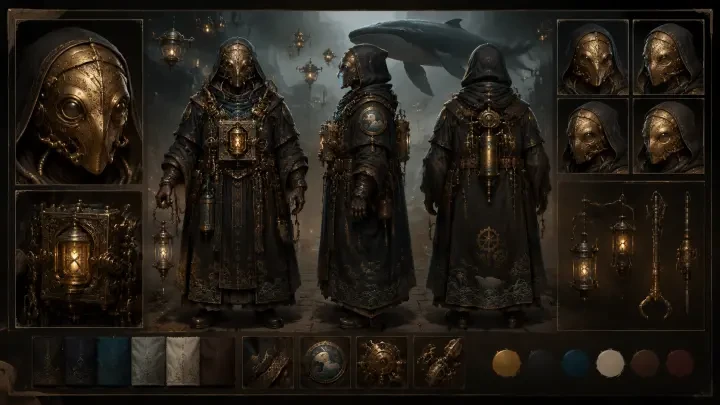
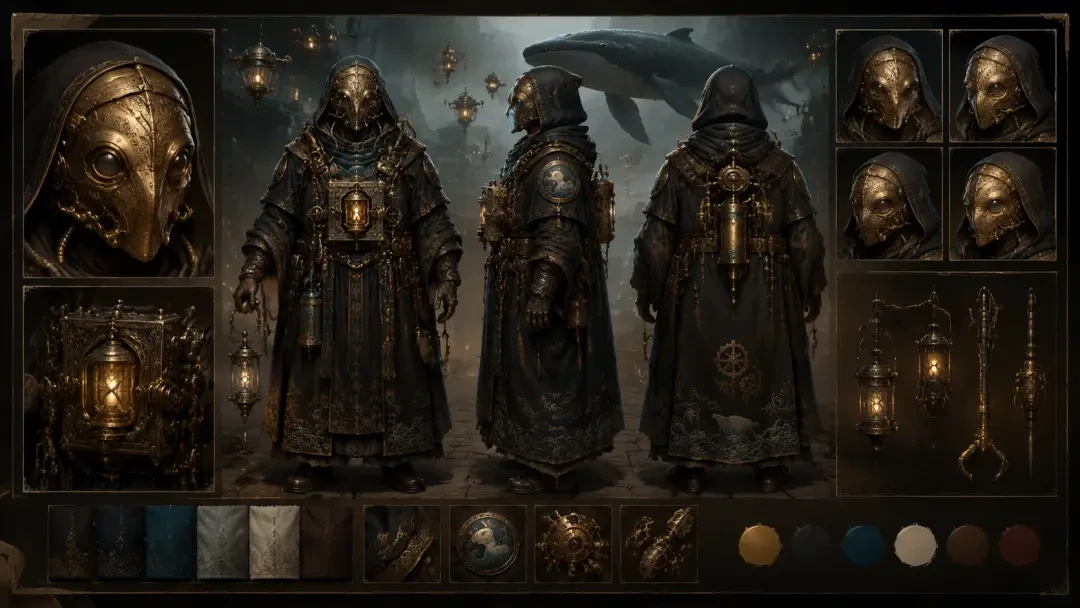
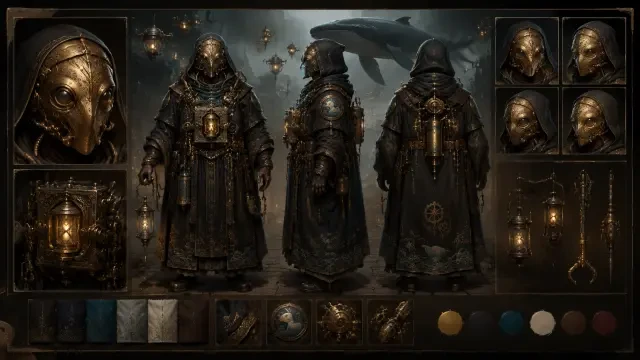
- Character-focused designs — fork "Character Design Sheet / Turnaround Views — Orin, the Brass-Masked Mechanic-Priest" to start from detailed character art, then compose your cover around it.
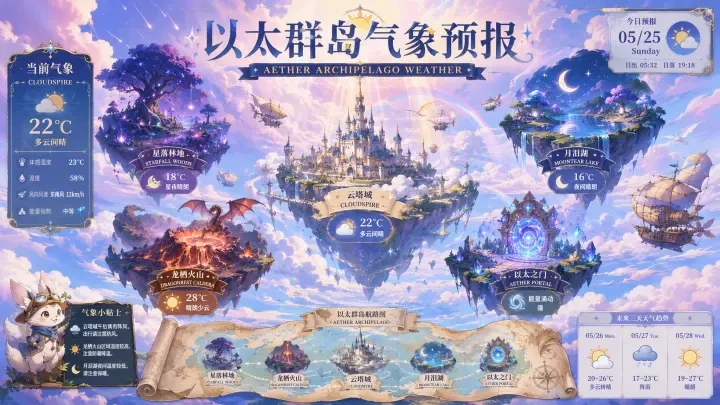
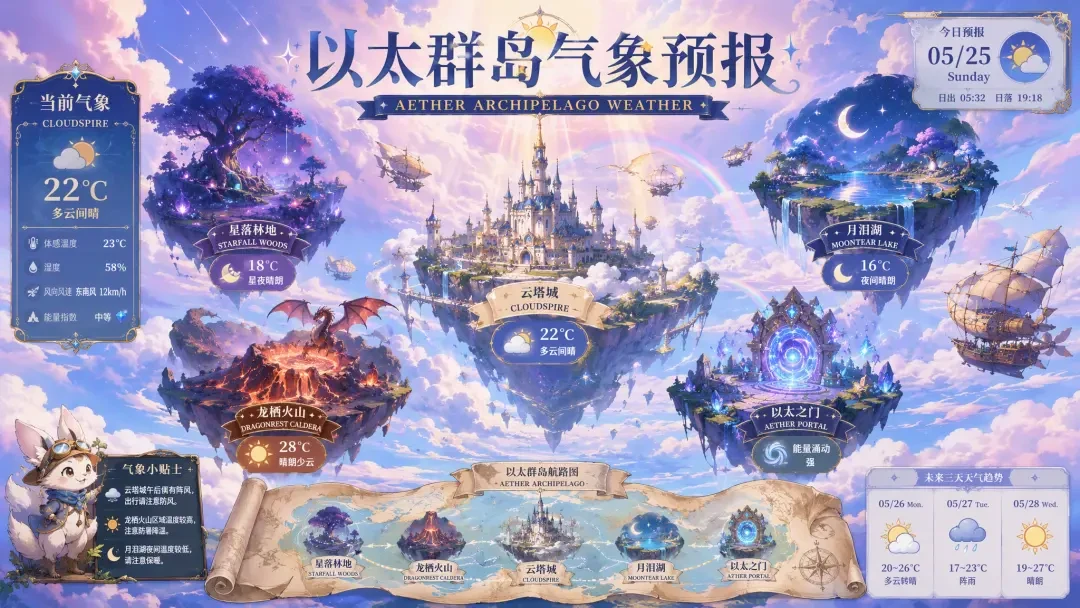
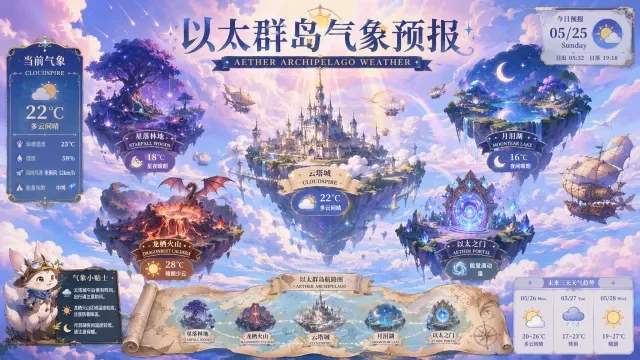
- Atmospheric worldbuilding backdrops — adapt "Aether Archipelago Climate Report — Fantasy Weather Poster for Floating Island Worlds" for environmental storytelling covers.
How the Neta Studio Workflow Works for Book Covers
Write your one-sentence brief
Describe the genre, protagonist, mood, and title. Example: "Steampunk mystery cover: detective with brass goggles examining clockwork evidence, foggy London backdrop, title 'Gears & Shadows' in ornate Victorian serif."
Build your world board
Neta generates a mood board with character sketches, typography samples, color palettes, and layout options. Review reference sheets for your protagonist's design, title treatments, and background atmospherics.
Generate the cover composition
Pick your preferred character pose, background, and title style. Neta composes the full cover with proper front/spine/back layout, bleeds, and typography locked to the illustration style.
Iterate individual elements
Adjust character expression, reposition the title, swap the background sky, or change the spine color — each element updates while preserving the overall composition and publishing specs.
Export print-ready files
Download high-resolution PDFs with bleeds and crop marks for print-on-demand services, plus web-optimized JPGs for Amazon, Kobo, and social media.
Publish and share your template
Make your cover forkable so other creators can adapt your style. Start a series by locking your brand elements and generating volume 2, 3, and beyond from the same world board.
Example Prompts That Work
- Isekai portal fantasy: "Hero stepping through glowing magic circle, fantasy cityscape beyond, title 'Summoned to Aethermoor' in bold serif with gold foil effect."
- Dark romance: "Vampire lord and human scholar facing each other under blood moon, title 'Crimson Covenant' in elegant script with thorny border."
- Mecha action: "Pilot in cockpit with giant robot silhouette behind, neon city at night, title 'Steel Horizon' in aggressive futuristic font."
- Slice-of-life school: "Two students sharing earbuds on rooftop, cherry blossoms falling, title 'April Echoes' in soft handwritten style."
Why Neta Studio Beats Midjourney or Stable Diffusion for Covers
| Feature | Generic AI | Neta Studio |
|---|---|---|
| Typography | Mangled text, manual overlay required | Editable title, author, spine text built in |
| Layout | Single square image | Full wraparound with spine and bleed margins |
| Iteration | Re-prompt from scratch, inconsistent results | Tweak character, background, or type independently |
| Series consistency | Manual style guides, drift between volumes | Lock brand elements, generate sequels from world board |
| Print specs | Requires post-production in design software | Export with bleeds, crop marks, and ISBN zones |
Start From Proven Cover Templates
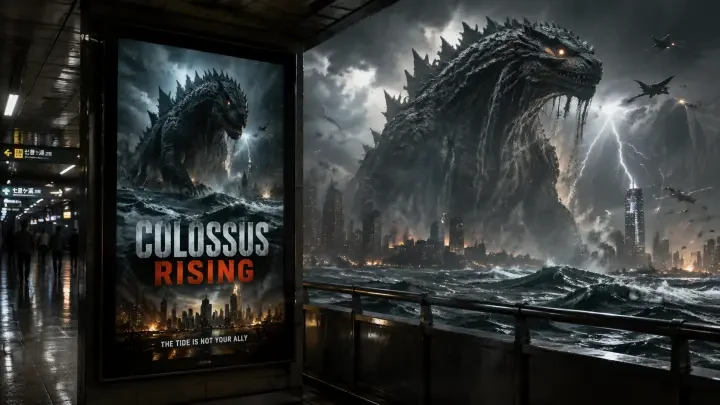
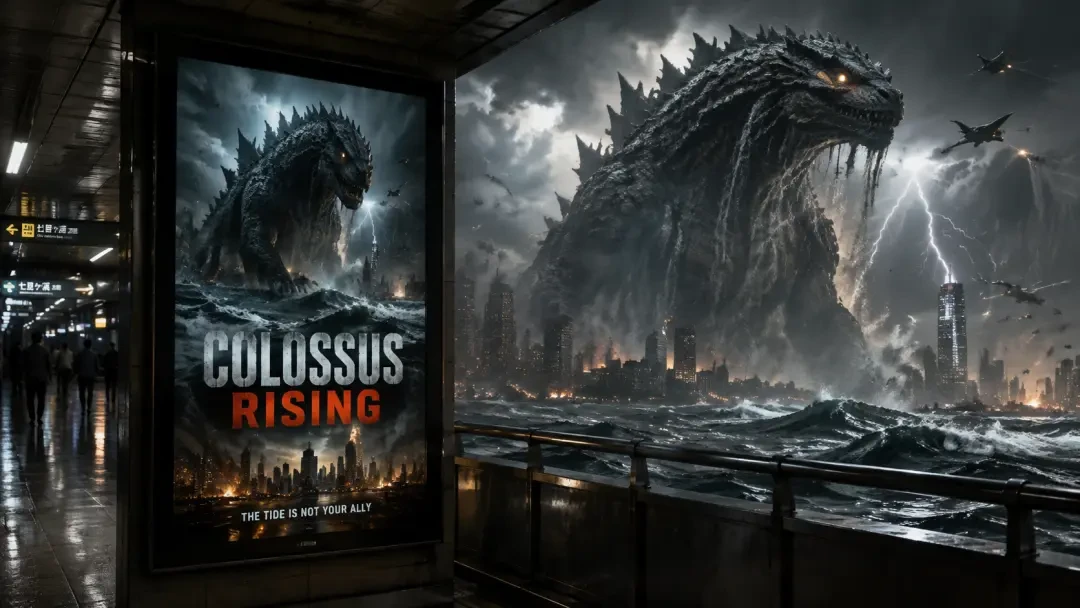
Fork "Station Movie Poster: Colossus Rising (Kaiju Lightbox)" to adapt its dramatic poster composition and bold title treatment for action-heavy light novels. The world board includes lighting rigs, perspective grids, and typography lockups you can reuse. Or start from "Aether Archipelago Climate Report — Fantasy Weather Poster for Floating Island Worlds" for atmospheric worldbuilding covers with environmental storytelling — the floating island aesthetic and weather mood boards translate directly to high-fantasy series.
Who This Is For
- Self-published authors — skip the $500 cover commission and iterate your design in real time as your story evolves.
- Web novel creators — generate volume covers for Kindle Unlimited, Royal Road, or Patreon tiers without hiring an illustrator for every release.
- Light novel translators — adapt Japanese covers for English markets with localized typography and layout tweaks.
- Writing groups and NaNoWriMo participants — prototype covers during drafting to visualize your story and build excitement.
Cover Design Fundamentals Built Into the Platform
Neta Studio enforces publishing best practices: title readability at thumbnail size, character eye-lines directing attention, genre-appropriate color psychology, and rule-of-thirds composition. The world board includes reference grids for title-safe zones, spine width calculators for page count, and contrast checkers for text legibility. You do not need design training — the platform guides you toward covers that work on Amazon search results and bookstore shelves.
Iterate Without Losing Your Original Vision
Beta readers want a darker mood? Shift the color grade without re-generating the character art. Publisher feedback says the title is too subtle? Try five font treatments in five minutes while keeping the illustration locked. Every element in your cover is independently adjustable, so feedback loops that used to take weeks of back-and-forth with a commissioned artist now happen in the same afternoon.
From One-Shot to Series in Minutes
Lock your protagonist's character model, title font, and color palette in your world board. When you are ready for volume 2, write a new one-sentence brief describing the sequel's conflict and setting. Neta generates the next cover with perfect brand consistency — same character design, same typography hierarchy, same visual language — while the background, pose, and supporting elements reflect the new story. Readers instantly recognize your series on the shelf.
Export Options for Every Platform
- Print-on-demand PDF — 300 DPI with 0.125" bleed, crop marks, and CMYK color profile for IngramSpark or KDP Print.
- E-book cover JPG — 1600×2400 px RGB for Kindle, Kobo, Apple Books thumbnail specs.
- Social media assets — square and 16:9 crops for Instagram, Twitter, Facebook ads with title and author overlay.
- Marketing mockups — 3D book renders, shelf displays, and promotional graphics generated from your cover file.
Every export maintains your design's aspect ratio and resolution standards, so your cover looks sharp whether a reader finds it on a Kindle screen, a bookstore table, or a social media feed. No need to learn print specifications or e-book platform requirements — Neta Studio handles the technical details while you focus on the creative decisions.
Typography That Matches Your Art Style
- Genre-aware fonts — fantasy brush, sci-fi geometric, romance serif, all generated in context.
- Editable text layers — rewrite, reposition, or regenerate the title without touching the art.
- Spine and back-cover type — full jacket design in one pass, not just the front panel.
- Multi-language support — Japanese, English, or both, with proper vertical/horizontal orientation.
Real Examples: From Brief to Published Cover
The World Board: Your Creative Command Center
I used to spend hours writing image prompts that contradicted each other. With the world board, I set the rules once—character appearances, world physics, visual style—and every cover I generate respects them. It's like having a series bible that the AI actually reads.
Genre-Specific Templates and Conventions
Compare: Neta Studio vs. Traditional Cover Design Tools
| Feature | Midjourney / SD | Neta Studio |
|---|---|---|
| Series consistency | Manual prompt copying | World board enforces continuity |
| Typography | Add in Photoshop after | Generated with art, editable layers |
| Spine & back cover | Generate separately, stitch manually | Full jacket in one generation |
| Iteration control | Roll the dice, hope for the best | Lock elements, regenerate selectively |
| Genre templates | None | Isekai, mecha, romance, horror presets |
| Sharing & forking | Export image only | Publish work, others fork with world board intact |
Publishing and Sharing Your Covers
Common Questions About AI Anime Cover Generation
Can I use these covers commercially? +
Yes. Every cover you generate on Neta Studio is yours to use commercially—publish on Amazon, print for conventions, sell as merchandise. You retain full rights to your creations.
Will my covers look like everyone else's? +
No. Your world board and brief define the style. Two authors starting from the same template will diverge after the first iteration because their lore, characters, and aesthetic choices differ. The platform generates to your specifications, not a house style.
How many iterations until I get a final cover? +
Most creators finalize a cover in three to six generation passes—first pass for composition, second for character details, third for color and lighting tweaks. Because you can lock approved elements and regenerate only what needs work, you're not starting over each time.
Can I mix AI-generated art with my own illustrations? +
Absolutely. Upload your hand-drawn character art to the world board as a reference, and Neta Studio will generate backgrounds, effects, and typography that complement your style. Many hybrid workflows start with a sketch, generate the environment, then composite the final cover.
What if I need to change a cover after Volume 1 is published? +
Your world board and generation history are saved. Open the original work, update the world board with new lore or design rules, and generate Volume 2. If you need to revise Volume 1's cover to match, fork it, apply the updated world board, and regenerate—instant series cohesion.
Do I need design experience to get good results? +
No. The genre templates handle composition, hierarchy, and color theory. You provide the story beats and character details; the platform translates them into cover conventions. If you know what your genre's covers typically look like, you have enough design sense to succeed here.
Start Creating Your Anime Light-Novel Cover Today
Start Creating
Design your first anime book cover in minutes—no subscription, no design degree required.