The Best AI Anime Character Quote Card Generator
Make striking quote cards with typographic hero lines, glow borders, and anime character aesthetics.
Create Quote Cards That Stop the Scroll
Generate typographic hero moments for your characters — glow borders, dramatic layouts, instant social shareability — from a single sentence.
What Is an AI Anime Character Quote Card?
A quote card is a visual statement piece that combines your character's most impactful line with typography, borders, and aesthetic design. Think of it as the hero image for a character moment — the line that defines them, styled to match their personality and world. On Neta Studio, you generate these cards from a one-sentence brief: describe the character, their quote, and the visual style you want. The AI handles layout, glow effects, color harmony, and typography, delivering a publication-ready card in seconds.
Why Quote Cards Matter for Your Characters
- Instant shareability — quote cards are built for social media, Discord embeds, and character portfolios.
- Visual identity — a well-designed card communicates character personality before the reader even processes the words.
- Emotional anchoring — typographic emphasis turns a line of dialogue into a moment readers remember and quote back.
- World consistency — borders, glows, and layout styles tie the card to your story's aesthetic universe.
How It Works: From Prompt to Published Card
Write your brief
Describe the character, their quote, and the design style — "Detective quote card: 'Truth hides in the shadows.' Noir aesthetic, amber spotlight glow."
Generate the card
Neta Studio's AI interprets your brief, composing typography, borders, color accents, and layout in one cohesive design.
Iterate on the world board
Adjust the quote, tweak glow intensity, shift the color palette, or regenerate sections — all from the same world board without starting over.
Publish and share
Export as PNG for social posts, embed in character bios, or publish to your Neta portfolio for others to fork and remix.
What You Can Create
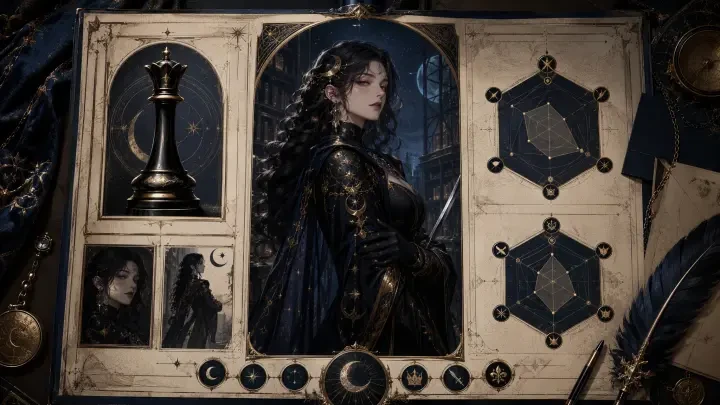
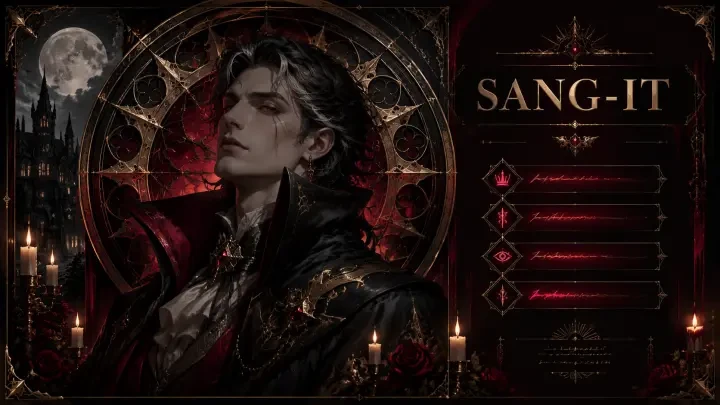
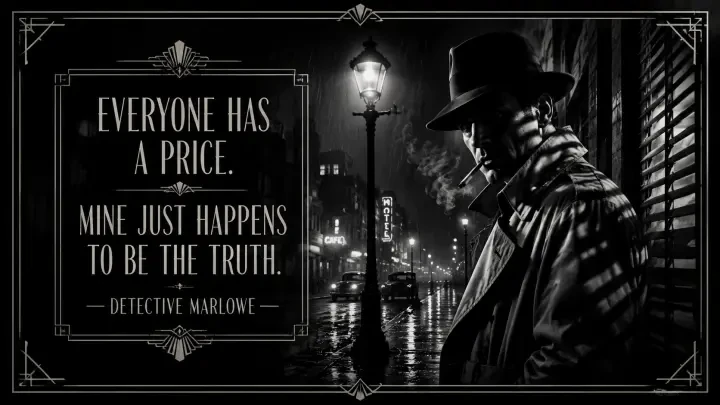
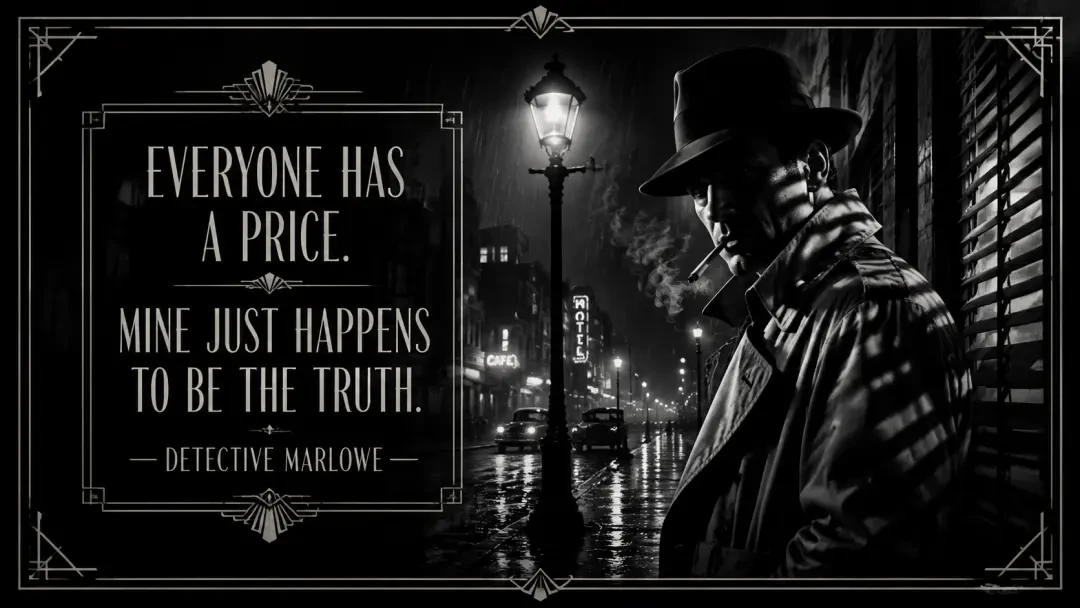
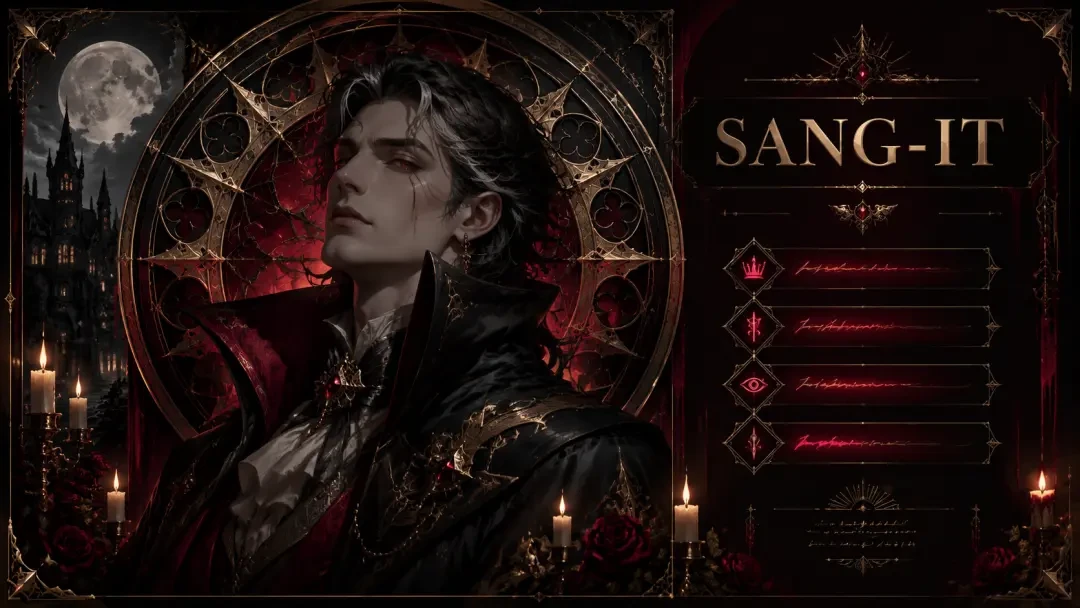
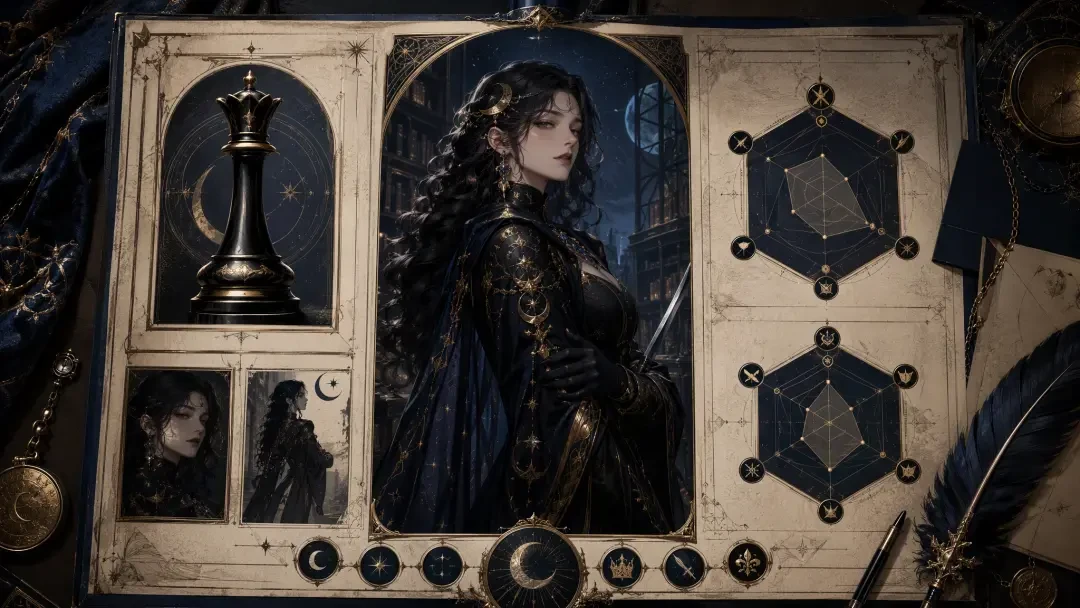
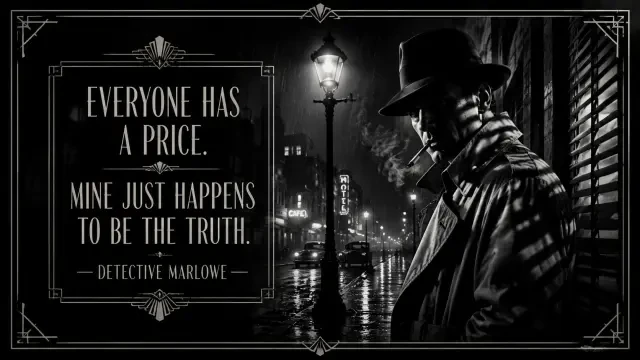
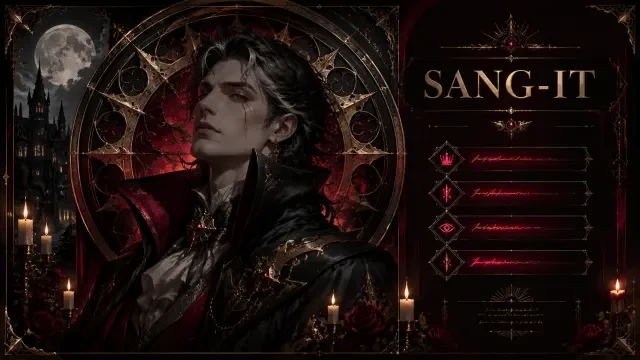
Quote cards work for any character archetype and narrative tone. Generate motivational hero declarations with gold borders and sunrise gradients. Create villain monologue cards with sharp angles, dark reds, and ominous typography. Design introspective character moments with soft glows and handwritten fonts. Build personality-based cards that pair MBTI or fantasy archetypes with signature quotes — like the "SBTI Personality Poster — Vampire Aristocrat (SANG-IT, The Eternal Observer)", which fuses personality typing with character design. Fork "Quote Card — Detective Marlowe, the Noir Detective" to see how noir aesthetics frame a hard-boiled line, or start from "Character Profile Card — Evelyn Nocturne, the Lunar Archivist" to explore archival-style layouts with cosmic motifs.
Example Prompts to Get Started
"Create a quote card for a time-traveling historian: 'Every era believes it's the exception. None of them are.' Vintage sepia tones, clockwork border details, elegant serif typography."
This prompt defines character role, quote content, color palette, border style, and font choice — giving the AI everything it needs to compose a cohesive card.
"Anime magical girl quote card: 'Hope isn't naive — it's the bravest thing we do.' Pastel pink and lavender glow, star sparkles, rounded bubbly font."
Perfect for lighthearted or optimistic characters. The prompt specifies genre, emotional tone, color harmony, decorative elements, and typography style.
Neta Studio vs. Generic Graphic Design Tools
| Feature | Neta Studio | Canva / Figma |
|---|---|---|
| Input method | One sentence brief | Manual layout, fonts, colors |
| Character context | AI interprets personality, tone, world | You match everything by hand |
| Iteration speed | Regenerate, tweak prompt, done | Rebuild layout, recolor, re-export |
| Typography harmony | AI picks fonts that match the vibe | Trial and error font pairing |
| Learning curve | Describe what you want | Learn design principles, tools, workflows |
Who This Is For
Quote cards are essential for visual novel creators who want shareable character moments without hiring a graphic designer. Webcomic artists use them to promote new chapters with hero lines from the latest episode. Tabletop RPG designers generate quote cards for NPC introductions and campaign mood-setting. Character designers and OC artists build quote card portfolios to showcase personality alongside visual design. Social media storytellers need fast, high-impact assets that communicate character voice in a single image. If you're building characters and need visual collateral that matches your world's aesthetic — without spending hours in layout tools — this workflow is built for you.
Featured Works to Explore
Start from "Quote Card — Detective Marlowe, the Noir Detective" to see how rain-soaked noir aesthetics frame a hard-boiled investigator's philosophy. Fork "SBTI Personality Poster — Vampire Aristocrat (SANG-IT, The Eternal Observer)" to explore how personality archetypes merge with character design in a single visual statement. Explore "Character Profile Card — Evelyn Nocturne, the Lunar Archivist" for archival dossier layouts with cosmic and celestial motifs — perfect for characters who guard ancient knowledge. Each work lives on Neta Studio's world board system: click into any card, adjust the prompt, regenerate sections, or remix the design into your own character's aesthetic. Every card is a starting point, not a locked template.
Deep Dive: Crafting the Perfect Quote Card
Every great quote card balances three elements: the character's voice, the visual identity, and the typographic treatment that makes the words leap off the screen. Neta Studio's AI understands anime aesthetics—glow effects, dramatic lighting, character-accurate art styles—and applies them to your brief without requiring design software expertise.
- Typography as storytelling — Choose fonts that mirror your character's era and mood: gothic serifs for vampires, neon sans-serifs for cyberpunk detectives.
- Color psychology — Midnight blues for melancholy, crimson gradients for passion, silver glows for ethereal wisdom.
- Composition hierarchy — The AI places the character portrait, quote text, and border elements in balanced tension—no manual layer juggling.
- Iteration-friendly — Refine the glow intensity, swap background textures, or adjust the quote position with a follow-up prompt; each generation builds on the last.
Real-World Workflow: From Brief to Share
Start by forking Quote Card — Detective Marlowe, the Noir Detective if you want a shadowy, rain-soaked aesthetic, or build from scratch with a one-sentence brief like 'melancholic vampire aristocrat quote card with gothic borders and moonlight glow.' The AI drafts the world board—character backstory, visual references, tone—then generates the card. Review, iterate on typography or lighting, and publish to your profile or export for social media. The entire process takes minutes, not hours.
Advanced Techniques: Layering Quotes with Visual Motifs
The best quote cards don't just display words—they reinforce meaning through visual motifs. A warrior's defiant line gains weight when paired with shattered-glass borders and ember glows. A scholar's introspective quote feels deeper against parchment textures and ink-drip effects. Neta Studio's AI interprets these connections automatically, but you can guide it with prompts like 'add cracked mirror reflections to emphasize duality' or 'use constellation overlays for cosmic themes.'
"The stars remember what mortals forget. I am merely the one who writes it down." — Evelyn Nocturne
This quote from Character Profile Card — Evelyn Nocturne, the Lunar Archivist pairs celestial imagery with archival motifs—moonlight glows, parchment textures, constellation borders—turning a character line into a visual statement about memory and eternity.
Use Cases Across Communities
- Fanfiction authors — Create quote cards for pivotal story moments; share them as chapter headers or social media teasers to hook readers.
- Tabletop RPG players — Generate quote cards for your D&D, Pathfinder, or homebrew characters; use them as Discord profile banners or session recaps.
- Visual novel developers — Produce promotional quote cards for your characters pre-launch; each card doubles as a character teaser and marketing asset.
- Original character artists — Turn your OC's defining lines into shareable art; quote cards are ideal for building follower engagement on Twitter, Instagram, or ArtStation.
- Anime reviewers and essayists — Illustrate your video essays or blog posts with custom quote cards that visualize character philosophy or thematic arguments.
Why Neta Studio Outperforms Generic Tools
| Feature | Neta Studio | Generic Graphic Tools |
|---|---|---|
| Anime-specific styling | ✓ Glow effects, character art, genre-aware | Generic templates, no anime context |
| World board context | ✓ Character lore informs every design choice | No character context, manual layout |
| Iteration speed | ✓ Text prompt → instant refinement | Manual layer edits, slow workflow |
| Fork & remix | ✓ Build on community works, instant style transfer | Start from scratch every time |
| Export & share | ✓ High-res PNG/JPEG, direct social share | Manual export, no community platform |
Generic design tools demand font licensing, layer management, and manual composition—skills that take months to master. Neta Studio's AI handles the technical execution so you can focus on the creative decision: which quote captures your character's essence, which visual motif amplifies the emotion, which color palette matches the scene. The platform's world board system ensures every card is grounded in character lore, not just aesthetically pleasing.
Publishing, Sharing, and Community Engagement
Tips for Maximum Impact
- Keep quotes punchy — 10–25 words is the sweet spot; longer quotes require smaller fonts and lose visual impact.
- Match font weight to character personality — Bold, condensed fonts for warriors and rebels; elegant serifs for scholars and aristocrats; handwritten styles for whimsical or chaotic characters.
- Use negative space strategically — Don't overcrowd the card; let the character portrait breathe, and give the quote room to dominate attention.
- Test on mobile — Most quote cards are viewed on phones; ensure text remains legible at thumbnail size before publishing.
- Iterate on lighting — Small adjustments to glow intensity, shadow depth, or rim lighting can transform a good card into an unforgettable one.
Frequently Asked Questions
Can I use my own character art for the quote card? +
Yes. Upload your character reference images to the world board, and the AI will generate the quote card using your character's visual style. You can also start from a featured work like Character Profile Card — Evelyn Nocturne, the Lunar Archivist and guide the AI to match your character's appearance through iterative prompts.
What file formats can I export? +
Neta Studio exports high-resolution PNG and JPEG files optimized for social media (1080×1080 or 1920×1080) and print (300 DPI). You retain full rights to your exported creations.
How do I make the quote text more readable on busy backgrounds? +
Refine your prompt with instructions like 'add semi-transparent overlay behind text,' 'increase text stroke weight,' or 'use darker background gradient.' The AI will adjust the composition to prioritize readability while preserving visual drama.
Can I create quote cards for group casts or multiple characters? +
Absolutely. Specify 'duo quote card with characters A and B' or 'ensemble cast card with overlapping portraits and shared quote.' The AI will arrange the composition to balance multiple characters without overcrowding.
Is there a limit to how many quote cards I can create? +
No hard limit. You can generate and iterate on as many quote cards as your project requires. Published works remain in your profile indefinitely, and you can revisit and remix them anytime.
What if I want to change the quote after generating the card? +
Simply iterate with a new prompt: 'replace quote with [new quote]' or 'swap to this line: [new text].' The AI will regenerate the card with the updated quote while preserving the visual style and composition you've already refined.
Start Creating Your Quote Cards Today
Start Creating
Turn your character's most powerful lines into unforgettable visual art.