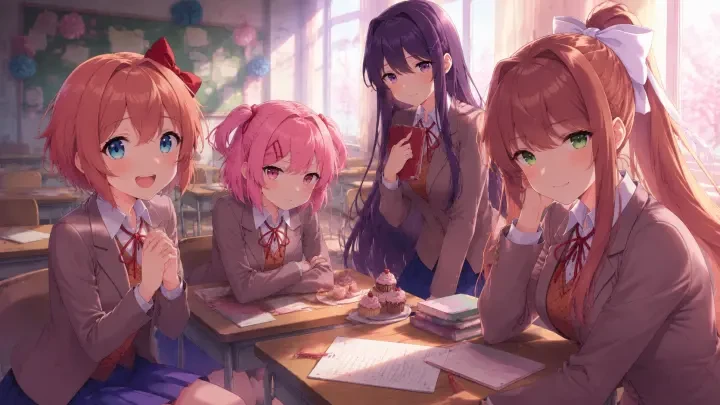
The Best AI Anime Character Sprite Sheet Generator
Produce emotion/pose sprite sheets for VN characters — consistent identity across frames.

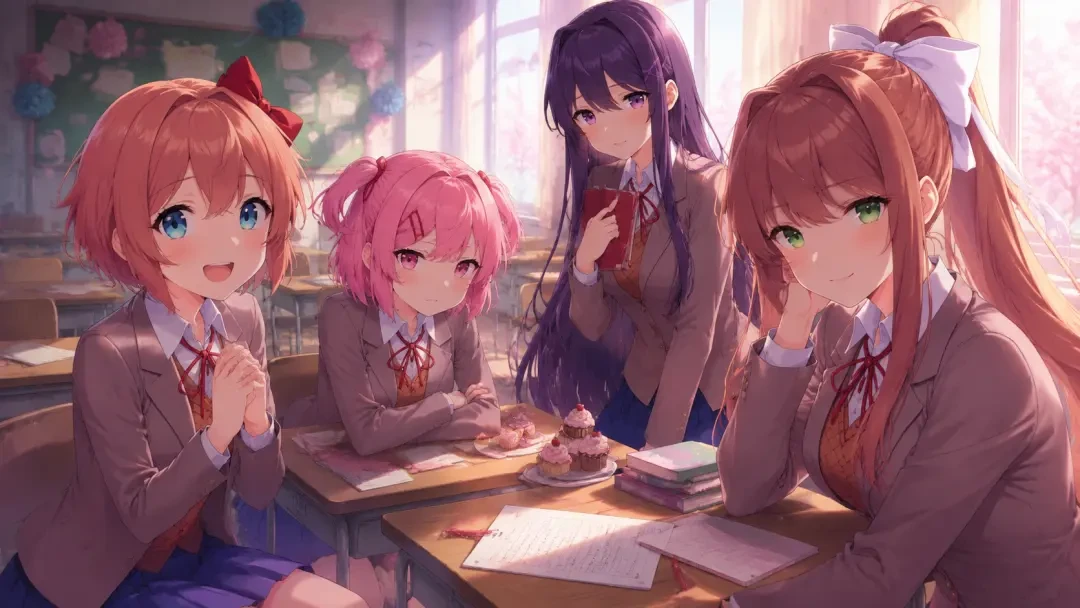

Build a Full Expression Set From One Sentence
Describe your character once and get a consistent sprite sheet of emotions and poses you can drop straight into a visual novel.
What an AI Anime Character Sprite Sheet Generator Actually Does
A sprite sheet is the acting range of your character. One base design, then a grid of variations: neutral, smiling, flustered, furious, crying, and the poses that carry them — arms crossed, hands clasped, turning away. In a visual novel, those frames are what make dialogue land, because the reader is watching a face change while they read. Neta Studio generates that whole set from a single brief instead of asking you to redraw the same character twelve times.
Why Consistent Identity Across Frames Is the Whole Game
Generic image tools will happily give you twelve beautiful anime girls. The problem is that they are twelve different girls — the hair clip moves, the eye color drifts, the uniform collar changes shape. Readers notice instantly, and the illusion of a single performer breaks. Neta Studio locks a character's identity to the world board, so every new emotion or pose is generated as the same person wearing the same clothes, framed the same way. That consistency is what separates a usable sprite sheet from a mood board.
- Emotion sets — neutral, happy, shy, sad, angry, surprised, crying, smug, and any custom mood your script needs.
- Pose variants — arms crossed, hands behind back, leaning in, pointing, turning away, so blocking changes with the scene.
- Locked identity — same face, hair, eye color, and costume details carried across every frame.
- VN-ready framing — consistent half-body or three-quarter crops with clean edges for compositing over backgrounds.
- Outfit swaps — school uniform, casual, combat gear, or full cosplay, each keeping the underlying character intact.
- Editable results — regenerate a single expression without touching the rest of the sheet.
Example Prompts That Work
- Clubroom heroine — "Literature club president with long hair and a white ribbon, school uniform, half-body sprite set: neutral, warm smile, embarrassed blush, worried, tearful, quietly furious."
- Taisho-era slayer — "Young demon slayer in dark uniform with a haori over one shoulder, sprite set: composed, gritted teeth, mid-shout, bleeding and unsteady, relieved."
- Cosplay classmate — "Energetic classmate holding a sewing kit, sprite set across three outfits: school uniform, casual hoodie, finished cosplay, each with excited, shy, and triumphant expressions."
- Rival antagonist — "Cold-eyed transfer student, arms crossed, sprite set: bored, mocking smirk, sudden interest, genuine rage, plus a rare soft smile."
- Support character — "Sleepy club advisor with glasses, sprite set: half-asleep, mid-lecture, exasperated, impressed, waving goodbye."
Notice the shape of these prompts: one clear identity, one framing choice, then a list of emotional beats. That is all the brief needs. You do not have to write art direction for each frame, because the world board carries the character forward — you are only naming what changes.
How It Works Inside Neta Studio
Write a one-sentence brief
Describe the character and the mood set you want. "A cheerful literature club president with six expressions, half-body, clean background" is enough to start.
Check the world board
Neta Studio expands your brief into a world board: character identity, costume details, art style, framing rules. Adjust anything before you spend a generation — this is where consistency is decided.
Generate the sheet
Produce the full emotion and pose grid in one pass. Every frame inherits the same identity from the board, so the set reads as one performer rather than a casting call.
Iterate frame by frame
Swap a smile for a smirk, add a wounded pose, tighten a crop. You regenerate only the frames that need work while the rest of the sheet stays untouched.
Drop it into a scene
Composite the sprites over backgrounds and wire them to dialogue, the same way "Just Monika: First Club Day" changes expression as the conversation turns.
Publish, share, or fork
Ship the character as part of a playable work, share it, or let someone fork it and give your cast an entirely new emotional range.
Neta Studio vs Generic Image Generators
| What you need | Generic image tool | Neta Studio |
|---|---|---|
| Same character across frames | Drifts every render; costume and face details change | Identity locked to the world board and reused |
| A full emotion set | One prompt per expression, manually re-tuned | Whole sheet generated from one brief |
| Consistent framing | Crops and camera distance wander | Framing rules held across the set |
| Fixing one bad frame | Reroll and hope it matches the others | Regenerate that frame against the same board |
| Getting to a playable scene | Export files, rebuild everything elsewhere | Sprites live inside a work you can publish and fork |
The difference is not raw image quality — it is continuity. A sprite sheet only works if frame nine still looks like frame one, and if the tool remembers what you decided three generations ago. Neta Studio treats the character as a persistent object in a world, not as a fresh guess each time you press generate.
Start From a Work That Already Ships
You do not have to begin from an empty prompt box. Fork "Just Monika: First Club Day" if you want a clubroom cast whose expressions carry a talky, character-driven script. Start from "Cosplay Dream — My Dress-Up Darling Visual Novel" when your character needs outfit swaps as well as moods, since it already handles one person across multiple looks. Or open "Final Selection: Night of Wisteria — Demon Slayer Action Visual Novel" for combat-adjacent sprites: braced stances, injury states, and the harder emotional range that action scenes demand. In each case the world board comes with the fork, so your first generation is already anchored to a working style.
Who This Is For
Visual novel developers who need a full cast before they can test dialogue pacing. Solo writers who can script twenty scenes but cannot draw a consistent blush. Fan-project teams who want a shared character sheet everyone builds against. Game jam entrants working on a weekend deadline, and illustrators who want a fast expression pass to react to before committing to final line art. If your bottleneck is producing the tenth version of the same face, this is the part of the pipeline Neta Studio takes off your desk.
Building a Full Emotion Set From One Base Portrait
A sprite sheet is not twelve separate illustrations — it is one character photographed twelve times. In Neta Studio you settle the base portrait first: hair silhouette, eye color, uniform details, lighting direction. Once that frame reads right, every emotion after it is a variation request against a locked reference, not a fresh roll of the dice. That is why a neutral pose you actually like is worth ten minutes of iteration before you generate anything else.
- Neutral — the anchor frame every other expression is measured against.
- Smile and laugh — two separate frames; a laugh needs closed or squinted eyes to read at VN scale.
- Blush and fluster — cheek tone plus an averted gaze, useful for route branches.
- Sad and crying — brow angle carries most of it; tears are the smaller half of the read.
- Angry and serious — keep the mouth small and let the eyes do the work.
- Surprised — the one frame where you can break the eye-size rule on purpose.
Pose Variants Without Losing the Costume
Emotions are the easy half. Poses are where generic tools fall apart, because changing arm position usually invites the model to re-imagine sleeves, ribbons, and hem length at the same time. The fix is to describe the pose as a change in body only and let the world board hold the wardrobe. Ask for crossed arms, a hand on hip, a half-turn away, a lean forward — and keep the costume description untouched between runs.


What the World Board Actually Locks Down
The world board is the reason frame nine still looks like frame one. It is where character identity, art direction, and framing rules live as reusable state instead of a prompt you keep retyping. Every generation reads from it, so a correction you make once propagates to everything you produce afterward.
| Locked in the world board | Varied per frame |
|---|---|
| Face structure, eye color, hair silhouette | Brow angle, mouth shape, gaze direction |
| Costume, accessories, ribbon and hem details | Arm position, torso rotation, weight shift |
| Line weight, shading style, palette | Blush intensity, tears, sweat drops |
| Crop, camera height, transparent background | Nothing — framing stays fixed so frames swap cleanly |
Iterating on the One Frame That Drifted
You will get eleven good frames and one that looks like a cousin of your character. Do not regenerate the sheet. Regenerate that frame against the anchor, and say what is wrong in plain language: the fringe is parted the other way, the collar lost its trim, the eyes drifted lighter. Targeted re-rolls keep the rest of your set stable, which is the whole point of holding identity in the world board instead of in one long prompt.
One sentence in, world board set, then generate the neutral until it is right. Everything after that is just a note about the face.
That order matters. Teams that generate broadly first and fix identity later end up redoing the whole sheet; teams that lock the anchor first tend to finish a cast in an afternoon.
Laying Out Frames for Your VN Engine
Ren'Py, Naninovel, TyranoBuilder, and custom engines all want the same thing: identical canvas size, identical character position, transparent background, and predictable file names. Keep the crop fixed across every generation so a swap from smile to angry does not nudge the character sideways mid-dialogue. Name by character, then state — monika_neutral, monika_smile, monika_angry — and your script stays readable a month later.
If you need layered sprites, generate the body pose once and treat expressions as face-only variants over it. That keeps your file count down and makes it trivial to add a new emotion later without touching the pose set you already approved.
Fork a Cast Instead of Starting Cold
The fastest route to a finished sheet is to start from a work that already ships. Fork Just Monika: First Club Day for a tight clubroom cast with heavy expression coverage, Cosplay Dream — My Dress-Up Darling Visual Novel when your story turns on outfit changes and the same face has to survive several wardrobes, or Final Selection: Night of Wisteria — Demon Slayer Action Visual Novel when you need combat stances and battle damage rather than quiet reaction shots. You inherit a working world board, swap in your own character brief, regenerate, and publish or share the result under your own name.
Frequently Asked Questions
How many frames should a first sprite sheet have? +
Six to eight expressions on one pose covers most dialogue-driven scenes. Add poses only after your script tells you it needs them.
Can I keep one character consistent across several outfits? +
Yes. Keep the identity fields in the world board fixed and vary only the costume description. Cosplay Dream — My Dress-Up Darling Visual Novel is a good starting point for this pattern.
What if only one frame comes out wrong? +
Re-roll that single frame against the anchor portrait and describe the specific mismatch. The rest of the sheet stays untouched.
Do I need art skills to get a usable sheet? +
No. You need a clear one-sentence brief and the patience to nail the neutral frame. Everything downstream is a short note about the face or the arms.
Can other people build on what I publish? +
That is the point of publishing on Neta Studio. Share a work and others can fork it, the same way you can fork Just Monika: First Club Day or Final Selection: Night of Wisteria — Demon Slayer Action Visual Novel.
Start Creating
One sentence, one world board, one anchor frame — and your character holds together across every expression in the set.