The Best AI Anime Polaroid Generator
Craft memory-style polaroid shots — nostalgia filters, white frames, captions.
Generate Anime Polaroids in Seconds
Turn any scene into a nostalgic memory-style photo with authentic white frames, handwritten captions, and vintage filters — no Photoshop, no camera needed.
What Is an AI Anime Polaroid Generator?
An AI anime polaroid generator creates instant-camera-style images with the aesthetic warmth of classic Polaroid photos — complete with white borders, handwritten captions, vintage color grading, and that unmistakable analog feel. Neta Studio lets you craft these memory-style shots from a single sentence: describe the scene, mood, and caption, then watch as the platform generates a polaroid that looks like it was pulled from a shoebox of cherished keepsakes. Whether you're building a visual novel, designing a mood board, or just capturing fictional moments in a tangible format, the polaroid aesthetic bridges digital storytelling and analog nostalgia.
Why Neta Studio for Anime Polaroid Generation?
Most AI image tools give you generic outputs that ignore the specific constraints and charm of the polaroid format. Neta Studio is built for creators who need context-aware results: the white frame is part of the composition, captions flow naturally in handwritten fonts, and color palettes lean into faded warmth or cool vintage tones. You start with a one-sentence brief, iterate on a world board where you can adjust framing, lighting, and text placement, then generate multiple variations until you nail the exact vibe. Once satisfied, publish your polaroid to the platform, share it across social media, or let others fork your work as a template for their own memory-style shots.
Perfect For These Creators
Visual novel developers who need in-story photo props that characters discover or share. Mood board designers assembling aesthetic collections with a cohesive analog feel. Social media creators posting "found footage" or "memory lane" content that stops the scroll. Worldbuilders documenting fictional histories through polaroid snapshots. Character designers showcasing OCs in casual, slice-of-life moments. Anyone who loves the tactile, nostalgic vibe of instant cameras but wants the speed and iteration power of AI generation.
How It Works: From Brief to Polaroid
Write your one-sentence brief
Describe the scene, mood, subject, and caption you want. Be specific about lighting, era, and emotional tone — "Anime couple at amusement park at dusk, polaroid with 'Forever' written in marker" gives the AI clear direction.
Build on your world board
Neta Studio generates a starting polaroid and opens a world board where you can refine framing, adjust caption placement, tweak color grading, or regenerate elements. Think of it as a collaborative workspace for your memory aesthetic.
Generate and iterate
Run multiple generation passes to explore variations — same scene, different captions; same caption, different lighting. The platform learns your aesthetic preferences and tightens results with each iteration.
Polish details
Fine-tune handwriting styles, border thickness, color temperature, and grain intensity. Add lens flare, light leaks, or edge wear for extra authenticity. The goal is a polaroid that feels genuinely pulled from a box of memories.
Publish, share, or fork
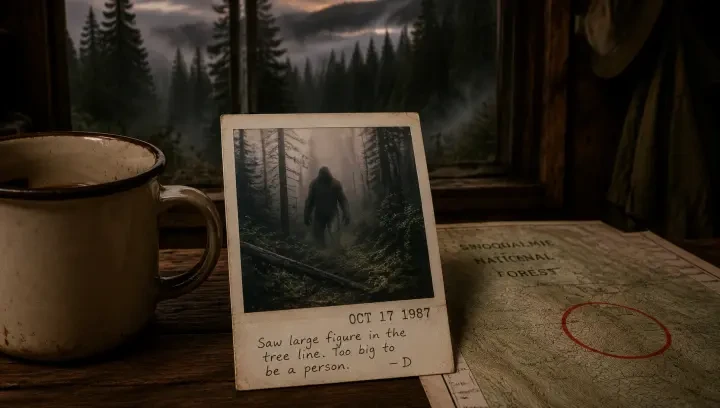
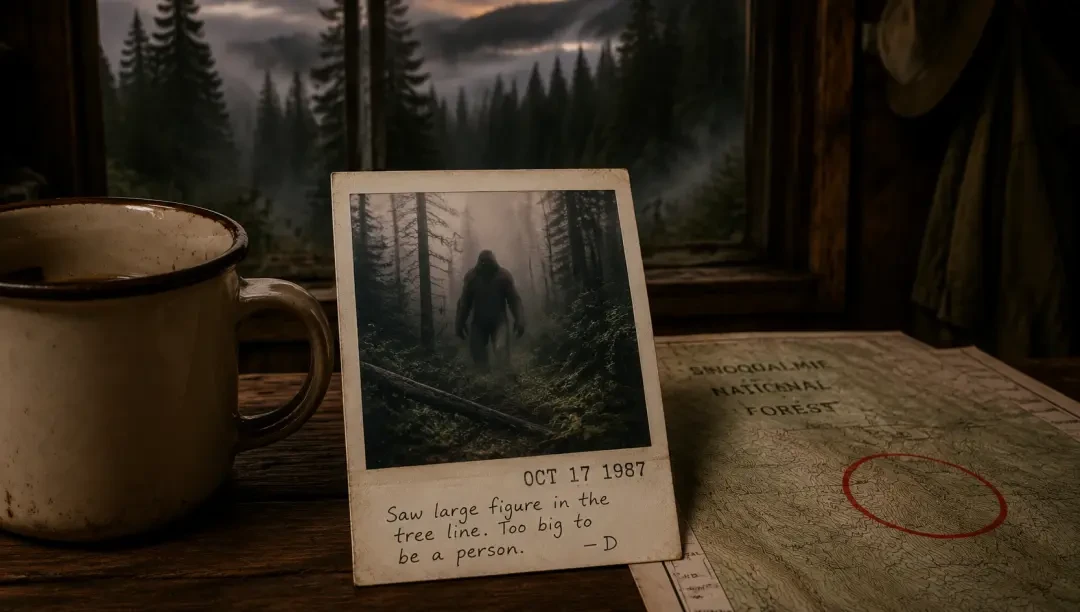
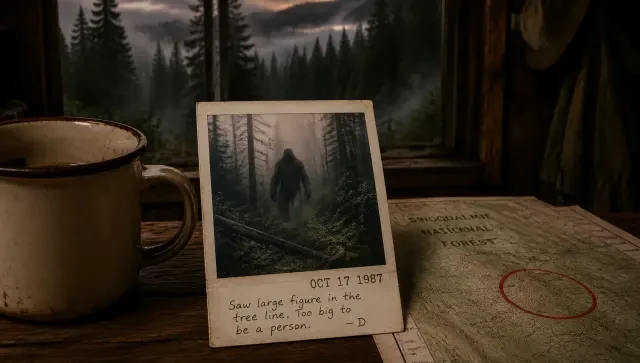
Publish your polaroid to the Neta Studio gallery, download it for use in your visual novel or social posts, or invite others to fork your work as a starting point. You can also start from existing works like "Polaroid: Cryptid Sighting in the Forest — Vintage Found-Footage Photo" and remix the aesthetic for your own scenes.
Example Prompts That Work
"Anime girl reading under cherry blossoms, polaroid with 'Spring break 2003' in blue ink, soft pink tones."
"Two friends laughing in arcade, neon reflections, polaroid captioned 'Player 2 forever' in messy handwriting."
"Empty train station at night, lone figure waiting, polaroid with 'Last train home' scribbled below, cool blue color cast."
"Close-up of anime character holding a latte, cafe background blurred, polaroid with heart doodle and 'Monday mood' caption."
The best prompts specify the scene, the caption text and style, and the color mood. Mention era cues like "90s," "faded," or "vintage" to guide the aesthetic direction.
AI Anime Polaroid Generator vs. Generic Image Tools
| Feature | Neta Studio | Generic AI Tools |
|---|---|---|
| White frame composition | Built into generation | Post-process overlay |
| Handwritten captions | Integrated, natural placement | Manual text addition |
| Vintage color grading | Era-accurate presets | Generic filters |
| Iterative workflow | World board + generation | One-shot prompts |
| Community templates | Fork existing works | Start from scratch |
Featured Community Works to Fork
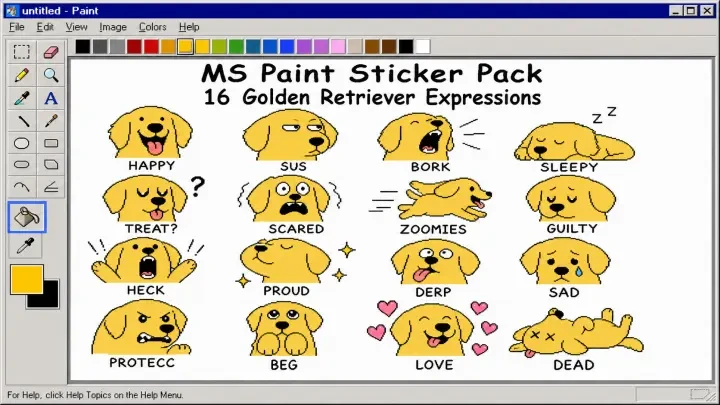
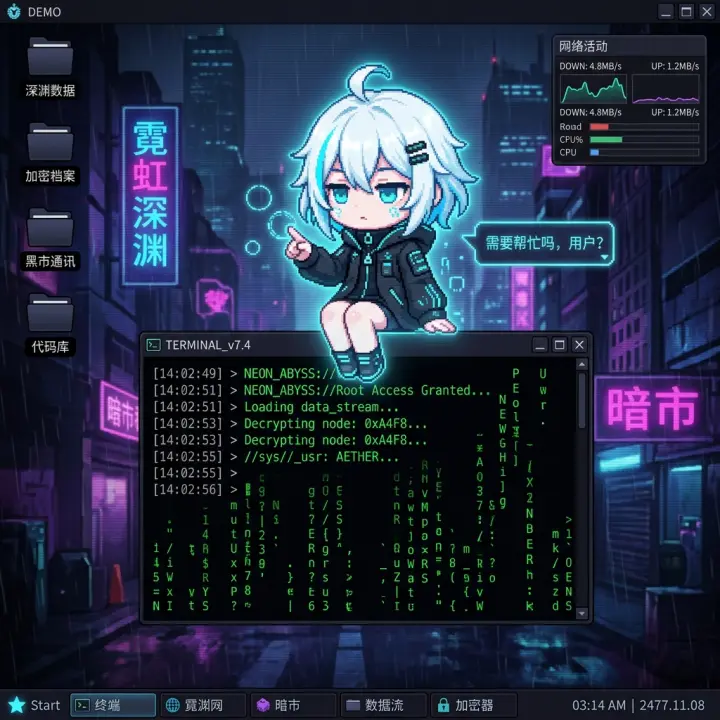
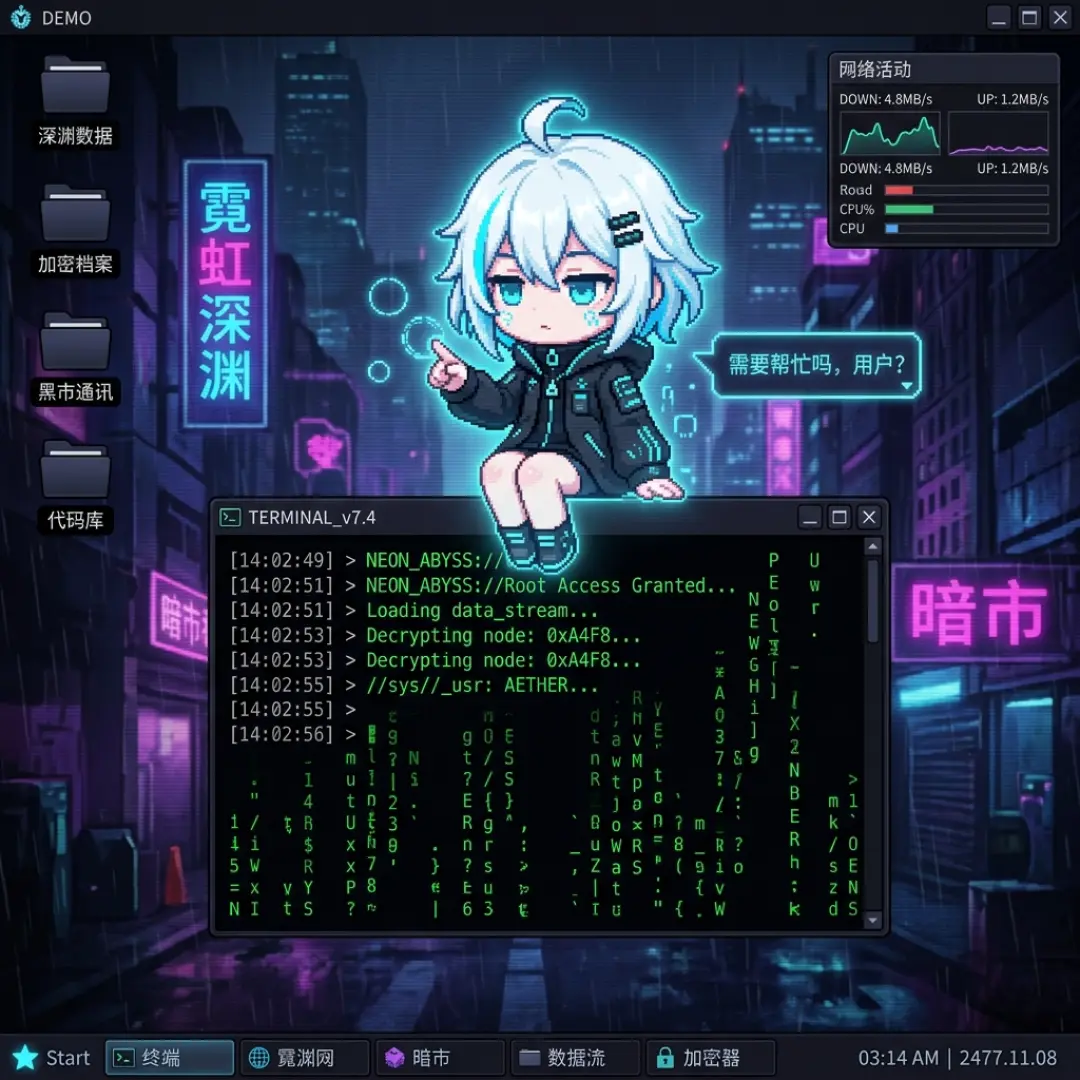
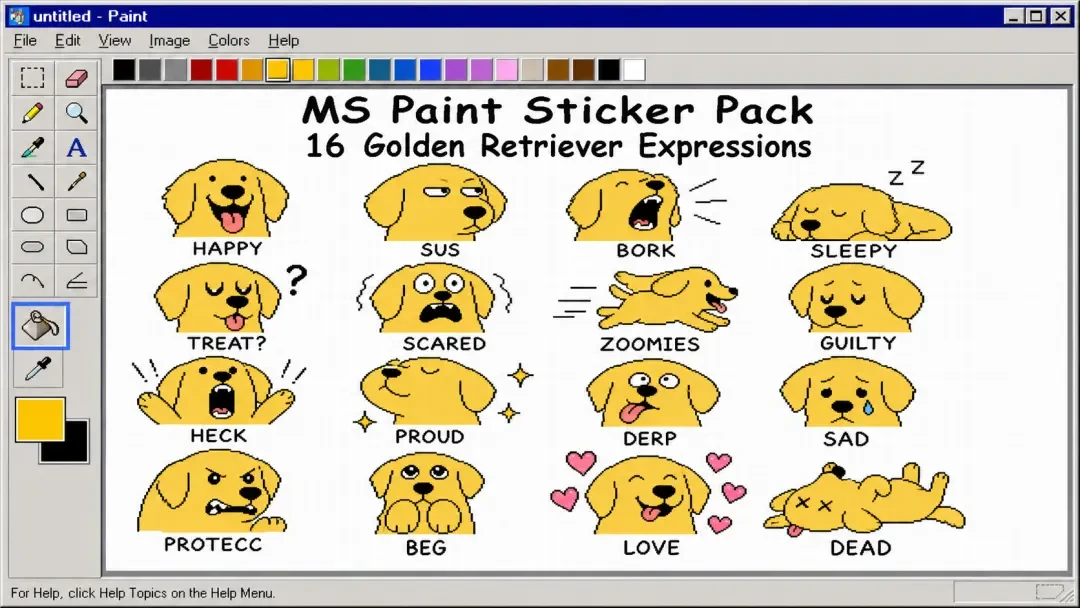
Start from real examples: fork "Polaroid: Cryptid Sighting in the Forest — Vintage Found-Footage Photo" to master the eerie, low-fi found-footage aesthetic with authentic grain and edge darkening. Study "Desktop Mascot: Zero — The Neon Abyss Cyberpunk Virtual Pet That Watches Your Screen" to see how neon lighting translates into polaroid-style close-ups with glowing accents. Browse "MS Paint Sticker Pack: 16 Golden Retriever Expressions" for inspiration on character-focused polaroid grids that capture multiple emotions in a cohesive layout. Each work is a launchpad — remix the prompt, swap the subject, shift the color mood, and make it yours.
Tips for Authentic Polaroid Aesthetics
Specify the caption text and handwriting style in your brief — "scribbled in blue pen," "neat cursive," or "messy marker" all yield different feels. Use era cues like "90s," "2000s," or "retro" to guide color palettes toward warmer fades or cooler tones. Mention light leaks, edge wear, or grain if you want analog imperfections. Keep compositions simple and centered — polaroids work best with clear subjects and minimal background clutter. If your first generation feels too polished, iterate on the world board and dial up grain, reduce saturation, or add slight overexposure for that instant-camera unpredictability.
Iterating Your Polaroid: The Quick Edit Loop
The magic happens in iteration. After your first generation, Neta Studio's world board lets you adjust the brief, tweak aesthetic parameters, or regenerate variants in seconds. No file exports, no re-prompting from scratch—just continuous refinement until the polaroid feels authentic. Fork community works like "Polaroid: Cryptid Sighting in the Forest" to start with proven aesthetics, then iterate your own subject matter.
- Caption testing — try 3–5 handwritten caption styles until the tone matches your story.
- Grain & fade tuning — slide between crisp '90s and sun-faded '70s film stock.
- Frame tint — warm cream borders for nostalgia, cool white for modern minimalism.
- Subject reframing — center your character, tilt the horizon, or go full snapshot chaos.
Publishing & Sharing Your Polaroids
When your polaroid is ready, publish it to your Neta Studio portfolio with full metadata—other creators can fork your world board, see your brief, and build variations. Export high-res PNGs for print-on-demand merch, social media carousels, or zine layouts. Every published work becomes a launchpad: someone might fork your aesthetic and apply it to a completely different character, building a shared polaroid language across the community.
Real-World Applications
Anime polaroids aren't just nostalgia bait—they're modular visual assets. Designers use them for character intro cards in game pitches. Writers pair them with short fiction as "found photo" world-building. Social media creators drop them into retro-themed carousels. Even works like "Desktop Mascot: Zero — The Neon Abyss Cyberpunk Virtual Pet That Watches Your Screen" have been reinterpreted as polaroid memory snapshots by the community.
- Character design portfolios — present OCs as polaroid "photoshoots" instead of static sheets.
- Story mood boards — scatter polaroids across a corkboard layout for visual narrative planning.
- Social media assets — 1:1 polaroid posts perform well on Instagram, especially with carousels.
- Print merchandise — sticker packs, bookmark sets, or physical polaroid prints for conventions.
- Game UI elements — inventory portraits, memory logs, or relationship trackers styled as collected photos.
What Makes the Aesthetic Work?
Authentic polaroid aesthetics balance three tensions: clarity vs. grain, posed vs. candid, and pristine vs. aged. The best anime polaroids feel like someone snapped them during a real moment—a character mid-laugh, caught off-guard, or frozen in a quiet pause. The frame isn't just decoration; it's the physical artifact that sold the illusion. Neta Studio's generator handles these nuances through trained aesthetic models that understand film stock behavior, not just Instagram filters slapped over clean renders.
The difference between a polaroid filter and a polaroid aesthetic is storytelling. A real polaroid captured a specific moment in specific light with specific chemistry. Your AI version should feel like it did the same—even if the subject is a fantasy character who never existed.
This is why the world board matters. When you specify "late afternoon sun through window, slightly underexposed, Fujifilm Instax film stock" in your brief, the generator doesn't just add grain—it simulates how that film stock would have responded to that lighting condition, including color shifts, vignetting, and edge fade patterns that match the physics of analog instant photography.
Neta Studio vs. One-Shot Generators
| Feature | Generic Tools | Neta Studio |
|---|---|---|
| Iteration | Re-prompt each time | World board preserves context |
| Aesthetic control | Generic "polaroid" filters | Film stock, era, condition tuning |
| Caption integration | Post-process overlay | Handwriting generated in-frame |
| Community sharing | Image files only | Forkable works with full briefs |
| Coherent sets | Manual consistency work | Same world = consistent aesthetic |
Advanced Polaroid Techniques
Once you've mastered the basics, push the aesthetic further. Layer multiple polaroids in a scattered composition for visual storytelling. Experiment with double-exposure effects by specifying "double-exposed film" in your brief. Create fake photo series that suggest a narrative arc—first date, road trip, goodbye—by iterating the same character across subtle scene variations. The community has even forked "Polaroid: Cryptid Sighting in the Forest" to generate entire cryptozoology investigation boards.
- Weathering & damage — specify water stains, corner creases, or sun-bleached sections for found-artifact realism.
- Era-specific cues — '70s Polaroid SX-70 has warmer tones; '90s Spectra has cooler, sharper colors.
- Environmental context — add background blur, lens flare, or fingertip shadows at frame edges.
- Series consistency — lock the world board settings, vary only subject/scene for cohesive photo album sets.
- Mixed media — combine polaroids with other Neta works like sticker packs or pixel art for hybrid projects.
Frequently Asked Questions
Can I generate a series of polaroids with the same character? +
Yes. Create a world board with your character's base description, then iterate only the scene/pose/lighting in each generation. The world context keeps the character design consistent across all polaroids, perfect for photo album narratives or character snapshot sets.
Do the handwritten captions actually look handwritten? +
The generator produces authentic handwriting variations—uneven baselines, natural pen pressure, slight letter inconsistencies—rather than typed text with a handwriting font. You can specify caption style in your brief: ballpoint pen, marker, pencil, or even faded/smudged writing.
What resolution are the generated polaroids? +
Generations are high-resolution (typically 2048px+) with authentic grain and texture, suitable for both digital use and physical printing. The aspect ratio defaults to classic Polaroid proportions (roughly 1:1 with white border), but you can adjust framing in your brief.
Can I fork someone else's polaroid and change just the character? +
Absolutely. That's the core workflow. Fork any published work—like "Polaroid: Cryptid Sighting in the Forest"—inherit its aesthetic settings (film stock, lighting, weathering), then edit only the subject description. The polaroid vibe stays intact while your character replaces the original.
How do I get the "found in an attic" aged look? +
Specify aging details in your brief: "sun-faded colors, yellowed border, slight corner bend, 40 years old" or "stored in humid attic, minor mold spots on border, color shift toward amber." The generator simulates chemical decay patterns, not just flat filters.
What anime styles work best for polaroid aesthetics? +
Softer, painterly anime styles (Studio Ghibli, Makoto Shinkai) translate beautifully because they already have analog texture. High-contrast or hyper-digital styles can work but need careful brief tuning—specify "film photography lighting" to ground them in physical photo realism despite the anime rendering.
Start Creating Anime Polaroids
Turn your characters into memory-style snapshots with authentic film aesthetics, handwritten captions, and forkable world boards.