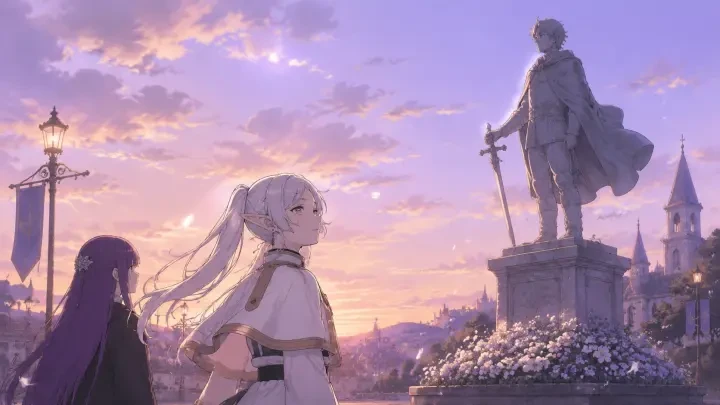
The Best AI Anime Scene Background Generator
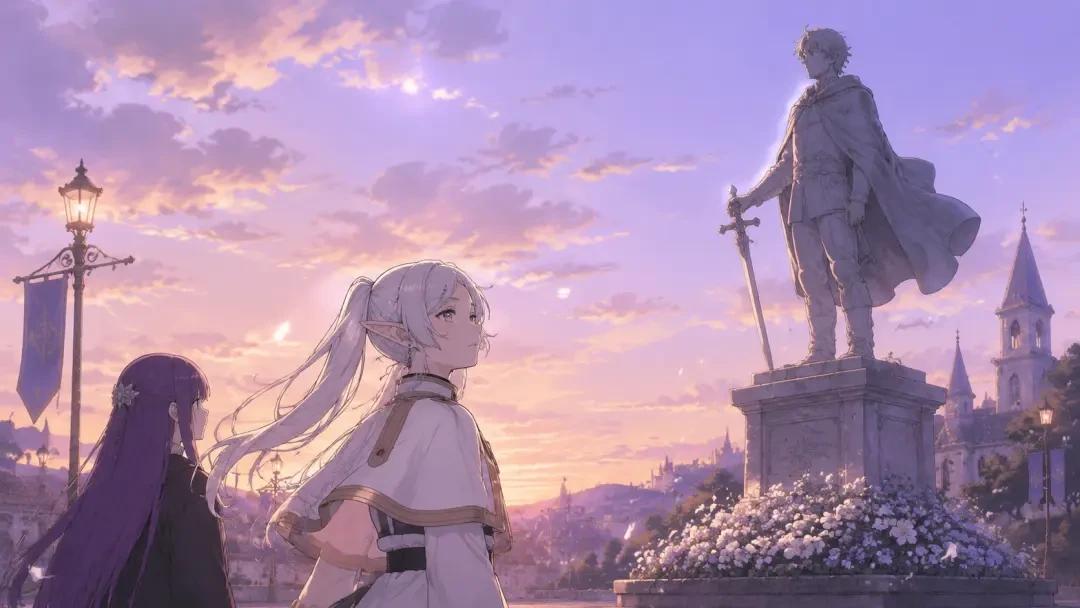
Generate consistent 16:9 anime backgrounds per location — style-locked across a whole VN.


Generate Your First Location Set
Describe one place in one sentence and get a style-locked 16:9 background you can reuse in every scene that happens there.
Backgrounds Are the Set Your Whole Story Stands On
In a visual novel, readers spend most of their minutes looking at a handful of places: a classroom, a corridor, a station exit, a road out of town. Sprites change, dialogue scrolls, but the background stays on screen for whole chapters. That is exactly why background drift is the most visible failure in AI-made VNs. If the classroom has four window panes in one scene and six in the next, the reader stops reading the story and starts reading the seams. A scene background generator is only useful if it can return to the same room twice.
What You Can Generate Per Location
- Establishing shots — the wide 16:9 plate that introduces a place and sets its scale, light and mood.
- Time-of-day variants — morning, golden hour, dusk, night and pre-dawn versions of the same room with the same geometry.
- Weather and state variants — rain on the window, snow on the road, aftermath versions with debris, dust or emergency lighting.
- Character-free plates — clean backgrounds with nobody in frame, so sprites and dialogue boxes have room to sit.
- Interior and exterior pairs — the outside of a building and the inside of its main room, matched so a scene transition reads as one location.
- Angle coverage — front-of-room, back-of-room and doorway views for the places your script keeps coming back to.
- Key art crops — a title card or chapter header pulled from the same location set, so your cover matches your game.
From One Sentence to a Full Location Library
Write the one-sentence brief
Start with the story, not the picture. "A school romance mystery where the same evening repeats at 6:17" already tells Neta Studio you need a classroom, a corridor, a rooftop and a station platform, all in late-afternoon light.
Open the world board
The world board is where locations become real entries instead of one-off prompts. Each place gets a name, a description, a light and weather baseline and a style note. This is the record the generator reads from every time that place appears again.
Generate the location set
Ask for the establishing shot first, then variants. Because every request is anchored to the same world board entry and the same art direction, the second classroom looks like the first classroom, not a cousin of it.
Iterate on the ones that miss
Adjust in place: push the light warmer, drop the crowd, move the camera to the doorway, remove a character who wandered into the plate. The world board entry updates with the fix, so later scenes inherit it instead of repeating the mistake.
Publish, share and fork
Publish the work and your backgrounds ship with it. Anyone can read it, and anyone can fork it to keep your art direction and swap the story on top. Your own forks work the same way, which makes a finished location set a reusable starting point.
Example Briefs That Produce Usable Backgrounds
- The repeating classroom — "Empty classroom at 6:17 PM, low sun through west windows, desk rows in long shadow, one window latch open, chalk dust in the light, no characters, 16:9."
- Night variant of the same room — "Same classroom after dark, moonlight only, desks in blue shadow, corridor light bleeding under the door, same window layout."
- City intersection under pressure — "Shibuya crossing at night seen from station level, wet asphalt reflecting sign glow, low crowd silhouettes, a strange haze two lanes out."
- High-fantasy travel shot — "Dirt road on a northern ridge at dusk, pine treeline, distant village lanterns, painted clouds, soft edges, no characters."
- Quiet interior for a slow scene — "Small inn room lit by one oil lamp, travel pack on the floor, rain on the shutters, warm brown palette, calm mood."
- Transitional space — "Concrete stairwell landing between floors, flickering fluorescent tube, chipped green paint, vending machine glow from below."
Start From a Work That Already Ships Its Own World
The fastest way to get consistent backgrounds is to inherit a set that already holds together. Fork "Twilight 6:17 — School Romance Mystery Visual Novel" if your story lives in classrooms, corridors and station platforms at golden hour. Start from "Jujutsu Kaisen: Shibuya Eve — Cursed Technique Selection Galgame" for night city work: neon on wet ground, station exits, crowd-level framing. Take "Beyond Journey's End — Frieren Simulator Interactive Visual Novel" if you need painted landscapes, roads between towns and quiet interiors with a long-journey mood. In every case you keep the world board and the art direction, then write your own scenes on top.
Why Generic Image Generators Drift
| What you need | Generic image tool | Neta Studio |
|---|---|---|
| Same room twice | Re-describe it and hope; layout shifts each run | Locations live on the world board and are reused by name |
| One art direction across 20 plates | Style words drift between sessions | Style is locked at the work level, not per prompt |
| Clean 16:9 plates for sprites | Characters keep appearing in frame | Background plates are a first-class output |
| Time and weather variants | A new image, not the same place at night | Variants branch from the existing location entry |
| Getting art into a playable story | Download, rename, wire into an engine yourself | Scenes, choices and backgrounds ship as one work |
| A starting point | A blank prompt box | Fork a published work and keep its world |
The difference is memory. A generic generator treats each request as the first one it has ever seen, so consistency becomes your manual job: saving reference images, pasting the same style paragraph, cropping to 16:9 by hand. Neta Studio keeps the location, the palette and the framing rules attached to the work, so the second and twentieth background inherit the decisions you already made. You spend your effort on new scenes instead of re-negotiating the same classroom.
Who This Is For
Solo VN developers who can write faster than they can paint. Game jam teams that need thirty coherent plates by Sunday night. Fan-project writers building a galgame around a world their readers already know by heart. Tabletop GMs who want a visual for every location in a campaign. Writers and storyboard artists who need to show a scene before anyone commissions the final art. If your bottleneck is backgrounds rather than words, this is the part of the pipeline to hand over.
Consistency Is a Pipeline Decision, Not a Prompt Trick
A background is not a picture you generate once. It is a place your story will visit again, so it needs to be recorded somewhere the generator can read it next time.
That is the whole reason the workflow runs brief, world board, generate, iterate, publish. The world board is the memory, generation is the output, and forking is how a set that already works becomes someone else's starting point. Write one sentence, name your locations, and let the rest of the VN inherit them.
How the World Board Keeps Every Location on Style
The world board is where a location stops being a prompt and becomes an entry you can return to. Each place gets a name, a palette, a lens, a lighting rule, and an anchor frame the generator reads before it renders anything new. So when you ask for the same classroom at dusk forty scenes into a script, it is not re-imagining the classroom, it is re-lighting one it already has on file. That is the difference between a folder of pretty images and a set you can actually stage a scene in.
- Anchor frame — the establishing 16:9 wide that fixes geometry, horizon line, and vanishing point for every later variant.
- Palette lock — the handful of colors the location keeps whether it is noon, sunset, or rain.
- Line and render rule — brush weight, cel-shade banding, and how much painted texture the backgrounds carry.
- Camera set — a wide, a mid, and a tight insert, so quiet dialogue and big reveals share one space.
- Time-of-day states — morning, golden hour, dusk, night, each derived from the anchor instead of generated from scratch.
- Prop continuity — the vending machine, the cracked window, the third desk from the door stay where you put them.
Time of Day, Weather, and Camera Height Without Rebuilding the Set
Visual novels revisit four or five locations dozens of times, and the emotional work is usually done by light rather than by new geography. Once a location is anchored, a variant is a small ask: same room, rain on the glass, lamps on, camera dropped to sitting height. You get a morning version for the setup and a night version for the confession without the walls moving between them. Readers notice the shift in mood and never notice the trick, which is exactly the goal.
Backgrounds From the Featured Works, Location by Location
The fastest way to understand a location library is to open one that already works. Beyond Journey's End — Frieren Simulator Interactive Visual Novel runs on soft-palette fantasy exteriors that have to hold up across long travel arcs. Jujutsu Kaisen: Shibuya Eve — Cursed Technique Selection Galgame leans the other direction, with dense neon night city plates and hard, saturated contrast. Twilight 6:17 — School Romance Mystery Visual Novel lives almost entirely in one school, at one hour, which makes it the clearest study in how far a single anchor can stretch.


Iterating Without Losing the Version That Worked
Iteration on backgrounds usually fails in one specific way: you fix the sky and lose the room. Working from a locked location entry means edits are scoped, so you can push the window light warmer, pull the clutter back, or raise the camera without renegotiating the whole frame. Keep the approved plate as the reference and treat every new render as a candidate next to it, not a replacement for it. When a variant is better, it becomes the new anchor and the rest of the set follows.
A background is finished when a character can stand in it twice, an hour apart, and the reader still believes it is the same room.
That is the bar worth designing for. Single-image quality is easy to hit and easy to overvalue. Repeat visits are where a set either earns the reader's trust or quietly breaks it.
Neta Studio vs Generic Image Generators for Scene Backgrounds
| What you need | Generic image generator | Neta Studio |
|---|---|---|
| Second visit to the same room | A new room that resembles the first | The same location entry, re-rendered |
| Time-of-day variants | Re-prompt and hope the layout survives | Derived from the anchor frame |
| True 16:9 framing | Crop a square and lose the composition | Composed wide, with room for dialogue boxes |
| Style across dozens of plates | Drifts as prompts accumulate | Palette and render rule held on the world board |
| Handing the set to someone else | A zip of files and a prompt you half remember | Share or fork the work with its world intact |
Publishing, Sharing, and Forking Your Location Library
A finished set is worth publishing even before the script is done, because a playable world is easier to give feedback on than a moodboard. Publish it and the backgrounds travel with the work, so a collaborator opening it sees the same anchors and the same rules you did. Anyone can fork it the way you might fork Twilight 6:17 — School Romance Mystery Visual Novel to keep the golden-hour campus and write a completely different mystery inside it. Your library becomes something other people build on, and their forks come back with locations you never would have thought to make.
Your First Session, Start to Finish
Start with a one-sentence brief for the place, not the plot: a coastal high school where the sea fog never fully lifts. Let the world board fill in the palette, lens, and lighting rule, then generate the anchor wide and judge only that frame. Once the anchor is right, pull the mid, the insert, and two time-of-day states, and you have a shootable location in one sitting. Repeat for four more places and you have the spine of a visual novel, all of it style-locked, all of it ready to publish, share, or fork.
Anime Background Generator FAQ
Do I get real 16:9 backgrounds, or cropped squares? +
Composed wide from the start, so the geometry is built for a widescreen frame instead of salvaged from one. That also means there is deliberate space where dialogue boxes and name plates sit.
How many locations should a visual novel have? +
Fewer than most people expect. Twilight 6:17 — School Romance Mystery Visual Novel carries a full story on one campus, because each location earns its keep through camera angles and light states rather than through novelty.
Will my characters match these backgrounds? +
They share the same world board, so the render rule and palette that govern the sets also govern the sprites. Characters read as standing in the room rather than pasted over it.
Can I fork a featured work and change the setting? +
Yes. Fork Jujutsu Kaisen: Shibuya Eve — Cursed Technique Selection Galgame for its night city discipline and move the story to a different district, or fork Beyond Journey's End — Frieren Simulator Interactive Visual Novel and take its soft palette somewhere colder.
What if the style drifts halfway through a project? +
Update the rule on the world board and re-derive the affected plates from their anchors. Drift is a settings problem here, not a re-prompting marathon.
Do I need long, technical prompts? +
One sentence about the place is enough to open a world board. The specifics you would normally cram into a prompt live in the location entry instead, where they stay consistent.
Start Creating
Write one sentence about a place and walk away with a style-locked 16:9 location library your whole visual novel can stand on.