The Best AI Anime Weather Poster Generator
Create fantasy weather and climate posters — skies, seasonal mood, atmospheric storytelling.
Turn Weather Into Visual Storytelling
Generate anime-style climate posters, fantasy weather reports, and seasonal mood art from a single sentence — then iterate until it's perfect.
What Makes AI Anime Weather Posters Different
Weather posters aren't just pretty skies — they're atmospheric storytelling devices that set the emotional tone for entire worlds. Traditional AI image generators treat weather as decoration. Neta Studio treats it as narrative infrastructure: you describe the climate, the seasonal shift, the emotional weight of a storm or sunrise, and the platform generates coherent visual systems — not one-off images, but frameworks you can iterate, fork, and expand into full world-building assets.
From Fantasy Climate Reports to Seasonal Mood Boards
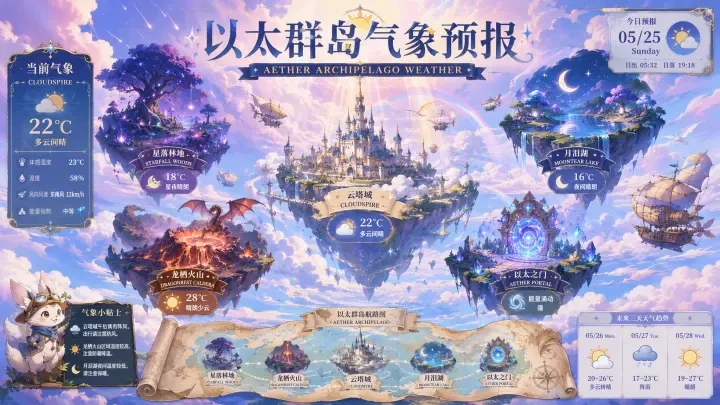
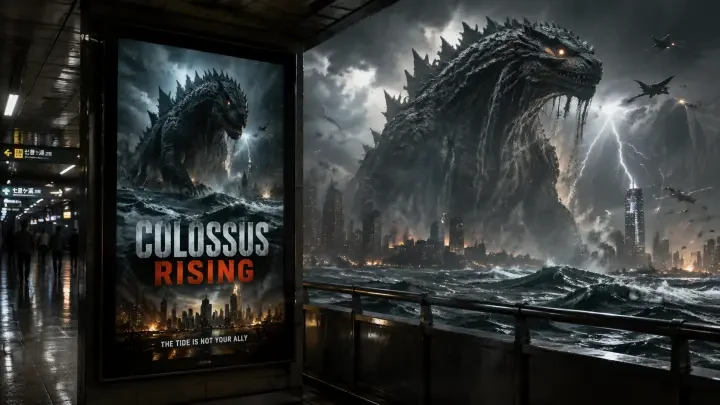
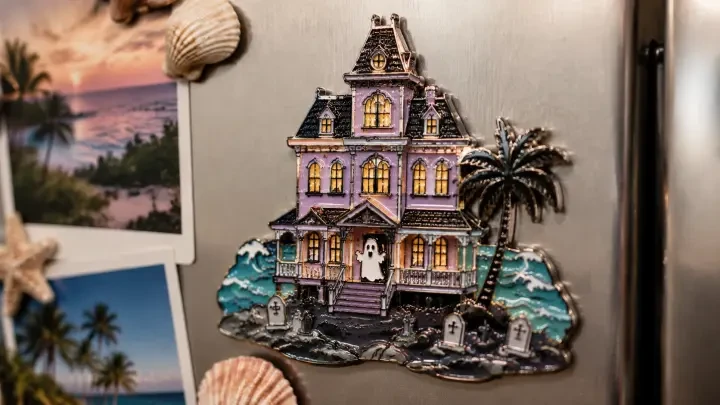
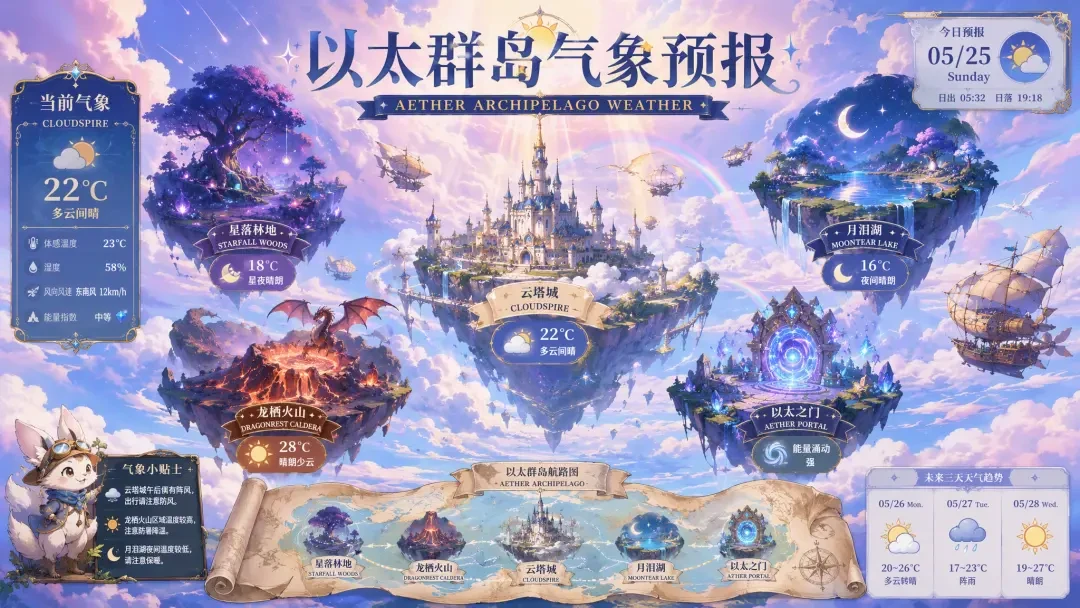
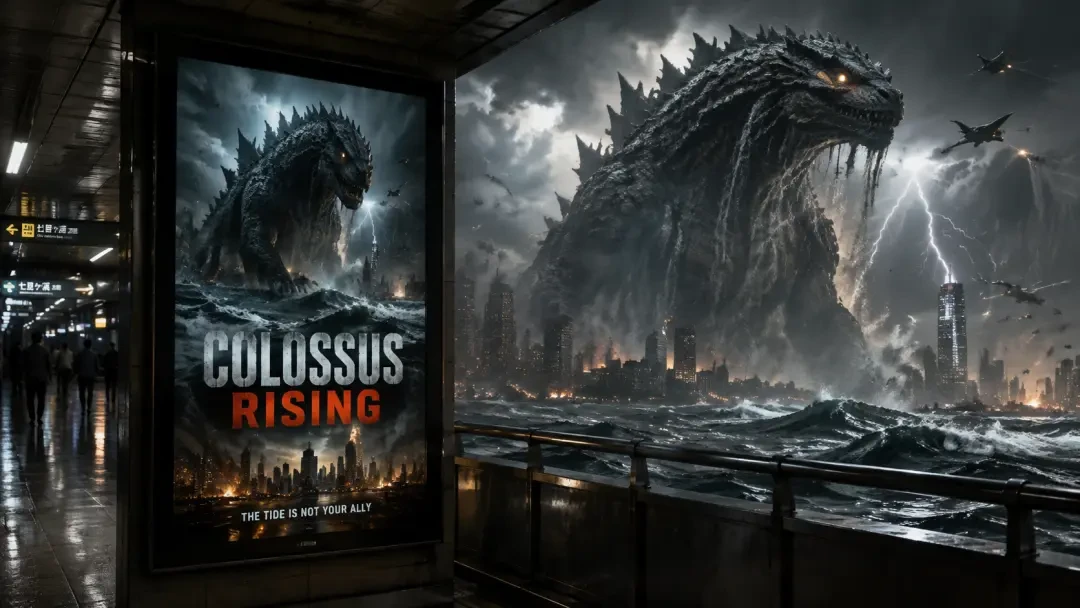
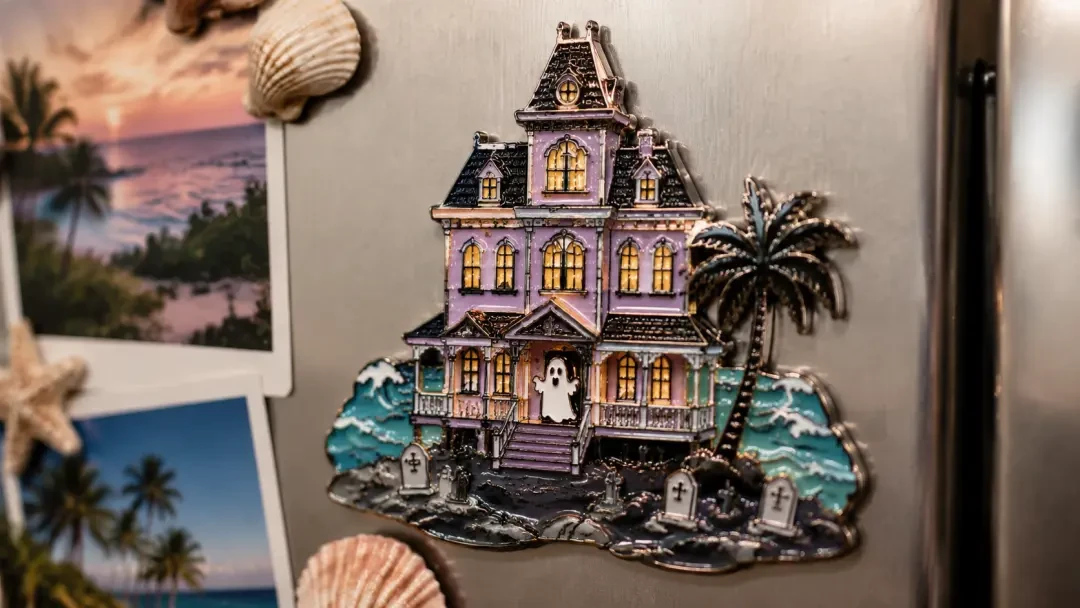
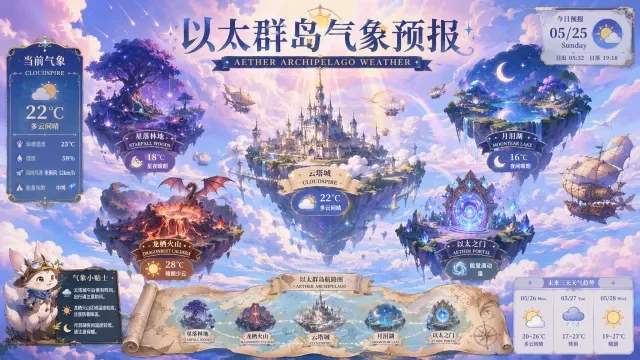
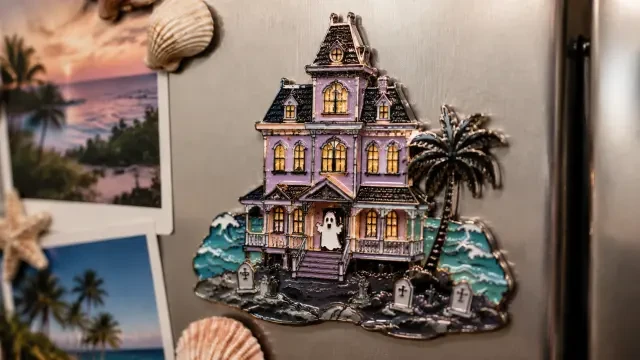
The range is vast. You might create a weather forecast poster for a fictional archipelago — like the Aether Archipelago Climate Report — Fantasy Weather Poster for Floating Island Worlds, which layers meteorological data over anime skies. Or you might design a seasonal mood piece for a horror setting, the way Haunted Hotel Fridge Magnet — Pastel Horror Souvenir Artwork uses pastel storm light to evoke unease. Even cinematic posters like Station Movie Poster: Colossus Rising (Kaiju Lightbox) rely on weather as their dramatic anchor.
- Fantasy climate systems — weather maps, seasonal cycles, atmospheric phenomena for invented worlds.
- Mood-driven seasonal art — posters that capture the emotional feel of spring rain, winter twilight, summer haze.
- Cinematic sky backdrops — dramatic weather as the visual anchor for movie posters, key art, lightbox displays.
- Location-specific atmosphere — weather that defines a place's identity, from haunted hotels to floating islands.
Why Generic AI Art Tools Fall Short for Weather Posters
| Generic AI Tools | Neta Studio |
|---|---|
| Single image output, no iteration path | World board → generate → iterate → refine |
| Weather as decoration, not narrative | Weather as world-building infrastructure |
| Start from scratch every time | Fork proven works like Aether Archipelago |
| No mood consistency across variations | Coherent seasonal systems and climate logic |
The Neta Studio Workflow: One Sentence to Published Poster
Write Your Brief
One sentence describing the weather, mood, and visual style. Example: "Perpetual twilight over a Victorian ghost town, violet fog, autumn leaves suspended in still air."
Generate Your World Board
Neta Studio interprets your brief and creates a world board — the conceptual scaffold that holds your weather poster's atmospheric logic, color palette, and narrative tone.
Generate Your Poster
From the world board, the platform generates your anime weather poster — sky gradients, precipitation, light quality, seasonal markers, all cohesive and ready to use.
Iterate and Refine
Adjust the mood, shift the season, intensify the storm, soften the light. Each iteration stays consistent with your original vision while exploring new atmospheric variations.
Publish, Share, or Fork
Once it's perfect, publish your work to the Neta Studio gallery. Others can fork it, adapting your weather system to their own worlds — just like you can start from works like Station Movie Poster: Colossus Rising (Kaiju Lightbox).
Example Prompts That Work
"Weather forecast poster for a floating archipelago: gentle aurora winds from the northeast, chance of crystal rain at twilight, visibility excellent above the cloud layer, temperature mild with ethereal currents."
This prompt generated the foundation for Aether Archipelago Climate Report — Fantasy Weather Poster for Floating Island Worlds. Notice the specificity: not just "floating islands" but meteorological detail, time of day, visibility conditions. The more narrative structure you give the weather, the more coherent the poster.
Strong prompts combine atmospheric phenomena with emotional tone. "Spring thaw in a mountain shrine town, cherry blossoms scattered by warm wind, soft morning light breaking through departing clouds" works because it layers seasonal transition, natural movement, and light quality. Weak prompts are vague: "nice weather anime poster" gives the AI nothing to anchor to.
Who Uses AI Anime Weather Posters?
- World-builders and narrative designers — defining the climate and seasonal rhythms of fictional settings.
- Visual novel creators — generating consistent weather backdrops that reinforce story mood across chapters.
- Indie filmmakers and poster artists — crafting cinematic sky treatments that convey genre and atmosphere instantly.
- Tabletop RPG designers — illustrating region-specific weather for game worlds, from desert storms to arctic auroras.
- Mood board artists and concept developers — exploring seasonal aesthetics and atmospheric palettes before committing to final designs.
Start From Real Works: Fork and Iterate
You don't have to start from zero. Fork Aether Archipelago Climate Report — Fantasy Weather Poster for Floating Island Worlds and adapt its fantasy meteorology to your own archipelago. Or take the pastel horror atmosphere from Haunted Hotel Fridge Magnet — Pastel Horror Souvenir Artwork and shift it to a different season or location. Forking lets you inherit proven atmospheric systems, then iterate them into something uniquely yours. Every work in the Neta Studio gallery is a starting point, not a finished artifact.
How the World Board Shapes Atmospheric Consistency
Every weather poster starts with a world board — a structured brief that locks in your atmosphere, palette, and tonal rules before a single frame is generated. Define the season, time of day, precipitation, wind, and emotional temperature in one sentence, then let the board propagate those constraints across every iteration. The result is a poster series where fog density, cloud type, and light direction stay coherent even as you swap locations or shift the narrative.
- Seasonal anchors — lock autumn haze, summer glare, or winter stillness into the board so every generation honors the climate.
- Weather layers — stack rain, mist, overcast skies, or clear horizons as independent parameters you can toggle without re-briefing.
- Mood temperature — set whether the weather feels ominous, serene, energizing, or melancholic, and watch the palette shift accordingly.
- Reusable tokens — save your world board as a template and fork it for new posters in the same atmospheric universe.
Featured Work Breakdown: Three Weather Poster Archetypes
Each of the three featured works demonstrates a distinct approach to anime weather posters. "Aether Archipelago Climate Report — Fantasy Weather Poster for Floating Island Worlds" builds a multi-region forecast for a fictional sky realm, complete with wind vectors and crystal precipitation. "Station Movie Poster: Colossus Rising (Kaiju Lightbox)" uses storm clouds and rain to frame the kaiju's arrival as a weather event. "Haunted Hotel Fridge Magnet — Pastel Horror Souvenir Artwork" turns fog and twilight into a collectible travel memento. Fork any of them to inherit the world board and iterate toward your own climate narrative.
Iteration Without Losing the Sky
The hardest part of weather poster design is iterating on composition, framing, or foreground elements without destroying the sky you already perfected. Neta Studio solves this with layered iteration controls: re-roll the architecture while holding the cloud formation constant, swap the character silhouette while preserving the rain density, or shift the palette warmth without touching the fog gradient. Every tweak is scoped to a single visual layer, so your atmospheric foundation stays locked until you explicitly choose to change it.
I forked Aether Archipelago Climate Report and re-briefed the world board to show a desert sky realm instead of floating islands. The wind vector layout and forecast card structure stayed identical — only the biome changed. Saved me three hours of layout work.
This is the fork-and-iterate pattern in action: inherit the compositional skeleton, then steer only the variables that matter for your world.
Publishing and Sharing: From Private Draft to Public Portfolio
Once your weather poster is final, publish it to your Neta Studio portfolio with full attribution and fork lineage intact. Every published work becomes forkable by the community, meaning your atmospheric world board can seed dozens of derivative posters by other creators. Share the direct link, embed the lightbox on your own site, or export print-ready PNGs for physical merchandise. The platform tracks every fork and iteration, so you can see how your original climate design propagates across the network.
AI Anime Weather Posters vs. Generic Prompt Tools
| Feature | Generic AI Tools | Neta Studio |
|---|---|---|
| Weather consistency | Re-rolls the entire sky every time | World board locks atmosphere across iterations |
| Iteration scope | All-or-nothing regeneration | Layer-specific re-rolls (sky, foreground, palette) |
| Starting point | Blank prompt box | Fork proven works with atmosphere intact |
| Output format | Raw image file | Print-ready poster with metadata and fork lineage |
| Community | No shared library | Forkable portfolio of weather poster templates |
Exporting for Print and Digital Display
Neta Studio renders every weather poster at print resolution by default, with full bleed margins and CMYK-compatible color profiles. Export as PNG for digital display, PDF for offset printing, or layered PSD for final retouching in Photoshop. The platform preserves atmospheric gradients and fog opacity across formats, so your twilight haze or storm gradient won't flatten during export. For physical merchandise like fridge magnets, lightboxes, or gallery prints, the same source file scales from postcard to A1 without quality loss.
Advanced Prompt Techniques for Anime Weather Posters
- Anchor the weather type first — lead with "overcast drizzle," "clear sunset," or "heavy snow" so the AI prioritizes atmospheric conditions over character details.
- Use color temperature cues — specify "warm golden light" or "cold blue twilight" to steer the palette before mentioning objects.
- Layer precipitation and wind — describe "light mist with distant rain curtains" or "gusting leaves under clear skies" to build depth.
- Reference time and season together — "autumn dusk" or "spring morning" gives the AI both palette and light angle in two words.
- Call out the horizon — mention whether the sky is "wide open," "hemmed by mountains," or "cut by skyscrapers" to control composition weight.
Frequently Asked Questions
Can I generate a weather poster series with consistent skies? +
Yes. Lock the atmospheric parameters in your world board, then iterate on foreground elements, framing, or narrative beats while keeping the sky, fog, and light direction identical across the series.
Do I need to describe cloud types in detail? +
No. The AI infers cloud formation, precipitation style, and wind cues from your seasonal and mood descriptors. Mention specific cloud types only if you need cirrus, cumulonimbus, or another formation for accuracy.
Can I fork a weather poster and change the location but keep the weather? +
Absolutely. Fork the work, then edit the world board to swap the location (floating islands → desert canyon) while leaving the weather parameters (overcast, drizzle, twilight) untouched. The atmosphere transfers cleanly.
What file formats are supported for export? +
PNG, PDF, and PSD. PNG for web and social, PDF for print and merchandise, PSD for final retouching with layers intact. All exports preserve atmospheric gradients and transparency.
Can I use these posters commercially? +
Yes. Every poster you generate on Neta Studio is yours to sell, print, and license. The platform retains no ownership or usage rights over your published works.
How do I make the weather feel more ominous or serene? +
Add mood temperature to your brief. Use words like "foreboding," "tranquil," "oppressive," or "radiant" alongside the weather type. The AI adjusts color saturation, contrast, and atmospheric density to match the emotional tone.
Start Creating Your Weather Poster Today
Start Creating
Turn a single sentence into a print-ready anime weather poster.