
The Best AI Calendar World Generator — Turn a Google Calendar Into a Continent
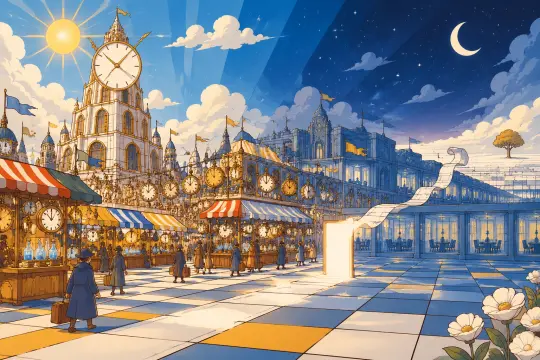
The best AI calendar world generator: turn a one-line calendar brief into a continent of living events, factions and blank hours. Tested with GPT Image 2 and Krea 2 on Everwhen, with four published key visuals.
Generate an AI Calendar World
A grid, an invite, an all-day event and a blank hour — one brief, two models, four published key visuals.
What Is an AI Calendar World Generator?
An AI calendar world generator turns the structure of a scheduling tool into a setting: meetings become places, invitations become laws, recurring events become religions, and blank hours become the only land nobody owns. The output is not a picture of a calendar. It is a world whose rules happen to be the rules of a calendar.
The difference matters for search intent. If you want a wallpaper, you want an image generator. If you want a world you can keep generating from — characters, events, factions, locations, five different key visuals that all agree — you need a world generator with a real atom set behind it. Everwhen is the test case on this page, and the four published works are what came out of it.
Why Calendars Are Hard to Turn Into Worlds
Most models default to one of two failures. The first is a literal screenshot: a clean UI, a grid of coloured blocks, a clock icon, no world. The second is generic fantasy with a calendar glued on: a wizard holding a planner. Both are images of calendars. Neither is a calendar world.
- The UI trap — the model renders an interface instead of a place, complete with fake buttons and unreadable labels.
- The costume trap — a stock fantasy scene with clock hands added; nothing about the composition depends on scheduling.
- The empty-grid trap — a beautiful grid with no inhabitant, no pressure and no story. Legible, but weightless.
- The clock-shop trap — every clock in the frame at a different hour, and no rule explaining why. Decoration instead of law.
The Test World: Everwhen
Every claim on this page was tested against a real world: Everwhen, an original calendar cosmology built on Neta Studio. Its premise is one sentence long — every calendar ever created opens onto a continent where scheduled time is territory — and everything else follows from the features of a calendar rather than from fantasy convention.
What the Comparison Proves
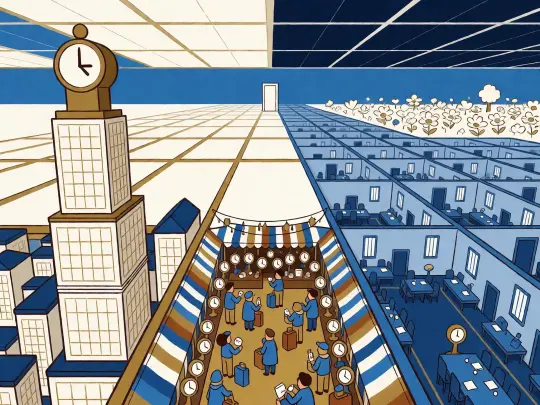
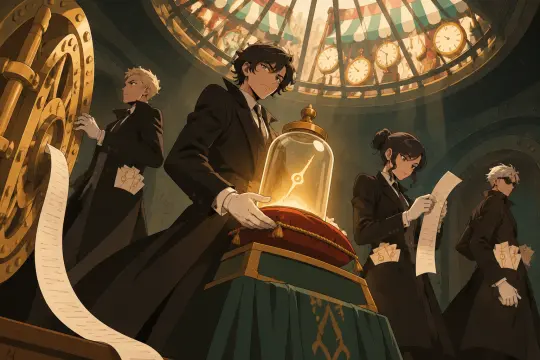
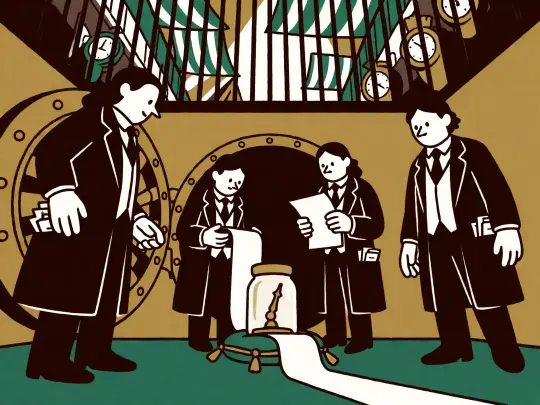
The same two briefs were run through GPT Image 2 and Krea 2 with no changes to the prompt text. GPT Image 2 produced the immersive version: painted sky panels, individual merchants, readable clock faces, a crowd with luggage. Krea 2 produced the structural version: a hard grid to a vanishing point, blocky architecture, silhouettes instead of faces. Both are recognisably Everwhen, which is the point — the atoms are doing the work, not the model.
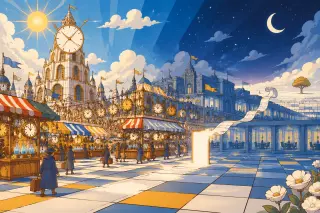
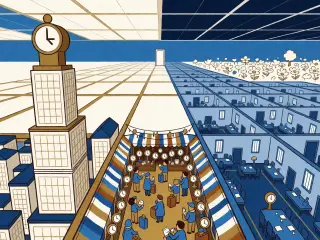

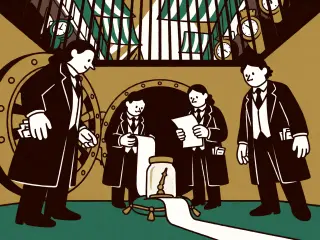
The Six-Part Calendar Brief
A calendar-world prompt works best as six ordered clauses. Order matters more than length because each clause constrains the next: the medium locks the rendering system, the scale object fixes the camera, the subject gives it a body, the props make it honest, the light gives it a mood, and the negative clause keeps the UI out.
Medium and genre
Name the rendering system first: "western cartoon flat-block illustration, storybook world key visual" — or "painterly anime cel key visual". Lock it before anything else.
Scale object
One enormous thing that establishes the world: a city built on a calendar grid, a tower of stacked white days, a bazaar hung with a thousand clocks.
Subject
One Entry, named by role and costume — a thirty-minute coffee event in a yellow badge-jacket, an executioner in a black suit — not by emotion.
Physics and props
The rules made visible: an all-day bronze robe stitched with grid lines, a countdown ticket, a white receipt unspooling from a doorway.
Light and palette
Name two light sources and the palette logic: calendar blue for administered space, paper white for the Margins, brass for all-day time.
Negative clause
No interface, no buttons, no screenshots, no logos, no legible UI text, no watermark. Repeat it every time; models drift toward product shots.
Casting the Entry Against the Grid
The subject is the measuring instrument. A thirty-minute coffee event standing in a four-hundred-year meeting hall tells you the scale of the bureaucracy. A nine-foot all-day event at the top of a tower tells you the scale of the law. A white doorway with no face tells you the scale of the threat. Pick the Entry that makes the architecture legible.
Location Grammar: Grid, Margins, Bazaar, Spire
Four location types cover the genre, and each demands a different composition. Choose the location before you write the prompt, because the location decides the camera, the palette and the light.
- The Grid — flat, legible, bounded. Right angles, identical doors, fluorescent hum. Shoot wide and level; the horror is repetition.
- The Margins — blank, soft, horizon-heavy. Negative space is the subject. Put one small figure at the edge and let the white do the work.
- The Bazaar — dense, vertical, warm. Awnings and hanging clocks fill the top third; merchants fill the bottom. Shoot from eye level in a crowd.
- The Spire — stacked, vertical, monumental. Shoot up. The clock face should be the brightest thing in the frame and should have no numbers.
Lighting a World Made of Paper and Screen
Calendar lighting is economic, not decorative. Every light source should imply who is paying for the space. Fluorescent panels mean the Blue Order is hosting. Amber lamps mean someone is delaying something. Brass glow means all-day time, which nobody is paying for and everybody owes.
- Fluorescent white — administered time. Flat, slightly green, no shadows. Use it for the Grid and any room with a number on the door.
- Amber and warm dust — delayed time. The Snooze Quarter, the Bazaar at closing, any scene where someone is avoiding a decision.
- Brass and bronze — all-day time. Low, warm, and always slightly too bright for the hour. The Spire runs on it.
- Paper white with no shadow — the Margins and TBD. Not a light source at all; an absence of one. Never add a gradient here.
A Reusable Prompt Template
[medium + genre] world key visual of [world name], a continent where [core rule]. [scale object: the one enormous thing]. [subject: one named Entry, role, costume, posture]. [physics and props: two or three rule-made details]. [light and palette: two sources, one palette logic]. No interface, no buttons, no logos, no legible UI text, no watermark.
Common Failure Modes
Four problems account for most failed calendar-world generations. The fix is almost always a clause, not a new seed, and almost always in the same order: medium, scale, subject, negative.
- Accidental UI. The model adds a toolbar, a mini-map or a date picker. Fix: put "no interface, no buttons, no UI text" in the negative clause and remove every word like "dashboard" or "app".
- Clock soup. Dozens of clocks at random hours with no rule. Fix: give the clocks a job — "all stopped at nine minutes past" — and keep them in one band of the frame.
- Weightless grid. A perfect grid with nobody in it. Fix: cast one Entry, put them off-centre, and let their costume state the duration.
- Blue mush. The whole frame in one blue. Fix: specify the counter-palette — paper white for the Margins, brass for all-day time — and place one warm object in the foreground.
Detail or Structure: Choosing a Model
Choose GPT Image 2 when the frame must survive a close look: a world landing page, a hero image, a store page, a poster that will be printed. It gives you staging, faces, texture and atmosphere, and it will happily spend its budget on a crowd.
Choose Krea 2 when the frame must survive a thumbnail: a card in a feed, an icon, a slide, a cover that has to read at 300 pixels wide. It gives you silhouette, flat colour and composition, and it refuses to clutter the frame. Run both on the same brief and you get a pairing, not a duplicate.
The End-to-End Workflow
Start from the world, not from a blank prompt box. Open Everwhen, read the atom cards, choose one event and one Entry, and write the six clauses against them. Then render both models on the identical brief and publish the pair.
Fork or open the world
Everwhen ships with 23 atoms and four published works; forking gives you an editable copy.
Read the atoms
Pick one event (the Daylight Coup), one location (the vault under the Bazaar) and one Entry (a member of the Decline).
Write the six clauses
Medium, scale object, subject, props, light, negative. Under 120 words. No UI words anywhere.
Render GPT Image 2 and Krea 2
Identical prompt, wide aspect ratio. Keep both; the pair is more useful than either frame.
Publish and attach
Attach the works to the world so the next prompt inherits them as references instead of starting cold.
Start Creating
Four published key visuals, one world, two models — your turn to add the next frame.