
Tilesetter Alternative — Free Browser Tileset Generator
Build a tileset from one base image and preview it live in your browser — no install, no per-machine licence, no engine needed to see it move.
Make your own tilesetter alternative
Tilesetter generates tilesets and exports levels to Unity and Godot — but it's a desktop app you pay for. Here's a free, browser-based alternative that also lets you play what you make.
Tilesetter builds a tileset from a single base image and exports the level you assemble to Unity, Godot and GameMaker Studio 2. That is the pitch, and it is a good one. The desktop delivery is the part that stops people: an application you install, licence per machine, and cannot run in a browser tab. If you are searching for a Tilesetter alternative, the two questions that matter are whether the tileset generation still works and whether you can see the result move without opening an engine.
Neta Studio is the browser-based alternative. Same starting point — one base image becomes a grid-aligned tileset you paint with immediately — but the level runs as a playable Three.js scene when you press play. No installer, no project file round trip, no waiting on an engine build to find out whether a platformer jump clears a three-tile gap.
What Tilesetter Does Well
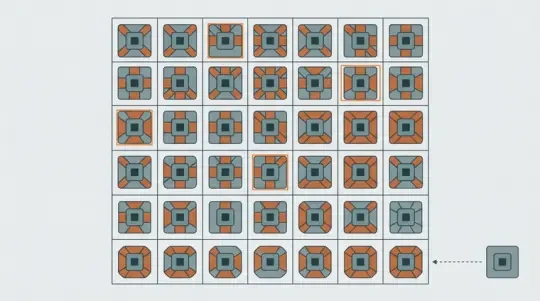
Tilesetter's core function is terrain generation from a small base image. You draw three to five representative tiles — typically a centre fill, a straight edge and an outer corner — and the generator derives the rest of the set: inner corners, edge variants and fill pieces. Hand-authoring a complete 47-piece terrain set is tedious and inconsistent; deriving it from a base image keeps the corners aligned. This is the feature people actually switch tools for, and it works.
The second half is level building. The generated set feeds a grid editor with autotile behaviour, so dragging a line of terrain produces connected edges rather than a row of identical squares. That is autotiling done at the tool level rather than in engine code.
The third piece is export. Tilesetter writes directly into Unity, Godot and GameMaker Studio 2 project formats, so the level data arrives as engine-native tilemaps instead of a PNG you have to re-slice by hand. On a Tilesetter workflow this is genuinely the shortest path from an image to a playable engine scene.
Where Tilesetter Falls Short for Most People
It is a desktop application you install and pay for. Its licence terms and pricing are set by its vendor and change over time, so check those at the source rather than trusting a comparison page. The practical constraint is narrower than the price: if you work on a Chromebook, a managed work laptop, or any machine where you cannot install software, you cannot run it. There is no browser build described by the vendor.
There is no playable output. Tilesetter gives you a level; it does not give you a running one. To find out whether your jump arc clears a gap, or whether a tile edge reads at the camera distance you plan to ship, you export, open the engine, wire the tilemap into a scene, press play, and look. Every design question costs a round trip.
The export is also the end of the line. Change a tile design and the sheet dimensions change with it; the engine reimports, the atlas relinks, and any tile references keyed to pixel offsets need checking. The loop is: regenerate, re-export, re-import, re-verify. It is workable, but the feedback cycle is measured in minutes, not seconds.
Tilesetter vs Neta Studio — Full Comparison Table
Every Tilesetter row below is written from its own public description of the product. Where I do not know a number — price, platform requirements — I describe the mechanism rather than guess.
| Capability | Tilesetter | Neta Studio |
|---|---|---|
| Input | A base image containing a few representative tiles; the generator derives the full terrain set from it | A base image, or a sprite sheet generated in Agent Sprite Forge; the grid tool slices it into tiles |
| Output | Tileset assets plus level data written into an engine project format | A browser level you can play immediately, plus a downloadable tileset PNG with a tile index manifest |
| Tileset generation | Derives terrain variants — edges, corners, fills — from a small base image | Slices a base image into a grid-aligned sheet, generates terrain variants, and reports any remainder when the cell size does not divide the image |
| Level building | Grid painting with autotile behaviour in a desktop editor | Grid painting in the browser on the same sheet, with layers, collision flags and object placement |
| Exports | Unity, Godot and GameMaker Studio 2 project output | PNG tile atlas plus a JSON tile index, imported into Unity, Godot or GameMaker with your own settings |
| Playable result | None inside Tilesetter — the level plays once you build it in the engine | Press play in the browser; the level runs as a 3D scene in the 3D game builder |
| Price | Paid desktop licence set by its vendor | Free to build and play in the browser |
Generate a Full Tileset From One Base Image (Live Demo)
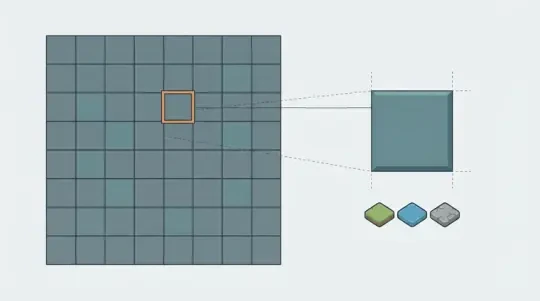
The generator in this section does the one thing Tilesetter is best known for: it takes a base image and returns a grid-aligned tileset you can paint with immediately. Drop in a PNG, set the cell size to 16, 32 or 48 pixels, and the tool slices it into a sheet plus a tile index. No install, no licence, no engine project to create first.
The first thing that breaks is a cell size that does not divide the image. A 1023-pixel-wide sheet asked for 32-pixel cells gives 31 full columns and one 31-pixel column; that last column renders with a seam because the GPU samples the neighbouring tile. Check that width and height divide exactly before you paint anything. The tool reports the remainder instead of rounding silently, which is the whole point.
The second failure is filtering. Sample the sheet with linear filtering and adjacent tiles average into each other, leaving a one-pixel halo on every edge. Two fixes: set the texture filter to nearest in the engine, or extrude each tile by 2 pixels on export so the boundary pixels repeat outward. Extrusion is safer because it survives a project where someone forgets the filter setting.
Once the grid is clean, painting is immediate. Layers, collision flags and object placement all live on the same grid, and play mode runs the result as a Three.js scene. The sample worlds The Cyclops' Island and Mini World are built this way if you want to see the scale of level the grid supports.
- Exact grid slicingWidth and height are divided by the cell size. Any remainder is reported rather than absorbed into a broken final column.
- Edge extrusionOptional 2-pixel bleed around every tile so nearest-filter sampling never picks up a neighbouring tile's pixels.
- Tile index manifestA JSON map from cell coordinate to numeric tile ID, so engine code addresses tiles by index instead of pixel offset.
- Terrain variant generationEdge, corner and fill variants derived from a small set of hand-drawn tiles, with the outer corners kept consistent.
- Sprite source in the same gridAgent Sprite Forge emits sprites aligned to the same cell size, so character and prop art drop onto the grid without rescaling.
Export to Unity, Godot and GameMaker — Side by Side
Engine import is where tileset work usually gets lost. The sheet is fine; the settings are wrong. Each engine wants a different set of numbers, and the failures look different in each one.
Unity
Set Texture Type to Sprite (2D and UI), Sprite Mode to Multiple, Filter Mode to Point, and turn off Generate Mip Maps. For pixel art, Compression should be None. Then open the Sprite Editor and use Slice, Grid By Cell Size, with the cell size matching your tiles — 16, 32 or 48 pixels.
The classic failure is Pixels Per Unit. Leave it at the default 100 with 32-pixel tiles and every tile becomes 0.32 world units wide; if your tilemap grid assumes 1 unit per cell you get a visible gap or overlap at every row boundary. Set Pixels Per Unit equal to the tile pixel size, or set the tilemap cell size to the reciprocal. The other setting people get wrong is pivot: Center for top-down maps, Bottom Left for side-scrollers where tiles align to the ground line.
Godot
Create a TileSet resource with Tile Size matching your cells, add a TileSetAtlasSource pointing at the sheet, and set Margin and Separation explicitly if the sheet has padding rather than relying on detection. In Godot 4 the option to fill tiles from the non-transparent region of the texture saves a slow manual pass. Painting happens on a TileMapLayer node.
One migration note that catches people: Godot 4 replaced the Godot 3 autotile bitmask system with terrain sets built on peering bits. A sheet generated for Godot 3 autotiles imports as plain tiles in Godot 4 — the pixels are fine, the terrain wiring is not. You rebuild the terrain set, you do not re-export the image. Also check Rendering > Textures > Canvas Textures > Default Texture Filter; if it is Linear, your pixel art has halos regardless of what the sheet contains.
GameMaker Studio 2
GameMaker wants a sprite whose frame size equals your tile size, then a Tile Set asset created from that sprite. The hard constraint is divisibility: if the sprite is 130 pixels wide and the tile size is 32, the tile set is rejected. Crop or extrude the sheet until the dimensions are exact multiples. Origin is top-left for tile sets, and painting happens on a tile layer in the room editor, so layer order matters more here than in the other two engines.
If your sheet has padding between tiles, GameMaker will not infer it from the sprite. Either export an unpadded sheet for this target or split the padded sheet into individual frames before creating the tile set.
How to Switch From Tilesetter in 5 Minutes
You do not have to redraw anything. A tileset is a PNG and a level is a grid of indices into that PNG. Both survive the move. The only thing that does not survive is the project-format export, because there is no neutral interchange format in the workflow — plan on repainting the level, not converting it.
For a single-screen room this is a few minutes of dragging. For a large multi-layer map it is an afternoon, and it is still less time than rebuilding a sheet from scratch.
01
Keep every tileset PNG you already exported from Tilesetter. Nothing needs regenerating — the image is the asset.
02
Measure the tile pitch. Divide the sheet width by the number of columns you count; if the result is not a whole number, the sheet has padding and you must enter margin and separation separately rather than a single cell size.
03
Load the PNG into the browser grid and set the cell size and padding. Confirm the slice guides land on tile borders before you paint a single cell — one pixel of drift compounds across a wide map.
04
Rebuild the level on the browser grid. Repaint layer by layer, then set collision flags. If the map is large, block out the layout with one fill tile first and detail afterwards.
05
Press play in the browser. Fix the layout problems here, where the loop is seconds, instead of after an engine build.
06
Export the atlas and tile index, then reuse the engine import settings you already know: Pixels Per Unit and Grid By Cell Size in Unity, Tile Size and atlas source in Godot, sprite frame size and tile set in GameMaker.
Walk into the world it belongs to
A sprite is a character with nowhere to stand. The last step is the one nobody else offers: take the sheet you just built and put it in a world someone can walk around in — a small island, a planet, a rainy street corner. Every world on this site was made from one written description and published as a page you can play.
FAQ
Is Tilesetter free? +
No. It is a paid desktop application and its licence terms are set by its vendor, so check the current pricing at the source rather than a comparison page. The browser tools at Neta Studio are free to build and play with.
Is there a browser version of Tilesetter? +
The vendor describes Tilesetter as a desktop application you install, and no browser build is part of that description. The browser-based alternative is the tileset generator and grid editor on this page, which run in a tab with no install.
Can I export to Unity? +
You export a PNG atlas and a JSON tile index, then import into Unity with Texture Type Sprite, Sprite Mode Multiple, Filter Mode Point, Slice By Cell Size, and Pixels Per Unit equal to your tile pixel size. That is the same import path a Tilesetter sheet would use, minus the project-format step.
Do I need to install anything? +
No. Slicing, terrain generation and grid painting all run in the browser. Play mode needs a browser with WebGL2; the editing half works without it.
Can I use my own base image? +
Yes. Any PNG works provided its width and height divide evenly by the cell size you pick. If they do not, the tool reports the remainder so you can crop or add padding before you paint rather than discovering a misaligned column later.
What about my existing levels? +
Tilesetter writes level data into engine project formats, so there is no neutral file to convert from. In practice you keep the tileset PNG and repaint the level on the browser grid — fast for a single room, an afternoon for a large multi-layer map.
Back to the 3D Game Builder
All 31 finished 3D worlds, games and scenes live on one page — every one of them playable.