
Voxel Game Engines: 3 Types, One Needs No Install
Voxel game engines come in three types: dedicated voxel engines, general engines with a voxel layer, and browser worlds that run free with no download.
Make your own voxel game engines
Comparing voxel game engines — Hytopia, Noa, Luanti, Godot, Unity — plus a browser voxel world you can walk into without installing anything.
Voxel game engines split into three groups: dedicated voxel engines, general-purpose engines with a voxel layer added on, and browser worlds that render in a tab with nothing installed. The dedicated engine gives you chunk storage, meshing, and light propagation on day one, then constrains everything around them. The general engine gives you a full toolchain, then hands you the chunk pipeline as homework. The browser world skips installation and the build step entirely.
This page compares Hytopia, Noa, Luanti, Godot with a voxel plugin, and Unity with a voxel plugin: what each one actually is, what you write in it, and where it will cost you time. It ends with the browser option, a world you open and walk through in the same minute you described it.
Quick Answer: Which Voxel Engine Should You Use?
Dedicated voxel engine, such as Noa or Luanti: use it when the world data itself is the product and you do not want to write a mesher, a chunk streamer, and a flood-fill light pass before you can see anything on screen.
General engine plus voxel plugin, such as Godot or Unity: use it when you need animation, UI, physics, audio, input mapping, and platform export, and you accept owning the chunk pipeline inside somebody else's frame loop.
Browser world you never install, such as the Neta Studio builder: use it when the first obstacle is getting another person to look at the world, and a link is cheaper than a download, a toolchain, and a build step.
The tiebreaker is what sits on your critical path. If the hard part is content, pick the pipeline with the shortest distance between an idea and walking around inside it. If the hard part is simulation, thousands of interacting blocks, custom physics, deterministic networked state, pick the toolkit you can profile, patch, and recompile.
The Engines, Compared
Five options below, described by shape rather than by rank. All of them render voxels. They differ in what they hand you and what they expect back.
Read the language column first. It decides how much of the runtime you can change without a native build step, and that determines how you debug at two in the morning.
Hytopia
Hytopia is a hosted voxel game platform with a JavaScript and TypeScript SDK. Worlds are voxel-based, the client runs in the browser, and multiplayer is part of the platform rather than something you add: you write game logic against the SDK's entity and player APIs, and the platform handles the server. The trade is that your game lives on their runtime. You configure and script it; you do not ship a standalone binary of the engine.
Noa
Noa is a JavaScript voxel engine built on Three.js, aimed at the browser. It handles chunked terrain, mesh generation, an entity system, and simple collision and gravity, and it expects you to bring the rest: rendering setup, input, game rules, networking. Its API is small enough to read end to end, which is its real advantage. When something behaves oddly, the failure is in code you can open, not in a black box.
Luanti (formerly Minetest)
Luanti, formerly Minetest, is an open-source voxel platform rather than a single game. The engine is C++, but gameplay arrives as games and mods written in Lua, so you can change block behaviour, crafting, and entities without recompiling. Its world is a node grid in 16x16x16 mapblocks, and the server streams blocks to clients over the network. You can run a server locally, and the same server code runs on a rented host. Settings such as active_block_range and max_block_send_distance decide how far a player sees and how much RAM the client spends.
Godot with a voxel plugin
Godot has no voxel terrain in the core engine. You add it: either a community addon that generates chunk meshes, or your own mesher producing ArrayMesh surfaces plus collision shapes. Godot gives you the parts that surround the voxels, meaning scene tree, AnimationPlayer, UI, physics bodies, input, and export templates, plus GDScript, C#, or C++ through GDExtension for the meshing code. Chunk mesh generation belongs on a worker thread or a WorkerThreadPool task. Doing it on the main thread is the usual cause of hitching when a player crosses a chunk border.
Unity with a voxel plugin
Unity is the same story with a heavier toolchain. Voxel terrain comes from a plugin or from your own chunk system; the productive path is Burst-compiled jobs in the C# Job System, generating mesh data on worker threads and uploading it with Mesh.SetVertices and similar calls. Collision is the recurring problem: a MeshCollider per chunk is expensive to cook, so many projects write voxel raycasts and AABB collision against the block grid instead. You keep Unity's animation, UI, audio mixers, and build pipeline across desktop and web targets.
| Engine | Shape | Language you write | How you run it |
|---|---|---|---|
| Hytopia | Hosted voxel platform with an SDK | TypeScript or JavaScript | Browser client on their hosted runtime |
| Noa | Browser voxel engine on Three.js | JavaScript | Your own page and your own server |
| Luanti | Open-source voxel platform with Lua games | Lua for games and mods | Installed client plus a server you host |
| Godot plus a voxel addon | General engine with voxel terrain added | GDScript, C#, or C++ via GDExtension | Desktop export, or web export for a browser build |
| Unity plus a voxel plugin | General engine with voxel terrain added | C#, with Burst jobs for meshing | Desktop, console, or WebGL build |
| Neta Studio 3D game builder | Browser world builder | Plain-language descriptions | A browser tab, no install |
Play a Voxel World Without Installing Anything
The fastest way to decide whether you want to build voxel worlds is to stand inside one. The Neta Studio 3D game builder runs in a browser tab. You type a description of a world, terrain, mood, structures, and the builder generates a playable Three.js scene you walk through with WASD and a mouse. No SDK, no editor install, no build step, no asset pipeline to wire up first.
The world you get is real geometry, not a video. You collide with it, you move the camera through it, and you change it by describing the change, raising the water, adding a bridge, widening the valley, then regenerating. Agent Sprite Forge covers the 2D layer: sprites for agents, props, and pickups, so a scene does not stall waiting on a character artist. Mini World is the smallest demo and the right first target on a laptop. The Cyclops' Island is a larger, authored world and shows what a scene looks like when the terrain and lighting are not flat.
What this does not do: it does not give you the block-level scripting API of a dedicated engine, and it does not produce a standalone executable for a storefront. It is the review-and-iterate end of the pipeline, and the quickest way to show another person what you mean by a voxel world.
01
Open the builder in a current desktop browser. Chrome, Edge, Firefox, and Safari all work; the requirement is a GPU with WebGL2 support, and integrated graphics are enough for the demo worlds.
02
Write one sentence describing the world. Specific nouns beat adjectives: a foggy pine island with a stone tower and a shallow lagoon gives the generator more to place than a cool island.
03
Generate, then walk it. Movement is WASD plus mouse look. Check slope collision and the water edge first, because those are where generated terrain is usually wrong.
04
Edit by describing the change rather than moving individual blocks. Regeneration is cheaper than hand-placing geometry while the world is still in flux.
05
Add sprites with Agent Sprite Forge for anything that needs a face: agents, props, and pickups.
06
Share the link. The other person opens a tab and lands in the same world with nothing to install.
What Actually Matters
Four properties decide whether a voxel engine is pleasant or painful by month three. None of them appear on a feature list, and all of them are measurable before you commit.
World size
Storage is cheap, streaming is not. A world is usually cut into chunks of 16x16x16 or 32x32x32 blocks, and the engine keeps a radius of them resident. Memory scales roughly with radius cubed, so doubling the view distance is about eight times the block data before meshes are counted. Coordinates matter too: float32 positions lose precision far from the origin, which shows up as camera jitter and z-fighting well past 100,000 units out. Engines handle that with origin rebasing or camera-relative rendering. Find out which one yours does before you plan a continent.
Lighting
Voxel lighting is usually flood fill. Each block stores a light level, sunlight propagates downward until it hits an opaque block, torches propagate outward with a falloff. It is cheap per block and expensive to keep correct. When a player places or removes a block, light in that chunk and its neighbours has to be recomputed, and if you skip the neighbour chunk, light leaks across the border as a bright seam. If the engine bakes light into vertex colours, every edit re-bakes a mesh. If it lights in a shader, you pay in uniform limits and extra draw calls.
Multiplayer
Voxel multiplayer is mostly a bandwidth problem. The server is authoritative: it holds the block grid, and clients send intents rather than positions. Only edits travel as deltas, and only chunks inside an interest radius are sent at all, so traffic scales with player count times view radius rather than with world size. Two clients digging the same block in the same tick is a real case you have to define an answer for. If the engine you pick has no networking, you are writing the interest system, the delta format, and client prediction yourself. That is a project, not a feature.
Runs in a browser
A browser target removes the install step, which is the single largest drop-off when you ask someone to try your world. The cost is a smaller budget: WebGL2 draw calls, one main JavaScript thread unless you set up cross-origin isolation for SharedArrayBuffer, and download size for every asset. WebGPU is present in current desktop browsers but not uniformly, so a WebGL2 fallback is still normal practice. If the world runs in a tab, you can send it in a message. If it needs a launcher, you cannot.
Voxel Sandbox vs Voxel Engine
A voxel sandbox is a finished game that happens to be made of blocks. You download it, you play it, and the block palette is whatever the developer shipped. A voxel engine is a toolkit: chunk storage, meshing, a renderer, and an API you write against. The distinction matters because search results use the same words for both.
Signals on the page. If there is a launcher and a screenshot gallery, it is a sandbox. If there is an API reference, class names, and a package to install, it is an engine. If block types are data files you edit rather than runtime objects you register, that tells you which layer the product lives at. If there is an export or standalone build path, you are buying a toolkit. If the only way to publish is inside their platform, you are renting one.
Hybrids are common and worth naming. Luanti is a platform: the engine is a toolkit, the shipped games are sandboxes built on it, and you choose which layer to work at. Hytopia is both an SDK and a hosted runtime, so you write engine-level code that executes on someone else's servers. Browser builders sit at the far content end, producing worlds rather than systems. Decide which layer you want to own before you compare feature lists, because a sandbox with a good editor is not a substitute for an engine with an API.
Walk into the world it belongs to
A sprite is a character with nowhere to stand. The last step is the one nobody else offers: take the sheet you just built and put it in a world someone can walk around in — a small island, a planet, a rainy street corner. Every world on this site was made from one written description and published as a page you can play.
FAQ
Can I make a voxel game in the browser? +
Yes. A chunked voxel world with meshing, collision, and flood-fill lighting runs in WebGL2 in a tab, and Three.js handles the rendering side. Noa and Hytopia both target the browser, and the Neta Studio builder generates block-built worlds you can walk through with nothing installed. The constraints are draw calls, a single main JavaScript thread, and asset download size.
Is Godot good for voxels? +
Godot is strong at everything around the voxels and neutral about the voxels themselves. There is no built-in voxel terrain, so you add a chunk system, a mesher, and collision, either from a community addon or from your own code, and you generate meshes on a worker thread so streaming does not stall the frame. If you already know Godot, that is a reasonable trade. If you do not, you are learning an engine and writing a voxel layer at the same time.
Is Luanti free? +
Yes. Luanti, the project formerly named Minetest, is free and open source, with no paid tier and no account needed to play or host. You can run a server on your own machine or on a rented host, and the games and mods on top of it are written in Lua, so gameplay can change without rebuilding the engine.
Do I need C++ to build a voxel engine? +
Usually not. Hytopia is JavaScript and TypeScript, Noa is JavaScript, Luanti gameplay is Lua, Godot offers GDScript and C#, and Unity is C#. You reach for C++ when you are changing an engine core or writing a native extension, such as a Godot GDExtension module or a Unity native plugin. The meshing algorithm is the same either way.
What is a voxel? +
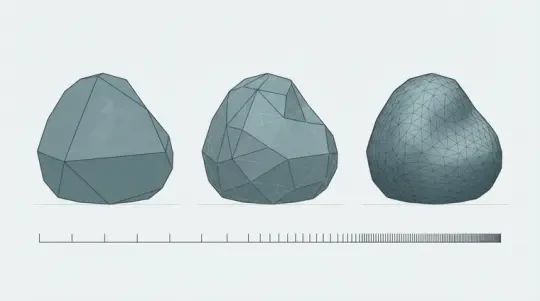
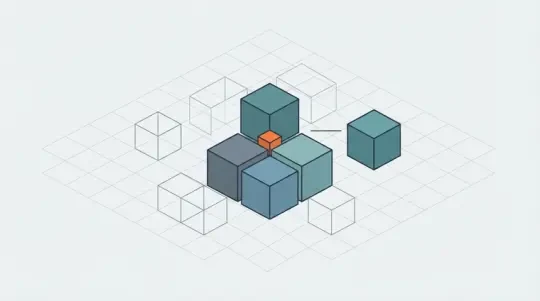
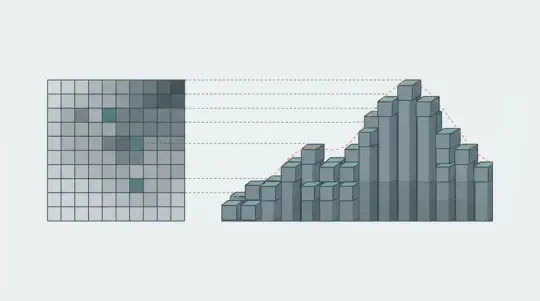
A voxel is a value on a regular three-dimensional grid, addressed by integer coordinates, and it is not a cube you render. The block you see is a mesh generated from runs of voxels: the mesher walks the grid and emits only faces that touch empty space, and greedy meshing merges coplanar faces of the same block type into larger quads. Storage is the grid; the visible cubes are a rendering decision.
How does multiplayer work in a voxel game? +
The server holds the authoritative block grid and clients send intents rather than positions. Only edits travel as deltas, and the server streams chunks inside an interest radius around each player, so bandwidth scales with players times view radius instead of with world size. Client-side prediction hides round-trip latency for movement, and the server resolves the case where two players edit the same block in the same tick.
What actually causes voxel performance problems? +
Three things, in order: meshing on the main thread, too many draw calls, and collider cooking. Generate chunk meshes on a worker and upload finished buffers, keep one mesh per chunk instead of one object per block, and cull chunks against the camera frustum. On the physics side, a mesh collider per chunk costs far more than raycasts and AABB tests against the block grid.
Can I export a world built in the browser? +
The Neta Studio builder runs the world in the tab, so sharing is a link and the other person needs no install. It is not a standalone-binary export pipeline, so if you need a downloadable build or a console package, you want Godot or Unity with your own voxel layer. Many teams prototype the layout in the browser and rebuild it in an engine once the world stops changing.
Back to the 3D Game Builder
All 31 finished 3D worlds, games and scenes live on one page — every one of them playable.