Photocard Maker: Build a Card You Can Hold

How to make a photocard: the crop, the name plate, the back, the finish — and which Neta card tools do it, including what none of them will print for you.

What a photocard is, before you make one
A photocard is the pocket-sized portrait card that fandom culture collects: roughly credit-card sized, glossy on the front, usually with a name or a set mark, and often with a printed back. The format came out of K-pop albums, where a random card in the sleeve became the reason to buy a second copy — and it has since spread to anime, games and streamers, where it is printed at home, traded at conventions, and slipped into a phone case.
Two things follow from that. First, the design is conservative on purpose: one face, one crop, a name plate that does not fight the picture, and a back that carries the information the front refuses to. Second, the physical part matters — bleed, corner radius, paper weight and finish. Neta can make every image on the card; it will not print or ship one. This page is written that way: the design and the file, not a promise of cardboard in an envelope.
| Format | Credit-card sized portrait card, glossy front, often a printed back |
| What you need | One portrait set (or one strong portrait) and a name |
| On Neta | Portrait, card layout, foil/parallax version for screen — image files only |
| Not offered | No printing, no shipping, no physical card |
Start with the face, then the frame
A card is a portrait plus a border plus a back. The holo-card skill builds the layered version — subject, background, type and a foil pass — and the character-sheet skill writes the person the card is about.
The four layers of a card that looks bought
Every card is the same four decisions. Getting them in the right order is most of the work.
- The crop — A photocard is a portrait format — taller than wide — with the face above the midline. Crop to the eyebrows and the collarbone, or the card reads as a photo of a person rather than a picture of a character.
- The plate — Name, set mark, a number. Small, one typeface, never over the face. This is the layer people skip and then wonder why the card feels like a sticker.
- The back — A designed back is what separates a collectible from a printout: a crest, a short bio, a serial. On screen it is also the cheapest place to put the information the front has no room for.
- The finish — Gloss, matte, or foil. On screen the holo card tools do the foil properly — four layers, angle-driven rainbow sheen — but on paper the finish is your printer and your paper, not the file.
Which card tool actually does what
This site has several card tools and they are not interchangeable, so check before you promise yourself a feature. The AI Anime Trading Card Generator produces the illustrated card: art, a rarity frame and a card layout. The Holo Card Maker and the 3D Trading Card Maker are the ones that build depth — four layers at different distances, a rainbow foil pass that moves with the angle you hold it at, an animated subject and a designed back, draggable in the browser. The AI Character Card Maker takes a character you already have and puts them on a card with a name plate and a short stat block.
What none of them do: print, ship, or import an official card frame from a real trading card game. If you want a physical photocard you export the image and take it to a print shop yourself — and you should assume the shop wants a bleed margin, a resolution of at least 300 dpi at final size, and a corner radius you have to specify. On screen, the layered version is the more interesting object anyway: it is the one thing paper cannot do.
One practical warning about set design. A photocard is rarely one card. The moment you have two, they have to look like they belong to the same set: same crop, same plate position, same back, same corner. Decide those four things before you generate card number two, or you will spend the evening rebuilding card number one.
The back is where a card becomes a collectible
Turn any photocard over and the difference between amateur and deliberate is almost always the back. A blank back says “printed at home”; a designed back says “this belongs to a set”. It does not need to be elaborate — a crest, the character’s name in the same typeface as the front, a two-line bio, and a number in the corner. The number is the cheapest trick in the format: it implies there are others, and that the others are worth finding. On a digital card the back also solves a real problem, because it gives the information the front has no room for without crowding the portrait.


Cards and sheets you can open
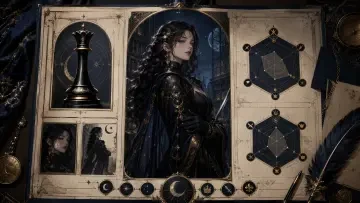
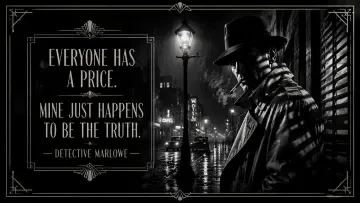
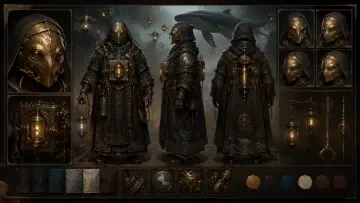
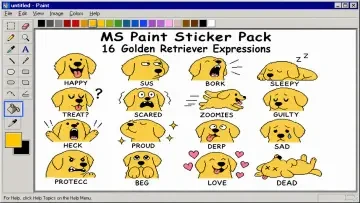
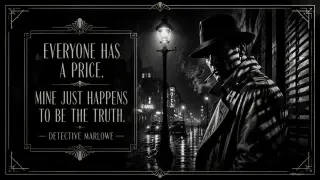
These are real generated works on Neta Studio rather than mock-ups. Between them they show the whole chain: the design sheet the portrait comes from, the card that frames it, and the pack a set turns into.
The card, in two registers
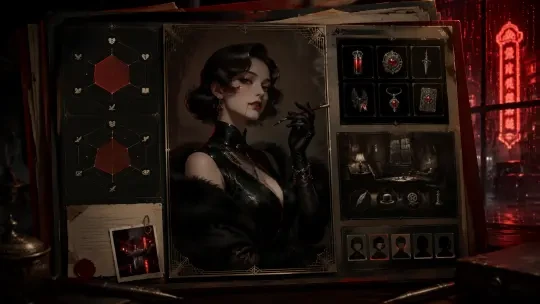
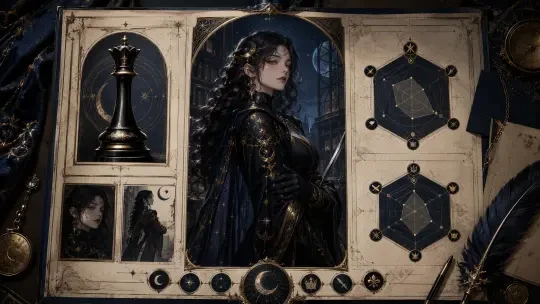
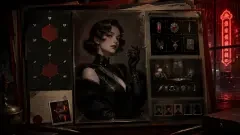
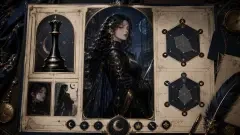
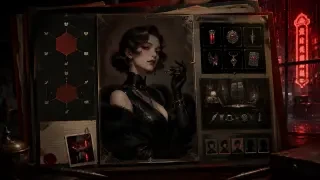
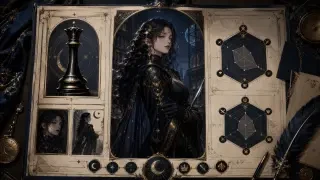
Character Profile Card — Nyx is the portrait-plus-plate version — a face, a name and a stat block on one sheet. Character Profile Card — Evelyn Nocturne does the same job as a dossier, with labels and a serial number, which is closer to how a photocard back actually works.
And where the images come from
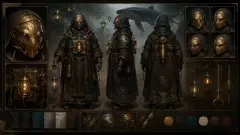
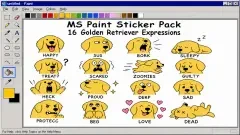
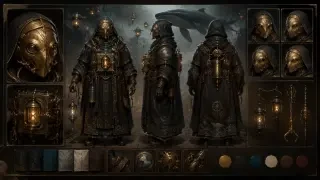
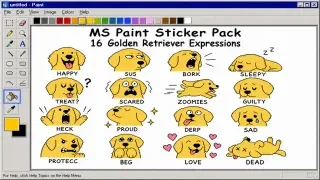
Character Design Sheet / Turnaround Views shows a character from three angles, so a card set does not contradict itself between cards. MS Paint Sticker Pack: 16 Expressions is sixteen expressions of one face — the raw material for a sixteen-card set, and a fast check on consistency.
From portrait to a card you can print
Make the portrait set first
One description, several expressions. A card set lives or dies on whether card two is clearly the same person as card one.
Fix the frame before the art
Decide crop, plate position, back and corner radius once, then apply them to every card. This is the step people skip and regret.
Export for print, or build the foil for screen
For paper: 300 dpi at final size plus a bleed margin, and a print shop that takes a card-sized job. For screen: use the holo card tools, where the foil is real and the card turns.
The worlds, briefly
A card is a character with a frame around them
The frame is the easy part. If you want the person inside it to have a voice and a reason to be on the card, the roleplay hub is where that starts.
Built with the holo-card skill
holo-card assembles the layered card — subject, background, typography and a foil pass — and the animated version turns as you drag it; character-sheet writes the person and keeps the face consistent across a set. The illustrated card generator behind it is AI Anime Trading Card Generator. Nothing here prints or ships a physical card, and no official card frame is reproduced.
Photocard maker FAQ
Can I print the card on Neta?
No. Neta produces the image files; printing and shipping are not offered. You export the artwork and take it to a print shop that handles card-sized jobs.
What size is a photocard?
Credit-card sized is the working standard — the same pocket format trading cards use. Scale your artwork up rather than down, and ask the printer about bleed before you export.
Is there a real foil effect, or is it a filter?
The Holo Card Maker and the 3D Trading Card Maker build four layers at different depths with an angle-driven rainbow pass, so the sheen moves as you drag. That is a constructed effect, not a filter — but it exists on screen, not on paper.
Do I need a different tool for a trading card?
Yes, in tone. A trading card wants a rarity frame and attributes; a photocard wants a portrait and a name plate. The AI Anime Trading Card Generator does the first, the character card tools do the second.
Can I make a whole set?
Yes — fix the crop, plate position, back and corner radius once, then generate each character to that template. Consistency across the set is the whole point.
Is any of this official?
No. No official card frame, artwork or logo is reproduced, and the page is not affiliated with any trading card game or idol group.
Keep reading
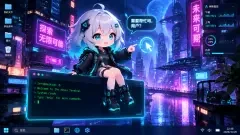
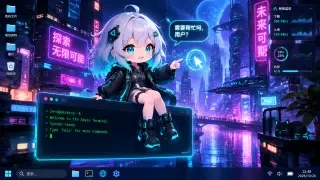
Platform: Neta Studio · Type: Tool · Hub: neta.art/explore/tool/ai-anime-trading-card-generator · Works: Character Profile Card — Nyx · Character Profile Card — Evelyn Nocturne · Quote Card — Detective Marlowe · Character Design Sheet / Turnaround Views · MS Paint Sticker Pack: 16 Expressions · Desktop Mascot: Zero