Piskel Alternative: A Free Browser Pixel Editor That Also Makes 3D Worlds
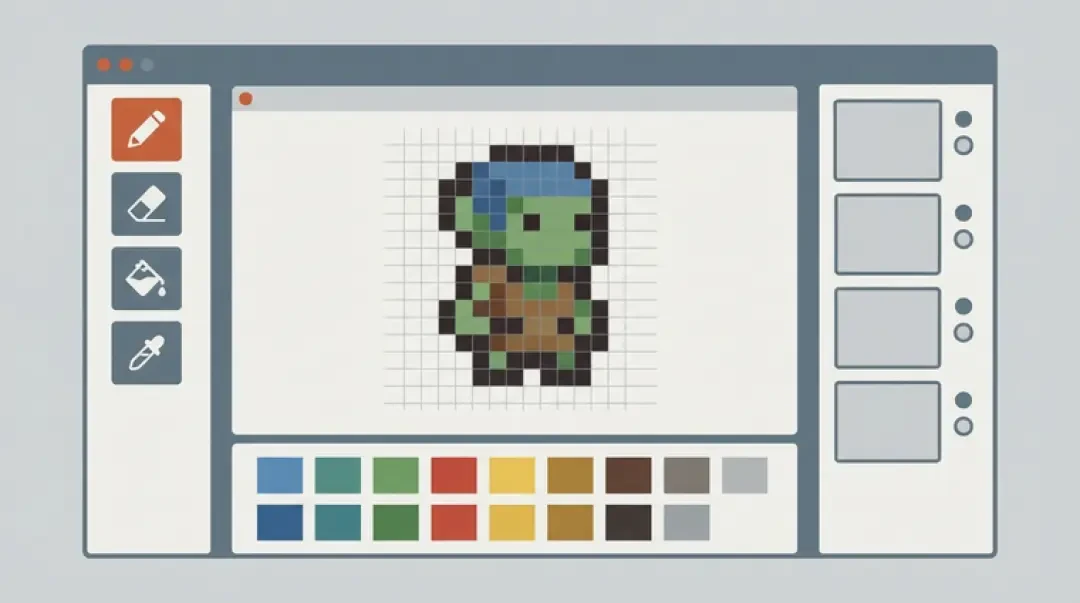
Make your own piskel alternative
Looking for a Piskel alternative? Compare Piskel, Piskel app and a browser pixel editor that goes further — generate sprites from a sentence and walk into a 3D pixel world. Free, no download.
If you searched for a Piskel alternative, you probably hit one of two walls: you wanted sprite frames produced faster than you can click them out, or you wanted the pixels to end up somewhere other than a flat PNG. Piskel is free, it runs in a browser tab, and it still exports. It is not broken. It simply stops at the edge of the canvas, and this page is about what happens past that edge.
Neta Studio runs a browser pixel editor with a generation step attached to it, and a 3D game builder behind it. You can draw a 32x32 sprite by hand, generate one from a written description with Agent Sprite Forge, export a spritesheet, and then walk around inside a scene built from the same pixels. No install, no account. Below is a straight comparison, including the places where Piskel is still the better tool.
Quick Answer: Is There a Free Piskel Alternative?
Yes, and the honest version is that Piskel was never the problem. Piskel is free, it runs in the browser, and it still exports animated GIF and PNG spritesheets today. A Piskel alternative is only worth switching to if you need one of the two things Piskel does not do: generate sprite frames from a written description instead of from clicks, or carry those pixels into a 3D scene you can move a camera through. If neither is your bottleneck, Piskel remains a good drawing tool and there is no reason to leave it.
| What you need | Where it lives |
|---|---|
| A free browser sprite editor with onion skinning and GIF export | Piskel, which is still the shortest path to a first sprite |
| Frames generated from a sentence, then hand-edited | Agent Sprite Forge inside the Neta Studio pixel editor |
| Pixels that become a walkable 3D scene | The 3D game builder. The Cyclops' Island and Mini World show the result |
What Piskel Does Well
Piskel earns its reputation the boring way: it does the core loop well. A new sprite opens at 32x32 on a grid you can toggle, and the toolset is exactly the set you need, pen, mirrored pen, paint bucket, line, rectangle, ellipse, and a colour picker that stays out of the way. The editor runs in the page, so a stroke does not wait on a server round-trip. There is no install, no account, and no version of the tool that behaves differently because of a plan.
Frames and layers are separate axes, which matters more than it sounds. A four-frame walk cycle with a separate outline layer means you redraw the outline once instead of four times. The preview panel plays the animation at the FPS you set, and a single onion-skin toggle ghosts the neighbouring frames so you can judge spacing before you commit. Export covers the formats engines actually accept: animated GIF, PNG spritesheet, and the .piskel project file. Import is just as direct, either drag a .piskel file onto the editor, or bring in a PNG spritesheet and let it slice on a grid you specify.
The barrier to a first sprite is genuinely low. You can go from an empty tab to a readable 16x16 character in a few minutes, and the failure modes are small: a palette that muddies at 1x zoom, a shaky outline, a highlight colour that disappears against the level background.
The parts of Piskel worth copying
Two design decisions carry most of the value. The grid snaps to integer zoom factors, so a pixel is always a square block of screen pixels and never a 3.5-pixel smear. And the export set is small and unambiguous, which means the tool never asks you to configure a pipeline before you can see your animation.
Where Piskel Stops
Piskel has no generation step. Every pixel in the sheet is a click you made or a fill, line or ellipse you placed. That is not a flaw in a drawing tool, it is what a drawing tool is. But it puts a floor on volume. A 32x32 sprite with roughly 20 percent coverage across four frames is around 3,000 opaque pixel decisions, and you make them again every time the design changes. If your bottleneck is art throughput rather than art control, Piskel cannot help, because there is nothing in the pipeline between your sentence and your canvas.
Piskel has no 3D output. Its exports are 2D rasters plus a JSON project file. Nothing in the tool knows about a camera, a ground plane, a collision volume or a light. Getting those pixels into a 3D scene is entirely downstream work: export the sheet, import it into an engine, build a material, set the filter mode correctly, then hand-build the world around it. That work is real, it is often the majority of the work, and Piskel is not present for any of it.
And the app has been effectively static for years. The web editor still works, the exports still open in current engines, and the .piskel format has not moved. That is stability, not breakage. But new features are not arriving either. If you need something Piskel does not do today, waiting for an update is not a plan.
Static cadence is not the same as broken
This distinction matters when you pick a tool for a two-year project. A finished tool with a frozen file format is predictable. A finished tool is also the wrong choice if your requirements are still moving, which is usually the case at the start of a game.
The Alternatives Compared
Read the table by bottleneck, not by feature count. If you draw well and only need frames, GIF and a spritesheet, Piskel or LibreSprite cover you and neither asks for money. If you need frames produced faster than you can draw them, you need a generation column, and Piskel does not have one. If your sheet has to end up in a scene with a camera, you need the 3D column, and neither Piskel nor LibreSprite has one.
LibreSprite is the installable option listed here: a desktop application with a real timeline, onion skinning, layers and spritesheet export. Desktop has advantages a browser tab does not, including native file dialogs, predictable memory headroom on large canvases, and no risk of a tab being reclaimed mid-session. It has the same two gaps: no generation step, no 3D output.
One caution about the animation columns. They describe the editor, not your engine. Every tool here exports a raster sheet, and whether your engine plays it back at the right speed depends on frame size, padding and the FPS you set at export time.
Choosing a Piskel alternative by bottleneck
Write down the one step that costs you the most hours. If it is drawing, stay on a drawing tool. If it is producing enough variations to find a good one, take the generation step. If it is wiring pixels into a scene, take the builder and skip the engine import entirely.
| Editor | Platform | Generation | Animation | 3D output | Cost |
|---|---|---|---|---|---|
| Piskel | Browser editor, plus an installable desktop build | None. Every frame drawn by hand | Frames, layers, onion skin, GIF and PNG spritesheet export | None | Free |
| Neta Studio browser pixel editor | Browser, no install, no account | Agent Sprite Forge generates frames from a written description, editable per pixel afterwards | Frames, onion skin, GIF and PNG spritesheet export | Yes. The same sheet becomes a walkable Three.js scene through the 3D game builder | Free |
| LibreSprite | Installable desktop app on Windows, macOS and Linux | None | Timeline, onion skin, layers, GIF and spritesheet export | None | Free and open source |
How We Differ: Pixels, Then a World You Can Walk Into
The two halves are one pipeline, and the reason is boring: the sheet you export is the sheet the builder consumes. The frame size you chose at 32x32 is the frame size the material expects. No resampling, no guessing the grid, no re-slicing a sheet in an engine importer at midnight. That continuity is the whole claim.
Two settings will ruin the result if you skip them. First, texture filtering. In Three.js the material texture needs nearest-neighbour sampling for both magnification and minification, with mipmaps off, or your 32x32 pixels blur into mush at distance and shimmer when the camera moves. Second, scale. Resize sprites by integer factors. A sprite scaled 3.5x has pixels that are alternately three and four screen pixels wide, which reads as noise worse than any palette mistake.
The Cyclops' Island and Mini World are the reference builds for this route: a generated pixel actor, a ground plane, a camera and collision, all running in a browser tab. Open them to see what the export actually turns into before you commit a project to it.
Why this is a Piskel alternative and not a replacement
If you only need the 2D half, nothing here beats a tool you already know. The switch is worth making when the 3D half is where your hours disappear, because then the export path stops being a handoff and becomes part of the same workspace.
01
Open the browser pixel editor and set the canvas. 32x32 for a character, 16x16 for a pickup, 64x64 if you need detail.
02
Write the sprite as a sentence in Agent Sprite Forge: subject, silhouette, palette, and the action you want animated.
03
Review the frames it returns on a transparent background, then edit them on the same grid with the pen and bucket.
04
Set the animation FPS, check spacing with onion skinning, and fix the frames that read wrong at 1x zoom.
05
Export the PNG spritesheet or the animated GIF.
06
Open the 3D game builder, place the sprite as a textured quad, switch the material to nearest-neighbour filtering, and add ground, camera and collision.
07
Press play and walk the scene. If a frame reads badly at distance, edit it in the pixel editor and re-import the sheet.
Is It Free?
The pixel editor is free. Generating sprite frames with Agent Sprite Forge is free. Exporting is free. Nothing sits between drawing a sprite and downloading the PNG spritesheet or the animated GIF, and there is no paywall step where a watermark appears or a resolution cap kicks in.
No account is required to open the editor, generate frames, edit them, or export. You do not hand over an email to get a download, because there is no download to get: the whole thing runs in the browser tab.
The output is three things. A PNG spritesheet, with the frame grid matching the canvas size you set. An animated GIF, useful for previews and for documentation. And a 3D scene, which runs in the browser and stays editable in the 3D game builder rather than being a one-way export you can no longer open. If you want to see the end state of that third output, The Cyclops' Island and Mini World are built on it.
Walk into the world it belongs to
A sprite is a character with nowhere to stand. The last step is the one nobody else offers: take the sheet you just built and put it in a world someone can walk around in — a small island, a planet, a rainy street corner. Every world on this site was made from one written description and published as a page you can play.
FAQ
Is Piskel still free? +
Yes. Piskel is a free browser sprite editor, and the public source is available. Nothing about the free editor tier has changed, and there is no paid version of Piskel to upgrade to.
Is Piskel discontinued? +
The app still runs and still exports GIF, PNG spritesheets and .piskel files, so nothing in your existing workflow stops working. What has changed is cadence: the app has been effectively static for years, so treat it as finished rather than removed, and do not plan around new features arriving.
What is the best free Piskel alternative? +
It depends on the step that costs you the most time. If you need frames generated from a description and then hand-edited, use Agent Sprite Forge in the browser pixel editor. If you need a native desktop timeline and local files, use LibreSprite. If you need the pixels to become a walkable scene, use the 3D game builder. No single tool wins all three.
Can I import my Piskel file? +
The .piskel format is a JSON project describing canvas size, FPS, layers and per-layer frame data. The reliable path is to open the project in Piskel, export a PNG spritesheet, and import that sheet on a matching grid with the same frame width, frame height and padding. Mismatch the frame size or the padding by one pixel and every frame shifts by a constant offset, which looks like a broken animation rather than a wrong setting.
Do I need an account? +
No. You can open the browser editor, generate sprite frames, edit them, set the FPS, and export a spritesheet or GIF without creating an account.
Can I make 3D from 2D pixels? +
Yes. The sprite stays a 2D raster and gets placed as a textured quad in a Three.js scene with a camera, ground and collision, which is how Mini World and The Cyclops' Island are built. Set the texture to nearest-neighbour filtering on both minification and magnification and turn mipmaps off, or the pixels blur at distance.
Back to the 3D Game Builder
All 31 finished 3D worlds, games and scenes live on one page — every one of them playable.