
Minecraft Simulator: Build a Block World in Browser

A Minecraft-style simulator that runs in a browser tab: describe a block world, walk through it, mine and rebuild it — no install, no export, no code.

What “Minecraft simulator” means here
People searching for a Minecraft simulator usually want one of three things: the actual game, a free clone, or a way to build a block world without installing anything. This page is about the third. On Neta Studio the instrument is the AI voxel game maker: you type a description of a place, it resolves into a block grid you can stand on in the same browser tab, and the editor and the runtime are the same page — which means there is no export button and no second program to open.
The sentence you type sets four things: terrain shape and height, the block assigned to each depth and slope, the water level, and the time of day. Everything after that is editable by hand, and hand-placed blocks survive a re-roll of the description unless you clear them first. It is a small world by design — a courtyard, an island, a plateau — and it is playable the moment it exists.
| Source | Neta Studio’s AI Voxel Game Maker; genre rules from the Minecraft wiki (Block, Survival) |
| Input | One sentence: place, scale, materials, time of day |
| Editing | Place, remove, replace and stack brushes; undo stores coordinate diffs |
| Play | First-person, third-person, isometric or top-down, in the same tab |
| Not included | Minecraft itself, its assets, survival progression or redstone |
Describe the place, then stand in it
Name one place at one scale: a basalt plateau at dusk, a two-block path down to black sand, a shallow reef. The composer turns it into terrain, palette, spawn point and sun angle — and you can walk it immediately.
The parts that make it playable rather than pretty
A block world is cheap to generate and expensive to keep at frame rate. Four implementation decisions decide whether the result is a toy you look at or a place you can walk around in.
- One grid, two writers — The composer and the brush write into the same three-dimensional array of block ids. There is no merge step between generated and edited geometry, which is why hand-built details survive.
- The brush is a ray cast — Editing casts into the grid with a DDA loop rather than into the render mesh, so a click lands on the cell you aimed at regardless of triangle count. Placement writes to the adjacent cell; removal writes air.
- Face culling does the work — A 16×16×16 chunk holds 4,096 blocks; drawn naively that is 24,576 quads. Emitting only faces adjacent to air cuts it to about 1,536 before any merging. Greedy meshing merges coplanar faces of the same material, which helps most on flat ground.
- Rebuilds run on a budget — An edit marks its chunk dirty and rebuilds it plus any neighbour whose boundary changed. Rebuilds are capped per frame, so a large fill shows a few frames of stale geometry instead of a stall.
- Props at block scale — A smooth-shaded character next to hard-edged cubes reads as pasted in, because the normals disagree. Characters and props are authored on the same unit grid and palette: one block is one world unit, a doorway is 2×3, a tree is five to seven blocks tall.
What the block loop actually requires. A survival sandbox is four systems stacked on one another, and the Minecraft wiki is blunt about all four. Blocks are the basic unit of structure — the world is a three-dimensional grid of them, and every block can be collected and placed. Gathering takes time rather than a click: breaking a block has a duration, which is why the first ten minutes of the genre are slow by design. Most crafting happens at a table, and some items cannot be crafted at all without a furnace, because they are smelted rather than assembled. And survival itself is a loop of collecting, building, fighting mobs, eating and exploring.
That is the design brief any block-world simulator has to answer. A tool that only places cubes gives you a model. A tool that only generates terrain gives you a backdrop. The genre needs both to write into the same structure — which is exactly the argument the voxel maker on this site makes about its own architecture: generation and editing are two writers on one grid, not a generated layer with an editable layer on top.
What this is not. Neta Studio does not host Minecraft, does not run Java or Bedrock, and does not ship its blocks, mobs, textures or item names. Nothing here reproduces another game’s assets. What it does is the browser-native version of the idea: a voxel world you describe in a sentence, walk into, and edit with the same brush you place blocks with. No install, no launcher, no export step, no second application to open.
Three consequences follow, and they are worth knowing before you start. There is no survival progression unless the world’s rules include one — no hunger bar, no mob spawner, no night that hurts. There is no redstone-equivalent circuit system, so contraptions are built rather than wired. And the scale is a scene, not a server: a courtyard, an island, a plateau, a room. If you want a thousand-block render distance and a persistent multiplayer map, this is the wrong instrument. If you want to describe a place at four in the afternoon and be standing in it a minute later, it is the right one.
From Minecraft-like to something else entirely
Voxel is a data format, not a genre. The same grid supports a first-person sandbox, a third-person adventure, a top-down city and a diorama small enough to sit on a pedestal, and what changes between them is camera, scale and how much of the world the player may touch. That is why the camera question comes first. A ground-level view hides the grid — you see a wall, not cubes — and fights step-up rules and terrain collision. A raised isometric view exposes the grid and loses height cues, so stacking becomes guesswork. Pick the camera, then pick block size relative to the subject.


Worlds built with the same loop
Published Neta Studio work that shares the mechanic: place something on a grid, then live with the shape you made.


Builders with a different camera
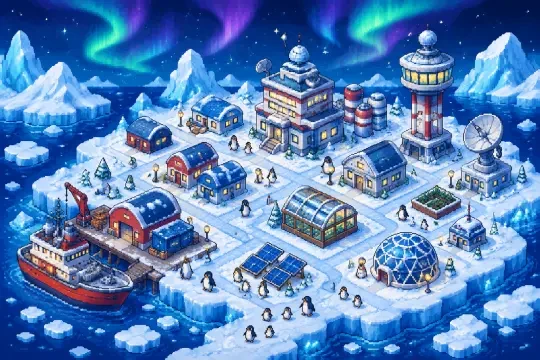
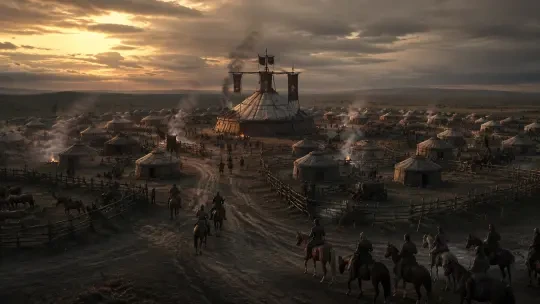
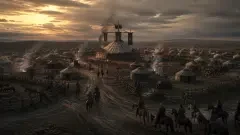
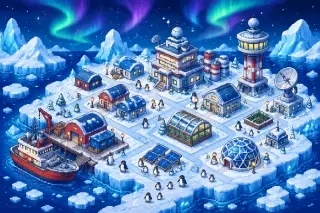
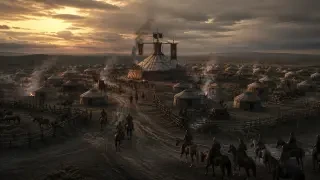
Antarctic Kairo Placement is the placement loop as a polar base builder, and Attila’s Horde Camp Builder is the same idea in isometric — a useful comparison if you are deciding whether your world should be walked or looked down at.
When the grid needs rules
CyberConquest proves a browsable world can carry a full rule set, and One Piece Interactive Map is the other half of the same instinct: a place you can navigate without a single block.
Three builds you can start tonight
The one-scale island
Describe a single island with one landmark and one path. Resist the continent. Scale drift is the first failure mode: a sentence that contains both a coastline and a courtyard gives you a coastline and an invisible courtyard.
The doorway test
Build the smallest structure that still reads as architecture: two blocks wide, three tall, one material change at the base. If you can walk through it without ducking, the block scale is right.
The spawn check
Let the world choose a spawn point, then look at what is above your head. If you land on a cave roof and drop into the interior, raise the cave threshold or move the spawn by clicking a block.
The cast, briefly





Build it, then walk through it as someone
A block world is a set, and a set wants a scene. The voxel maker gives you the place; the roleplay hub gives you a character standing in it, with a reason to be there.
Built with two skills
3d-game-builder resolves the sentence into terrain, palette and spawn, and keeps generation and editing on one grid; sprite-forge makes grid-aligned characters and props so nothing hovers half a block above the ground. When the world is built, you can walk it as a character in the roleplay hub. Genre rules here come from the Minecraft wiki; Neta Studio is not affiliated with Minecraft and reproduces none of its assets.
Minecraft simulator FAQ
Is this the actual Minecraft?
No. Neta Studio does not host Minecraft and does not use its blocks, textures, mobs or item names. This page is about building an original voxel world in a browser tab.
Do I need to install anything?
No. The composer, the editor and the runtime are the same page, so there is no launcher, no download and no export step between building and playing.
How big can the world be?
Scene scale: a courtyard, an island, a plateau, a room. Describe one place at one scale — a sentence that mixes a continent and a courtyard produces terrain at the wrong size to walk.
Can I add characters?
Yes, as grid-aligned props authored at the same block scale. Smooth-shaded models next to hard-edged cubes look pasted in, so props are built from the same units and palette.
Does it have survival, mobs or redstone?
No. There is no hunger bar, no mob spawning and no circuit system. The grid, the brush and the camera are the product; survival rules would have to be part of a world you build yourself.
Is this page official?
No. It is a Neta Studio page and is not affiliated with Mojang or Microsoft. The illustrations are original voxel renders made for this page.
Keep reading
Platform: Neta Studio · Type: Tool · Voxel world · Hub: neta.art/explore/tool/ai-voxel-game-maker · Works: Antarctic Kairo Placement · Attila’s Horde Camp Builder · CyberConquest · One Piece Interactive Map