

Character Sprites Across a Whole Cast: Keeping One Style on Purpose
A sprite set almost never fails because one sheet is bad. It fails because the seventh character is subtly from a different game. Character sprites across a whole cast drift in ways you can measure: the palette ramp shifts by a step, the outline goes from 1 pixel to 2, the shadow gets a pixel longer, the idle frame count changes from 4 to 6. Nothing about sheet seven is wrong on its own. It just does not belong to the same family as sheets one through six. The fix is not a cleanup pass at the end. The fix is applying the style constraint before the first sheet exists.
What Actually Drifts, And Which Part You See First
Work through a cast of eight characters and list every attribute that can change between them:
- Palette ramp endpoints and midpoint
- Hue rotation between ramp steps
- Silhouette weight (how much mass sits at each height)
- Outline treatment (width, colour, whether it exists on all four sides)
- Eye size and vertical placement
- Shadow length and shadow colour
- Frame count per animation state
- Pixel scale relative to the tile grid
- Contrast between fill and rim light
Nine dials, and every one of them can move independently. The one you notice first at gameplay scale is not the palette. It is silhouette weight, followed immediately by outline width.
The reason is that a 32-pixel character occupies a small window on screen and most of the read comes from the shape, not the surface. A palette shift of one ramp step is nearly invisible at 1x zoom when the character is moving. A shift in where the mass sits — a heavy torso on five characters and a heavy head on the sixth — reads as a different art style even when the colours match exactly. And outline width is the loudest of all: if seven characters have a 1-pixel dark outline and the eighth has a 2-pixel outline, the eighth looks like it was pasted in from another project, because outline weight controls how the sprite sits against the background.
Outline width is a global decision. It is not a per-character aesthetic choice. If your cast runs 1-pixel outlines, every character runs 1-pixel outlines, including the one with the ornate armour that would look better with 2.
Palette Lock Is A Ramp Lock, Not A Colour Count
Teams usually declare the palette rule as a number: "we use 16 colours." That rule does nothing. You can hit exactly 16 colours on every character in the cast and still have eight characters that look unrelated, because the constraint that matters is not how many colours you used. It is which ramp each colour sits on and how far apart the steps are.
A palette ramp is a sequence: shadow, mid-shadow, mid, mid-light, highlight. Lock the ramp and you have locked the thing the eye actually reads. A character built from a five-step ramp will read as consistent with another character on the same five-step ramp even if the hues differ completely — a red ramp and a blue ramp drawn from the same structure look like siblings. A character built from two steps of red and three steps of orange will not.
The practical rule: define four to six ramps for the whole cast, name them, and require every character to use ramp names rather than literal hex values. If a character needs a colour that has no ramp, you add a ramp for the whole cast or you do not use the colour.
Attribute | Lock at cast level | Lock at character level |
|---|---|---|
Palette ramp structure | Yes | No |
Ramp count | Yes | No |
Hue within an assigned ramp | No | Yes |
Outline width | Yes | No |
Outline colour | Yes | No |
Shadow length | Yes | No |
Eye pixel height | Yes | No |
Frame counts per state | Yes | No |
Silhouette weight profile | Yes | Partially |
Pixel scale | Yes | No |
The left column is the style. The right column is the character. If a decision sits in the left column and you let individual characters set it, you have scheduled the drift.
The Silhouette Test: Fill The Cast In Black
Fill every character in solid black, drop the background, and arrange them in a row. Two questions, both answered at the same time.
First: can you still tell them apart? If two characters are indistinguishable as black shapes, your silhouette work is not done. Distinction comes from proportion — head-to-body ratio, shoulder width, limb length, the shape of the headgear, whether the weapon sits above or beside the head.
Second, and this is the one that catches cast-level drift: do they look like they came from the same game? This is a different question from the first, and it can fail while the first passes. Eight characters can all be individually distinct and still look like eight different art directions, because the kind of distinction differs. One character is distinguished by a wide hat. Another by a wide stance. A third by a tall, thin build. If the visual vocabulary of what makes each character unique is itself inconsistent, the cast reads as assembled rather than designed.
The silhouette test is also the cheapest place to catch the head-size problem. If your cast runs at a 1:3 head-to-body ratio and one character is drawn at 1:2.5, it will not look wrong in colour. It will look wrong in black, immediately, because the head mass will dominate the shape.
Run the silhouette test at the actual gameplay zoom, not at 4x. The eye cannot revise what it sees at 4x, but the player never sees 4x.
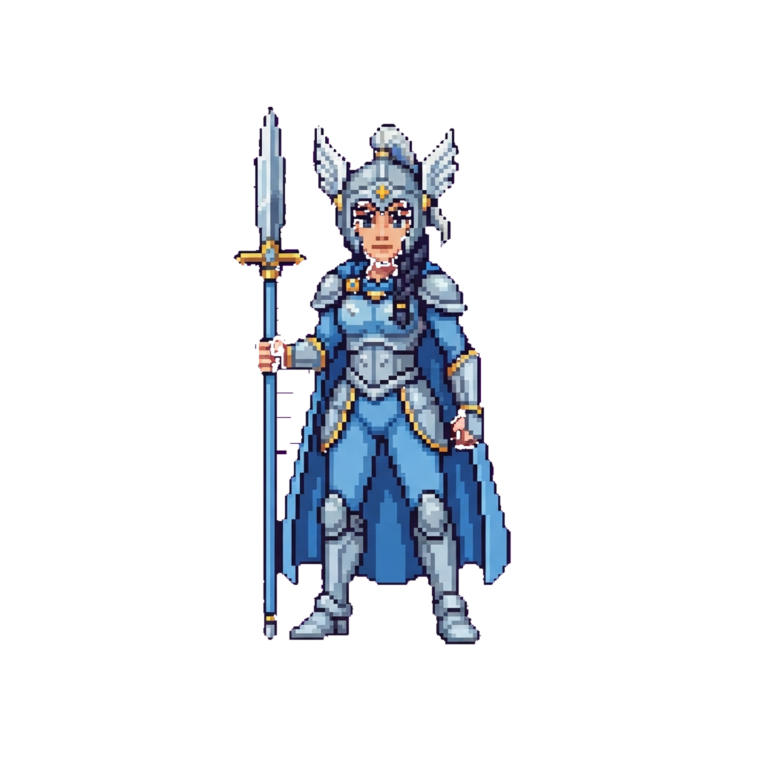
The Scale Test: Size Is A Relationship, Not A Number
A cast is consistent when the characters are consistently sized relative to each other and to the tile grid. Both relationships can break.
The tile grid relationship is the one that produces gameplay bugs rather than aesthetic complaints. If your tile grid is 32 pixels and your character's collision footprint is 24 by 16, that is a decision. If one character in the cast has a 32-wide footprint because it was generated at a larger canvas and scaled down, that character will bump into walls earlier, fit through doorways differently, and stand offset from the grid. The player will not say "the sprite scale is inconsistent." The player will say "that one feels weird to walk."
The character-to-character relationship is the one players see. A cast can have correct grid alignment on every character and still look wrong if the visual mass differs — a 32-pixel-tall knight next to a 40-pixel-tall wizard. Set a body height band for the cast and hold every character inside it. In our generated cast, adult humanoids sit inside a fixed height band and the exceptions (the small companion characters) are deliberately outside it and read as a category rather than as an error.
Test | What it catches | Where you run it |
|---|---|---|
Silhouette fill | Distinction and shared visual vocabulary | Flat black, gameplay zoom |
Scale against grid | Footprint, collision, doorway fit | On the tile grid overlay |
Scale against cast | Relative body height drift | Row of characters, same baseline |
Frame parity | Animation state mismatches | Side-by-side playback |
The Frame-Count Problem
A 4-frame walk cycle standing next to a 6-frame walk cycle looks like a bug before you can say why. The two characters are playing at the same speed, taking the same number of steps per second, but one has six samples of the motion and one has four. The six-frame character looks smoother and slightly faster. The four-frame character looks choppier and slightly slower. Neither is wrong in isolation. Next to each other they read as a defect.
The rule is frame parity: every character in the cast has the same number of frames per animation state. Idle, walk, attack, hurt, death — each state has a fixed frame count that the whole cast shares. If a character needs more frames to read correctly, that is a signal the state itself needs more frames cast-wide, not that the character needs special treatment.
Frame parity also constrains the sheet layout. If idle is 4 frames, walk is 6, and attack is 4, every sheet is 14 cells plus whatever naming convention you use. That makes import, animation switching, and debugging predictable, and it means a new character added in month three lands in the same pipeline as the first one.
If you generate the cast from a single description pass, frame counts are set once in the shared style spec and every character inherits them. That is why the drift problem is mostly a sequencing problem: parity is trivially cheap to set before sheet one, and expensive to retrofit across sheet seven.
Anchor Character, Reference Sheet, Escape Hatch
Pick one character as the anchor. It gets drawn first, reviewed hardest, and becomes the reference every other character is measured against. The anchor does not have to be the protagonist. It should be the character that best expresses the style — the one where the palette ramps, the outline width, the head-to-body ratio and the frame counts all look right together.
Every subsequent character is compared against the anchor in three places: the black silhouette row, the on-grid scale overlay, and the side-by-side animation playback at gameplay zoom. Anything that fails two of the three goes back.
There is one escape hatch worth permitting. A character that exists as a deliberate stylistic break — a boss, a shape-shifting villain, a UI mascot — can sit outside the cast style, but only if the break is a category, not an accident. The distinction is whether you can point to the reason. If you cannot, it is drift.
Generating Character Sprites Across A Whole Cast From One Voice
The reason drift happens in the first place is that characters are usually generated one at a time, each with its own description, and the style constraint gets applied afterwards by hand. That means the constraint is always playing catch-up. Style is a property of the set, but it is being enforced on the members.
The alternative is to write the cast description in one pass and one voice, then generate. Describe the style once — ramps, outline treatment, head-to-body ratio, shadow length, frame counts per state, body height band, footprint size — and then describe each character as a variation on that spec rather than as an independent brief. The style constraint is applied before the first sheet exists rather than patched across the seventh.
This is how the cast referenced here was built in Neta Studio. One shared style paragraph, one character list, generated together, with the anchor character used as the acceptance test for the rest. Agent Sprite Forge handles the sprite generation pass; the same description voice carries through so the ramps and outline decisions stay in one place. The result is not that every character is more polished in isolation. It is that the cast reads as a set.
Describing style once and characters many times is the whole trick. If every character description restates the style, you have N copies of the style spec, and N chances for them to disagree.
Testing The Cast As A Unit
Consistency is not a property you inspect once. It is a property you can regress. Add a character in month four and you can quietly break the set without touching sheets one through seven.
Run the cast test on every addition:
- Silhouette row, flat black, gameplay zoom.
- On-grid overlay, checking footprint and doorway fit.
- Side-by-side animation playback, checking frame parity and IDLE timing.
- Palette ramp audit, checking that every colour sits on a named ramp.
Four checks, run in that order, on the whole cast, not just the new character. The cast is the unit. That is the whole argument — a sprite set is not a collection of correct individual sheets. It is one artefact that happens to be delivered across several files, and it drifts the moment you stop treating it that way.
Keep going
Make the world it walks in
A sprite is a character with nowhere to stand. Every world on the 3D game builder was made from one written description and published as a page you can play.