NPC Dialogue Generator: Write Character Lines That Sound Human
Make your own npc dialogue generator
A practical NPC dialogue workflow: persona, goal and constraint prompts, generating variants, a review checklist, and a live 3D demo where your NPC speaks in the world.
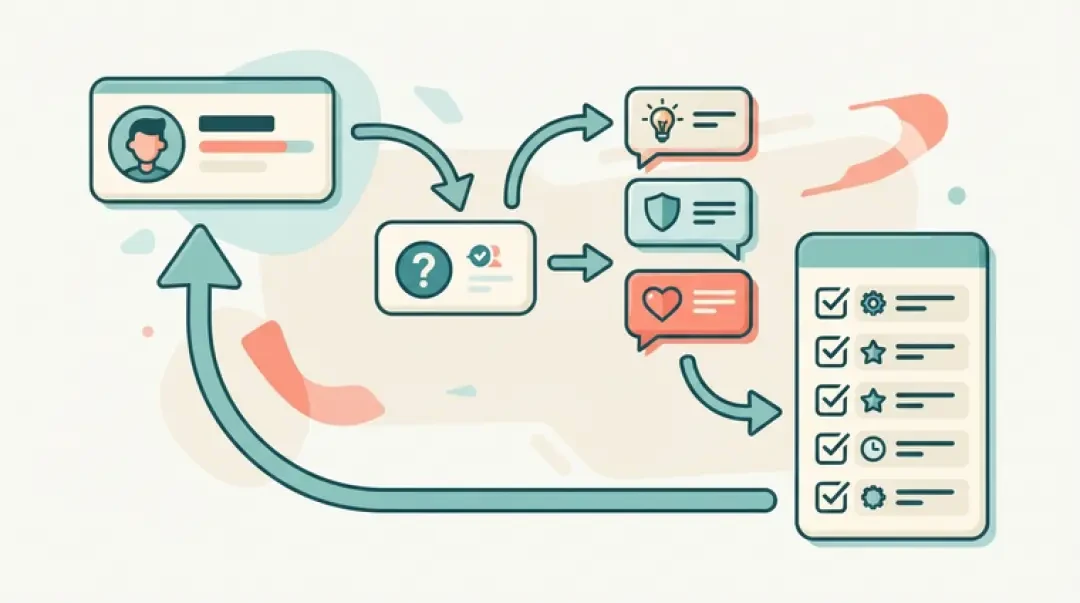
An NPC dialogue generator turns a written description into candidate lines of speech for a character. You give it a persona, a situation and a goal; it returns drafts. It does not decide which draft ships. That decision stays with the writer, who cuts, edits and tests the line inside the scene where it will be heard.
This page covers a workflow you can repeat: build the three-part prompt, generate three to five variants by changing the situation rather than the wording, run a five-point review checklist, and then place the approved line in a walkable world. The last part matters. A line that exists only in a text file reads as narration when it reaches the player. A line attached to a character standing at a station, with a trigger radius and a speech bubble, reads as dialogue.
Quick Answer: What an NPC Dialogue Generator Does
An NPC dialogue generator takes three inputs — a persona, a situation and a goal — and returns candidate lines. The persona fixes who is speaking and what they know. The situation fixes where the player is and what just happened. The goal fixes what the NPC wants from this exchange. Change any one of the three and the output changes. Change none of them and you get near-duplicates.
What it does not do is finish the line. A generator produces drafts: lines that are the right length, in a plausible voice, aimed at the right goal, and still wrong in some way you will only see when you read them aloud or watch them land on screen. The writer still chooses among candidates, cuts the ones that explain too much, and edits the survivor until it is something a person would say. Treat the output as a first pass from a fast, tireless, slightly over-literal collaborator.
What Makes Dialogue Feel Real in a Game
Four properties do most of the work. Short lines, because the player reads while moving and a line that needs two breaths gets skipped. One intent per line, because a line that both warns and asks a question lands as neither. A consistent voice per character, which means vocabulary, sentence length and what the character refuses to say. And knowledge limits: an NPC should only know what its position in the world would tell it. A dockhand does not know the king's health. A guard at the north gate does not know what happened in the sewers unless someone told him.
The knowledge limit is the one writers break most often, and it is the one players notice. If every character can answer every question, the world stops feeling like a place and starts feeling like a search box. Decide what each character can plausibly know before you generate anything. That decision belongs in the persona prompt, not in your head.
Here is the same request written two ways. Flat: "Tell the player the bridge is out and they need to take the east road." In character, for a ferryman who has not slept: "Bridge went down in the night. East road's the only dry way now. I'll take you across if you've got coin, but I'm not rowing in the dark." The second version carries the same information and also carries a person. It implies a price, a limit and a mood. None of that was in the flat version.
The flat version is not useless. It is the specification. Write the flat line first, then rewrite it in the character's mouth. Generating directly from a goal without a persona is how you get lines that are correct and interchangeable.
Prompt Patterns: Persona, Goal, Constraint
The three-part template is persona, goal, constraint. Persona is who speaks and what they know. Goal is what this exchange is for. Constraint is length, tone and what the line must not do. Fill all three every time. A prompt with only a goal produces generic lines; a prompt with only a persona produces a monologue with no function.
A filled example: "Persona: Marta, ferryman, forty years on the river, knows the bridge collapsed last night and that the east road floods at high tide. Goal: tell the player the bridge is out and that she can ferry them for a price. Constraint: under 30 words, no exposition about her past, do not mention the king, spoken register, she is tired." That prompt returns usable candidates. Drop the constraint and you get a paragraph. Drop the persona and you get a signpost.
| Field | What goes in it | Common mistake |
|---|---|---|
| Persona | Name, role, what this character knows and does not know, current mood | Listing backstory instead of knowledge limits, so the NPC answers questions it should not |
| Goal | The single thing this exchange must accomplish for the player | Stacking two goals (warn and sell) so the line does neither cleanly |
| Constraint | Word count, register, banned topics, what must not be revealed | Leaving it out and getting a 60-word paragraph for a 4-second bubble |
Generating Variants Without Losing the Voice
Ask for three to five variants, not ten. Below three you cannot see the space of options; above five you spend more time reading than writing. Three is enough for a utility line, five for a line the player will hear repeatedly.
Vary the situation, not the wording. If you rerun the same prompt with the same persona, goal and constraint, the model returns near-duplicates: same sentence structure, swapped adjectives. That is not a bug, it is what a deterministic-ish sampler does with an unchanged input. To get real variety, change one thing the character is reacting to. The player arrived at dawn versus at night. The player is wounded. The player asked the same question a third time. Same voice, different pressure, different line.
Keep the persona block fixed across variants. If you let the persona drift between runs, you are no longer generating variants of one character, you are generating several characters who happen to share a name. Freeze the persona, vary the situation, and the outputs stay comparable.
Save the prompt that produced the line you shipped. Six weeks later, when you need a second line for the same character, you reload that prompt rather than reconstructing the voice from memory. Prompt files belong in version control alongside the dialogue data.
A Review Checklist Before a Line Ships
Five checks, in order. Run them on every line before it goes into the dialogue table.
01
Length on screen. Count the words and estimate read time at roughly three words per second. A line over about 20 words will not finish before the speech bubble closes unless you extend the timer. Cut, do not extend.
02
Knowledge the NPC should not have. Ask what this character could plausibly know from their station and recent history. If the line reveals something they were never told, either cut it or add the scene where they were told.
03
Name and lore consistency. Check spelling against the character table and check every proper noun against the world bible. Generators invent place names that sound right and contradict your map.
04
Whether the line offers an exit. A line that ends the conversation with no branch, no quest update and no dismissal leaves the player standing in front of a character with nothing to say next. Every conversational line needs a way out, even if the way out is "nothing more to say."
05
The read-aloud test. Say the line out loud at speaking pace. Lines that look fine on screen trip on consonant clusters and awkward stress. If you stumble, the voice actor will stumble, and the player will skip.
Put the Line in a Character's Mouth
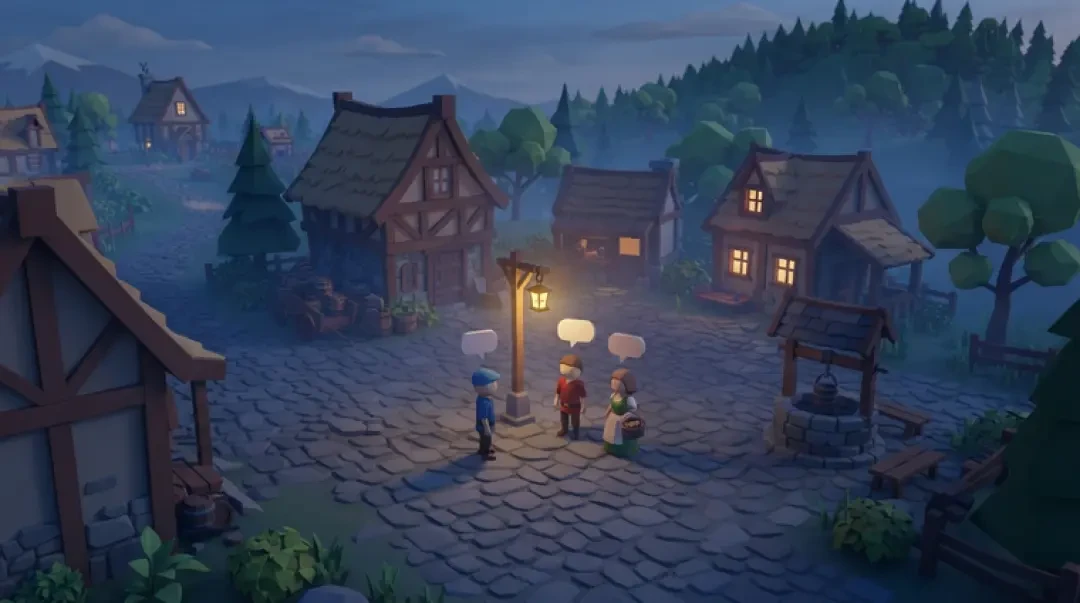
Take one approved line. Place the character at a station: a fixed position in the walkable scene, facing a direction that makes sense for their job. The ferryman stands at the dock edge, not in the middle of the road. Attach a trigger radius — a sphere or capsule around the character, small enough that the line fires when the player is close and not when they walk past on the far side of the street. Then attach the speech bubble to the character's head anchor so it follows them and occludes correctly against geometry.
A line without a station reads as narration. The player hears a voice with no visible source and the brain files it as a narrator, not a character. The station is what tells the player who is talking, before the first word. The trigger radius is what makes the line feel like a response to arrival rather than a broadcast. The bubble is what keeps the line attached to the body while the player moves.
Test the placement in a live 3D scene, not in a mockup. In the Neta Studio 3D game builder you can drop a character into a walkable world, set the trigger radius, bind the approved line to the bubble, and walk the player through it. Mini World is a small scene for exactly this kind of check. If the bubble clips a wall or the trigger fires from across the square, you will see it in ten seconds of walking. The Cyclops' Island is a larger scene where you can test the same line with more geometry between the player and the character.
- StationA fixed position and facing direction for the character, chosen so the body reads as belonging to the place.
- Trigger radiusA short-range volume that fires the line on approach; tune it so the line does not play from across the room.
- Speech bubbleA world-space element anchored to the character's head, so the line stays attached while the player moves.
- Bubble durationSet from word count at about three words per second; extend the timer only after you have cut the line.
Where Dialogue Fits in an NPC's Behaviour
Dialogue is one layer. Above it sit perception (what the NPC can see and hear), decision (what it chooses to do next) and animation (how the choice reads on the body). A spoken line is the visible output of those layers, not a replacement for them. An NPC that speaks a warning but keeps walking in the same direction has a dialogue layer that disagrees with its animation layer, and players read that as broken.
If you are using a behaviour tree, dialogue belongs in a leaf node reached after the tree has already decided the character is in conversation. The tree handles the approach, the facing, the pause and the exit. The dialogue node supplies the line. This keeps the line list data-driven and the tree in charge of timing. It also means you can swap a fixed line for a generated one without rewriting the tree.
For AI NPCs that react to player input, the same structure holds: perception feeds the tree, the tree selects a dialogue node, the node either pulls a fixed line or calls a model with a persona, goal and constraint at runtime. Agent Sprite Forge is useful here because the character's visual identity and its dialogue identity stay paired — you are not shipping a generated line on a sprite that was never authored for that voice.
A fixed line list is the better choice more often than it looks. Use one when the line is heard many times, when the information must be exact, when the character is part of a quest chain with guaranteed states, or when latency would break the scene. Use a model when the input is open-ended, the line is heard once, and a slightly wrong answer costs less than a missing one.
Walk into the world it belongs to
A sprite is a character with nowhere to stand. The last step is the one nobody else offers: take the sheet you just built and put it in a world someone can walk around in — a small island, a planet, a rainy street corner. Every world on this site was made from one written description and published as a page you can play.
FAQ
What is an NPC dialogue generator? +
A tool or prompt pattern that takes a persona, a situation and a goal and returns candidate lines of speech for a non-player character. It produces drafts; the writer still selects, cuts and edits before the line ships.
Do I need an LLM for NPC dialogue? +
No. A fixed line list in a data table covers most NPCs, especially lines heard repeatedly or tied to quest states. A model is worth the latency and cost when input is open-ended and the line is heard once.
How many lines per NPC should I write? +
As many as the character's function requires and no more. A background NPC needs two to four lines. A quest giver needs a line per state plus a fallback. Count the states before you count the lines.
How do I keep a character consistent across generated lines? +
Freeze the persona block and reuse it verbatim. Keep a character sheet with vocabulary, sentence length, knowledge limits and banned topics, and store the prompt alongside the dialogue data so later lines start from the same input.
Can generated dialogue be used commercially? +
That depends on the terms of the model or tool you use and on your own review process, not on the generator alone. Check the license for your specific provider and keep human review in the loop before shipping.
How do I test dialogue in a game? +
Place the character at a station in a walkable scene, set the trigger radius, bind the approved line to the speech bubble, and walk the player through it at speaking pace. Check read time, bubble clipping and that the line offers an exit before you sign it off.
Back to the 3D Game Builder
All 31 finished 3D worlds, games and scenes live on one page — every one of them playable.