
Classroom Mini-Games: The Eight Questions Teachers Actually Ask
Most teachers who search for classroom mini games have already decided to run one. They are not looking for fifty game ideas. They want to know how long it should run, how to split the class, and what to do when a child puts their head on the desk and refuses to move. Those are the eight questions below, answered in the order they usually arrive, with the operational detail that decides whether the game works or quietly wastes a lesson.
Everything below assumes a short review game, five categories by five clues, played at the end of a unit that has already been taught. The classroom board referenced here is the one on Neta Studio, and the build guide covers construction; this post covers hosting.
How long should the game be?
Set a hard ceiling of 8 to 12 minutes of play. Not 20, not "until we finish the board".
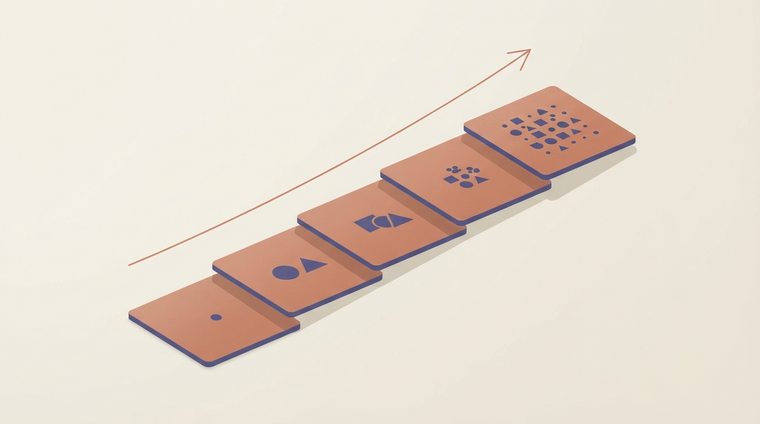
The arithmetic matters. A 5x5 board holds 25 clues. At 30 seconds per clue for reading, thinking, writing, and scoring, the full board is 12.5 minutes if nothing goes wrong. It will go wrong. Add a disputed score, a team that needs the clue read a third time, and the transition between two questions, and a full board runs 15 to 18 minutes against a class that started losing attention at minute 9.
The failure mode is specific and worth naming. A review game is retrieval practice: the act of pulling a fact out of memory is what strengthens it. When the game runs long, the last third of the clues get answered by whichever child is fastest, the rest of the class stops retrieving, and the activity stops being practice. It becomes a performance that a few students watch. The retrieval you paid for in setup time is stolen by the overrun.
Pick your ceiling per format, not per mood:
Format | Clues | Per-clue budget | Ceiling |
|---|---|---|---|
Full board, single lesson | 25 | 30 s | 12.5 min (host 15) |
Half board, warm-up | 12 | 30 s | 6 min |
Lightning round | 10 | 20 s | 3–4 min |
Two-round split | 13 + 12 | 30 s | ~12 min total |
If you plan to fill a full 25-clue board in a short lesson, you will overrun. Either cut the board to 12 clues and keep the ceiling honest, or accept that the final five clues are a wind-down, not review. I have hosted both. The 12-clue version lands better.
As a rule of thumb: if the board is still running when the lesson has five minutes left and you have not started the closure, stop the game mid-board. A board can be paused. A class that leaves without closure remembers the game, not the content.
How do I group them?
Three teams minimum, four is fine, five starts to dilute. Two teams is the worst default and it is the one most teachers reach for.
Why two teams fails: two teams give every child a permanent identity as either a winner or a loser for the duration of the game. That identity is set in the first three clues and does not flip. A team that is down 400 points after four clues stops trying, because the arithmetic of the comeback has already been done for them. Three teams keep the middle team in play: they can beat the third team, or catch the first. There is always a live contest. Four teams works similarly; the top two jostle and the bottom two jostle.
Within a team, aim for 3 or 4 children. Larger groups produce a freeloader problem: one or two children answer, the rest watch, and the retrieval practice only reaches the answerers. Smaller groups make every child's answer visible to you.
Assign a role per child, every round, and rotate the roles:
- Reader: reads the clue aloud and re-reads it if asked.
- Writer: holds the pen and writes the team's answer.
- Runner: carries the answer to the front or calls it out.
The point of the roles is not organisation for its own sake. It is that a role means no child is idle. A child with a job is participating even when they are not the one answering. In a group of four, add a fourth role: the checker, who confirms the answer against the clue before it is submitted. That role teaches the checking habit you want in exams.
Who answers?
The rule that stops one child from answering everything is a small sequence, applied every round:
- The reader reads the clue. Then reads it again.
- No hands go up until the clue has been read twice.
- The team discusses and writes the answer before anyone is called.
- The answer is written before it is called, and the writer holds it up or the runner delivers it.
Two details make that sequence work. First, the answer is written before it is called. If you call a team and take a verbal answer, the loudest child in the team answers, and the writer role is decorative. If the answer must be written first, the discussion has to reach a conclusion that the writer records. Everyone in the team has to agree on one answer.
Second, the team captain rotates each round. This is the mechanism that stops one child from becoming the permanent spokesperson. If a single child is always the one called, that child's retrieval is being trained and no one else's. Rotate the captain, and by round four every child in the team has had to commit to an answer on behalf of the group.
The failure I see most often: hands up before the clue has been read twice. A child who has heard the clue once can guess from a keyword and get it right, and guessing is not retrieval. The second reading is a deliberate check. If a child interrupts during the first reading, do not acknowledge them. Read it again. The interruption dies after two rounds.
How do I score it without an argument?
Score disputes are almost always caused by the rule being invented mid-game. You cannot settle a dispute with a rule the class did not know about at the first clue.
Announce the wrong-answer rule before the first clue and do not change it. There are three common rules:
- Deduct: a wrong answer loses the points the clue was worth. Sharp, deters guessing, and can crush a team early.
- Pass: a wrong answer passes the clue to the next team. Keeps the game moving and spreads the retrieval.
- Neither: a wrong answer scores zero. The gentlest rule, and the least useful for retrieval because there is no cost to a wild guess.
Pick one. Never switch to the other mid-game. If a team is down and you feel the pull to soften the rule, that is exactly the moment not to. The rule was announced; the class is watching whether you keep it.
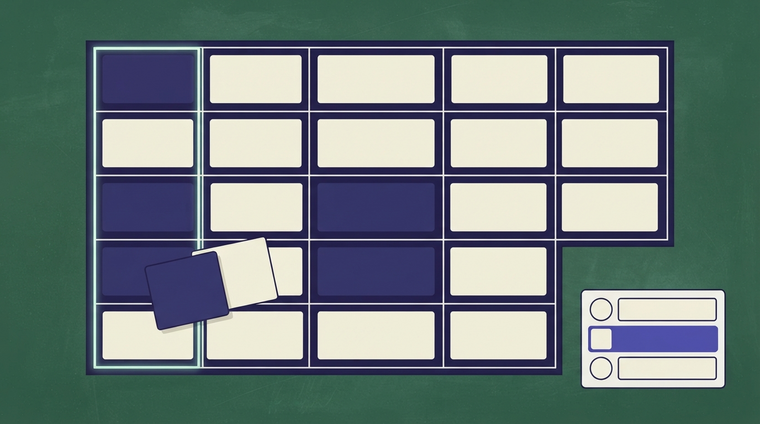
Keep a visible scoreboard. It should be one shared object, updated as the game runs, with the numbers large enough that every child can see them without asking. The classroom board on Neta Studio has a scoreboard for this reason; if you are hosting on paper, a whiteboard column per team does the same job.
The rule that prevents disputes is not the scoring rule. It is that the disputed call is never settled by volume. If a team argues, the host reads the clue a third time, states the answer against the source, and moves on. No debate, no vote, no negotiation with the loudest table.
The class learns this in two rounds. The team that argues loses time, not points, and time is what they need to finish the board.
What do I do with the kid who refuses to play?
A game is not a behaviour intervention. This is the honest answer and it is worth saying plainly.
Some children refuse a game in front of their peers for reasons that have nothing to do with the game: fear of being wrong in public, a bad morning, a conflict with a team member. You cannot resolve any of that with a scoring rule, and trying to force participation in front of the class usually makes the refusal more entrenched.
Offer a non-playing role that keeps the child in the room and in the activity without asking them to answer:
- Scorekeeper: keeps the visible scoreboard and announces scores between rounds.
- Timekeeper: watches the 30-second timer and calls time.
- Clue checker: reads the answer key and confirms the host's ruling.
None of these require the child to answer a question in front of their team. All of them keep the child inside the game. Some children take a scorekeeper role and start answering by round three, unprompted. Some do not. Either is fine.
Then move on. Do not stop the game to negotiate. Do not make the refusal a topic for the class. The rest of the room is waiting on their retrieval practice, and every minute spent managing one refusal costs the class what the game was for. If the refusal is part of a pattern you are already addressing, it belongs in your existing behaviour plan, not in the review game.
Can I use the same board twice?
Yes across different classes. No with the same class.
A review game is a retrieval test. If you replay the same board with the same class, the test changes: the class is now testing their memory of the board, not their memory of the material. They remember that "Electricity for 400" was the one about the circuit symbol, not what the symbol means. The second run scores higher and measures less. A familiar board is a memory-of-the-board test.
For a different class, the same board is fine. Different children, different retrieval, same material.
For the same class, fork the board rather than replay it. In practice, forking means:
- Keep the category names.
- Rewrite the clues, keeping the same difficulty ladder and the same answer key coverage.
- Swap the order of the clues within each category, so the highest-value clue is not in the same column.
On Neta Studio, the classroom board is editable, so a fork is an edit of a copy rather than a rebuild. If you are hosting on paper, keep the board in a file and edit the copy; do not re-use the printed sheet. A second class session on a forked board is a second retrieval test. A second session on the same printed board is a memory quiz.
One trap: do not fork a board mid-unit and then use the fork as the "easy" version. The difficulty comes from the ladder, not from whether the class has seen the clues. A fork that removes the hard clues is not a review; it is a different, shorter lesson.
What about the projector, or no projector?
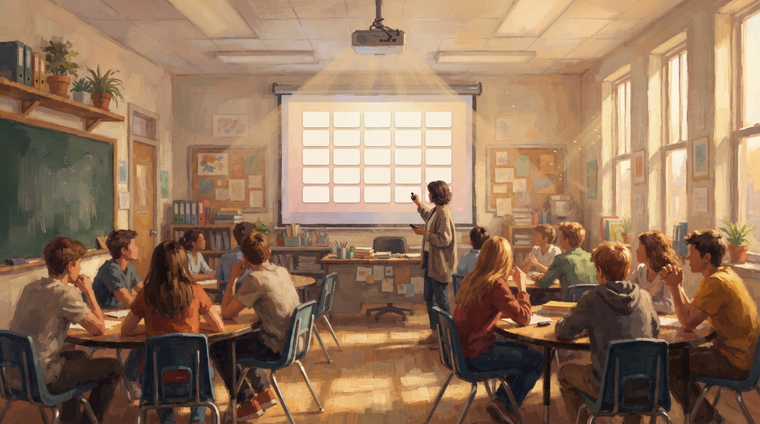
The board itself is the shared object. Whether it is on a screen or printed, that is what the class is attending to, and everything else should get out of the way of it.
With a projector, three things change in your favour and one against:
- Readable clue text at distance. The clue has to be readable from the back row. That means large type, high contrast, and no paragraph. If the clue is a sentence, it is one short sentence. If a child at the back has to ask what it says, the clue is failing the format, not the child.
- A 30-second timer everyone can see. This is the projector's main advantage. A visible countdown stops the "how long have we got" question and stops the reader trailing off. It also keeps the host honest about the per-clue budget.
- The board is one shared object. No one at the back has a copy to read ahead of the room, and no one can flip the page. Everyone sees the same board at the same moment.
The thing that changes against you: a projected board makes it easy for the host to read the clue to the class instead of the reader doing it. Read the clue on the screen once as host only if the reader is struggling. Otherwise the reader role is the retrieval training.
With no projector, print the board. Big type, one clue per line, high contrast. Print the answer key separately and keep it out of sight. The timer becomes a physical one the whole room can hear and see; the host or a timekeeper calls 30 seconds. The board is still the shared object, just on paper. What you lose is the automatic timer and the ability to edit a clue mid-lesson; what you keep is everything that matters.
How do I make the clues?
Clues are the part of the game that decides whether it is review or trivia.
The one-fact rule. Each clue tests exactly one fact. Not a compound question with two parts, not a clue whose answer requires a chain of three inferences. One clue, one fact, one answer. If your clue has an "and" in it that joins two questions, split it into two clues and shorten the board.
Write from the 500 down to the 100. Start with the hardest clue in the category, the 500, and write downwards. This is counter-intuitive and it is the single biggest lever on difficulty. If you write the 100 ease first and work upward, the ladder collapses: every clue ends up at roughly the same difficulty and the board stops being a game about value. Start at the 500 with the fact that requires the most precision. By the time you reach the 100, you are writing a fact the class met early in the unit.
Review generated clues before you host. If you use a tool to draft clues, you are still responsible for every fact on that board. The failure mode is specific: a generated clue that is plausible, well-worded, and wrong. It will pass your eye because it sounds like something you would have written. Check each answer against your source material — the textbook, the unit plan, the notes — before the game starts, not during it. A wrong answer key discovered by a child in front of the class costs more than the whole setup time.
The host owns the fact on the board. If a child finds an error, the correct move is to say so, award the point if the answer key was wrong, and fix the board before the next class. Do not defend the clue.
Write your clues into the board and store the answer key where the timekeeper can reach it, not where the class can see it.
Where a browser board helps, and where it does not
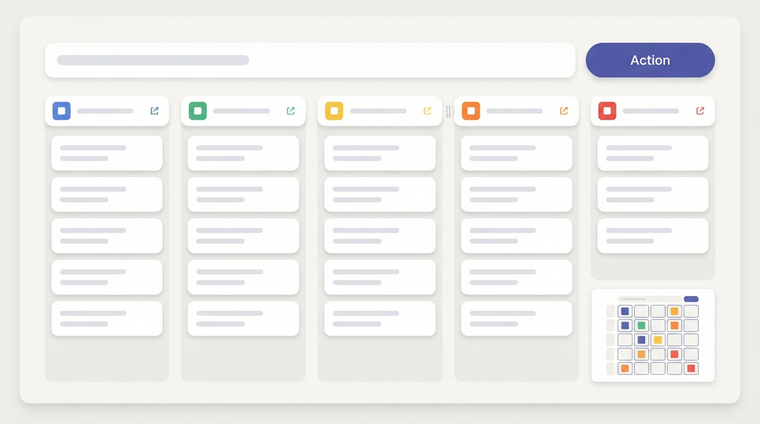
A browser-based board helps with the things that are mechanical. Setup time is lower: a 5x5 board on Neta Studio is built by filling cells, not by writing and printing and re-writing. Editing is lower-friction: a fork for the second class is a copy and an edit. Scoring is visible and shared without a whiteboard column. The 30-second timer is part of the board. None of that changes what is taught.
It does not help with the two things that decide whether the lesson lands. It cannot fix a badly worded clue — a wrong fact on a beautiful screen is still a wrong fact. And it cannot fix a class that has not been taught the material. A review game is retrieval practice for material already in memory; if the unit was not taught, the game is a guessing contest with a scoreboard, and a better scoreboard does not make it review.
The eight questions above are the ones that decide whether the game runs or falls apart. The board is a tool. The rules, the groupings, and the clue-writing are yours.
For the build, the classroom board on Neta Studio is a 5x5 template with categories, values, and a host-side answer key, and the build guide walks through filling a board, forking it, and setting the timer.
Keep going
- the classroom Jeopardy board
- the Jeopardy game maker
- the classroom Jeopardy guide
- games like Wordle
- the daily word puzzle
- how to make a Jeopardy game
Build the world it walks in
A character, a tile or a model is a material with nowhere to stand. Every world on the 3D game builder was made from one written description and published as a page you can play — including Mini World and The Cyclops' Island.