3D Model Generator — Free AI Text to 3D Model in Your Browser
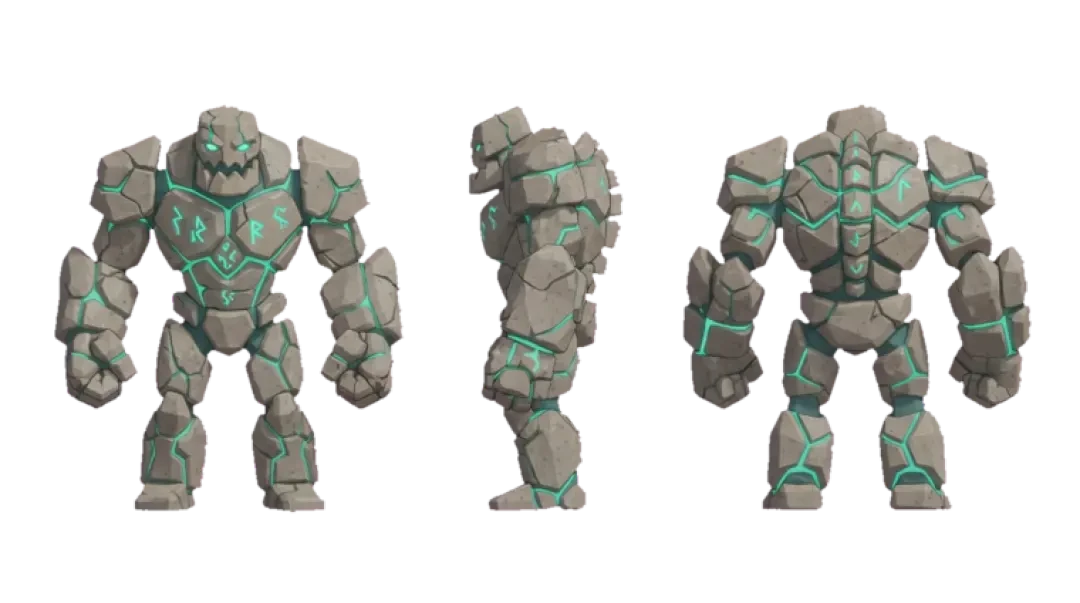


Make your own 3d model generator
Type a sentence and get a real 3D model in seconds — free, in your browser, no download or signup. Spin it, inspect the mesh, then download the .glb or drop it into a walkable scene.
A 3D model generator turns a written sentence into geometry you can inspect in the browser. On Neta Studio, you type something like "a mossy stone well with a wooden roof" into a textarea, press generate, and a .glb mesh comes back in tens of seconds. No account, no download of a desktop tool, no install step.
This page covers the actual pipeline: what the generator returns, what to check before you trust the model, which export formats are useful in Unity, Unreal, Godot and Three.js, and how the same prompt can exit as a downloadable file or as a walkable scene. It is written for people who will open the mesh in a viewer and look at the triangles.
Generate a 3D Model From One Sentence
The generator is the first screen of Neta Studio, not a marketing screenshot. It is one textarea and one button, plus six example prompt cards you can click to prefill the field. There is no signup wall in front of it. You load the page, type, and the request goes out.
What comes back is a single mesh or a small hierarchy of meshes with baked materials. The response includes vertex positions, triangulated faces, per-face material assignment, and a UV set. You can drag to orbit the result immediately after it arrives. The model is not a render or a billboard — it is geometry with a real bounding box in meters.
Prompts are best when they describe an object, a style, and a rough scale. "A rusted oil drum, 1 meter tall, game-ready" works better than "industrial stuff." The parser reads nouns for the object class, adjectives for material and wear, and a number with a unit for scale. If you omit scale, the generator assigns a default based on object class — props land near 1 meter, buildings near 6 meters.
The six example cards cover a prop, a small building, a tree, a rock formation, a character bust and a scene fragment. They are there so you can see the output range before you write your own prompt.
- One textarea, one buttonNo multi-step wizard. The prompt field accepts full sentences up to a character limit shown under the box.
- Six example promptsPrefills that demonstrate prop, building, nature, character and scene-fragment prompts.
- Real bounding boxThe returned model reports its dimensions in meters, so you can judge scale before exporting.
- Immediate orbitThe viewer opens on the result as soon as generation finishes, without a separate import step.
Spin and Inspect Your Model (Live, No Signup)
A model that looks correct from the front can be broken from the side. You rotate before you trust because the failure modes are orientation-dependent: back faces that were never built, faces that overlap inside the volume, and UV seams that only show under a texture. The viewer lets you orbit, zoom and pan without an account.
Face count is the first number to check. A prop meant for a mobile scene should sit in the low thousands of triangles. A building or terrain chunk can go higher. If a simple object returns tens of thousands of triangles, the generator over-tessellated and you will pay for it at runtime.
Self-intersections are the second check. Overlapping geometry is invisible in a flat render and painful in a game engine, because physics colliders and lightmaps both react badly to interior faces. Orbit under the model and look for faces poking through the shell.
UV usefulness is the third check. A UV set that exists is not the same as a UV set that maps cleanly. If you plan to repaint the model, look for stretching or overlaps. If you only need vertex color or a flat material, a loose UV set is fine.
| Check | What to look for | Why it matters |
|---|---|---|
| Face count | Triangle total in the viewer stats | Runtime cost in Unity, Unreal, Godot |
| Self-intersections | Faces poking through the shell when orbited | Colliders and lightmaps handle them badly |
| UV layout | Stretching, overlaps, seam placement | Repainting and texture baking |
| Normals | Hard/soft edges on curved surfaces | Shading reads wrong in engine without a fix |
| Bounding box | Reported size in meters | Scale drift between generator and engine units |
What You Get: .glb, Materials, Real Scale
The export is binary glTF, .glb, with embedded materials. That choice matters because .glb carries geometry, materials and textures in one file, and it imports into Unity, Unreal, Godot and Three.js without a conversion pass. If you need .gltf with separate buffers, you can re-save it, but the default is the single-file form.
Units are meters and the up-axis is Y, matching the glTF specification. Unity's glTF importers map this to its own coordinate system on import, and Unreal's importer handles the Y-up to Z-up conversion if you enable it. Three.js consumes .glb directly through GLTFLoader with no axis fix. Getting units and up-axis right at export is the difference between dropping a model into a scene and spending an afternoon scaling it by hand.
Triangle range depends on the object class. Props typically come back in the low thousands of triangles, buildings and terrain chunks higher. The file ceiling is stated in the export panel; if a request would exceed it, the generator reduces tessellation rather than truncating geometry.
What this generator is not
It is not a sculpting tool. There are no brushes, no subdivision passes, no retopology controls. If you need a character with edge-loop flow for animation, the generated mesh will not have it. It is also not a texture painter. Materials come back as base color and roughness, not as hand-painted maps. And it is not a CAD system: no parametric constraints, no tolerances, no drawings.
| Property | Value | Why it matters |
|---|---|---|
| Format | Binary glTF (.glb) | Single file, imports into major engines and Three.js |
| Materials | PBR base color + roughness | Reads correctly under standard lighting |
| Units | Meters | Matches engine defaults, avoids scale drift |
| Up-axis | Y-up (glTF spec) | Three.js native; Unity and Unreal convert on import |
| Triangle range | Low thousands for props, higher for buildings | Controls runtime cost and physics complexity |
| File ceiling | Shown in the export panel | Requests over the ceiling get reduced tessellation, not truncation |
From Model to Scene: Drop It Into a Walkable World
The same prompt that exits as a downloadable .glb can also exit as a scene you can walk around in. That is the part a standalone model generator does not do. In Neta Studio, the model is one asset in the 3D game builder, so you can place it on terrain, walk up to it, and check scale and readability from a player's height.
The workflow is direct. Generate the model, inspect it, then choose whether to download the .glb or send it into a scene. In the scene, you place it, set its position and rotation, and walk the environment to judge whether the silhouette reads. This catches problems a turntable view hides: an object that looks right in isolation can be too small or too busy when seen from eye level.
If you want to see how generated assets compose into a finished environment, The Cyclops' Island and Mini World are walkable examples built with the same builder. Agent Sprite Forge covers the 2D sprite side of the same pipeline. The scene viewer below is embedded so you can move through it.
3D Model Generator vs 3D Modeling Software
The comparison is not generator versus Blender in the abstract. It is setup time versus control. A generator gives you a rough, usable shape in tens of seconds with no install. Blender, Maya, ZBrush and SketchUp give you full control after a learning curve measured in weeks, not seconds.
Pick based on what the asset is for. If you need a background prop, a blockout piece, or a placeholder to test a level layout, generating is faster. If you need a hero asset with clean topology for animation, displacement detail, or precise architectural dimensions, you open a modeling package.
The practical answer is both. Generate the bulk of the shape, then clean it up in Blender. That means fixing normals, deleting interior faces, simplifying the triangle count, and adding the edge-loop detail an animator needs. The generator removes the blank-page problem; the modeling software finishes the asset.
| Tool | Setup time | Best use | Output format | Learning curve |
|---|---|---|---|---|
| Neta 3D model generator | Browser load, no install | Props, blockouts, placeholders, scene dressing | .glb | Minutes |
| Blender | Install required | Full modeling, retopology, animation-ready meshes | Native, exports .glb/.fbx/.obj | Weeks |
| Maya | Install required | Production character and rigging pipelines | Native, exports .fbx/.glb | Weeks to months |
| ZBrush | Install required | High-detail sculpting, displacement, organic forms | Native, exports .obj/.fbx | Weeks |
| SketchUp | Install required | Architectural massing and precise dimensions | Native, exports .glb/.dae | Days to weeks |
Prompt Patterns That Work
Prompts that produce clean meshes share a structure: object, material, scale, and a small number of style adjectives. Too many adjectives and the parser has to reconcile conflicting cues, which shows up as noisy geometry or mixed materials. Four families cover most requests.
Copy these and edit the nouns. Each includes a scale hint because scale drives the bounding box and the tessellation budget.
Prop prompts
"A wooden crate, 0.8 meters wide, worn edges, game-ready" returns a closed box form with beveled edges. The small scale keeps tessellation low, and "game-ready" biases toward a lower triangle count. Props are the easiest family because a single closed volume gives the generator a clean target.
Building prompts
"A two-story stone cottage with a tiled roof, 7 meters tall, simple windows" returns a massed structure rather than interior detail. "Simple windows" tells the parser to inset openings instead of modeling glass and frames. Buildings tolerate higher triangle counts because they are usually seen from a distance.
Nature prompts
"A dead oak tree, 5 meters tall, twisted branches, no leaves" returns trunk and branch geometry without foliage cards. Foliage is where nature prompts go wrong, because leaves are usually planes and the generator does not guess at card layout from text alone unless you ask for it.
Character prompts
"A stylized robot bust, low poly, hard edges, 0.6 meters tall" returns a rigid form that reads well from multiple angles. The word "bust" scopes the request to head and shoulders, which avoids the topology problems full-body characters introduce. For animation-ready characters, treat the generated bust as a blockout.
Generation Time and How to Read the Progress
Generation runs in tens of seconds, not instantly. A simple prop is usually the fastest; buildings and prompts with a lot of adjectives take longer because the parser and mesh stages do more work. The hourglass icon next to the example cards indicates how long a comparable prompt typically takes on the current queue.
The progress states are honest about what is happening. "Queued" means the request is waiting for a generation slot. "Interpreting" means the prompt is being parsed into object, material, scale and style cues. "Building mesh" means geometry is being assembled. "Finalizing" means normals, UVs and materials are being written into the .glb.
If generation stalls, the usual cause is an ambiguous prompt that the parser keeps re-evaluating. Cancel the request, simplify the prompt to object plus material plus scale, and resubmit. If a request fails twice on the same prompt, the object class is probably outside the generator's supported range — characters and complex assemblies are the common cases.
- QueuedThe request is waiting for a free generation slot.
- InterpretingThe prompt is parsed into object, material, scale and style cues.
- Building meshGeometry is being assembled from the parsed cues.
- FinalizingNormals, UVs and materials are written into the .glb.
Walk into the world it belongs to
A sprite is a character with nowhere to stand. The last step is the one nobody else offers: take the sheet you just built and put it in a world someone can walk around in — a small island, a planet, a rainy street corner. Every world on this site was made from one written description and published as a page you can play.
FAQ
Is the 3D model generator free? +
Yes. You can generate, orbit and inspect models in the browser without paying. The example prompts and the viewer are available on the first screen.
Do I need to sign up? +
No. There is no signup wall in front of the generator. You land on the page, type a prompt, and generate.
What file format do I get? +
Binary glTF, .glb, with materials embedded. It imports into Unity, Unreal, Godot and Three.js without a conversion pass. If you need .gltf with separate buffers, re-save from the .glb.
Can I use the models commercially? +
The generated mesh is yours to use. Materials come back as PBR base color and roughness, and you should check the current terms page for the exact license wording before you ship in a commercial product.
How long does generation take? +
Tens of seconds for a simple prop, longer for buildings and prompts with many adjectives. The request is queued, interpreted, meshed and finalized before the .glb arrives.
Can I get a game-ready low-poly model? +
Yes, if you ask for it. Adding "low poly" and a scale to the prompt biases the tessellation budget downward, and the viewer shows the resulting triangle count so you can judge it before exporting.
How does this compare to Blender? +
A generator removes the blank-page problem and returns a rough shape in seconds; Blender gives full control after weeks of learning. The practical workflow is to generate 80% of the shape, then clean it up in Blender — fix normals, remove interior faces, and add edge-loop detail for animation.
Can I generate a whole scene instead of one model? +
Yes. The 3D game builder places generated models into a walkable world, so the same prompt can exit as a downloadable asset or as a scene you can move through. The Cyclops' Island and Mini World are walkable examples built this way.
Back to the 3D Game Builder
All 31 finished 3D worlds, games and scenes live on one page — every one of them playable.