Free AI 3D Model Generator (No Signup) — Make a 3D Model Online
Make your own ai 3d model generator free
Use a free AI 3D model generator with no signup — type a prompt and get a 3D model inside your browser. Spin it, check the wireframe, download the .glb. No account needed to try.
You can use a free AI 3D model generator with no signup to turn a text prompt into a real 3D mesh inside your browser. The generator on this page sits above the fold. Type what you want, run it, and a .glb lands in the viewport. You can orbit it, switch to wireframe, check the triangle count, and download the file before you ever create an account.
This page is written for people typing 'ai 3d model generator free' and getting back tools that hide the free tier four screens down. It states the limit first, then explains what free actually covers: no signup to generate, a free .glb download, and a daily cap. Everything runs in a browser tab, so there is nothing to install before you see whether the output is usable.
Start Right Here — No Account Needed
The generator is the first interactive element on the page. No login gate, no waitlist, no email field in front of the run button. You type a prompt, wait for the pass to finish, and get a mesh. The honest part: the free path is a fixed number of generations per day per browser. When that cap is hit, the button stops and tells you when it resets. That is the trade, and it exists before any competitor name is worth mentioning.
A generation runs in about 30 to 90 seconds depending on prompt length and target polygon budget. Short prompts resolve faster. Prompts that ask for thin geometry — wires, hair cards, open lattice — often come back with holes or flipped normals, because the model is guessing at structure it cannot see. Thick, chunky shapes with one clear silhouette resolve cleanest on the free pass.
Output is a .glb. That single file carries mesh data, UVs, materials, and a scale node, so it drops into the 3D game builder, three.js, Unity, Godot, or Blender without conversion. Import it, check the bounding box, and scale it against a known object. Nothing about this step needs an account.
- Prompt to meshText prompt in, triangle mesh out. No reference image required on the free pass.
- Wireframe toggleSwitch the viewport to wireframe to see edge density, ngons, and non-manifold seams before you export.
- Orbit and inspectRotate, pan, zoom. Check the silhouette from the back and underside, where generated meshes usually break first.
- GLB downloadOne .glb file, scale node intact, ready to import into a Three.js scene or a game engine.
What “Free” Actually Means Here
The word 'free' covers five separate things on most generator sites, and conflating them is where people get annoyed. Here they are split out. Each row states the term as it is, with no adjectives attached.
Read the daily limit row before you plan a project around this. It is a rate, not a quota you can bank. If you need fifty variants of a prop in an afternoon, the free pass will not carry you, and no amount of prompt tuning changes that.
If a term is not listed here, it is not part of the free path. There is no hidden second free tier and no trial that quietly converts. The table is the whole offer.
| Term | What it is |
|---|---|
| Free to try | You can run generations at no cost. No card, no invoice. |
| Free .glb download | The .glb export works on the free path. Same file format as the paid path. |
| No signup to generate | Generating and inspecting do not require an account. |
| Daily limit | A fixed number of generations per day per browser. It resets on a rolling 24-hour window. |
| Commercial use | Governed by the license shown on the export record, not by the word 'free'. |
Free AI 3D Model Generators Compared
People search this keyword for a handful of named tools. What follows describes only what those vendors publicly state about their free access. Tiers change without notice, so verify on the vendor's own pricing page before you buy anything. Do not treat this table as a quote.
The column that decides most projects is not 'free' but 'export format'. A free tier that will not give you a .glb, .obj, or .fbx is a preview, not a pipeline. Check the export line first, then everything else.
Source: vendor pricing and documentation pages as publicly available, reviewed 2025. Re-check before purchase.
| Tool | Free tier, as publicly stated |
|---|---|
| Neta Studio | Free to generate with no signup, free .glb download, fixed daily generation limit per browser. |
| Meshy | Publishes a free plan with credit-based limits; export options and licensing vary by plan. |
| Tripo | Publishes a free tier with generation credits; check current export and license terms. |
| Luma AI Genie | Free access has changed over time; treat any past free tier as historical until verified. |
| Kaedim | Marketed toward studios; free access is limited or by request. Verify before relying on it. |
No Signup vs No Credit Card vs No Watermark
These three phrases get used interchangeably and they mean three different things. Define them and the rest of the search results stop being confusing.
No signup: no account, no email, no OAuth handshake. You open the page and generate. Nothing is stored against an identity because there is no identity.
No credit card: you do not enter payment details to reach the free path. Note that a card-free tier and an account-free tier are independent. A site can demand a card with no signup, or a signup with no card.
No watermark: the exported file is clean. No logo burned into the texture, no attribution node, no licensing nag inside the .glb. Watermarks usually live in the texture map or as an extra scene node, so check both after import.
All three at once: on the free path here, generation needs no account, no card details are requested, and the .glb export carries no watermark. The trade you accept instead is the daily generation limit.
Why Every Serious 3D Generator Eventually Asks for an Account
Generation is GPU time, and GPU time is the expensive part of this whole product. A mesh pass holds a worker for tens of seconds. Rate limits exist because unbounded anonymous traffic has a real cost, and the free path here is capped rather than gated — the cap is what replaces the login wall early on.
Abuse is the second reason. Anonymous endpoints get scraped, scripted, and used as free compute for things nobody intended. A daily limit per browser raises the cost of that without forcing honest users to register. It is a blunt instrument, and it does leak, but it holds the line for normal use.
Storage is the third. Accounts exist so a generation can be saved, named, versioned, and reopened next week. Anonymous runs are ephemeral by design: if you close the tab before exporting, the mesh is gone. That is the cost of no signup, and it is worth knowing before you spend a good prompt.
So the wall sits deliberately late. Generate, inspect, and download without an account. An account starts to matter when you want persistence — keeping a library, revisiting a model, or running a batch you intend to use across a project like The Cyclops' Island or Mini World.
Free AI 3D Modeling Without the Learning Curve
Blender is free and it is not going anywhere. The comparison here is not quality, it is time-to-first-useful-mesh. Prompting a generator and learning Blender are different activities that answer different questions.
In Blender, minute one is navigation. You are orbiting a default cube, and the first real obstacle is learning that left-click places the 3D cursor and that everything depends on which mode you are in. Wrapping your head around edit mode, the modifier stack, and UV unwrapping is a genuine skill investment — one that pays off when you need exact control.
With a prompt, minute one is a mesh. You type 'low-poly stone watchtower, flat base, single silhouette', it resolves, and you are inspecting a result. The skill you build is prompt discipline: naming the silhouette, the polygon budget, and the primary material, because vague prompts produce vague geometry.
Minute thirty is where the two paths converge. Either way you have a mesh you want to keep, and keeping it means topology you can work with. If you intend to own the mesh — edit it, unwrap it, bake it — the next step is learning UV layout and clean topology, because generated meshes arrive with both and neither is guaranteed to suit you.
Blender remains the right tool the moment you need precision. Treat the generator as the part that gets you to a mesh worth opening in Blender, not as a replacement for knowing what to do once it is there.
01
Minute one, Blender: learn navigation, the 3D cursor, and object versus edit mode.
02
Minute one, prompt: type a named silhouette with a polygon budget and run it.
03
Minute thirty, both: you have a mesh worth keeping, and topology is now the problem.
04
Next step: study UV layout and topology once you want to own the mesh rather than just use it.
What Still Needs a Human
Generated meshes are not production-ready by default, and saying otherwise would make the rest of this page untrustworthy. Here is what the model reliably does not solve for you.
Topology. Generated output often mixes quads and triangles unevenly, leaves ngons at poles, and produces non-manifold edges where two surfaces meet. It renders fine until you deform it, subdivide it, or run it through a boolean. Check wireframe view first, not last.
Exact dimensions. The mesh arrives with a scale node, not a measurement. It will not match a real-world size, a doorframe, or a character height until you set that yourself. Import a reference object at known scale and match against it. Every dimension-sensitive asset needs this step.
Rigging. A mesh without clean, symmetric topology and a sane edge flow will not deform well. Shoulders, elbows, and knees need loops where the model did not put them. Rigging a generated character usually means retopologizing the joints first.
Also on the human list: UV seams that avoid stretching on visible faces, collision meshes for game engines, and LODs. A generator can hand you a base mesh. The decisions about how that mesh behaves under animation, physics, and a fixed frame budget are still yours.
Walk into the world it belongs to
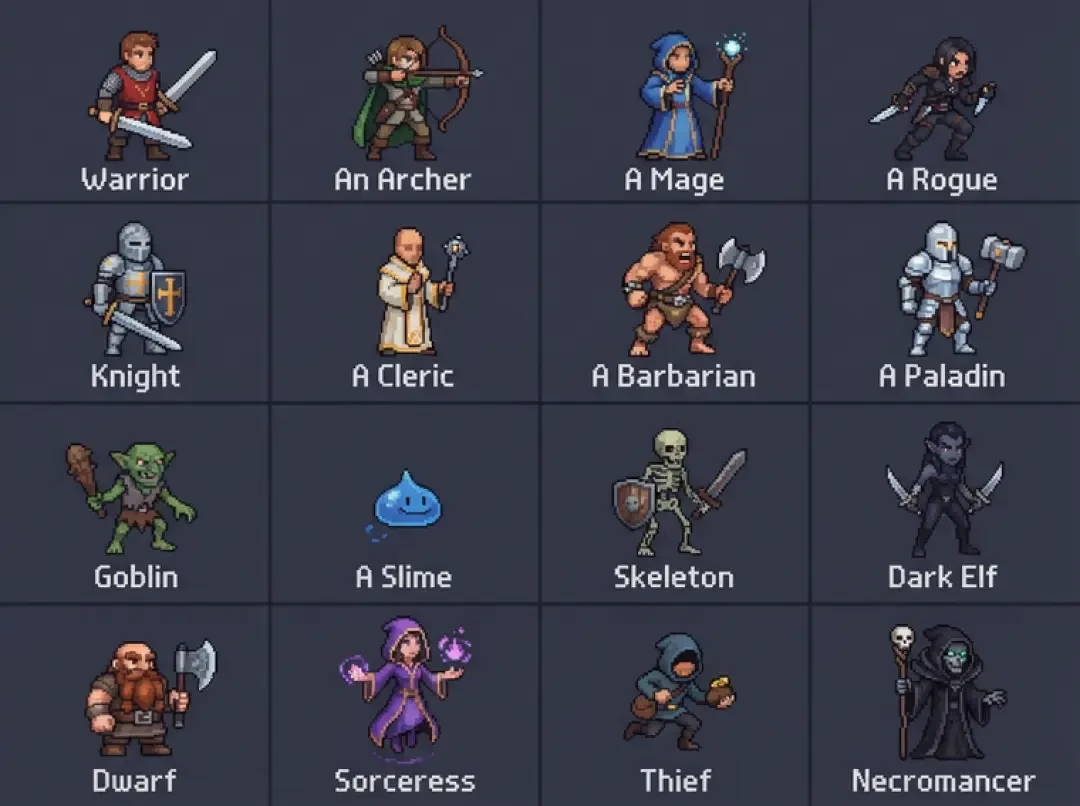
A sprite is a character with nowhere to stand. The last step is the one nobody else offers: take the sheet you just built and put it in a world someone can walk around in — a small island, a planet, a rainy street corner. Every world on this site was made from one written description and published as a page you can play.
FAQ
Is this really free? +
Yes on the terms stated above: free to generate, free .glb download, no account needed. The limit is a fixed number of generations per day per browser, resetting on a rolling 24-hour window. No card is requested on the free path.
Do I need an account to download the .glb? +
No. Generating, inspecting, and downloading all work without an account. An account becomes useful when you want to keep a model library instead of exporting before you close the tab.
Is there a watermark on the exported model? +
No watermark on the .glb export. After importing, check the texture map and the scene graph anyway, since watermarks usually hide in one of those two places on any tool.
How many models can I generate per day? +
A fixed number per browser per rolling 24 hours, shown next to the generate button. It is a rate, not a bank, so plan batch work around it rather than saving unused runs.
Can I use the output in a commercial game? +
It depends on the license attached to the export, not on the word 'free'. Read the license on your export record before shipping anything commercially.
Does it work on mobile? +
The generator loads on mobile because it runs in a browser tab, but generation is GPU-heavy and wireframe inspection on a phone is unreliable. Use desktop for anything you plan to export.
Why does the generation take so long? +
It is a full mesh pass, not a lookup. A worker resolves geometry, UVs, and a material from your prompt, which takes tens of seconds on real hardware. One clear silhouette and a polygon budget resolve faster than open-ended prompts.
Back to the 3D Game Builder
All 31 finished 3D worlds, games and scenes live on one page — every one of them playable.