AI Pixel Art Generator — Describe It, Then Walk Into Your World
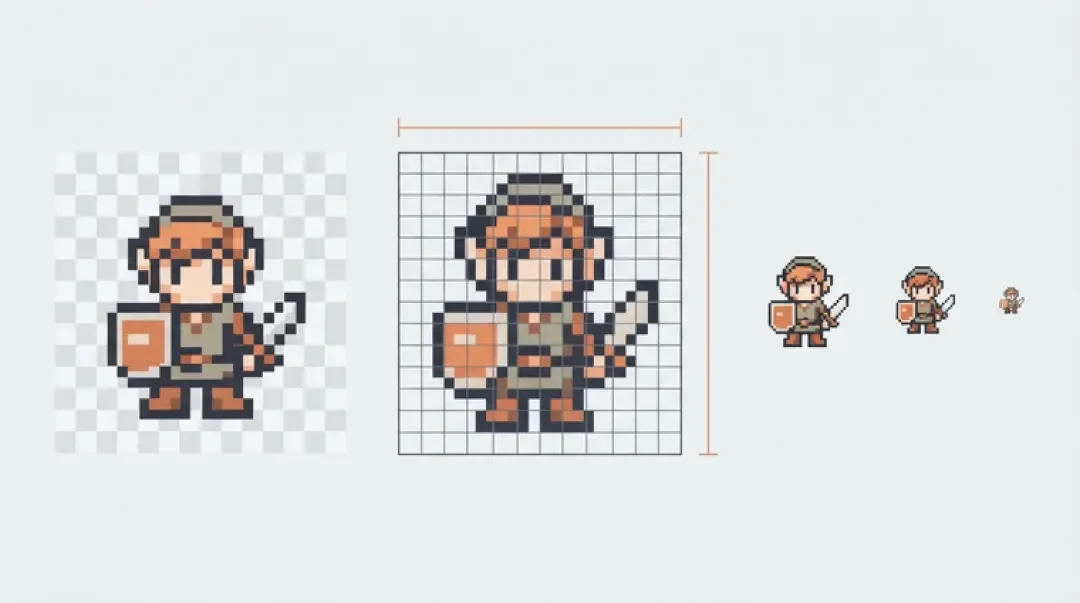
Make your own ai pixel art generator
Generate pixel art with AI from one sentence or one image — free in your browser. Then drop it into a 3D pixel world you can actually walk around in. No download, no code.
An AI pixel art generator takes one written sentence — or one existing image — and returns a sprite sheet you can use in a game. On Neta Studio that sheet does not stop at a download. It becomes a component in a 3D world you can walk around in, inside a browser tab, with no install and no code.
This page covers what the sentence actually controls, where generation reliably breaks, how the pipeline turns text into a reusable component, and how to get from a generated frame strip to a character moving in a scene. If you want the short version: name the subject, the view, the grid and the frame count, then fix the outline by hand.
AI Pixel Art Generator (Live)
The input box is the interface. One sentence sets three things: the subject (slime, knight, barrel, floor tile), style cues (palette and era — four-colour handheld, 16-colour console, muted desert, cold dungeon), and a rough canvas size (16x16, 32x32, 64x64).
It does not set everything. A sentence will not reliably produce an exact frame count unless you name one. It will not guarantee a clean 1px outline in a consistent direction, and it will not keep light direction identical across six separate generations. If the first result has a good silhouette and a bad outline, the outline is the cheap thing to fix — a two-minute repaint beats six more generations.
So treat the sentence as a specification with defaults. Default grid is 32x32, default palette is 16 colours, default output is a single frame, front view. Name what matters and let the rest fall back. Side-view green slime, 32x32, 6 colours, 4-frame idle produces something usable. Cool slime does not.
What You Can Generate
Four output families cover most of what a 2D game needs. Each one has a single constraint that decides whether the result is usable, and it is usually not the constraint people worry about.
- CharactersNeeds a clear pose word. A bare subject returns a standing frame; knight, side view, mid-swing returns something you can put in an animation strip. Without a view and a pose the generator guesses, and it guesses front-on about as often as side-on.
- TilesMust tile, so the edges matter more than the middle. A 32x32 grass tile with a beautiful centre and a 1px seam on the right column is scrap. Generate tile variants in one batch and check the wrap before you check the art.
- PropsSmall grid means silhouette only. At 16x16 a barrel is a rounded rectangle with one darker band. Asking for plank texture adds noise that survives the downscale and reads as dirt. Two or three values, no detail.
- Animation stripsFrame count and a loop that closes. A strip is only useful if the last frame flows back into frame zero. If you cannot name the frame count, you cannot check the loop, and the loop is the part that breaks.
How It Works: One Sentence to One Component
The pipeline has three stages, and each stage keeps its output in a form you can still edit. Nothing ends as a flattened PNG that you lose the ability to change.
01
Parse. The sentence becomes a component record: subject, view, palette, grid size, frame count, pose. Anything you leave out gets a default — 32x32, 16 colours, one frame, front view.
02
Draw. The component is rasterised at the target grid. Pixels snap to the grid, colours are quantised down to the palette, and an outline pass lays a 1px darker shade along the silhouette edge where opaque pixels meet transparency.
03
Store. The finished sheet lands in the asset library as a named component with its metadata attached: grid, palette, frame count, playback rate. It gets a thumbnail, and any actor in any scene can reference it.
04
Instantiate. Assigning the component to an actor builds a sprite material with nearest-neighbour filtering, mipmaps off, and alpha test at 0.5. That is what stops a 32x32 sprite from turning to paste when the camera moves.
Live Demo: Generate, Then Walk In
The demo is not a video. The generator runs in the page, and the scene beside it is the same 3D game builder that renders everything else on Neta Studio. Both halves use the same asset library, so what you generate is what you walk around in.
The path from sentence to first step is short, and it is worth doing once end to end so you know where the seams are before you commit to a set of assets.
01
Type one sentence in the box: subject, view, palette, grid size, frame count. Include the view word. Side view or three-quarter view saves a regeneration.
02
Generate and look at the frame strip, not the first frame. The first frame is usually fine; the loop is what fails.
03
Send the result to the asset library. It gets a name and a thumbnail and stops being a temporary preview.
04
Switch to the scene panel, select an actor, and assign the component to it.
05
Set playback to 8 frames per second. Faster reads as jitter at 32x32; slower reads as a slideshow.
06
Walk the world with WASD. If the sprite is the wrong scale, change the actor's world-units-per-pixel value rather than regenerating the art.
07
Open Mini World for a small test space, or The Cyclops' Island to see the same components doing more work at world scale.
AI Pixel Animation
Animation is the part of pixel generation people underestimate. A 4-frame walk cycle is not four drawings of a walking person. It is a loop built from contact, down, passing and up poses, and the loop only reads if the contact frames line up with each other.
What a generated cycle gets right: a readable loop, a consistent palette across frames, consistent silhouette width, and a frame count that matches what you asked for. The first frame and the last frame usually do close, which is more than most hand-drawn first attempts manage.
What it usually gets wrong: contact poses. The planted foot lands at a different height on the left contact than on the right, the arms swing on the same side as the legs instead of opposite, and the passing frame is half a pixel off centre so the character bobs sideways. These are one-pixel problems and they are all fixable by hand, but you have to look for them at 4x zoom, not at 100 percent.
AI Pixel Art Generator: Reading the Frame Budget
Frame count is a budget, and the cost is not only memory. Every extra frame is another chance for the loop to break and another frame to repaint. Here is what the sheet actually occupies for a 32x32 sprite, single row, RGBA8:
| Frames (32x32, one row) | Sheet size | Pixels | RGBA8 in memory |
|---|---|---|---|
| 4 | 128x32 | 4,096 | 16 KB |
| 6 | 192x32 | 6,144 | 24 KB |
| 8 | 256x32 | 8,192 | 32 KB |
| 12 | 384x32 | 12,288 | 48 KB |
| 16 | 512x32 | 16,384 | 64 KB |
Free, No Download, No Code
The generator and the editor run in a browser tab. There is no installer, no build step, no asset import pipeline and no script to write. You open the page, type a sentence, and look at a result. That is the whole setup cost.
The same pipeline generates tiles and props, not just characters. Grid size and palette are the same settings in all three cases; the only difference is the check you run afterwards. Characters get a loop check, tiles get a seam check on all four edges, props get a silhouette check at 1x zoom.
The sibling pixel pages on Neta Studio cover the parts this page does not: hand-editing individual pixels inside a generated component, and packing frames you already have into a sheet. If you have frames and no packer, start there. If you have nothing, start here.
Pixel Art From an Image
Text is one input path. The other is an image. Upload a photo or an existing sprite and the pipeline restyles it rather than describing it: it keeps the composition and the silhouette and forces the palette and grid to whatever you choose.
This is the better path when you already have a sprite with the right pose and want a palette swap or a resolution change, when you have a photo with a clean silhouette against a plain background, or when you need new tiles to match a tile you already like. Text is the better path when you do not have a reference, when you need a pose nobody photographed, or when the thing you want to specify is the frame count.
The failure mode for image input is detail. A photo downscaled to 32x32 loses everything that is not silhouette, so decide the target grid before you upload, not after. Soft edges — hair, smoke, motion blur — become a fringe of semi-transparent pixels that reads as a grey halo over a light background. Hard-threshold the alpha so pixels are either opaque or gone, and let the alpha test handle the rest.
AI Pixel Art Generator: Text Input or Image Input
Both inputs end at the same component record. The difference is where you want to spend the effort: specifying the result up front, or correcting an existing one.
| Input | Better when | Watch out for |
|---|---|---|
| Text | You need a specific pose, view, frame count or palette you can name | Vague sentences; omitted frame counts default to one frame |
| Image | You already have the composition and want a style, palette or grid change | Soft edges, busy backgrounds, detail that cannot survive the target grid |
Walk into the world it belongs to
A sprite is a character with nowhere to stand. The last step is the one nobody else offers: take the sheet you just built and put it in a world someone can walk around in — a small island, a planet, a rainy street corner. Every world on this site was made from one written description and published as a page you can play.
FAQ
Is it free? +
Generating in the browser is free to try. There is no installer and no build step, so the cost of finding out whether the output fits your project is one sentence and a few seconds.
Do I need an account? +
Not to generate and look at a result. An account is what attaches a project to you rather than to one browser tab, which matters as soon as you want a component to still exist tomorrow.
What size are the sprites? +
You choose the grid: 16x16, 32x32 or 64x64, defaulting to 32x32. Sheet width is grid width multiplied by frame count, so an 8-frame 32x32 character is a 256x32 image. Keep frames in a single row and WebGL2 does not care whether the dimensions are powers of two.
Can I animate the result? +
Yes. Name the frame count and the loop in the sentence, then check that the last frame flows back into the first. Playback starts at 8 frames per second; below about 6 reads as a slideshow at 32x32, and above about 12 reads as jitter.
Can I get a transparent background? +
Yes, the sheet carries an alpha channel. The usual problem is a fringe of half-transparent pixels where the background was removed, which shows as a halo over light terrain. Hard-threshold the alpha and set the sprite material to alpha test at 0.5.
Can I use it in a commercial game? +
That is a licensing question, not a technical one, and the answer depends on the terms attached to the tool rather than on how the pixels were produced. Read those terms and, if the project matters, get your own advice on them.
Can I edit the result? +
Yes. A component keeps its grid, palette and frame count as metadata, so you can repaint individual pixels, swap the whole palette, or regenerate one frame without rebuilding the rest. Edits stay on the pixel grid, so nothing resamples when you re-export.
Is it a replacement for an artist? +
No. It is good at volume and at first drafts: placeholder sets, tile variants, prop clutter, palette explorations. It is weak at intent — a readable silhouette at 16x16, consistent light direction across a set, keyframe timing that sells weight. Artists use it to skip the blank canvas, not to skip the work.
Back to the 3D Game Builder
All 31 finished 3D worlds, games and scenes live on one page — every one of them playable.